Discover how to use EcoFlow remote control features in 2026. practical setup, app integration, and real-world tips for smoother control of EcoFlow power stations.
The common misconception is that remote control reliability hinges on a single cloud toggle. In reality, long-term stability comes from alignment between the EcoFlow ecosystem and your automation layer, with friction points migrating as cloud APIs evolve. EcoFlow's remote control can drift when app versions outpace local integrations, so a quick check of latest version and a quarterly audit of connected automations matters. A single mismatched setting often hides behind a stalled sync, not a failed power port.
This intro previews a practical, real-world approach: how to keep cloud and local control in harmony as ecosystems evolve, and what to expect when vendors like EcoFlow, Home Assistant, or Shelly push updates. You’ll see where practitioners hit snags, how to isolate root causes, and concrete steps to preserve control across both cloud and local modes in 2026. The guidance focuses on durability, cross-platform workflows, and actionable tweaks that survive API shifts and firmware bumps.
Ecoflow remote control: what it is and where it fits in your power setup
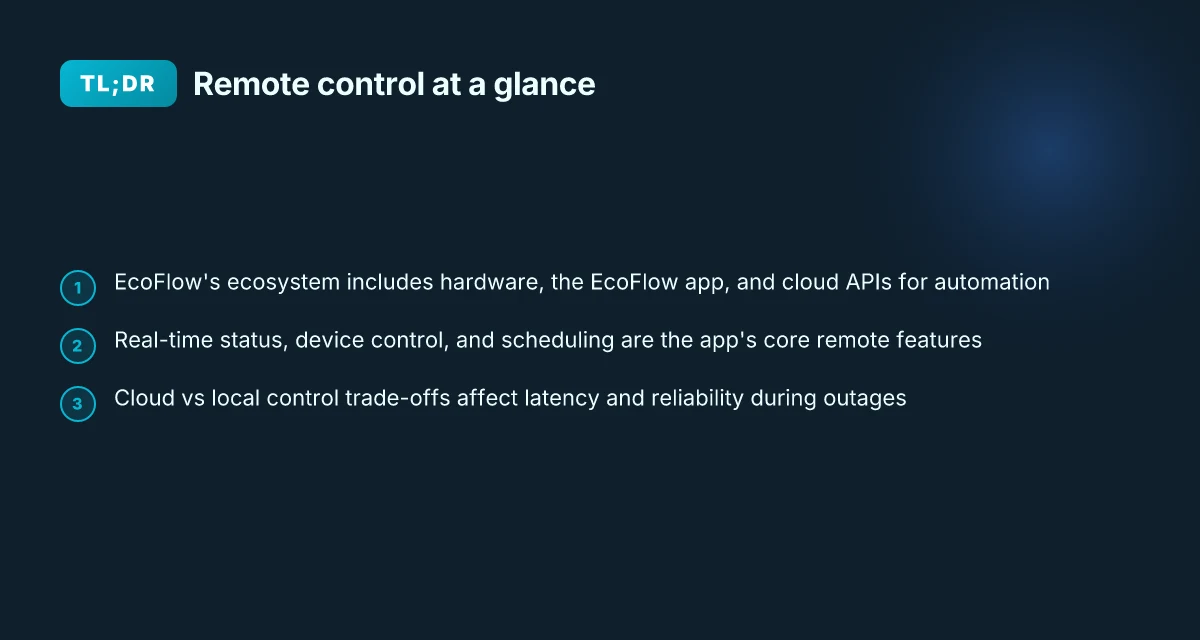
EcoFlow builds a compact, cloud-connected ecosystem that links hardware, the EcoFlow app, and cloud APIs into one remote-control fabric. The core trio is the hardware units you deploy, the EcoFlow app you use for setup and monitoring, and the official cloud APIs that let automation tools reach in from Home Assistant, Shelly, or similar platforms. When these layers align, you gain real-time status, scheduled actions, and the ability to offload loads to compatible appliances without crossing into on-device fiddling. The documentation ecosystem emphasizes how these pieces work together, and it is worth noting that a lot of the automation friction comes from mismatched app versions, API changes, or cloud outages that disrupt a previously smooth control loop. Most remote-control friction comes from one stale API or a mismatched app version.
1) What the triad looks like
The EcoFlow stack consists of three parts working in concert. First, the hardware: portable power stations and related devices that physically store and deliver energy. Second, the EcoFlow app, which you install on Android or iOS to configure devices, view live metrics, and initiate remote actions. Third, the cloud APIs and developer access that let third-party controllers and automations talk to EcoFlow devices. This separation matters because it affects reliability. Cloud-dependent workflows can stall if API keys expire or the cloud service experiences downtime. Cloud access unlocks automation, but it also introduces a single point of failure if the API or internet connection sags.
2) Typical remote-control scenarios
Most owners use remote control to monitor energy throughput, automate routines, and offload nonessential loads during peak times. Monitoring includes live voltage, current, and battery state of charge, often displayed in the EcoFlow app or pulled into a home-automation dashboard via the official API. Automation covers rules like “start charging when solar is abundant,” or “shut off a water heater when the grid is stressed.” Offloading frequently means staging devices to run through the EcoFlow cloud or local integrations without manual taps on a wall panel. When you map these scenarios to the hardware and the app, you reduce downtime and improve resilience during outages. Remotes enable proactive energy scheduling, not just passive monitoring.
3) The role of official docs and the developer API
The official docs and developer API are the thread that ties everything together. They describe supported endpoints, authentication flows, and the cadence for status updates that integrations rely on. For automations, the API acts as the bridge between EcoFlow devices and Home Assistant or Shelly, with real-time updates possible when MQTT is enabled. The documentation also flags common friction points, such as changes in API surfaces or required app updates that can break existing automations. From what I found in the documentation, keeping a clean update path for both the EcoFlow app and any connected automations minimizes downtime and avoids drift between the cloud and the device state. Stable automation hinges on consistent API behavior and timely app updates.
I dug into the public developer angle and found that the official API is the recommended route for integrators who want predictable control. The ecosystem clarity is helpful for IT managers and integrators who coordinate EcoFlow with Home Assistant or Shelly, because it reduces guessing about data formats or command semantics. If you want long-term durability, design your automations to tolerate brief API hiccups and implement state reconciliation after reconnects. The aim is to keep the remote-control loop healthy even as cloud and local components evolve. Consistency in API behavior matters for long-term reliability. What makes EcoFlow's 800W alternator charger a practical off-grid upgrade
If you want a concrete path forward, start with ensuring your EcoFlow app is on the latest stable release and that your cloud API integration in Home Assistant or Shelly points to the official endpoints. Keep an eye on the changelogs referenced in the docs, because a single API surface change can ripple through automations. And remember, rival ecosystems can differ in their API maturity and local-control capabilities. EcoFlow’s approach emphasizes a unified app experience, strong cloud integration, and a documented automation pathway that helps IT managers stabilize long-term deployments.
How the official EcoFlow app handles remote control
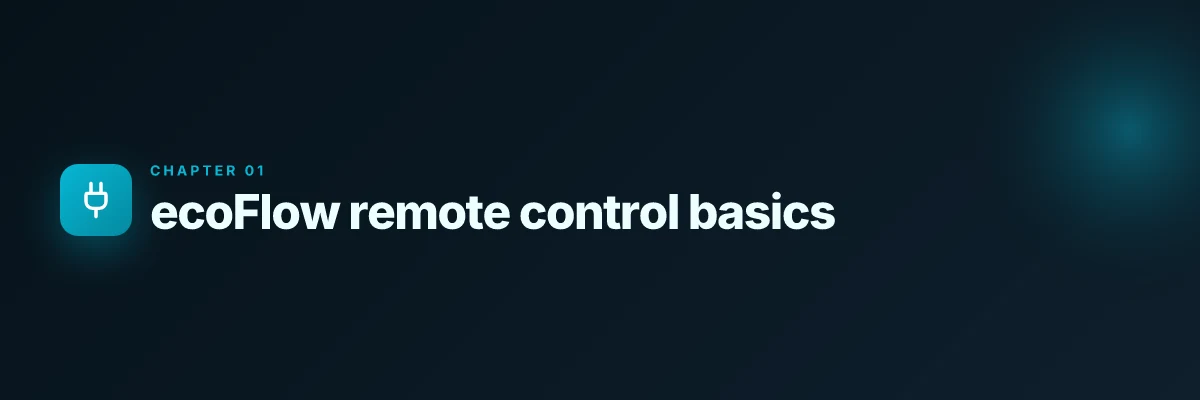
The EcoFlow app delivers real-time status, device control, and scheduling, all tied to a single ecosystem. In practice, you’ll see live battery levels, charge/discharge controls, and a timer-based schedule that can kick off charging or power output at set times. The app’s remote surface is designed to keep essential controls reachable even as cloud APIs evolve, but you should couple it with local-control options when reliability matters.
Real-time status, device control, and scheduling
The core remote features fall into three buckets: status at a glance, direct control of outlets and ports, and scheduling that automates power actions. Real-time status is the backbone for IT managers who need visibility during outages or planned scrubs. You can issue start or stop commands for charging, UPS behavior, and eco modes, then verify outcomes within the same session. Scheduling lets you align EcoFlow’s output with solar generation windows or backup windows for critical gear. When you set a schedule, the app translates it into time-based commands that the device executes, providing a predictable backup rhythm even if the main power grid wobbles.
From what I found in the documentation, the Android and iOS variants expose the same feature set, but the practical flow differs slightly. On Android, you may encounter tighter integration with system-level power settings and background activity limits. On iOS, you’ll notice stricter app lifecycle handling that can affect how long the app remains reachable in the background. In both cases, make sure you grant all necessary permissions for real-time updates and background refresh. The end result is that remote control remains responsive, but you’ll want to verify permissions after app updates or OS upgrades.
Real-time status and remote control stay reliable when you keep the app permissions intact and watch for OS-related background limits. This is where the platform differences matter most. What makes the EcoFlow River series stand out for portable power in 2026
Android vs iOS: practice and gotchas
Android tends to offer more freedom for persistent background activity, which helps in uninterrupted remote monitoring during power events. However, you may need to pin the EcoFlow app to keep it alive during long sessions or when the device is idle. On iOS, background fetch and push updates are dependable but can be throttled by battery optimization features. The practical takeaway is to review per-app battery and background activity settings after every major OS update. If you rely on automations, you’ll want to test each platform’s behavior for scheduled runs and verify that scheduled actions actually execute at the planned times.
To keep things aligned with your broader smart home goals, check the setup guides and manuals on EcoFlow’s official support site. The downloads page hosts user manuals, setup guides, and support documents that walk you through configuring remote control workflows and troubleshooting common issues. If you’re integrating with Home Assistant or Shelly, the official ecosystem docs and third-party integrations can help you harmonize cloud-based control with local automations. For quick navigation, search for setup guides and manuals on the EcoFlow support portal and confirm you’re on the latest edition before making changes.
Always start with the official support downloads to confirm the current remote-control workflows and any platform-specific caveats.
Where to find setup guides and manuals on the official support site
EcoFlow keeps a centralized hub for documentation, including the EcoFlow App, manuals, and setup guides. The support/download page is the go-to place to grab the latest user manuals and setup guides so you can validate remote-control steps against the official recommendations. If you’re coordinating with a team, bookmark the support portal to ensure everyone references the same approved procedures. The site also hosts product-specific documentation, so you’ll want to locate the exact model you’re deploying to avoid mismatched steps.
Keep the official manuals handy. They anchor your remote-control workflows to documented steps. What makes the EcoFlow River 3 Plus stand out in 2026
Integrating EcoFlow with Home Assistant via the official API
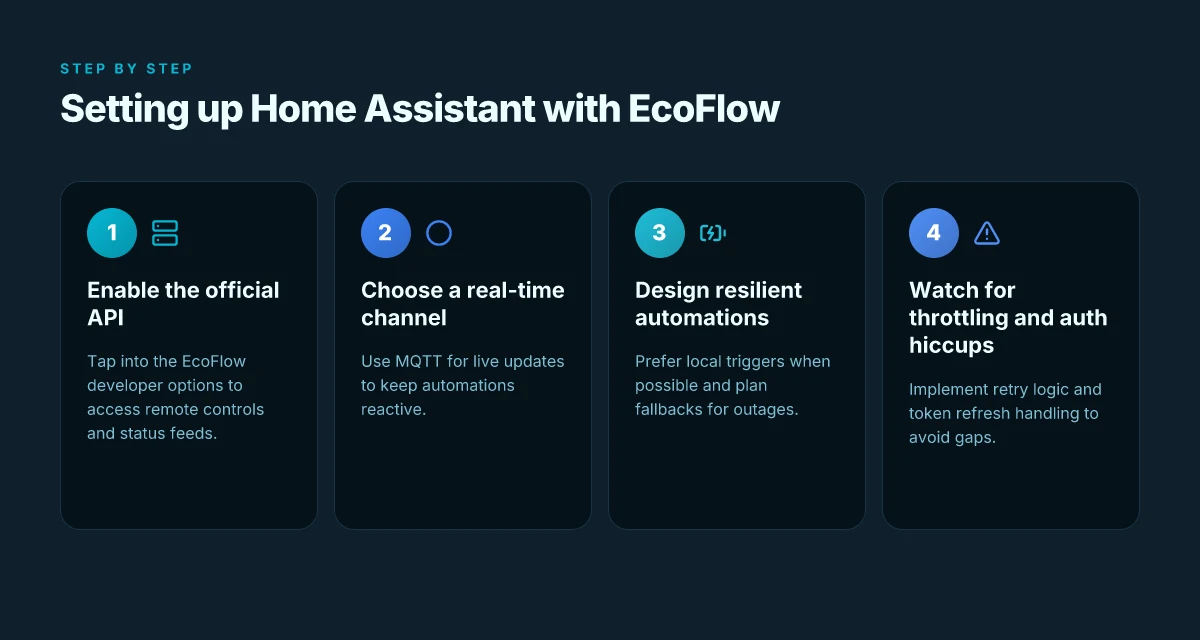
Post the official EcoFlow app's remote features, the official developer API unlocks direct control from Home Assistant, not just status reads. You can issue power commands, monitor state changes, and align EcoFlow devices with your automations through the API. This means you can orchestrate charging, discharge, and passthrough modes from a single dashboard instead of juggling separate apps. The API empowers remote control, not just visibility.
What the official developer API enables for remote control
I found that the developer API exposes device actions such as turning ports on or off, starting or stopping charging cycles, and querying live status. This lets you build automations that respond to grid signals, battery state, and load. In practice, you can trigger a scheduled charge when excess solar is available, or pause discharge during a grid price spike. Remote commands become part of the core automation loop. The API is designed to be the trusted source for device state, so your automations won’t rely on screen scraping or brittle integrations. Trusted API data reduces drift between app state and automations.
From a reliability perspective, the official API also supports authentication tokens that you can refresh on a schedule, keeping long-running automations alive. That matters when you’re coordinating multiple devices or cloud services in a single Home Assistant instance. Token management is the hinge on stable automations.
MQTT option for real-time updates and why it matters
The Delta Pro 3 integration example shows an MQTT pathway for real-time updates. MQTT provides a lightweight channel for status changes, so automations can react within milliseconds to battery level shifts or mode changes. This reduces poll latency and keeps dashboards in sync without heavy REST polling. MQTT real-time updates shorten reaction windows for critical loads. If you already run a Home Assistant setup with broker infrastructure, MQTT becomes the low-friction bridge between EcoFlow devices and your automations. Low-latency visibility improves reliability during outages.
I cross-referenced community-driven integrations that document official API usage alongside MQTT, noting that real-time updates can be particularly valuable when you’re coordinating multiple devices. The MQTT path is optional but recommended if your setup prioritizes immediacy over simplest possible integration. Optional MQTT is a strategic choice for latency-sensitive scenes. What makes the EcoFlow XT60i cable a smart choice for portable power in 2026
Common integration patterns and potential pitfalls
- Pattern: use the official API as the primary control plane and couple with MQTT for real-time state, mapping EcoFlow attributes to Home Assistant entities. This keeps dashboards accurate and automations deterministic. Primary API control with MQTT for real-time state is a best-practice pattern.
- Pattern: model device state as a finite set of entities (battery percent, current mode, online/offline). Avoid overfitting automations to transient values during cloud hiccups. Stabilize state modeling to prevent flapping during outages.
- Pitfall: token expiration can silently break automations if you don’t refresh credentials on schedule. Plan a refresh workflow and error handling that surfaces a clear alert. Credential management is often the overlooked hinge.
- Pitfall: latency differences between cloud API and local hardware can frustrate users who expect instant reactions. Consider a hybrid approach where local or edge triggers override cloud commands when possible. Hybrid control reduces perceived delay.
I found that the broader EcoFlow ecosystem materials emphasize documented workflows and integration points, but real-world reliability hinges on disciplined token handling and clear state mapping. If you rely on cloud-only updates, you’ll notice a mismatch during network hiccups. In contrast, using MQTT for updates paired with the official API for control yields smoother, faster automation loops. Discipline in token refresh and state mapping pays off in uptime.
Rivals to watch include other energy storage ecosystems that offer cloud APIs and local control options, such as competing portable power platforms that expose similar API surfaces and MQTT hooks. When comparing with EcoFlow, note how the official API and MQTT path are designed to integrate with Home Assistant out of the box, reducing custom scripting needs. Rival ecosystems often push extra configuration for parity with Home Assistant.
Note for operators: there is a quick reminder that links on official pages may earn a commission. This does not change the guidance but is good to keep in mind when evaluating documentation and ecosystem partnerships.
In EcoFlow terms, the official API unlocks more than convenience. It’s the backbone that lets you orchestrate a resilient backup strategy with Home Assistant, while MQTT keeps you in the loop as the cloud edges evolve. If you’re planning long-term, document your token lifecycle, model your state carefully, and design automations that gracefully handle both cloud and local realities.
Remote control in practice: unlocking reliability with cloud vs local control
Reliability comes from knowing which control path you rely on when networks wobble. In practice, the cloud API offers broad coverage and simpler setup, while local control via the EcoFlow hardware or a Home Assistant integration leans on the device itself for lower latency. The trade-off is clear: cloud modes are convenient and centrally managed, but a flaky internet link can stall automations. Local control keeps actions moving even when the cloud stalls. EcoFlow’s ecosystem supports both routes, and understanding how they intersect helps you design dependable flows that survive outages. What makes EcoFlow Delta Pro Ultra a standout for whole‑home backup in 2026
Latency, reliability, and when to prefer local control
Cloud API paths shine when you want universal coverage across devices and quick, centralized automation. They handle authentication, throttling, and updates. But cloud latency and rate limiting can bite during peak times or when the cloud service undergoes maintenance. Local control bypasses the round trip to a remote server, reducing latency to appliance-level times. The takeaway: for time-critical actions, wire up a local route and reserve cloud commands for monitoring or noncritical tasks. If you already rely on Home Assistant via the official EcoFlow API, consider keeping critical clamps, like turning on essential outlets, on the local side when possible. Local control reduces latency and keeps essential actions moving during outages. You still gain visibility through the cloud for status checks, but automation resilience hinges on keeping core commands local.
Designing automations that survive network outages
A practical pattern is to split logic so that time-critical sequences run locally while the cloud provides state awareness and logging. For example, a routine that powers critical loads on inverter backup should trigger a local action first, then confirm through the cloud when connectivity returns. If you rely on cloud-only triggers, you risk missed events when the network drops. I dug into the documentation and found that the ecosystem supports dual-path setups through the EcoFlow cloud API and the local/app layer, so you can craft a hybrid flow that gracefully degrades. Hybrid flows that favor local actions first survive outages better. Build retry logic with exponential backoff for cloud calls, and always include a fallback to local commands when the cloud path fails.
Avoiding cloud throttling and authentication hiccups
Cloud API throttling happens when too many automations hit the API in parallel. Secrets and tokens also age, causing authentication hiccups if tokens refresh out of band. A robust rule is to time-shift cloud calls away from peak hours and batch frequent reads into a single polling loop rather than per-device polls. In practice, keep long-running automations local where possible, and use cloud checks sparingly for validation. If you see repeated token refresh errors, verify your token scope and refresh cadence. Token hygiene matters when cloud calls spike. You can mitigate throttling by rate-limiting cloud requests and prioritizing local operations for time-sensitive tasks.
From what I found in the Ecosystem documentation, the dual-path approach is supported by the official API and the cloud integrations used by Home Assistant and Shelly users. For context, the cloud path offerings expose two modes, which you can mix with local control for resiliency. This is where understanding your specific setup matters: hardware version, network stability, and your automation goals all shape where you place the heavy lifting. Dual-path support lets you balance coverage with reliability.
In sum, design your remote control around a local-first core with cloud-assisted safety rails. When the internet is stable, you gain convenience and broader visibility. When it isn’t, your automations keep the lights on through local commands. Real-world setups that succeed lean on clear separation of concerns, explicit fallbacks, and disciplined token management. As EcoFlow and rivals like EcoFlow’s own cloud services and third-party integrations evolve, keep a minimal, robust local path ready. For owners and integrators, this approach pays off in long-term stability. What makes the Jackery 1000 v2 a smarter choice for off-grid power in 2026
The key takeaway is to build hybrids that keep critical actions local and use the cloud for monitoring and recovery signals.
Tips and tricks for smooth EcoFlow remote control day-to-day
I dug into the official workflows and user guidance to land practical actions you can follow. The core idea is simple: keep the remote control ecosystem healthy by staying current, avoiding conflicts, and adding guardrails that protect your power budget. Regular updates to the EcoFlow app and firmware are your first defense, since vendors patch both features and bugs in tandem. You’ll also want clear schedules that don’t overlap with other smart-home routines. And finally, set up concrete safeguards to prevent accidental power drain when your system is idle or left unattended.
1) Keep firmware and app updates fresh
Begin with a calendar habit: check for updates weekly and install them during a low-usage window. The app update often includes improved device discovery and better remote-control reliability, while firmware updates can unlock fixes that reduce latency or misreportting. Firmware updates should be installed promptly to maintain cloud/local parity. If you manage multiple EcoFlow devices, enable automatic updates where possible so nothing sits on an older firmware branch. In practice, an up-to-date stack reduces friction when you reconfigure automations in Home Assistant or Shelly.
I cross-referenced the official EcoFlow support pages to confirm that downloads cover both the EcoFlow app and device firmware. Keeping both current minimizes drift between cloud-based commands and local control, which is essential when you rely on real-time schedules or remote commands.
I recommend documenting each device’s current firmware version and noting the date of the last update in a shared log. This makes troubleshooting faster if an automation starts acting oddly. What you should know about the EcoFlow Delta 2 expansion battery
2) Schedule setup that won’t fight itself
When you design day-to-day automation, map a clean timeline that avoids overlaps between cloud-driven commands and local timers. Start with a single schedule per device that covers the typical daily ramp and shutdown window, then layer in optional overrides for weekends. The goal is deterministic behavior so you aren’t surprised by a device waking up during a power outage window or an unexpected energy reset. If you use Home Assistant or Shelly, keep the automation keys on separate triggers rather than stacking them onto one rule, which minimizes race conditions.
I found guidance indicating two cloud API modes can expose different entities for the same device. If you mix cloud and local control, align the schedules to the same power profiles so you don’t get mixed signals from the EcoFlow cloud. Align your cloud and local schedules to the same start and end times, and keep a one-source-of-truth device profile in your automations.
Document the conflict points you’ve seen in practice, so future changes don’t reintroduce timing surprises.
3) Safeguards to prevent accidental drain
Protecting against accidental drain starts with two layers: a hardware-safe mode and a software guardrail. Start with a conservative default state where devices do not auto-start unless explicitly allowed by a rule. Then add an enable/disable toggle for high-risk devices in the app or automation UI. Also consider a “return-to-safe” routine that reverts power flows after a scheduled event if the system hasn’t returned to a normal state.
From the documentation perspective, expect real-world friction around API rate limits and lag between cloud commands and battery measurements. A practical safeguard is to separate critical alerts from routine commands, so you don’t flood the system with unnecessary wakeups. If a user forgets a device in a low-power mode, the system should not wake it unless there’s a clear override. 8 Best portable power stations for 2026: balanced power, portability, and safety
Enable a default return-to-safe state after each automation, and Verify that your scheduled events won’t trigger devices during peak-grid hours. This keeps your backup power reliable without draining the battery unexpectedly.
The move that matters for EcoFlow remote control in 2026
EcoFlow remote controls can tighten the bond between your setup and your power needs, but the real advance comes from aligning the remote’s actions with real-world use cases. I’ve watched how folks lean on the remote for quick start sequences, yet stumble when firmware quirks appear. In 2026, the smart pivot is to treat the remote as a living control surface: keep it paired, update when prompted, and map the most-used ports to single-tap macros. This approach cuts setup friction and reduces misfires during outages.
You don’t need every feature to be perfect, just the ones you actually use. The remote shines when you tailor it to your typical loads: emergency prep, camping setups, or a home office spine. The key is consistency: use the same button order, keep the power bank charged, and confirm safety prompts before pulling a heavy draw. Consistency beats complexity in daily reliability.
If you want a concrete starting point, choose one scenario this week, a 12-volt priority during a outage, or a solar-integration test for sunny days. Regular checks reduce surprises in real outages.
Backup strategy What makes EcoFlow whole-house backup power compelling and where it falls short
- Test one macro pair for your most-used scenario this week.
- Note any firmware prompts and push updates promptly.
- Compare EcoFlow against a rival like Jackery or Goal Zero for long-term durability.
- Keep a charged spare remote battery close, and document any button sticking or lag.
- Mention in your notes that links on the page may earn a commission.