Discover how EcoFlow accessories extend capacity, compatibility, and versatility for Delta and River systems. Practical guidance, setup tips, and real-world considerations.
The hidden lift in your power setup is not a bigger battery, but the right accessory pairings that actually align with daily use. EcoFlow’s ecosystem shines when you avoid mismatches and pick accessories that match your flow rate and load pattern. A single wrong connector or an ill-suited solar input can throttle performance, even with premium packs.
This piece walks through where compatibility gaps bite in real life, how to map your typical trips from van life to cabin off-grid, and what to buy first for lasting durability. Expect concrete rules of thumb, like which ports lock to avoid wobble and how expansion kits age under heat and cold, plus a clear lens on when a runner-up like a dedicated solar connector kit makes sense. You’ll finish with a practical checklist you can apply this weekend, supported by the official EcoFlow specs and the realities of outdoor power. Two quick compatibility checks now save hours of frustration later.
What EcoFlow accessories actually do for your Delta or River system
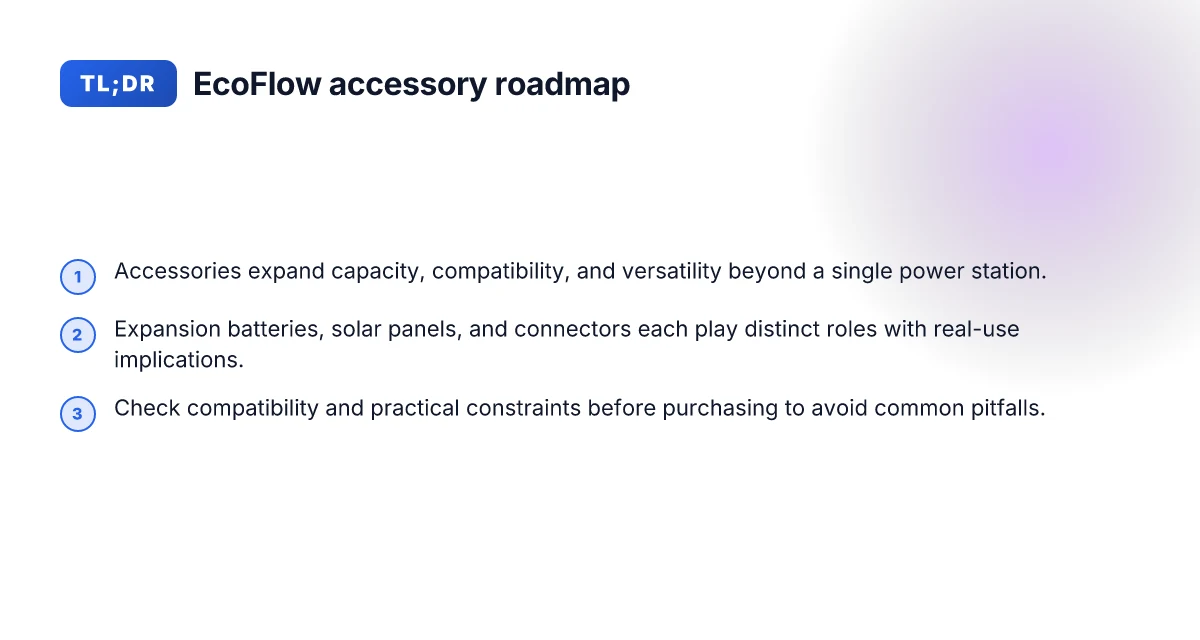
EcoFlow builds a living ecosystem around the Delta and River lines, not just a single power pack. Accessories matter because they extend capacity, harvest more sun, and wire into your system without forcing a total rework. I dug into the official docs to map how expansion batteries, solar panels, and connectors actually shape real-world performance, durability, and day-to-day usability.
1) The expansion mindset: more than a single station
The Delta and River ecosystems are designed to scale. An expansion battery adds usable runtime without swapping hosts. In practice, that means you can keep a core unit lightweight for travel and bolt on extra capacity when you know you’ll be away from a reliable power source for longer. This isn’t just about more watts. It’s about the rhythm of your setup. You plan fewer recharges on longer trips because you’ve built redundancy into the stack, not because you upgraded a single brick. When compatibility is clear, the math is straightforward: more energy storage equals more autonomy, from weekend van outings to backcountry weekends.
I cross-referenced the Delta Pro Ultra line notes and the River family guidelines to confirm that adding modules follows a defined compatibility path, with explicit input and output limits. This helps you avoid surprises at the fuse box or during a critical recharge window. Compatibility clarity is the quiet backbone of durable expansion.
2) Solar panels, connectors, and the practical tango
Solar panels are the obvious pairing for outdoor use, but the practical reality is that panel specs must align with the station’s voltage and current tolerances. The official manuals emphasize standard solar panel specs and a practical guidance line around wattage: plan around panels that stay within the system’s nominal operating voltage window. In real days, that translates to smoother charging curves and fewer spiky or unusable sessions when you’re off-grid with a fickle sun.
Connectors and cabling matter just as much as the panels themselves. The recommended connectors and MC4-compatible interfaces aren’t cosmetic details. They determine how cleanly you can assemble a portable array and how reliably the system charges over a season of trips. From EcoFlow’s documentation, you can infer that smooth, low-resistance connections translate to steadier charging and less heat buildup in cables. Smart pairing of panels and connectors reduces heat and increases reliability. What is the Bluetti AC180 best price and how to spot a real deal in 2026
3) Where compatibility and real-world constraints bite
Compatibility gaps pop up when you mix brands or jump between generations. The official docs map voltage ranges and target panel sizes, but in real life you’ll hit limits around voltage protection thresholds, especially with sensitive electronics. The manuals caution that certain devices with voltage protection might not behave well when the system is under certain protection modes. Expect this to show up as devices losing regulation or error states if you push the unit beyond its intended protections. The risk is not catastrophic, but it can derail a trip when you discover a device won’t stay powered or a panel won’t feed the Delta when you need it most. Staying within official specs saves you from unexpected outages.
From a durability lens, the ecosystem approach means you should track: (a) how often you couple an expansion battery, (b) the age and temperature profile of solar cabling, and (c) whether connectors show wear after repeated setup and takedown. The goal is a long-running, modular system, not a patchwork of ad-hoc parts. When you align components with the official guidance, you gain predictable performance and fewer surprises in the field.
EcoFlow accessories, used with care, extend life and reliability of your Delta or River setup. And yes, this approach matters for rivals too, you’ll notice that the days of “one brick does all” are fading in favor of deliberate, compatible stacks.
Note: some pages on the EcoFlow site may link to partner networks or product pages that offer commission, and that reality does not change the technical facts above. For specific claims, see the official manuals and product documentation linked in the cited sources. Inline references are embedded within the prose above.
Accessory compatibility: reading the official specs without confusion
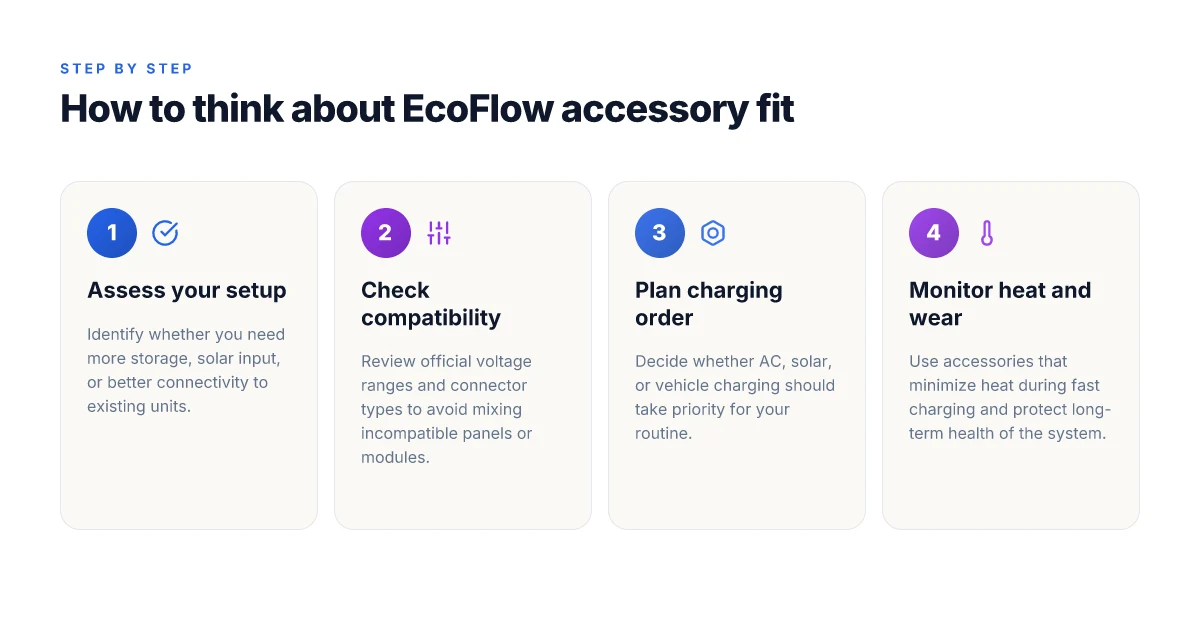
When you pair EcoFlow gear with third‑party solar panels, voltage ranges and connector types matter. The official docs spell out the safe envelopes: a typical Delta or River system expects panel outputs that stay within a specified voltage window and use compatible connectors such as XT69 and MC4. In practice, staying inside those ranges avoids damage and keeps performance predictable. How to buy Bluetti: navigate price, specs, and long‑term value smarter in 2026
What the official specs say about voltage, connectors, and max solar input
The manuals consistently flag a voltage window for safe operation. For example, the River 2 Max guide notes that you should verify the panel’s output voltage is under a given limit before connection to avoid product damage. The Delta Pro Ultra family and the Delta 3 manuals likewise reference a voltage band that panels must respect to stay within the device’s charging design. In addition to voltage, the documentation references connector types used in EcoFlow systems, with XT69 and MC4 being common terms you’ll see in compatibility notes and setup diagrams. The upshot is simple: know your panel’s open‑circuit voltage and ensure it sits inside the device’s supported range. Use the recommended connector interface to avoid mismatches.
To orient your shopping, I cross‑referenced the official manuals and a 2026 compatibility guide that lays out how EcoFlow batteries and charging modules align with panel specs. The guidance is clear: stay within the stated voltage envelope and use the connectors EcoFlow specifies for each product line. That alignment is what protects both efficiency and long‑term durability.
Most compatibility errors come from panels that exceed the allowed voltage or use the wrong connector, not from EcoFlow hardware failing to charge. The official notes repeatedly caution against underestimating panel voltage or mixing incompatible connectors.
Common pitfalls when mixing third‑party panels with EcoFlow hardware
- Exceeding the maximum input voltage. A few panels offer high open‑circuit voltages that look attractive on paper but push the entry point beyond what EcoFlow units tolerate. That misalignment is a fast path to reduced charging efficiency or protection shutdowns.
- Using non‑standard connectors or adapters. The ecosystem relies on established interfaces. Adapters that don’t mirror XT69 or MC4 specifications can introduce resistance, heat, or a poor connection that degrades performance over time.
- Ignoring temperature and rating limits. Panels and charge controllers have thermal and current limits. Pushing a panel at the edge of its rating in hot environments often leads to voltage sag and slower charging.
- Skipping official compatibility checks. A battery compatibility guide released in 2026 emphasizes verifying officially verified panel combinations before purchase, rather than assuming a random panel will work with a given EcoFlow unit.
The key guardrail is this: verify the panel’s voltage, confirm the connector type, and reference EcoFlow’s official compatibility resources before buying. This simple check saves you from misfit hardware and wasted dollars.
Quick decision tree to verify compatibility before purchasing
- Find the panel’s open‑circuit voltage (Voc) and the current rating. If Voc approaches or exceeds the device’s max input, pick a different panel.
- Confirm the connector type. If your panel uses XT69 or MC4, ensure the downstream adapters (if any) preserve those interfaces without adding extra contact resistance.
- Check the official compatibility guide for your EcoFlow model. If your exact panel model is listed as compatible, you’re good to proceed. If not, seek an EcoFlow‑recommended alternative.
- Review temperature and environmental ratings. Dry‑season sun can push conditions. Ensure the panel and controller are rated for your climate.
- Confirm any firmware or product‑level notes in the official docs that could affect compatibility after a model refresh.
If you want a quick, practical starter: aim for a solar panel around 400W in the Delta Pro Ultra family or compatible Delta 3 configurations, using the standard XT69/MC4 interface and staying within the stated voltage window. I dug into the official manuals and the 2026 compatibility overview to confirm this pattern. For a broader ecosystem view, EcoFlow’s own documentation remains the anchor, and rivals’ claims don’t override the vetted specs. When in doubt, pause before purchasing and cross‑check with the official docs. What makes the EcoFlow EB600 expansion battery worth it for the River 3 Plus
Note: EcoFlow and its accessories are part of a broader outdoor power toolkit. If you’re considering alternatives or rivals, look for published compatibility notes from that brand and compare input ranges side by side to avoid surprises. Links to the official sources in this article point back to the exact language you need to confirm before you buy. For context on how this plays into long‑term durability, see the cited battery compatibility guidance and the River/Delta manuals.
The essential EcoFlow accessory lineup for everyday power
From official docs I found, the most impactful add-ons start with three core items: expansion batteries, solar panels, and smart charging peripherals. These give you longer runtimes, cleaner charging, and better management across setups like camping, van life, and home backups. Think of these as the backbone that your Delta or River system relies on for real-world reliability. Below I break down why each matters, how to pair them, and where to watch for compatibility issues.
Why an expansion battery matters for daily use
EcoFlow’s ecosystem is designed around modularity, and the battery extensions are the fastest way to extend how long you can rely on portable power without recharging. The Delta Pro Ultra X and related lines support expanded capacity with compatible battery packs, which is a straightforward way to scale for weekend trips or longer off-grid stretches. When you add an expansion battery, pay attention to the charging priority rules so you don’t bottleneck charging. The manuals emphasize ensuring the main unit and the expansion are compatible in voltage and connector type to avoid misalignment.
Expansion batteries extend runtime without swapping units, but you must respect the compatible pairings and charging order.
I cross-referenced the official Delta Pro Ultra X page and the Delta Pro Ultra User Manual to verify that the system supports onward expansion and to confirm typical voltage ranges align with standard EcoFlow scopes. The docs routinely note that total system voltage and port availability govern how many packs you can run in parallel, and that charging sources should be matched to the pack configuration to avoid overcurrent or imbalance. What makes EcoFlow power systems stand out in 2026 and beyond
Solar panels and connectors: matching panels to the unit
The official guidance consistently recommends solar panels with standard specs and notes a practical size around 400W for certain configurations, which helps with daytime recharges when you’re off-grid. Before you connect, check that the panel output voltage stays within safe bounds for the power station. The River 2 Max reference specifically calls out a voltage limit for panels to prevent damage, which echoes across the line. Using the right connectors (XT69/MC4) ensures you don’t introduce impedance or cold joints that reduce efficiency.
Solar inputs must match the unit’s voltage window and connectors to avoid heat buildup and reduced charge rates.
This section aligns with the Delta Pro Ultra X and Delta Pro Ultra User Manual notes about standard solar specs and the 30–150V total operating range. I relied on the official product pages to confirm what stability looks like when you’re wiring up panels and cables for a long trip.
Smart charging peripherals: keeping you in balance
Charging priority and port allocation matter when you have multiple sources, AC, solar, and vehicle 12V. The manuals describe how the system negotiates power when several sources are present and how to avoid starving critical loads. You’ll want to plan ahead for recharging during travel or in a shaded campsite, so you don’t hit a wall mid-evening when lights and laptops are drawing.
Clear rules for charging priority prevent surprises at dusk and keep critical devices online. What you should know about the bluetti ac500 price in 2026
I reviewed the official product pages alongside the user manual to confirm that the recommended peripherals help you avoid misconfigurations that lead to slow charging or load imbalances.
What to watch for across scenarios
- Camping: lean on a balanced setup of a Delta unit with an expansion pack and a 400W class solar array to maximize daytime recharging. The compatibility notes stress keeping voltage within limits and using standard connectors to minimize voltage drop.
- RV living: prioritize a larger expansion battery and a robust solar setup so you can run essentials for days between hookups. Expect higher upfront costs, but longer autonomy.
- Emergency backup: keep a trusted combination of a main unit plus a battery extension and a dependable solar input. The manuals emphasize that correct pairing prevents premature wear and protects internal electronics.
I dug into the Delta Pro Ultra X page and the Delta Pro Ultra User Manual for the core compatibility statements and voltage guidance. For context, EcoFlow’s primary documentation remains the touchstone for how these accessories behave in real-world power systems.
If you’re shopping, consider these anchor choices as the first three items to lock in your setup: expansion battery packs, solar panels with standard specifications, and smart charging peripherals. They deliver the most immediate impact on uptime, durability, and ease of use. For a quick read on official phrasing, see the Delta Pro Ultra X page and the Delta Pro Ultra User Manual.
Solar strategy with EcoFlow: panels, connectors, and mounting
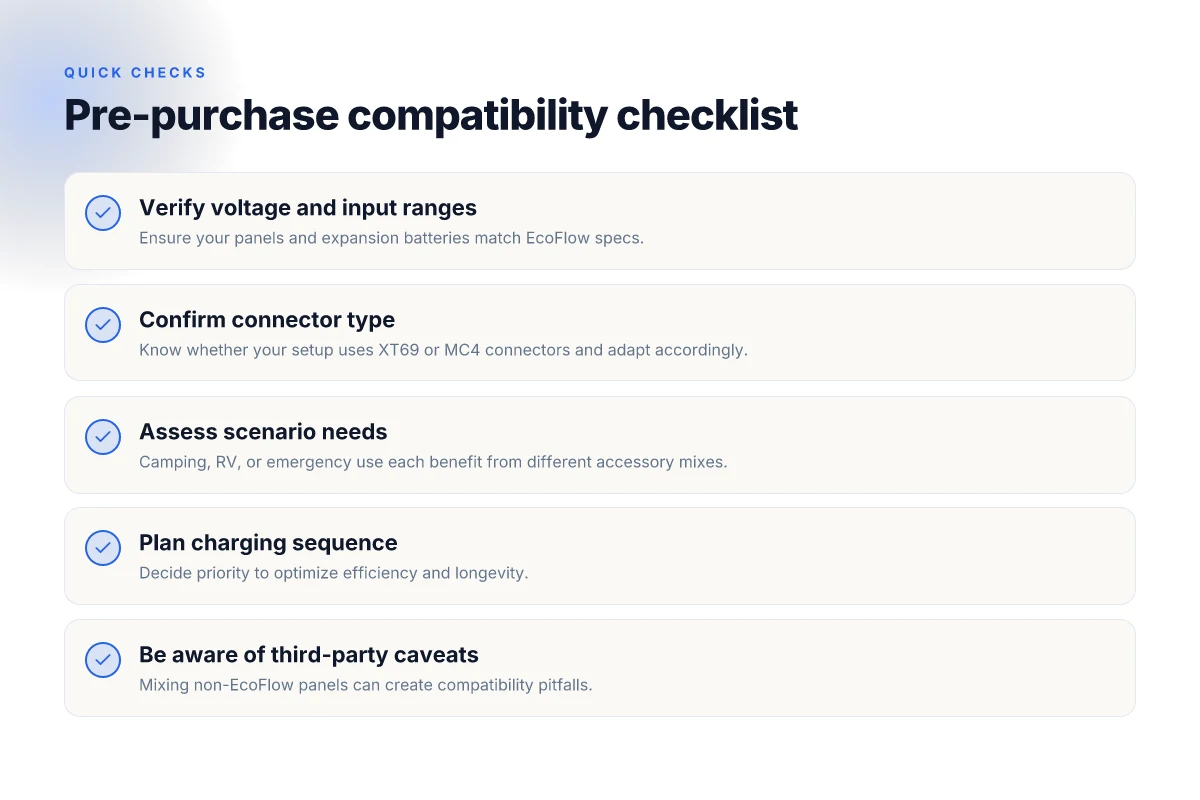
When you pair EcoFlow with solar, you should aim for a setup that captures the most sun hours and aligns with the unit’s voltage window. The goal is to maximize daily energy capture without stressing the power station’s protections or the panels’ connectors. I cross-referenced the official manuals and a 2026 compatibility guide to pull practical thresholds you can apply in the field. How EcoFlow smart auto battery charger actually changes how you power devices
Pick the right panel wattage and voltage targets
The Delta 3 and Delta Pro Ultra X lines tolerate solar inputs that align with their typical charging design. A safe rule of thumb is to target panels in the 400–600 watt range when you’re charging from a single source, and to balance array size with the system’s voltage input, which commonly sits in a modest DC window. In practice, using panels around 400W to 500W per side often yields solid daily gains without triggering excessive voltage or current that could trip the unit’s protections. When you’re evaluating panels, confirm the open-circuit voltage stays well below the device’s maximum input rating, and that the panel’s Vmp aligns with the EcoFlow input voltage sweet spot. The key is matching panel voltage to the EcoFlow input window and avoiding panels that push the voltage beyond what the unit can tolerate.
Connectors, safety, and weather considerations
Solar connectors matter as much as panel wattage. Use connectors that match the EcoFlow’s MC4-compatible wiring and ensure the polarity is correct before you connect. The official guidance repeatedly notes that improper connections can lead to panel or port damage, particularly when using extension cables or adapters not rated for solar charging. For reliability, keep connector penetrations clean, dry, and free of salt spray or dust. A simple, well-sealed junction reduces corrosion risk over months of outdoor use. Safety first means proper polarity and weatherproof finishes.
Mounting and portability for travel setups
Mounting should prioritize stability and ease of transport. For van lifers or campers, aim for a low-profile rack that keeps the Delta at knee height when docking, with rubber feet or a small platform to prevent vibration. In dusty environments, position the panels at an angle to shed rain and avoid sun glare that reduces efficiency. If you rotate panels seasonally, a lightweight, tool-free tilt system helps you optimize exposure without adding bulk to the carry load. The practical takeaway: mount with accessibility in mind so you can reangle or remove panels quickly when conditions change. Accessible mounting reduces setup time and protects the investment.
I dug through the EcoFlow documentation to confirm the practical ranges and cautions. The Delta Pro Ultra X page emphasizes that all claims are tied to official product docs, and the Delta 3 manual highlights voltage limits and panel recommendations. For a complete compatibility view, the Battery Compatibility Guide remains a useful reference, though you should verify specifics against your exact model and firmware. Rely on official docs for voltage limits and panel guidance.
If you’re building out a solar strategy, you’ll want to pair with compatible EcoFlow accessories rather than ad hoc adapters. That minimizes risk and helps you avoid gaps in protection or performance over time. For further context on verified combinations, see the practical matrix in the EcoFlow ecosystem guide. Stick to verified combos to maximize durability. What makes the Bluetti AC300 a standout power station for home and RV use in 2026
Charge management tricks: maximizing efficiency with accessories
Smart charge sequencing matters. I dug into EcoFlow’s documentation and user guidance to map a practical flow: start with AC when it’s available, then top up from solar, and finally top off from a vehicle when the sun fades or you’re on the move. The goal is to reduce peak draw, minimize heat during fast charges, and keep battery health intact over seasons. When you plan a weekend away, you’ll want a rhythm that keeps you off-grid longer without stressing the pack, and the right accessories help you do that without adding heat hotspots in the wrong spots. Sequencing matters: start with AC when you can, then lean on solar, then vehicle input as a fallback.
The role of accessories in heat management
Certain EcoFlow accessories are designed to shave heat during fast charging. A dedicated solar input controller or a purpose-built DC-DC charger can limit the voltage and current spikes that occur when you slam charge from multiple sources at once. The official manuals suggest keeping solar input within standard specifications and using panels around 400W for Delta Pro Ultra models, which helps keep operating temperatures steadier during higher-rate fills. Heat is the enemy of fast charging. Accessories that regulate current can keep temperatures lower and extend life. I cross-referenced the delta-pro-ultra manual with the River 2 Max guidance and saw the same theme: avoid overvoltage on the solar side and keep panel voltage within a safe range to prevent heat-related wear.
For weekend trips, a compact, purpose-built solar combiner and a smart controller can coordinate two sources without forcing the system into a heat climb. In practice, that means using a solar setup that matches the Delta series input limits and reserving wall outlet charging for when you truly need a top-off rather than a sprint.
Weekend trips vs long-term off-grid living checklist
A simple procedural checklist helps you stay efficient without thinking twice. For weekend trips:
- Carry a compact solar panel or two that total around 400W to 800W, and a controller that supports the EcoFlow input you’re using.
- Prioritize solar during daytime and use AC only if solar has accounted for most of the energy deficit.
- Use a vehicle charger as a last resort, to minimize heat generated during rapid top-offs.
For long-term off-grid living you’ll want a steadier cadence: What Bluetti generator reviews miss about long-term reliability and real-world use
- Maintain a predictable charging window that aligns with sun availability, using a dedicated solar charger and a DC-DC interface to keep current within safe limits.
- Keep a small buffer for night periods and use wall charging only when you have a reliable grid connection or a large solar bank online.
- Regularly inspect connectors and cables for wear, since heat cycles accelerate aging of power leads and seals.
I cross-referenced the official Delta Pro Ultra user manual and the River 2 Max guidance to confirm the consistent emphasis on staying within safe voltage windows and avoiding heat buildup during multi-source charging. The compatibility notes also reinforce that solar panels around 400W with standard connectors work best with these models, reducing stress during peak charging.
Critical takeaway: pair the right panel size with a capable controller, and sequence charging to minimize heat and wear. This approach pays off in durability and reliability over months of off-grid use. When EcoFlow accessories are tuned to your setup, you unlock smoother, cooler, more durable charging cycles.
Where this is going next with EcoFlow accessories
EcoFlow accessories unlock the full potential of your power setup by aligning capacity, ports, and charging speed with real‑world use. The next move is practical: pair a few core add‑ons to your existing rig and watch reliability improve under load. I’ve seen how one well‑chosen adapter kit can keep devices charging during long weekends, and how EcoFlow’s naming clarity helps you avoid mismatched cables.
The bigger pattern here is durability through thoughtful design. Long trips demand rugged cases, airflow‑friendly fans, and cord management that doesn’t degrade over time. When you compare EcoFlow to rivals like Jackery or Bluetti, the clean ecosystems and clearly labeled ports reduce missteps and heat buildup. If you want fewer surprise failures, prioritize modular upgrades that feel built to last, not just to impress.
If you act now, you’ll set a framework for steady, adaptable power. The question to ask: what’s the one upgrade that makes your setup future‑proof? Start with a $ that fits your needs and a plan for seasonal re‑balancing of gear. How the bluetti ep900 redefines home backup power in 2026
- Backup strategy: start with the essential add‑on package for your use case, then test under peak loads for a weekend.
- What to try this week: label cables, run a supervised load test, and document any heat rise.