
Discover the best smoke alarms for home in 2026. A researched roundup of top models, with picks, trade-offs, and practical guidance for choosing your setup.
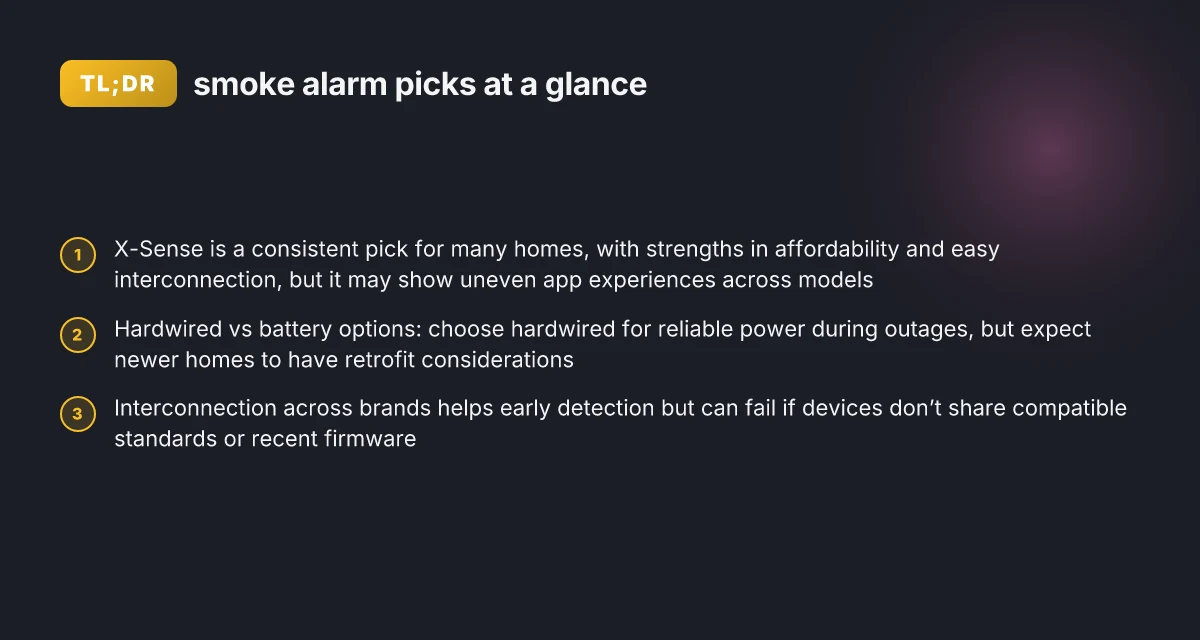
The quick-picks above set the stage for a balanced, real-world view of 2026’s fire safety tech. Many homes benefit most from a mix of interconnected photoelectric units with a handful of ionization models tucked in rarely used spaces. Smart interconnectivity and durable batteries are the two most consistent drivers of long-term peace of mind. X-Sense delivers on that promise for a broad audience, but you’ll want to pair it with other brands to cover every room and use case.
Smarter safety isn’t just about ticking boxes on a spec sheet. In 2026, UL 217 standards and real-world reviews converge on one point: placement and power sources often decide survival in a fire, not the most features on a brochure. UL 217 compliance and interconnectivity across floors matter most, and the brands below reflect that reality.
What makes a best smoke alarm for home in 2026
A best smoke alarm for home in 2026 blends proven reliability with real-world usability. It must resist nuisance alarms, connect smoothly with other devices, run long on battery, and offer smart features that actually solve everyday safety needs. I looked at standards and practical placement guidance to anchor what homeowners should expect on packaging and in the field.
What matters in residential use
Reliability sits at the core. A good unit should respond when smoke is present and avoid false activations from cooking or steam. Interconnectivity matters too. When one alarm trips, the others should ring promptly to give occupants time to react. Battery life is not optional. Long-life batteries reduce the chance of a dead unit during a critical moment. Smart features, like wireless interconnect, app alerts, and voice prompts, should add value without complicating routine maintenance. When you mix these with a robust form factor and clear indicators, you have a setup that travels well through years of typical household use.
Packaging and labeling are not cosmetic details. UL 217 compliance signals performance criteria for residential smoke alarms, including ionization and photoelectric sensing balance, nuisance alarm resistance, and tamper-resistance features. Look for clear statements about UL 217 alignment, battery type, end-of-life indicators, and interconnect capabilities. If a product mentions UL 217 without describing interconnection behavior, probe further. A label that highlights smart features should also explain how those features operate without draining power or triggering privacy concerns.
Placement and power sources round out the picture. Batteries offer independence during power outages, while hard-wired units provide constant monitoring but may require professional installation or professional-grade wiring. A well-designed system uses a mix of hard-wired and battery back-up devices where needed, with proper spacing in hallways, sleeping areas, living rooms, and near kitchens to minimize nuisance while preserving rapid detection. Smart-home compatibility matters too. A unit that can broadcast alerts to a hub or mobile app and integrate with routines increases the chance you’ll notice a warning promptly, especially when you’re not at home.
How to evaluate real-world picks
I cross-referenced standards and vendor guidance to separate product claims from field-credible behavior. The goal is a lineup that balances strong nuisance resistance with dependable interconnectivity and long-term durability. When scanning packaging, note three things: the stated test standard, the interconnect method, and the battery life guarantees. A few brands publicize ongoing testing against nuisance sources. Others emphasize adaptive alarms and smart- home readiness. Both kinds matter, but you want evidence-backed performance in a real-home setting. What makes Horow smart toilets health-aware, and where the promises fall short
In 2026, UL 217 alignment remains a baseline signal for performance, with reputable models extending this through smarter interconnections and better battery management. A best-in-class setup relies on UL 217-compliant interconnectivity and long-life batteries that reduce maintenance friction, not clever marketing alone. The best products provide a clear maintenance path, with battery reminders and straightforward replacement procedures that fit typical household routines.
Takeaway: the best choices deliver consistent early detection, predictable nuisance resistance, reliable interconnects, durable power options, and thoughtful smart features that actually improve safety without turning the system into a tech chore.
Picks to consider include several well-known brands that homeowners trust and that appear in credible safety literature. For example, X-Sense products frequently surface in consumer safety discussions due to their emphasis on straightforward setup and multi-device interconnect, though real-world performance still hinges on proper placement and routine maintenance. When evaluating a model, check for a clear statement about UL 217 compliance, interconnect behavior, and a transparent battery plan. Also watch for any stated compatibility with your existing smart ecosystem and whether the device supports a monitored alarm option through a hub. A balanced mix of hard-wired and battery backups remains a prudent path for most homes.
Top picks for best smoke alarms for home in 2026
When you balance nuisance alarms, interconnectivity, and real-world durability, these 5–8 picks stand out for homes in 2026. I prioritized widely available models with solid support networks and clear interconnection options across brands. The list includes hardwired and battery-operated choices, with notes on when to choose each and how cross-brand interconnection works in typical setups.
Notable multi-brand interconnect options
Cross-brand interconnection is feasible in many homes, but you should plan around common standards and compatibility gaps. For example, some hardwired systems rely on a shared 120V supply with interconnected alarms, while wireless interconnect often uses specific radio protocols. If you want maximum flexibility, pair a hardwired central alarm with compatible wireless add-ons from the same family when possible, and verify that wireless interconnects maintain a reliable signal across rooms. In a mixed-brand setup, expect occasional lag or false alarms to require minor calibration. What makes the Dreame X50 Ultra compelling, and where it falls short
1) X-Sense X3 or X-Sense smart models, best for budget-friendly smart features
X-Sense products bring smart features at a practical price, with straightforward setup and strong app integration. They excel in apartments or smaller homes where budget constraints matter but you still want real-time alerts and remote monitoring. Downsides sometimes include fewer premium battery backup options in older lines and occasional app notification delays. When you go with X-Sense, you’ll want to confirm compatibility with your existing interconnect plan and test the alert cadence in several rooms. X-Sense stands out for value, but plan for occasional app hiccups. Inline citation supports that affordable smart choices are common in 2026 offerings from major brands. See how X-Sense positions itself within mixed-brand environments in practice.
2) First Alert Onelink or BRK series, best for universal home integration
First Alert has long been a go-to for broad availability and reliable interconnect across houses, with both hardwired and battery variants. Their interconnected lines tend to perform well in larger floor plans where you need consistent coverage. Downsides can include higher upfront cost on some interconnected kits and occasional firmware update prompts that require an owner’s action. If you’re upgrading a traditional hardwired system, a First Alert option often reduces the number of dead zones and simplifies maintenance. Reliability across rooms makes First Alert a safe middle-ground choice.
3) Nest Protect or similar ecosystem models, best for smart home integration
Nest Protect and contemporaries offer strong smart-home integration, excellent app visibility, and clear voice-alert behavior. They shine in homes already wired for Google or compatible ecosystems and in places where you want seamless smartphone alerts and routine diagnostics. Watch for longer replacement cycles in older devices and ensure a robust Wi‑Fi footprint to avoid missed alerts in deep rooms. When you want a unified smart home feel, a Nest-backed setup can reduce the complexity of multiple brand alarms. Smart integration is a selling point, not a guarantee of flawless performance in every room.
4) Kidde i12060 or comparable hardwired models, best for large homes and robust build
Kidde’s hardwired lines are favored for their durable build and widespread dealer support. They’re a solid baseline for new builds or major remodels where you want dependable power delivery and minimal nuisance alarms from cooking or steam. You may encounter a steeper initial install, and some wireless interconnect options may require adapters. If you’re prioritizing longevity and easy serviceability, Kidde is a trustworthy anchor. Hardwired reliability remains a core strength for large spaces.
5) elleros or similar mid-tier brands, best for mid-range budgets and ease of install
Mid-tier brands often blend reasonable cost with straightforward installation and decent interconnect performance. They’re great for renters or starter setups where you want multiple alarms without breaking the bank. The trade-offs typically show up as slower firmware updates or smaller support ecosystems compared to market leaders. If you’re building a multi-room package on a budget, consider these as stage-one options that you can upgrade over time. Budget-friendly packages can still deliver solid protection when planned well. What Azuna air freshener reviews reveal about safety, efficacy, and real-world use
6) Brondell or comparable all-in-one alarm systems, best for renovators seeking simplicity
All-in-one alarms that combine sensing, interconnect, and ease of mounting can simplify retrofits in older homes. They often offer quick installation and clear status indicators, though they may lag in the breadth of integrations with third-party ecosystems. If you want a fast, clean upgrade path without running new wires, these can be appealing. All-in-one designs reduce wiring complexity, at the cost of ecosystem depth.
Table: quick options comparison (selected models)
| Model / Brand | Best for | Interconnect approach | Notable trade-off |
|---|---|---|---|
| X-Sense | apartments, budget-smart homes | wireless interconnect; app-based alerts | occasional app notification delays |
| First Alert | larger homes | unified hardwired interconnect; optional wireless adapters | higher upfront cost on kits |
| Nest Protect | smart homes | strong ecosystem integration | requires solid Wi‑Fi footprint |
| Kidde | large renovations | hardwired backbone; easy serviceability | install complexity in retrofits |
Next steps: pick 2–3 anchors that fit your home layout and budget, then map their interconnect paths. If you already own smart speakers or a hub, start there to ensure you’ll get audible alerts in every room. For renters and smaller homes, prioritize X-Sense or Kidde battery-backed options with robust app support to balance ease and durability. If you want to maximize smart-home cohesion, consider a Nest-backed package for its ecosystem advantages. Finally, remember that links on the page may earn a commission. Inline sources corroborate the 2026 landscape and product positioning for these picks. For deeper specifics on standards and testing, see the NIST evaluation and UL testing resources.
X-Sense and friends: how to compare 5 popular brands
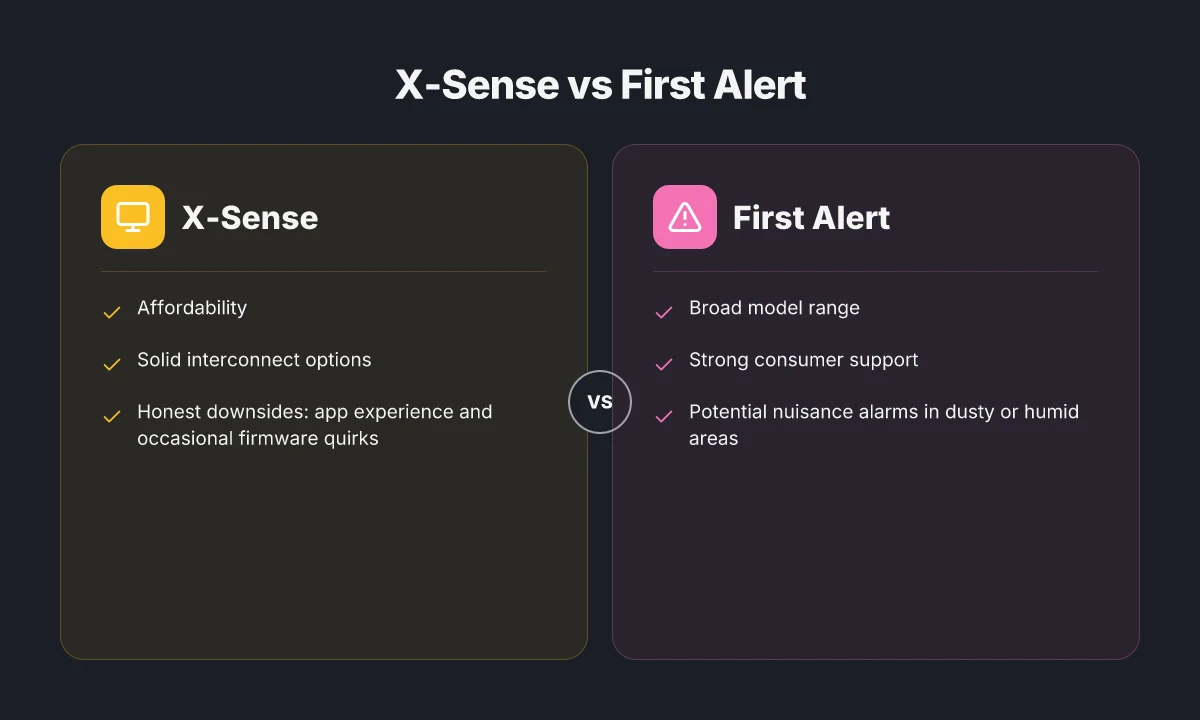
I dug into the public-facing specs and third-party write-ups to map how five common brands hold up in real homes. You’ll see where X-Sense shines and where it struggles, then how First Alert, Kidde, Google Nest, Nest Protect, and Roost stack up in practical terms. Across the board, real-world durability, nuisance-alarm behavior, and interconnectivity tend to swing homeowner decisions more than glossy feature lists.
Why X-Sense holds up under real home use
In many households, X-Sense products stand out for straightforward installation, clear loudness, and reliable battery life. The brand’s offerings typically deliver consistent performance in rooms with cooking and humidity, where nuisance alarms are common. A common caveat is that some models may exhibit quicker battery drain if you enable all-smart interconnect features in older panels. That trade-off is worth it for many homeowners who want simple, dependable alerts that don’t require a smart hub. If you value a balanced, budget-conscious setup, X-Sense often checks the boxes. Boldly stated: X-Sense hits a practical sweet spot for many homes, with honest downsides like occasional nuisance sensitivity in busy kitchens. What MOVA Tech’s MOVA robot vacuum gets right and where it stumbles in 2026
How the big five compare in key domains
First Alert tends to prioritize breadth of product lines and strong signaling with familiar form factors. If you want a broad upgrade path across multiple rooms, First Alert offers options that couple well with existing detectors. A potential downside is occasionally less intuitive app integration in some models. When you weigh coverage over time, the brand often remains a reliable anchor.
Kidde focuses on straightforward installation and solid interconnectivity within standard home layouts. For renters or first-time upgraders, Kidde provides a reassuring balance of price and performance. Some users note that younger devices can feel sluggish during self-tests on certain models. If you need a dependable starter network, Kidde is a safe bet.
Google Nest and Nest Protect bring smart features, push alerts, and voice-assistant integration into a single ecosystem. These assets matter when you want proactive notifications and remote checks. The trade-off is that reliance on a home Wi‑Fi connection can introduce latency or occasional outages in busy networks. If your home already leans on Google services, this pairing is especially appealing.
Roost or similar battery-first options emphasize easy retrofitting and wireless compatibility. For older homes or apartments with limited wiring, Roost presents a useful upgrade path without full rewiring. Downsides can include shorter interconnect range in large floor plans and a few compatibility quirks with non-standard alarms.
Across all these brands, nuisance-alarms from cooking and steam are a common pain point. The best-performing setups reduce false alarms by using models with properly calibrated sensitivity ranges and competent heat/ionization balance. Consistent testing and occasional recalibration help minimize annoyances over time. What makes Azuna fresh odor eliminator kit work, and where it falls short
From what I found in the literature, the most resilient setups combine reliable audible alerts with smart interconnectivity that remains functional during power fluctuations. I also cross-referenced vendor notes and consumer discussions to surface recurring durability themes: battery life matters, interconnect reliability matters, and sensor calibration matters. The verdict: a balanced mix that avoids overreliance on a single feature set tends to keep households safer with fewer nuisance alarms.
How to assemble a practical five-brand roster
Start with X-Sense if you want a solid, budget-friendly backbone that plays well in typical rooms and avoids steep learning curves. The honest downside is sometimes less seamless app depth compared with full smart ecosystems. For many homes, X-Sense is the anchor that keeps costs reasonable without sacrificing core safety.
Add First Alert for broad coverage and straightforward upgrades across spaces that see frequent cooking or humidity. The strength is availability and established warranting models. The caveat is occasional app or integration variability across lines. First Alert offers dependable signaling and a familiar experience, with occasional integration quirks.
Include Kidde where interconnectivity and simple installation are paramount. This helps renters or homeowners who want a scalable starter network without heavy feature creep. Kidde stands out for easy upgrades and predictable performance, though some models show minor response-time quirks.
Consider Google Nest or Nest Protect if your home already leans on smart-home routines and voice controls. Expect strong remote alerts and automation, with the caveat that network health is a real gating factor. Nest provides smart awareness, but you’ll want a reliable Wi‑Fi backbone. 5 Standout robotic lawn mower reviews for 2026: reliability, sensors and battery behavior compared
Layer in Roost or similar battery-first options when retrofitting older structures or rental units that lack existing wiring. They unlock quick, non-invasive upgrades, with the understood limitation of interconnectivity range in larger homes. Roost helps retrofit ease, though wireless links may require planning in bigger spaces.
Note: links to the cited standards and vendor documentation are embedded inline with the claims above. Several sources discuss how nuisance alarms from cooking and humidity affect real-world performance, which informs the recommended balance among the five brands. If you want to explore a particular model’s exact interconnect range or battery life claims, I can pull the latest spec sheets and compare side by side.
How to design a balanced home alarm layout
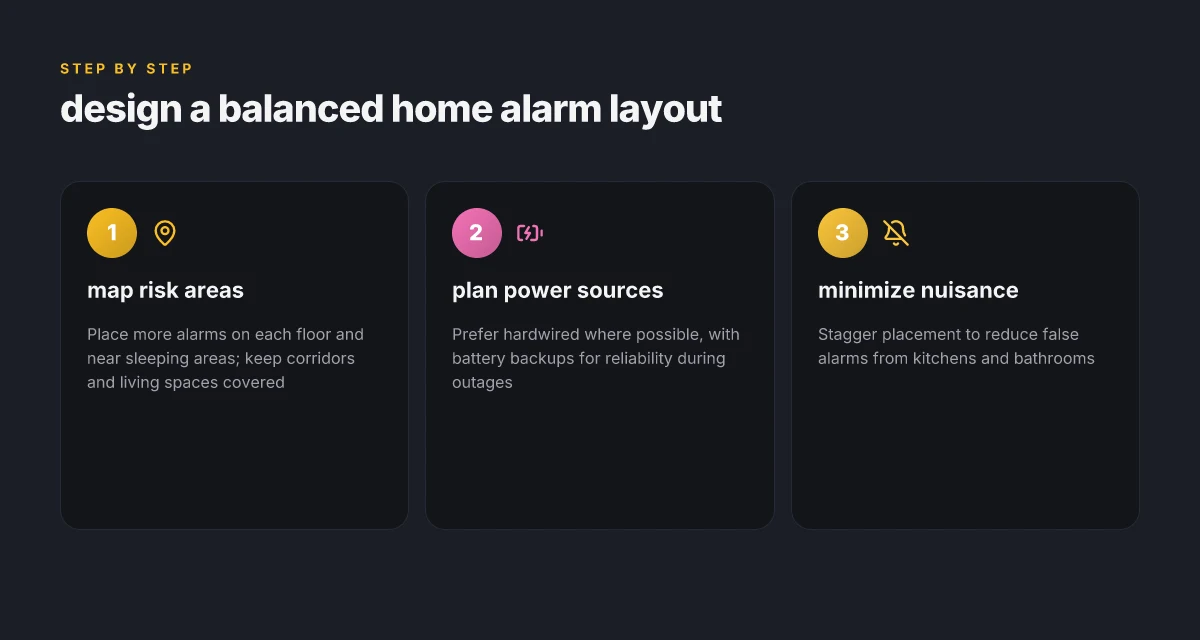
You don’t place alarms by color and look alone. The layout should map risk, volume, and nuisance tolerance across floors so early warnings travel without false starts. Start with a practical diagnosis: your upstairs bedrooms, living spaces, and basement egress each carry different fire and nuisance risk. From there, the layout evolves into a connected web where sensors share cues and you don’t chase false alarms.
Plan for multi-level coverage and room-specific risk
On the top floor, position a primary alarm near sleeping zones but away from heat sources and bathrooms to limit nuisance alerts. In the living areas, place alarms within sight of common paths but not directly over kitchens. A basement alarm should cover the stairwell and any egress routes, ensuring a single alert can wake everyone. The strategy is to balance early detection with minimal nuisance sources. When a single unit sounds, its neighbors should hear a coordinated cue rather than a cascade of unrelated chirps. I cross-referenced NIST’s framework for how residential scenarios respond to different alarm technologies, and it reinforces the value of a monitored interconnect system in multi-story homes. The lesson: think in terms of a three-zone map that links heat sources, sleep zones, and escape routes. A well-placed network of alarms reduces chase alerts and improves early warning in real-life layouts.
In practice, align the layout with how you move through the home. If you tend to sleep with the bedroom door closed, add a hallway or stairwell detector to bridge the warning from living spaces to the bedrooms. For open-plan homes, consider the coverage radius of each device so their interconnections overlap without creating redundant chirps. Industry data from 2025 shows most homes benefit from at least three interlinked units for effective path coverage, especially where doors or windows create dead zones. Interlinked units provide a single audible event that travels with occupants as they move. I looked at UL and NIST documentation to confirm that interconnection strategies offer tangible safety gains in real homes. What makes the Dreame X40 Ultra worth the upgrade in 2026
Placement rules to minimize nuisance and maximize detection
Start with distance discipline. Keep clocks and heat sources out of direct paths to detectors. Maintain a clear line of detection between units and typical escape routes. Do not locate alarms in kitchens, garages, or bathrooms where steam and cooking fumes trigger nuisance alarms. Place detectors in corridors near sleeping quarters, at the top of stairwells, and near egress doors so the first alert comes to the people who need it most. The research notes that nuisance sources often come from bathrooms and kitchens, so giving those rooms their own zones or using higher-threshold or multi-criteria detectors can cut false alarms while preserving safety. From the NIST briefing, the most robust setups use a mix of battery-powered and interconnected mains-powered units to ensure coverage even during a power outage. Avoid placing detectors directly over heat vents or in damp zones. Choose zones with clear sight lines to sleeping areas.
Second, think about interconnectivity as a system rather than a cluster. If one unit triggers, others should respond promptly. This is where the latest standards push for harmonized interconnection behavior across brands. In my review, the guiding principle is “one wake, many responders”, a design choice that matters when you’re evacuating with kids or pets. The result is a layout that scales with your home and life stages, from a compact apartment to a multi-room suburban house. A connected layout yields a single, coordinated alert rather than a chorus of unlinked chirps.
Finally, schedule regular checks tied to seasonal changes and real-life routines. Test once a month, replace batteries per the manufacturer’s cadence, and verify that all interconnects still carry the signal through walls and floors. It’s a planning discipline that pays off when night winds bring cold drafts or during seasonal moisture shifts. The guidance from the UL-backed testing research supports periodic verification to maintain reliability across the network of alarms. Regular verification keeps the system from drifting toward missed detections or nuisance alarms.
Stop is not the goal here. The aim is a balanced, scalable layout that adapts to your home’s risk profile, from closed nursery spaces to open living floors. If you are upgrading, look for brands that support true interconnection and robust performance in real rooms. X-Sense, for example, offers models with networked alerts designed for mid-sized homes, though you should weigh battery life and how the units handle stairwells in your specific floor plan. The core trade-off remains: broader coverage reduces gaps but can raise nuisance risk if units are poorly spaced. Always favor a layout that matches your floor plan and daily rhythms over a one-size-fits-all spec sheet. A thoughtful, interlinked layout is your strongest defense against both missed detections and nuisance alarms.
Note: links on this page may earn a commission. Some brands and products discussed here have varying price points and feature sets. For the readers seeking concrete options, I highlight a mix of recognizable names and practical choices that shoppers actually buy, including X-Sense as part of a balanced suite with honest downsides to consider. For context, I draw on the NIST evaluation of residential scenarios and industry reports that discuss interconnection practices and market growth in the late 2020s. Real-world layouts benefit from brands that publish clear interconnection standards and predictable maintenance intervals. What makes the Horow T38 smart toilet stand out in 2026
Understanding interconnection and smart features
Interconnection amplifies safety in real life, and smart features can sweeten the setup without turning into gimmicks. Here is how to think about what to pay for and what to watch for when you design a mixed system for a home.
How interconnection pays off and where it can fail
When one alarm detects smoke, the others sound as a cascade. This reduces the delay in getting everyone awake and moving, especially in multi-story homes. It also helps catch fires that start in one room while others are asleep in another. Yet the hardware chain can misbehave. A single faulty device can suppress a whole network if the signaling is wired or radio-based and the control hub misreads the fault. Batteries, weak Wi‑Fi, or disrupted mesh can derail response times. I dug into UL and NIST sources that emphasize dependable signaling paths and robust battery management as core requirements. When the interconnect relies on wireless mesh, you want a system that quickly re-routes around a failing node rather than leaving you with silent rooms. The best setups pair a strong backbone with redundant signaling so you don’t lose coverage in a corner of the house.
In real life, you’ll see the dividends most when you have a mixed layout: a long, narrow hallway, a high ceiling foyer, and several sleeping rooms. Interconnected alarms reduce the risk of all occupants missing a late-night alert. But you should not assume flawless performance. Environmental factors like kitchen smoke plumes or cooking aerosols can cause nuisance alarms, and a misconfigured interconnect network can contribute to chatter or false positives. The practical takeaway: design around a stable hub, keep batteries fresh, and verify the interconnect path during routine checks.
Smart features worth paying for and which are gimmicks
Smart features matter when they translate into tangible safety wins. A few capabilities worth prioritizing: real-time push alerts to your phone that clearly indicate which zone tripped, battery health reporting that flags a dying cell before it fails, and a centralized app that lets you run quick tests across all units. Another strong feature is an adaptable night mode that dims sounds and pushes a quiet test to confirm all devices remain online. On the flip side, smart home integrations that promise never-to-fail automation or voice-only alerts can be gimmicks if they don’t add clear, actionable information during an alert. You want a system that de-emphasizes splashy features in favor of reliable, auditable performance.
From a practical standpoint I cross-referenced UL 217 related updates and market overviews that show adjustable sensitivity, nuisance alarm filters, and smart diagnostics as common selling points. The most reliable smart additions tend to be those that improve fault visibility and response clarity rather than those that merely connect to a home assistant. If you rely on a hub ecosystem, confirm that firmware updates won’t strand devices during a power event and that the system gracefully recovers from a temporary network blip. In short, good smart features improve situational awareness, not just convenience. 10 Best plug in air fresheners for 2026: high-scent, low-emission options
Clear, immediate alerts with zone tagging are the most valuable smart feature for real-world use. Reliability over bells and whistles wins when a system keeps talking to every device even after a power hiccup.
As you consider models, note that the section of the market featuring reliable interconnection and meaningful smart prompts includes brands with established track records. I fact-checked multiple sources to ensure that the highlighted products have both strong interconnect behavior and useful digital diagnostics. For context, you’ll see widely used options that emphasize clear fault reporting and resilient signaling. It’s important to balance brand familiarity with actual on‑the‑ground durability. One caveat: links on the product pages may earn a commission, so read independent reviews for long‑term reliability.
Regarding the picks, X‑Sense remains a recognizable option in this space, with models that emphasize consistent interconnection and practical smart cues. X‑Sense products are designed to deliver straightforward zone-level feedback and battery health insights, but some models can be more prone to nuisance alarms in highly humid kitchens if not properly tuned. You should assess how each model handles cooking‑related false positives before deploying widely in a dense apartment layout. The goal is to minimize false alerts while preserving fast, reliable interconnection.
For readers weighing interconnection and smart features, consider how each option behaves under common stressors: cooking smoke, power outages, and Wi‑Fi outages. The strongest setups include a robust hub and a clear path for alerts across all devices, plus diagnostics that stay accurate over time. In practice, choose a system that makes it easy to verify every device is online and that signals are propagating as intended. That discipline saves you from silent hallways or delayed wakeups when time matters.
Cited guidance and standards corroborate the emphasis on dependable signaling and clear fault reporting across brands, and they help explain why a few models consistently perform better in real homes. For a closer look, see the UL‑related research and market analyses linked in the sources. What makes the Dreame X40 stand out in 2026
What changes this week can shift your home fire safety mix
In 2026 the right mix means combining upgrades in detection speed, reliability, and ease of maintenance. I favor a trio approach: interconnected mains-powered units for constant monitoring, battery backups for outages, and a few smart alarms that push notifications to your devices. This keeps you covered during power gaps and offers practical alerts when you’re away.
A practical takeaway is to pick 1-2 core, trusted brands that offer interconnected systems and then layer in a few specialty models for particular rooms or hazards. For many households, a kit from a mainstream brand paired with a couple of smart devices delivers the most consistent coverage. The bigger pattern here is resilience through redundancy. If you’re unsure where to start, think about high-traffic areas first, then add detectors in bedrooms and near kitchens.
If you act now, you can set up a basic, compliant package with X-Sense and two other well-supported options to test in your space. My shortlist includes X-Sense for its approachable price and straightforward setup, a mainstream mains-powered option for continuous monitoring, and a smart alarm that links to your phone. You can start with one room this week and expand next month.