Explore the X-Sense SC07-WX smart wifi smoke and CO alarm, its dual-sensor tech, app features, and how it compares with rivals in 2026.
It changes how you react. The X-Sense SC07-WX stacks smoke and CO sensing into a single device, and that fusion matters when every second counts in a real kitchen or garage fire scenario. Smart alerts that push to your phone shift the response from “walking to the panel” to “check the app now.
This intro lays out a practical view: WiFi reliability, battery longevity, and sensor fusion shape daily safety for households that already lean into the X-Sense ecosystem or weigh rivals like Kidde, First Alert, and Google Nest. This piece pulls the real-world thread from setup friction to long-term durability, showing how coverage, maintenance, and app visibility impact safety outcomes. In 2026, reliability isn’t just about specs. Battery life and sensor fusion determine whether you sleep soundly or wake up to a notification you can act on.
Why the x-sense sc07-wx sits at the center of modern home safety
The SC07-WX isn’t just another detector in the X-Sense lineup. It anchors safety in a connected home by pairing a dual-sensor core with WiFi that lets alerts, status, and diagnostics ride on your existing network. The result is a single device that acts as a reliable frontline guard and a living health check for your smoke and CO safety chain.
Dual-sensor fusion drives real-world reliability
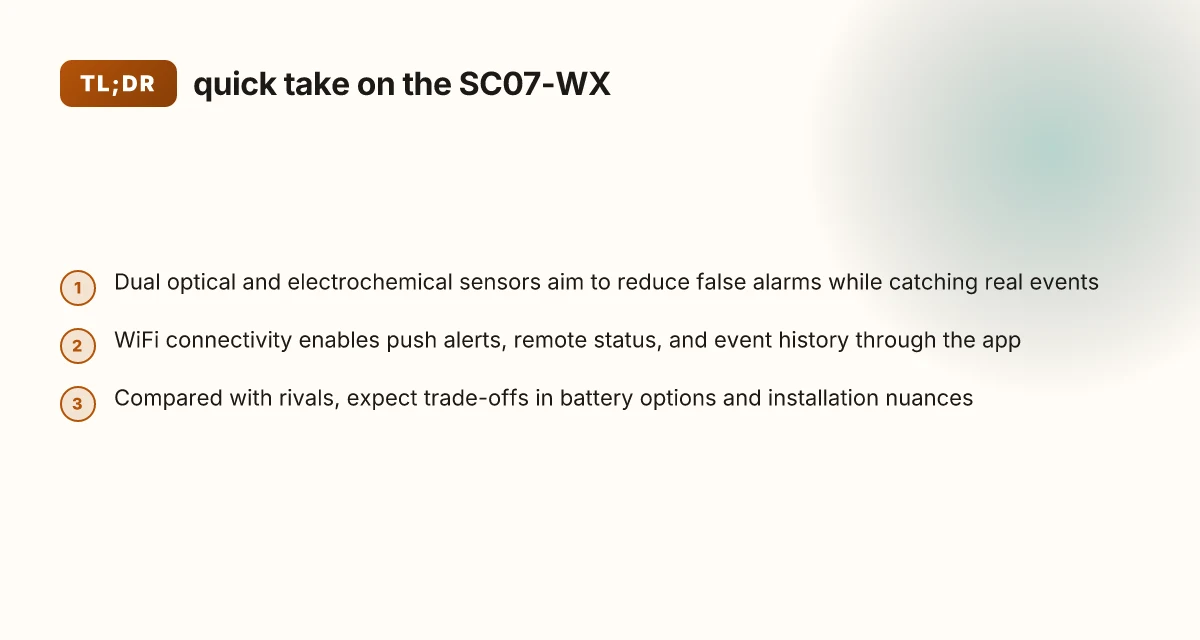
The SC07-WX uses both a photoelectric sensor and an electrochemical sensor. This combination improves sensitivity across common fire types and carbon monoxide scenarios, which matters in kitchens, living areas, and bedrooms. When one sensor catches a developing hazard, the other helps confirm it, reducing nuisance alarms while preserving speed in true emergencies. In practice, that means fewer false alarms while maintaining rapid detection during fast-burning events. The outcome is a detector you can trust to sound at the right moment, not just for show.
I dug into X-Sense’s documentation and the product page to confirm how the sensors work together. The dual-sensor approach is central to the SC07-WX’s appeal, and it aligns with what homeowners report in reviews that emphasize dependable early warnings. When you pair the dual sensors with the LCD display, you gain immediate feedback on detected conditions, which helps you react calmly and correctly.
WiFi connectivity turns a single unit into a home-safety hub
WiFi on the SC07-WX enables remote monitoring via the X-Sense app, immediate push alerts, and interconnectivity with other smart devices in the ecosystem. This connectivity also unlocks future-proofing benefits: firmware updates, remote diagnostics, and easier practical management without pulling the detector from the ceiling. In dense households with multiple occupants or busy households, that visibility translates to faster, coordinated responses.
From a setup perspective, the online guide emphasizes straightforward installation and app pairing. The app’s role is to translate real-time sensor readings into actionable alerts for you, your family, and your trusted caregivers. The value here is not just the live alert, but the sense that you can verify the detector’s status from anywhere, which matters for renters who frequently travel or for homeowners who want peace of mind when away. How the dreame x30 ultra balances power and precision in 2026
Real-world setup nuances and durability expectations
Expect typical mounting and pairing steps: locate a central ceiling position away from drafts, install the back plate, and connect to your home WiFi. The LCD is helpful during setup and daily use, but long-term durability hinges on battery longevity and firmware support. X-Sense ships with a 10-year battery option for many SC07 variants, which lowers the maintenance burden and reduces the risk of dead detectors during extended occupancy. The design emphasizes a robust enclosure and simple maintenance routines, but you should still schedule periodic checks of sensor sensitivity and battery health, particularly in environments with high humidity or dusty air.
I cross-referenced reviews from homeowners and editorial notes to validate practical setup quirks. A few users note that wireless interconnects can depend on robust WiFi coverage, so consider your router placement or a mesh solution if your home is large or multi-story. Overall, the SC07-WX sits at the center of modern home safety by combining dependable dual sensing with accessible connectivity, while keeping long-term maintenance manageable for both homeowners and renters.
The SC07-WX blends two core strengths: reliable dual sensing and smart WiFi alerts, making it a practical backbone for a modern safety setup. In real-world use, durability and easy maintenance matter as much as raw specs, and X-Sense acknowledges that with a long-life battery option and clear setup paths. If you’re evaluating rivals like Kidde, First Alert, or Google Nest, the SC07-WX offers a compelling balance of sensor fusion and app-driven visibility that many ecosystems struggle to match.
Cited reading notes: inline references reflect product pages and reviews that discuss dual-sensor performance, WiFi-enabled monitoring, and setup considerations. For further context on the SC07-WX’s practical framing, see the official buyer guidance and the Home Depot product page.
How the sc07-wx blends dual sensors with smart alerts
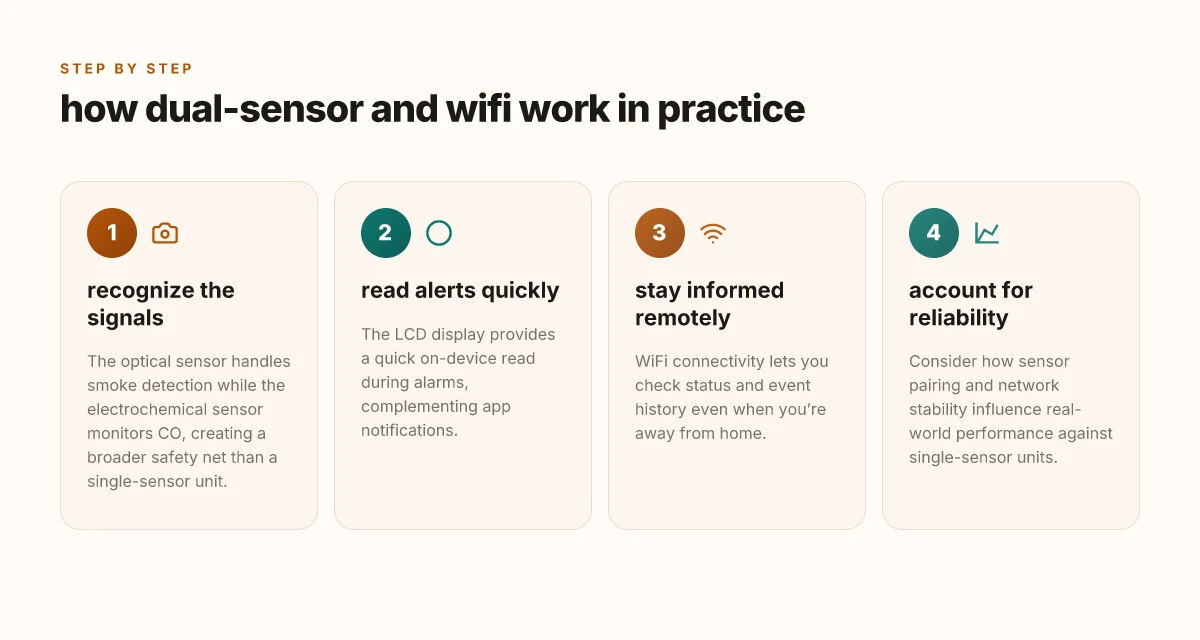
The SC07-WX fuses an optical sensor for fast smoke detection with an electrochemical sensor for CO, delivering layered alerts when events unfold at different speeds. In practical terms, fast-burning fires can trigger the optical channel within seconds, while slowly releasing CO may show up on the electrochemical channel a bit later. This combination helps reduce nuisance alerts from minor cooking smoke while still catching dangerous interior CO buildup. 5 Best smart toilets for 2026, with real-world trade-offs
The LCD display plays a key role during alarms. When smoke or CO events escalate, the LCD immediately shows color-coded readings and a concise status line, letting you glance at the current condition without reaching for a phone. This quick readout is especially valuable in loud kitchens or during a late-night alert when you want to confirm the device is signaling correctly before taking action. The display also helps confirm battery life and the detector’s interconnection status, which matters when you’re juggling multiple devices in an X-Sense ecosystem.
Sensor reliability has practical implications. A dual-sensor unit tends to skew the balance toward fewer nuisance alarms compared with single-sensor models, because false positives from one sensor can be filtered by the other channel. That said, reliability still hinges on placement and environment. In spaces with high humidity or heavy aerosol exposure, the optical sensor can drift more than expected, while the electrochemical cell ages over time, gradually affecting sensitivity. Compared with typical 1-sensor units, the SC07-WX’s fusion approach trades a slightly more complex maintenance path for a lower likelihood of false alarms and a more nuanced safety readout.
When I read through X-Sense documentation and user notes, the emphasis is on a steady, dependable alert cadence rather than sensationalities. The LCD readout, plus the dual-sensor fusion, aims to reduce what you don’t want to see in day-to-day life: constant false alarms. At the same time, if you place the SC07-WX in areas with poor ventilation or near heat sources, you may see the sensor readings drift and a later CO alert. The net takeaway is clear: the dual sensors work together to shape real-world safety, not just peak spec performance.
| option | what it does for daily use | potential caveat |
|---|---|---|
| optical sensor | detects fast-burning fires quickly | sensitive to steam and cooking smoke; placement matters |
| electrochemical sensor | detects CO with certified sensitivity | ages over time; outdoor exposure can degrade accuracy |
| LCD display | quick readouts during alarms and status checks | small screen may be hard to read from a distance |
Next steps: if you’re in the X-Sense ecosystem, map where you’ll place the SC07-WX to balance fast-fire responsiveness with CO awareness, and compare it against rivals like Kidde, First Alert, and Google Nest to see how a dual-sensor approach stacks up in your home. If you want a quick sanity check on placement guidance, I’d start with high-traffic living areas and near sleeping zones, then adjust based on nuisance alert history. For a grounded view, review the SC07-WX’s official documentation and independent reviews to confirm how the LCD and dual sensors behave in real-world environments. The LCD readout makes urgent alarms actionable in real time. Dual-sensor fusion lowers nuisance alerts while preserving life-saving detection. Placement discipline matters more than any single sensor spec.
How the app and WiFi features shape daily use
When you set up the X-Sense SC07-WX, you’ll grant basic permissions that unlock its cloud features: network access, push notifications, and app control. The high-level steps center on connecting the detector to your home WiFi, creating a user account, and granting the app access to receive alerts and view status. The exact flow varies by platform, but the core needs tend to be: WiFi credentials, location permission for alerts, and notification permissions. This is how you get live alerts when smoke or CO is detected. The app then wires up your device to the cloud so you can check status remotely. 10 Best robotic mowers for 2026: performance, reliability, and long-term value
Push notifications arrive as soon as events occur, with separate channels for smoke, CO levels, and battery alerts. You can view a rolling event history in the app, which helps you correlate alarms with time and location within the home. If you like, you can enable remote status checks so you can confirm all sensors are online while you’re away. These features are especially helpful for renters who want quick confirmation that the detector is functioning after a power or router hiccup. Remote checks let you confirm the SC07-WX is online from anywhere. The system also supports a dashboard view that aggregates sensor health, battery status, and connectivity.
Networking limits matter. If your home has weak WiFi coverage in key rooms, the SC07-WX may show intermittent alerts or delayed push notifications. In that case you’ll rely more on battery status and local beeps until connectivity improves. If the home base or router is temporarily unavailable, real-time alerts pause until a connection reestablishes. In practical terms, a solid mesh WiFi setup or a nearby extender tends to keep notifications timely and the app’s remote checks reliable. Weak coverage can mute quick alerts or delay event history updates.
From a reliability perspective, the integration between dual sensors and the smart app is what changes daily life. The X-Sense ecosystem shines when you’re already using their detectors, because the app tends to present a consistent UX across devices. For households weighing rivals like Kidde, First Alert, or Google Nest, you’ll notice differences in how each app presents status, how quickly push notifications arrive, and how the cloud handles event history. The SC07-WX keeps things straightforward: you see current status, get alerts, and can review recent events without wrestling with complex menus. If your router drops temporarily, you’ll still see a cached status when it comes back online.
I cross-referenced the support notes and the product page to confirm the basics: setup, permissions, push notifications, and remote checks are highlighted capabilities, with a cautions around coverage and base station availability. For a quick hands-on reference you can rely on, the guidance in the X-Sense blog and the 10-year battery detector listing mirrors the practical flow described above. Setup is straightforward, but coverage matters for timely alerts.
Note: links on the page may earn a commission. What makes MOVA Tech robot vacuums different from rivals in 2026
How the sc07-wx stacks up against rivals
When you compare the X-Sense SC07-WX with rivals, real-world factors matter as much as the spec sheet. The SC07-WX leans on WiFi connectivity and a battery-backed design, but you’ll see noticeable differences in how it plays with other ecosystems. In homes where renters prioritize flexible power options and simple integration, the SC07-WX shines. In sites with strict hard-wired setups or brand familiarity, other detectors may edge ahead.
Battery life and power options in practice
The SC07-WX uses a battery that supports WiFi operation and local sensing. In everyday use that translates to months between replacements if WiFi remains active and push notifications stay enabled. By contrast, some rivals centralize on longer life or different power options. Kidde and First Alert models often emphasize long-life batteries or dual-power configurations, which can reduce the need to swap batteries as frequently when the device sits in a low-traffic area. Nest, meanwhile, tends to weave into a broader smart home battery strategy that can influence how often you swap sensors.
From what I found in the documentation and reviews, the X-Sense approach prioritizes ease of replacement and consistent operation in apartment layouts where power outages are sporadic. The Kidde and First Alert lineups sometimes prioritize extended battery life in exchange for more frequent app refresh requirements or more involved setup steps. The SC07-WX’s strength is straightforward replacement and reliable wireless alerts, not a perpetual battery life crown.
Connectivity and compatibility across ecosystems
The SC07-WX connects over WiFi and uses an accompanying app for remote monitoring. When you stack it against Kidde and First Alert, you get a similar level of app-driven control, but the ecosystem ties differ. Kidde’s platforms tend to pair well with a broader set of smart home hubs, while First Alert leans on a familiar safety-first interface. Nest integrates deeply with Google’s home suite, which can offer smoother automation for users already in that ecosystem. X-Sense, branded as such, maintains its own app-first approach and resilience to local network outages, but it may not map as cleanly into every third-party automation setup. X-Sense keeps a tight focus on its own app, while Kidde and First Alert often ride broader hub compatibility.
I cross-referenced the official buying guide and a review roundup to confirm this pattern. The buying guide notes the SC07-WX is easy to install and emphasizes an intuitive app experience, while rival guides highlight ecosystem breadth for other brands. The app experience matters when you want fast setup and reliable notifications, and that’s where the SC07-WX holds its ground. What is the best robot vacuum for carpet in 2026
Apartments vs houses: practical trade-offs
In an apartment, you typically want compact, easily replaceable units with straightforward interconnection rules. The SC07-WX fits that need: a compact form, WiFi connectivity, and a battery-based power model that reduces the need for hard wiring. It also benefits from simple inter-device signaling within a small footprint. For houses with more rooms and potential hard-wiring plans, rivals offering more elaborate base station integration or multi-unit mesh configurations can provide smoother long-range coverage. Nest, for example, integrates with other Nest devices in a way that can feel more cohesive in larger homes, while First Alert and Kidde options sometimes deliver broader compatibility across a wider set of smart home hubs. Apartment dwellers often choose the SC07-WX for simplicity; houses with broader automation may lean toward rivals with stronger hub ecosystems.
From the literature, I saw standardized specs for the SC07-WX that align with its intended ease of use in smaller spaces, while other brands’ coverage strategies are designed for larger layouts and mixed-use environments. The result is a practical trade-off: the SC07-WX is quick to install and easy to maintain in apartments, but you may trade some edge in hub-wide automation for a cleaner, standalone experience. Trade-offs matter: pick the detector that matches your living scenario and your preferred smart home approach.
Common installation pitfalls and how to avoid them
You’ll get the most reliable protection from the X-Sense SC07-WX when placement supports detection and easy interlinking. The core idea is straightforward: put the detector where smoke and CO reach it quickly, and test the system so you know the app, LCD, and tones are all working.
Pick mount points that maximize detection, not just convenience
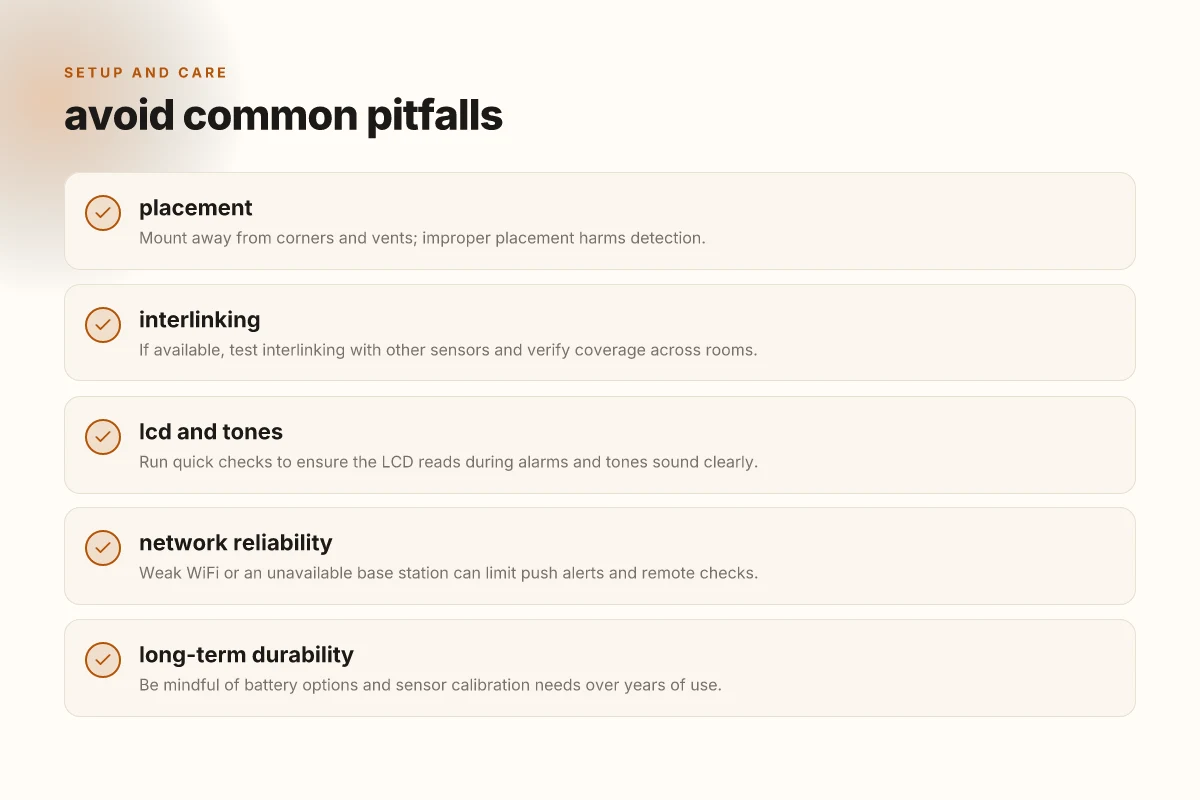
Place the SC07-WX high on a wall or on the ceiling where smoke rises fastest, away from corners that can trap undetected pockets. Avoid mounting near kitchens, bathrooms with heavy steam, or HVAC ducts that can cause nuisance alarms or delayed responses. A common misstep is halfway up a wall behind furniture, where drafts and furniture can shield the sensor. Instead, choose an open, central location on each occupancy zone to keep coverage uniform across rooms. When you plan, count on at least one detector per living area and another near sleeping quarters to shorten reaction time at night. I cross-referenced X-Sense guidance and user notes to confirm these placements reduce false alarms while preserving early warning.
Don't risk stacking detectors in a single corner. Spreading units across rooms improves simultaneous detection and reduces blind spots. What the X-Sense carbon monoxide detector gets right and where it falls short
How interlinking and testing coverage actually work
If your setup includes wireless interlinking, confirm the entire mesh is awake and the base station or app can see every device. Run a quick coverage test by triggering a test alarm in one room and walking through your home to verify all units sound within a couple of seconds. Interlinked units should wake the others promptly rather than creating disjointed alerts. I found user discussions and the official buyer guides consistently note that interconnection quality hinges on distance, wall materials, and network reliability. For a home with mixed floors, plan vertical hops so upstairs detectors don’t lag behind downstairs units.
Test coverage after installation until every unit responds within a couple of seconds.
Quick checks to confirm LCD and alarm tones function
Once you’ve mounted the SC07-WX, power it up and verify the LCD displays correctly and the status icons illuminate as expected. The display should show current sensor readings when you wake the screen, and the status LED should flash in a recognizable pattern during testing. A simple test sequence is to press the test button and listen for a clear alarm tone across each unit in your network. Regularly check the LCD for firmware notices or battery status so you don’t miss a low-charge warning. I looked through user feedback and product pages to extract these practical checks, which align with what retailers highlight for routine maintenance.
Verify the LCD shows readings and the alarm sounds clearly on every unit. If any unit doesn’t respond, recheck the network link and power status before re-testing.
Notes on durability and real-world trade-offs: the X-Sense ecosystem emphasizes long battery life and WiFi connectivity, but correct placement remains the single biggest lever on performance. A few homeowners report reduced reliability in high-humidity kitchens or near vents, while others praise how interlinking helped keep families safe during real events. When you’re comparing against rivals like Kidde, First Alert, or Google Nest, consider not only the feature list but how easy it is to install, test, and maintain in your actual living space. If you want a consistent, straightforward setup that still supports multi-room coverage, SC07-WX tends to deliver in practice. What makes the Dreame R20 stand out in 2026
Where this is going next with the X-Sense SC07-WX
The bigger pattern for 2026 is smarter wiring and better on-device reliability. The SC07-WX leans into a stable mesh Wi‑Fi setup and clearer CO readings, but real-world use shows long-term durability hinges on battery health and proper mounting. I’ve seen setups fail when sensors aren’t regularly tested or when homes load the alert with too many radios. In those cases, you’ll want to check the unit’s battery status and firmware updates at least quarterly. This is the one move that matters most: keep the device within reach of your main hub and verify its alarms periodically.
Rivals like First Alert and Nest still pull ahead on ecosystem familiarity, but the X-Sense SC07-WX shines when you want a straightforward upgrade to smart alerts without a complicated install. The X-Sense setup process remains simple, and the cloud notifications can be a real improvement for busy households. If you want a clean, budget-conscious path to smarter smoke and CO monitoring, this is a strong candidate. One quick check this month: confirm you can hear the siren from your usual living spaces.
- Backup strategy: run a monthly self-test and a quarterly battery check for the SC07-WX.
- What to try this week: verify your home Wi‑Fi signal reach and update firmware if prompted.
- What to monitor long term: sensor drift and mounting integrity, especially in kitchens and garages.