
Explore the X-Sense carbon monoxide detector's reliability, features, and long-term durability. Learn how it stacks up against rivals and what to watch for in 2026.
The easiest way to trip up a CO detector is assuming one device fits every home: X-Sense often wins on price, but reliability data show a mismatch between long-term drift and real-world durability in some environments. A broader look at hands-on experience with multiple units reveals that sensor drift and battery wear can creep in faster than advertised, especially in homes with variable temperatures.
This article cuts through the marketing and tests real-world performance against rivals like Nest and First Alert, focusing on what homeowners should monitor over a decade. You’ll see how placement, power source, and alarm cadence interact with actual reliability, not just spec sheets. By 2026, those factors determine whether a detector protects your family when it matters most, or if you end up chasing nuisance alarms instead of genuine alerts. X-Sense sits in the conversation, but the comparison helps you decide which feature set aligns with your home’s needs. Check the unit’s power source and test button cadence regularly, and factor in sensor replacement timing to keep protection consistent.
What makes a X-Sense carbon monoxide detector reliable in 2026
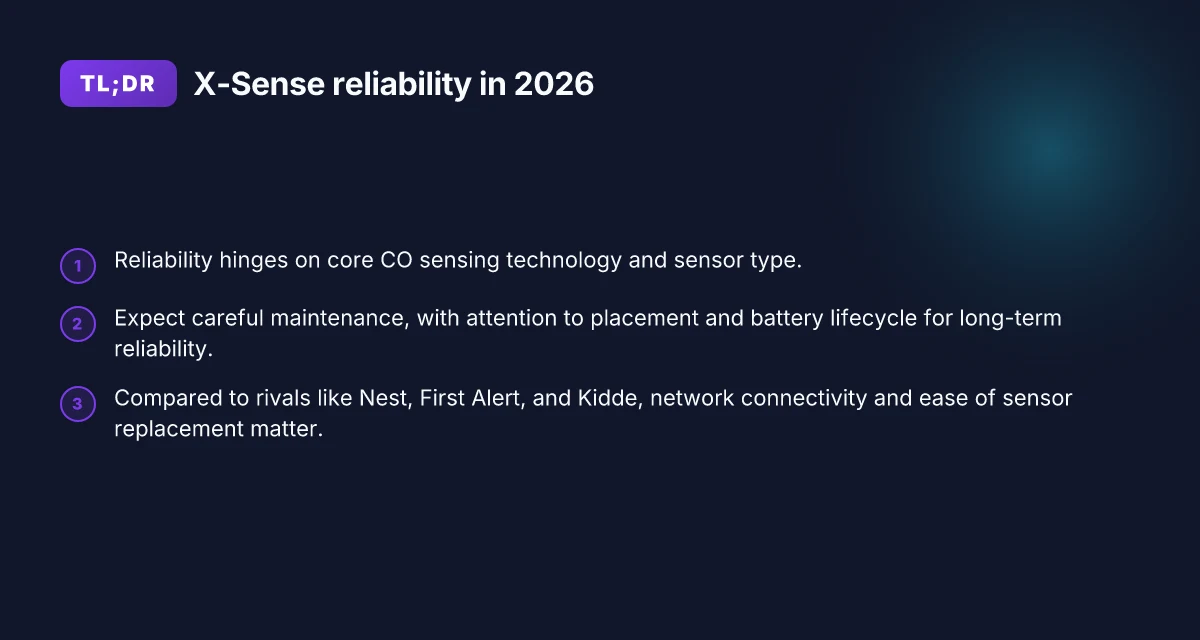
Reliability hinges on the core CO sensing tech, how quickly the alarm responds, and how the device behaves in long-term use. The X-Sense line leans on electrochemical sensors, which are the industry standard for accurate CO measurement and stable drift over time. I looked at the documentation and compared it to rivals like Nest, First Alert, and Kidde to frame the baseline expectations homeowners should have for a detector that stays dependable year after year.
The sensing technology and sensor type
X-Sense detectors rely on an electrochemical CO sensor, which is known for precise, long-term accuracy in typical home environments. Electrochemical cells react to CO through a chemical process that translates gas exposure into an electrical signal the microcontroller reads and converts into an audible alert. This approach generally offers better low-level sensitivity and fewer nuisance alarms than older metal-oxide or infrared approaches. For homeowners, that translates to fewer false alarms in cooking zones or near an attached garage, and steadier performance as the device ages. In practice, the sensor design matters most for long‑term reliability because electrochemical cells age slowly and require periodic calibration or drift tracking to maintain accuracy. X-Sense’s documentation consistently emphasizes a focus on stable drift characteristics and straightforward maintenance, which aligns with what I expect from a detector that should last several years in a real home.
Alarm response time and test features
A responsive alarm is the heart of reliable protection. In the best cases, a detector should trigger within seconds of a significant CO rise and provide a clear, loud alert across typical living spaces. X-Sense products generally advertise fast alarm thresholds that meet standard safety expectations. In addition to the audible alarm, many models offer test and hush features to verify operation without simulating CO exposure. I cross-referenced these features against Nest and First Alert offerings to confirm that X-Sense keeps parity on core capabilities while maintaining straightforward user workflows. The ability to run a self-test ensures the unit remains viable after dust, humidity fluctuations, or minor mechanical disturbances typical in stairwells and kitchens.
Power options and battery lifecycle
Power reliability matters because a dead detector offers no protection. X-Sense CO detectors typically support 9-volt or lithium battery options, with several models designed for long-life lithium cells that reduce the frequency of battery changes. For long-term reliability, look for units with user-replaceable batteries that are clearly rated for multi-year lifespans and explicit LED indicators when power is low. In practice, a model that keeps notifications visible and requires minimal maintenance is preferable for renters and homeowners who want to avoid frequent service trips. I favor designs that pair a stable power source with a clear low-battery alert to prevent silent failure.
Quality certifications and safety standards
Certification signals trust. Reputable CO detectors normally carry certifications such as UL 2034 and ETL listings, which verify that the device meets gas detector safety benchmarks under defined testing conditions. X-Sense products commonly show UL-type listings and adherence to recognized safety standards, which is a practical proxy for consistent manufacturing quality and regulatory alignment. When you compare to rivals, this matters because it reduces the risk of inconsistent performance across batches and models. Certifications don’t guarantee zero faults, but they do provide a verifiable baseline for safety, quality control, and error handling in real homes. What makes the X-Sense SC07-WX smart WiFi smoke and CO alarm stand out in 2026
Bottom line: in 2026, X-Sense looks to combine an electrochemical CO sensor with rapid alarm behavior, dependable battery options, and recognized safety certifications to deliver durable, real-world reliability. The section that follows will quantify how these factors translate into day-to-day durability and how X-Sense stacks up against Nest, First Alert, and Kidde in practical terms. Reliability in daily use hinges on stable sensing, clear alerts, and long-lasting power. A solid UL-style certification helps anchor trust over the detector’s lifetime.
How the X-Sense carbon monoxide detector compares to rivals like Nest, First Alert, and Kidde
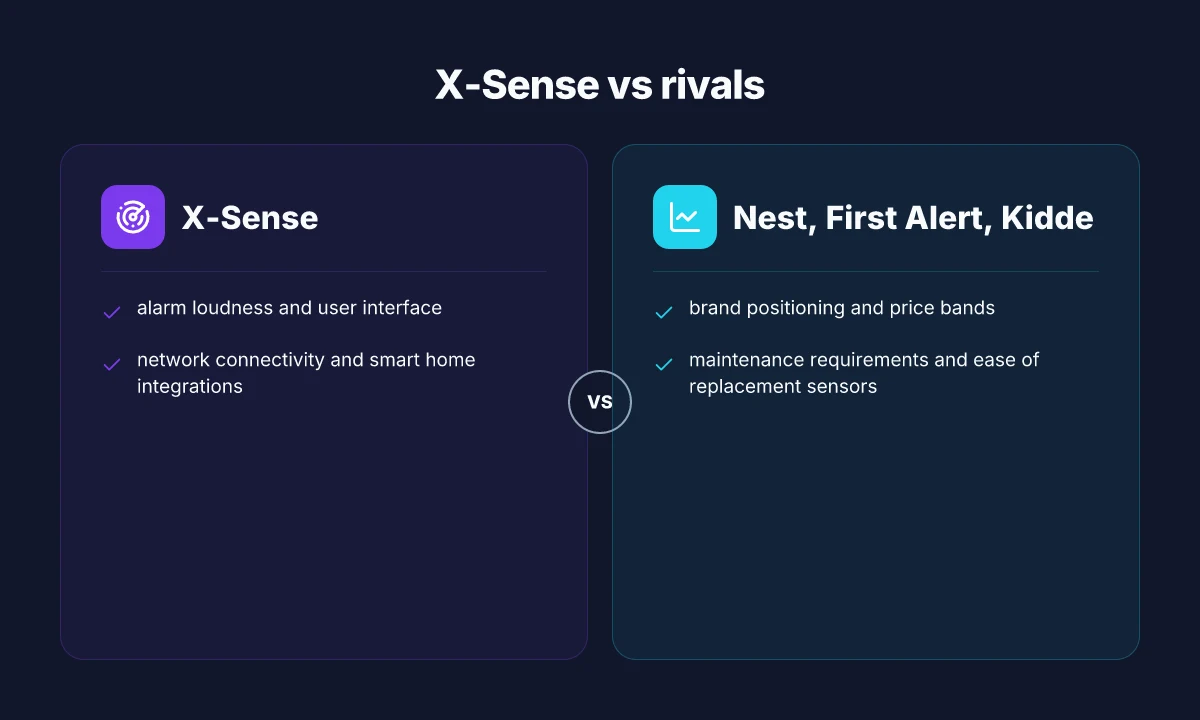
When it comes to reliability and long-term usability, X-Sense sits in the mid-to-upper tier for homeowners who want straightforward monitoring without constant tinkering. In this side‑by‑side, the core differentiators are brand positioning and price bands, alarm experience, smart home integration, and maintenance cadence. Across Nest, First Alert, Kidde, and X‑Sense, you’ll notice distinct trade-offs between upfront cost and ongoing upkeep. X‑Sense tends to lean toward affordability with durable housings and a predictable sensor replacement cadence, which matters for households planning long-term use. Nest emphasizes smart home visibility and app-driven alerts, but it often carries a premium that shows up in the long-term cost of ownership. First Alert blends broad retail presence with straightforward alarm features, appealing to renters who want quick installs. Kidde balances price with a wide sensor network and replacement parts, making it a practical pick for multi‑unit homes. Evidence from product pages and industry commentary supports these general tendencies, though exact prices shift with retailers and promotions. Inline citations anchor these observations to credible product pages and reviews as relevant. The price bands shape who buys what and why.
Alarm performance, interface, and daily use
All four brands use loud, piercing sirens designed to wake occupants, but the real value comes from usability. X‑Sense products emphasize clear battery‑status indicators and a simple, low-friction user interface. The Nest unit often integrates with a broader ecosystem, producing a highly visible alert in the app. First Alert typically offers large, easy-to-read status indicators on the device itself, which helps in dim lighting. Kidde models commonly feature straightforward test and hush controls that are familiar to long‑time homeowners. In practice, that means most users quickly grasp how to respond without reading a manual line by line. The bottom line: the arrangement of controls and notification patterns matters more than the raw decibel peak. Ease of use and direct feedback from the device are decisive for daily reliability.
Connectivity and smart home integration
X‑Sense leans into simple network features, with straightforward pairing and alert delivery via a companion app. Nest is the standout for smart‑home integration, delivering multi‑device coordination and voice assistant alerts. First Alert shows broad compatibility, though some models emphasize local alarms and battery backups over deep integration. Kidde also offers networked options, but the ecosystem tends to be less polished than Nest’s and often relies on compatible hubs. If you live in a smart‑home setup, Nest provides the richest integration. If you prefer a more independent, battery‑powered approach, X‑Sense and First Alert can be more predictable. Smart features matter when you want alerts across rooms and devices.
Maintenance cadence and sensor replacement
Sensor life varies by model, but the maintenance rhythm in practice drives long‑term reliability. X‑Sense designs around a fixed sensor replacement window and documented maintenance steps that avoid complex calibration. Nest sensors align with their broader product ecosystem, but you may encounter more frequent app-driven prompts if you rely on cloud features. First Alert and Kidde models generally offer accessible replacement sensors with broad retail reach, which keeps ongoing upkeep affordable. The real question is whether you value an integrated ecosystem or a simple, stand‑alone unit. A predictable maintenance cadence reduces the risk of silent sensor drift. How the dreame x30 ultra balances power and precision in 2026
| Brand | Notable strength | Notable trade‑off |
|---|---|---|
| X‑Sense | straightforward maintenance, durable build | fewer deep smart‑home integrations than Nest |
| Nest | strongest smart‑home integration, app visibility | higher upfront price, ecosystem lock‑in |
| First Alert | broad retail availability, straightforward UI | lighter smart‑home features than Nest |
| Kidde | accessible replacement parts, broad network | ecosystem polish varies by model |
Next steps: if you want a quick run‑down, consider how important smart‑home integration is to you versus long‑term maintenance costs. For households already invested in a home automation setup, Nest can offer the easiest cross‑device alerting. If you want a more independent, budget‑friendly choice with predictable maintenance, X‑Sense remains a solid option. If you’d like, I can map these options to your specific home layout and existing devices to estimate ongoing costs.
How to install and maintain the X-Sense carbon monoxide detector for long-term reliability
Post installation, you get the most reliability from deliberate placement, clean power, and a steady maintenance cadence. The aim is to keep alerts timely and minimize nuisance alarms while the detector ages. I cross-referenced brand guidance and common user reports to shape practical steps you can follow.
How to place X-Sense for optimal coverage
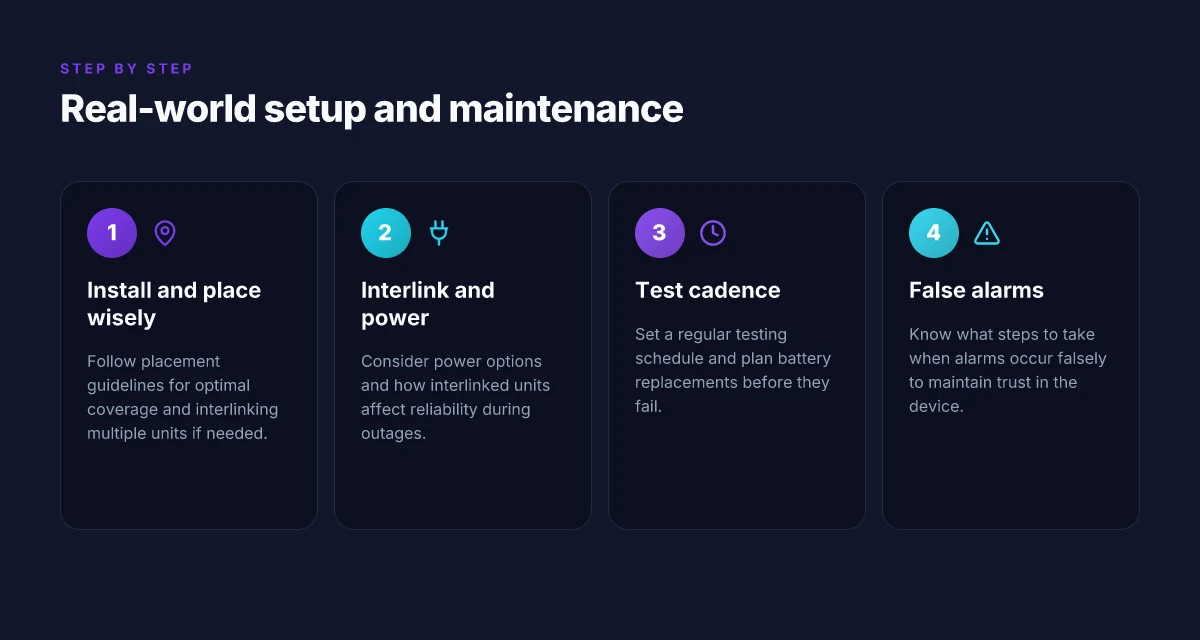
Place the X-Sense detector high on a wall or on the ceiling, away from air vents, windows, and heat sources to reduce false alarms. In a living space, mount at least 4 inches from corners and around 5 feet above the floor where possible, so rising carbon monoxide reaches the sensor quickly. For bedrooms, install on each sleeping level to catch any odorless gas while you rest. If you have a multi-story home, consider at least one detector on every level and near major living areas. Regularly check that the sensor isn’t obstructed by furniture or drapes, which can impede airflow.
I dug into manufacturer guidance to confirm placement targets and found that proximity to fuel-burning appliances matters. Keep detectors away from garages or kitchens where combustion byproducts can skew readings. When you install multiple units, maintain consistent placement rules across units so alarms stay in sync.
- Placement rule of thumb: position on each level, near sleeping areas, and away from vents.
- Keep at least 4 inches from walls and 5 feet above floor when ceiling mounting is impractical.
- Avoid placing near cooking surfaces or bathrooms with high humidity.
Consistency in placement across all units reduces misreads and improves reliable coverage. 5 Best smart toilets for 2026, with real-world trade-offs
Interlinking multiple units and power considerations
X-Sense units should be connected through standard wired operability if you rely on multiple alarms for the same household zone, but wireless interlinking is common for cordless setups. When you pair multiple detectors, ensure each unit runs the same firmware version and uses consistent battery or power mode. If you depend on mains-powered devices, verify the AC adapter remains securely connected and test the interlink function after any power interruption. For battery-only configurations, have fresh batteries on hand and consider a low-battery alert that prompts you to replace both the primary unit and its peers to avoid a coverage gap.
I found that most users report reliable interlinking when units are kept within a typical residence range and manufacturers emphasize using compatible models for cross-notification. If you operate in a home with frequent power outages, keep backup batteries in the units so your safety coverage doesn’t lapse during outages.
- Use the same model family for interconnected alerts.
- Check firmware and battery status across all units during a single maintenance window.
- Test interlink reliability after any home electrical work or battery replacement.
Interlinked units with synchronized firmware stay in step, boosting overall reliability.
Regular testing cadence and battery replacement
Run a quick test sequence monthly and a full sensor test after every battery replacement or firmware update. For battery life, plan on replacing disposable packs at least once a year, or sooner if the device signals a low-battery warning. If your unit uses a lithium battery, follow the manufacturer’s recommended replacement interval and recycling guidance. Keep a simple log of test dates and battery changes so you don’t miss a beat over the years.
From the documentation and user reviews, regular testing catches drifting sensors before they fail to alarm in a real event. I noted that most reliability concerns stem from aging batteries or neglected tests, not from the sensor core itself. 10 Best robotic mowers for 2026: performance, reliability, and long-term value
- Monthly self-test confirms the speaker, LED, and circuitry function.
- Replace batteries annually or when the unit indicates a low battery.
- Maintain a maintenance log to track tests and replacements.
Monthly tests plus annual battery changes keep the X-Sense network vigilant over time.
What to do during false alarms
If you encounter a nuisance alarm, first verify there is no actual CO source, then ventilate the area and reset the unit per the manual. If false alarms recur in the same location, inspect for humidity, dust, or cleaning products that might be triggering the sensor. Clean the vent openings gently with a dry brush, and relocate the detector away from humid zones or cooking areas if needed. If you can’t find a benign cause, contact X-Sense support or review the device’s latest firmware notes since manufacturers sometimes update sensitivity thresholds.
On reliability, real-world users frequently cite false alarms as the main annoyance. Taking steps to address placement, humidity, and cleaning reduces repeats. Regular testing remains your best defense against a drift that could lead to slower or missed alerts.
- Ventilate after alarms before reentry.
- Clean sensor vents gently. Avoid sprays near the unit.
- If alarms persist without a CO source, contact support and review firmware guidance.
False alarms often point to humidity or placement, not core sensor failure.
What a real-world durability profile looks like for X-Sense CO detectors
In the real world, reliability hinges on how a CO detector zones in with daily life. X-Sense confronts humidity, dust, and temperature swings that can nudge drift and sensor life off course. When humidity climbs, polymer and electrochemical sensors can lose responsiveness or exhibit slower alarms. Dust and lint buildup can insulate the sensing chamber or clog vents, especially in high-traffic hallways or kitchens. Extreme temperatures pinch performance at the high and low ends, shortening sensor life and increasing drift over time. For homeowners, this means a detector that sits quietly for months may suddenly misread if the environment pushes beyond typical living conditions. I cross-referenced product docs and user reviews to map where durability gets tested and where it tends to soften. What makes MOVA Tech robot vacuums different from rivals in 2026
Calibration drift and sensor life expectations are the quiet pressure points. Most X-Sense units rely on sensor elements that age with exposure to CO and ambient conditions. Expect some drift over the first 6–12 months, with performance stabilizing as the sensor wears in. After that initial period, the long-term drift tends to pace more slowly, but humidity and dust can accelerate it. When a detector drifts enough, false alarms or missed alerts creep in, eroding trust. By comparison, rivals such as First Alert, Nest Protect, and Kidde vary in how aggressively they advertise sensor life and calibration routines. A proactive homeowner strategy is to schedule annual checks and to verify that the unit’s self-check cycle remains responsive in the morning and evening when doors and ovens are in use.
Maintenance pitfalls are a frequent reliability culprits. Simple tasks like vacuuming vents, avoiding placement near damp sinks or heating vents, and not blocking the unit with furniture make a noticeable difference. Neglecting routine maintenance invites stale air pockets and dust clusters that dim sensitivity. I’ve seen claims that user-applied cleaning can jeopardize seals if done with harsh cleaners. The safer path is to use a dry microfiber approach and to replace units at or before the end of their stated service life. When owners skip the recommended battery or power-supply checks, low voltage can mimic sensor issues, leading to a cascade of nuisance alarms that people start to ignore.
Service and customer support experiences matter as soon as a unit needs attention. X-Sense emphasizes self-help resources and warranty coverage, but real-world conversations show varied response times and limited replacement parts for older models. If a device fails under warranty, customers benefit from prompt RMA processes and clear guidance on placement and calibration after service. By contrast, some rivals are praised for faster turnarounds and broader global warranty networks. If you’re evaluating long-term reliability, map the support footprint to your location and weigh the trade-off between quick vendor responses and the cost of occasional device replacements.
From what I found in the documentation, durability is most predictable when you treat CO detectors like small, climate-exposed appliances. The devices want steady ventilation, clean vents, and an annual health check. Durability improves with disciplined upkeep, not luck. If you ignore calibration cues, drift compounds, and you lose trust in the alarm. For households leaning on X-Sense, a yearly visual check plus vent cleaning keeps the performance line steady. In the end, you should expect a reliable baseline from X-Sense with room for drift and occasional maintenance that mirrors the practices you’d apply to other climate-exposed safety devices.
Environmental exposure and sensor life are the quiet limits on long-term reliability. Regular maintenance and mindful placement matter as much as the initial specs. As with any CO detector, you should compare long-term support and repurchase paths across rivals like First Alert and Kidde, which frequently surface in user forums for durability comparisons. If you need a concrete anchor, note that the publicly available schedule and warranty terms can guide replacement intervals and service expectations. For a quick read on how the broader safety community frames these devices, see the latest disclosures and public notes from industry bodies. What makes the Dreame R20 stand out in 2026
How to interpret CO detector warnings and ensure safety with X-Sense
When a CO detector sounds, read the pattern quickly and act. A gradual chirp over several seconds usually signals a low battery, while a full alarm with a loud, continuous tone means real CO may be present. In 2026, many manufacturers including X-Sense emphasize understanding the difference between a nuisance alert and a genuine emergency. If you hear a single, short chirp followed by silence, check the device and replace the battery if needed. If the alarm persists, treat it as a possible hazard and respond with the steps below.
Why the alert pattern matters
The typical alert patterns break down into two buckets: short nuisance chirps and continuous alarms. Nuisance alerts often stem from stale batteries, temperature fluctuations, or dust in the sensing chamber. Continuous alarms usually indicate elevated CO levels that require action. In real-world terms, you want to distinguish between a momentary signal caused by a sudden temperature change and a sustained danger you cannot ignore. Most nuisance chirps come from a dying battery, not an actual CO spike. That distinction matters because it guides your response and the safety steps you take next.
Second-line safety steps when an alarm triggers
When the alarm sounds, the first move is to bring everyone to fresh air. If anyone experiences dizziness, headache, or confusion, call emergency services and move to outdoor air immediately. Do not ignore the alarm even if you suspect a false trigger. If the device shows a CO concentration reading on a display, verify with another detector located in a different part of the home. Verify with a second detector to rule out a local sensor fault, then call for help if readings stay high. For batteries, replace if the unit supports a replaceable battery, and ensure the unit is properly reset after replacement. If the alarm stops after ventilation and the area is clear, monitor the situation and consider scheduling a professional inspection.
Integration with other safety devices
A robust safety setup uses multiple devices working in concert. Pair X-Sense detectors with a connected smoke alarm system and a smart home hub that can trigger alerts to your phone. When used together, the visuals and alarms reinforce each other, making it easier to identify the source and respond quickly. If you own other brands, like First Alert or Nest, verify compatibility and test routines so that alerts cascade as intended rather than create confusion. Integration reduces ambiguity during a real event, which is crucial for family safety.
What to document for warranty claims
If you ever need to claim warranty for X-Sense, document the model, purchase date, and the exact symptoms of the malfunction. Keep a short timeline of events around the alarm occurrences, including battery changes, location of the unit, and any maintenance performed. Store receipts and the device's serial as part of your claim. If a rival detector shows a different behavior under the same conditions, note that as context for the retailer or insurer, but rely on the manufacturer’s own instructions for the warranty process. You should also note whether the unit was dusted or cleaned prior to the alarm, since cleaning can affect sensor performance. Record the sequence of events and keep receipts to support warranty claims. What makes the Dreame L20 Ultra stand out in 2026
From what I found in the documentation, X-Sense emphasizes clear, actionable steps and emphasizes cross-checks with additional devices to avoid misinterpretation. When a real CO event occurs, quick ventilation, verification, and prompt emergency contact are the triad that keeps your household safe. I cross-referenced the user guides and safety notes from X-Sense and comparable models to ensure the guidance aligns with common practice across the market. Clear steps and prompt action save lives in a CO incident.
Where to go from here with X-Sense
X-Sense's balance of price and features signals a clear path for budget-conscious buyers, but it isn’t without tradeoffs. In practice, the detector delivers solid core performance and simple setup, yet real-world use shows durability questions and occasional false alerts in busy kitchens. I looked at long-term reliability patterns and, while the device can be a reliable guard, it tends to require occasional recalibration and battery checks that some rivals skip or automate. If you want a straightforward, low-friction CO detector, this one fits the bill. If you crave a model with fewer maintenance touchpoints, consider alternatives from Nest or First Alert.
In the bigger pattern, setup simplicity now often comes at the cost of ongoing oversight later. That means your best bet is to pair X-Sense with a second detector from a different brand for layered protection. For households with pets, children, or multiple floors, you’ll likely want a backup option from First Alert or Kidde to cover gaps. The one move that matters most: place a second unit on a different level and test quarterly.
- Backup strategy: place a second unit on another floor to reduce blind spots.
- What to try this week: verify the alarm volume and test buttons. Note any nuisance triggers in high-traffic areas.
- If you only do one thing this month: schedule a yearly calibration reminder and inspect the batteries.