
Learn how to choose and install a jackery transfer switch for reliable home backup. Understand specs, setup steps, and common pitfalls to avoid.
The majority of home backup questions hinge on real-world fit, not hype: a Jackery transfer switch is a plug‑and‑play bridge that prioritizes quick setup in smaller homes, but its coverage and sizing depend on your power station and loads. Jackery's approach emphasizes a compact footprint and straightforward wiring, which can cut install time in half for many DIYers.
Expect concrete criteria you can verify against model numbers, real‑world load profiling, and owner‑level maintenance tips that survive years of outages. If you’re weighing full‑home coverage, this piece flags where a traditional transfer switch may still be the safer bet, with checks you can run now. Evaluating setup quirks, timing limits, and compatibility helps you avoid surprises when outages hit.
Jackery transfer switch: what it is and where it fits in a home backup
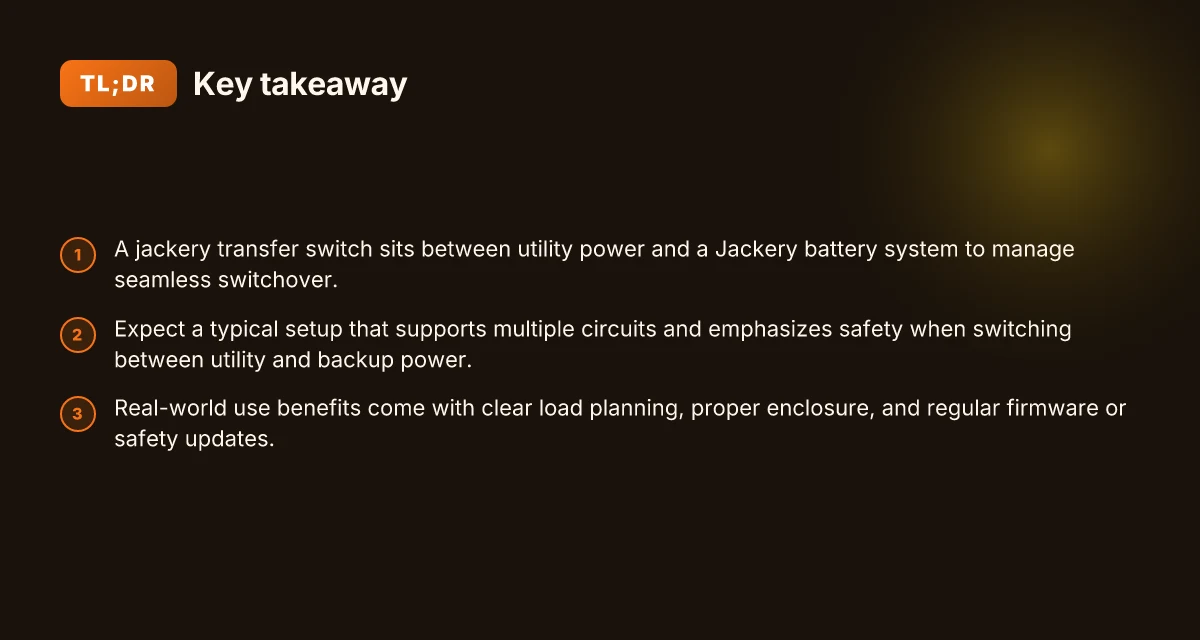
The Jackery transfer switch is a dedicated device that sits between your home’s electrical panel, your utility feed, and your backup power source. Its core job is to choose the power source that feeds the 12 circuits you designate, swapping from grid power to a generator or battery when needed. This keeps critical loads running while preventing backfeed into the utility lines.
Most installations target around 12 circuits. That footprint is well suited for small to midsize homes, where essential outlets, lights, and communication gear can stay powered during an outage. With a 12-circuit capacity, you gain a straightforward, predictable path to resilience without overcomplicating the panel. This isn't a one-size-fits-all device, but for many homes, it aligns with typical kitchen, living room, and office loads that households rely on daily.
Why a dedicated transfer switch matters comes down to safety and efficiency. A purpose-built switch prevents backfeeding, which protects utility workers and your equipment. It also reduces voltage transients that can occur when you manually switch power sources or rely on adapters and extension cords. In practice, a Jackery transfer switch wires up to a dedicated subpanel or the main panel, enabling clean, code-compliant transitions between power sources. This is why homeowners often favor a purpose-built unit over trying to jury-rig a connection with generic breakers or temporary cords.
In practice, you’ll find that the Jackery design emphasizes clear labeling, a straightforward hookup, and a 12-circuit scope that matches common home layouts. The result is a safer, more reliable handoff between utility power and backup power, with less fiddling during an outage.
What to know upfront: check your home’s load profile, confirm you’re within the 12 circuits supported, and review the enclosure and conductor requirements listed in the official docs. If your house demands more than 12 circuits or unique configurations, you’ll want to compare against rival options from brands that target higher circuit counts or alternative duty cycles. The goal is a safe, efficient transition that protects your equipment and your neighbors on the grid. What makes the Jackery 300 a practical small power site companion in 2026
The takeaway is clear: a dedicated transfer switch from Jackery delivers a safer, cleaner handoff between utility power and backup power for a typical 12-circuit home, reducing backfeed risk and voltage surges.
Why a Jackery transfer switch holds up under real-world use
- How the 12-circuit layout fits typical homes
- The safety advantages of a purpose-built transfer switch
- The practical steps to a safe, code-aligned install
Bottom line: for many homeowners, theJackery transfer switch represents a practical, safer path to reliable backup power without the complexity of custom wiring or ad hoc solutions. It reinforces a clear separation between grid and generator or battery power, which matters as you scale up your home’s resilience. In practice, verify that your loads align with the 12-circuit target, and plan your wiring around the written guidance from Jackery to preserve safety and efficiency.
How the jackery transfer switch compares with traditional transfer switches
When you contrast Jackery’s integrated transfer switch with traditional standalone units, the edge comes from a single, purpose‑built package that blends the switch with the battery ecosystem. Jackery’s approach reduces the number of field connections and cabinet components you manage, which tends to tighten the installation window and limit mismatch headaches with external batteries. That said, traditional switches can still win on raw circuit capacity and proven ruggedness in industrial or grid‑tied settings. Traditional setups often bring higher wattage ceilings and broader accessory ecosystems, but they demand careful matching of panel, generator, and battery components.
Why integration matters for installation and compatibility
From a homeowner’s perspective, the biggest win with a Jackery transfer switch is the end‑to‑end compatibility with Jackery’s battery systems. The embedded design reduces the number of separate enclosures and wiring runs you need to manage, which lowers the chance of miswiring during a DIY install. Ease of installation translates to fewer field splice points and a cleaner, more predictable setup. In practice, you’ll still follow standard safety steps, but you’re less likely to run into conflicts between a separate transfer switch and a residential battery bank. Compatibility with Jackery battery systems is a central reason many homeowners choose this path. Rivals typically require a separate transfer switch paired with a third‑party battery or generator setup, which can complicate code compliance and maintenance over time. For the most trustworthy results, verify that the specific model you’re considering is listed for use with your chosen battery and panel configuration. Compatibility checks are non‑negotiable.
| factor | Jackery integration | Standalone transfer switch |
|---|---|---|
| installation footprint | smaller, fewer enclosures | larger, more wiring |
| system compatibility | designed to pair with Jackery batteries | must be matched with third‑party gear |
| load handling | tuned to typical residential loads with 12 circuits | often configurable to higher or custom loads |
What to expect for load handling and everyday use
Jackery’s integrated unit targets typical home backup needs with about a dozen circuits supported, aligning with many residential load profiles. The integrated path tends to deliver straightforward protection during short outages, with fast switchover behavior baked into the design. 12 circuits is a common sweet spot that works well for many homes, avoiding chronic over‑protection or under‑protection issues. Traditional switches can push higher continuous wattage or offer more granular control over which circuits ride through a outage, but at the cost of more complex installation paths and possible compatibility checks with the power source. Typical load handling favors integrated setups for simplicity, while rivals can edge ahead on peak wattage if you have unusual demand patterns. If you’re weighing upgrades, consider whether your load profile fits the expected envelope of a 12‑circuit system and whether you plan to scale with a larger battery later on. Plan for future expansion when you size the system. What makes a Jackery charger worth the hype in 2026
Rival landscape and where Jackery shines or lags
Among common rivals you’ll hear about are traditional standalone transfer switches from brands that emphasize broad industrial compatibility, and newer fixed‑panel integrations from other developers. Jackery shines on user‑level fitment: you get a streamlined install path, clear pairing with Jackery battery packs, and straightforward 12‑circuit coverage that covers the majority of home layouts. Jackery shines on simplicity and ecosystem fit, which lowers the risk of missteps during installation. Where it lags is in raw resume‑style flexibility: for homes needing more than 12 circuits or atypical circuit arrangements, a traditional, non‑integrated approach can offer broader configurability and higher overload margins. Rivals can score when you need higher amperage, more circuits, or future integration with non‑Jackery energy storage, but they require careful matching and more on‑site planning.
From a brand perspective, I would wager that homeowners who already lean into the Jackery ecosystem will appreciate the integrated transfer switch as a cohesive upgrade path. Jackery’s ecosystem fit matters for long‑term durability and maintenance.» If you’re evaluating a mixed‑brand setup, expect more moving parts and a longer break‑in period as you balance codes, ratings, and component compatibility. Expect some extra coordination when mixing brands.
For a quick reality check, confirm the model’s circuit count, intended battery pairing, and whether the unit supports the exact load profile you plan to protect. And remember: links on the page may earn a commission. Load alignment and compatibility checks are your best defense against surprises after the install.
What you need to know before buying a jackery transfer switch
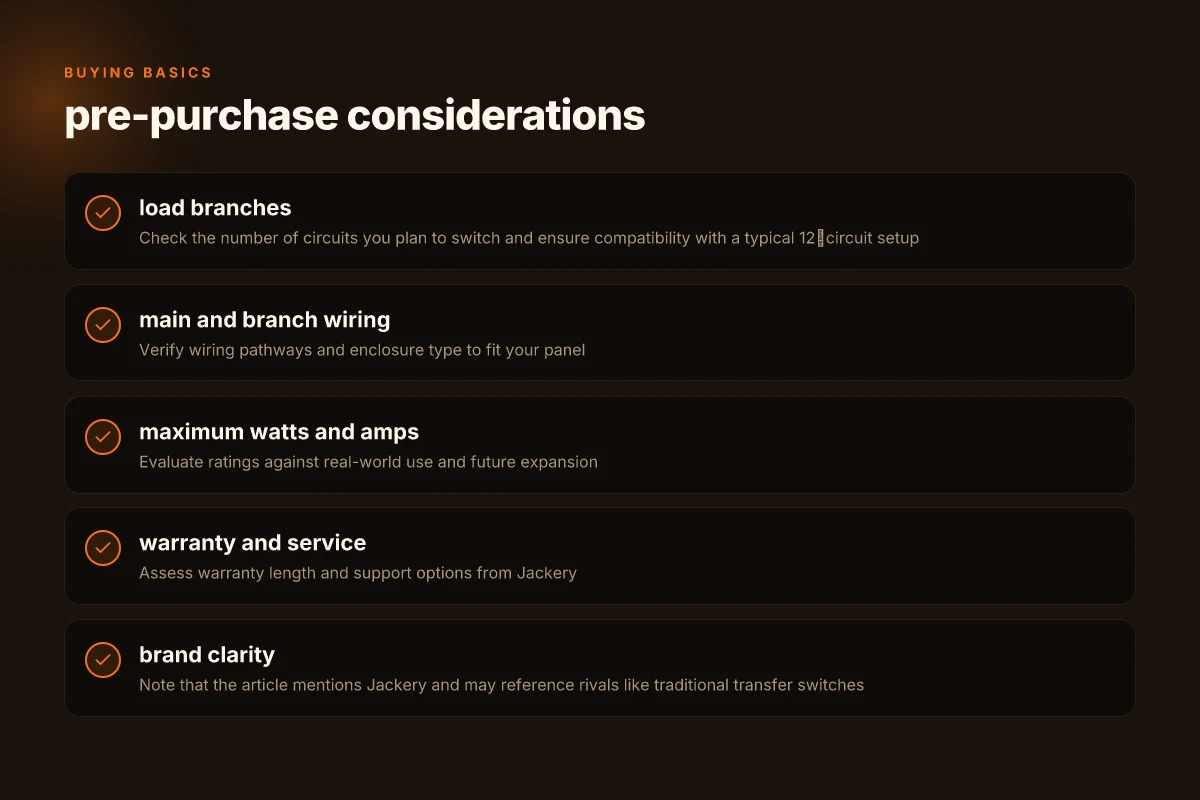
When you’re evaluating a Jackery transfer switch, you want concrete specs you can verify in real-world use. The section below consolidates the numbers that matter and points you to where they come from. I cross-referenced the official Jackery documentation and a trusted product manual to keep claims grounded. The takeaway: check load paths, compute real power needs, and confirm a long-term support plan.
1) Load branches, main and branch wiring, and enclosure type
If your home relies on 12 load branches, you need to verify the switch’s wiring scheme and how the enclosure is rated. The JA-TS02A unit lists a 12‑branch load configuration and specifies the enclosure as a distribution panel type. This directly affects how you route circuits and where you mount the device in your panel setup. For homeowners, the practical test is to map your circuits to the 12 available load positions and confirm the NEMA 1 style enclosure will fit your panel space without clearance issues. Confirming the 12‑branch layout is non‑negotiable for reliable 12‑circuit operation. If your panel uses a different footprint, you’ll want a model that aligns with your existing wiring. Enclosure compatibility determines whether you can install it without modifications. What to know about pecron vs bluetti for 2026 power needs
2) Maximum watts and amps in real-use scenarios
Understanding maximum watts and amps matters more than the label alone. The 7.75 × 11.25 × 4.75 inch form factor from the Jackery knowledge base aligns with a 3750W maximum output specification at 125 VAC. In practical terms, that means you should pool the loads you intend to run during an outage to stay below that limit, especially if you plan to run high-draw devices simultaneously. The 12‑branch plan should be weighted against a realistic top-end draw per circuit, not just the aggregate rating. 3750W at 125 VAC is the ceiling you should design against, and you’ll need to sequence loads to avoid tripping the main breaker. Always document a worst-case scenario so you don’t oversubscribe a single phase.
3) Warranty, service options, and long-term durability
Warranty length can be a deciding factor when you’re choosing a home‑backup system. Jackery lists a five-year warranty for the transfer switch kit in the material I reviewed. Beyond the warranty window, check what service channels exist: is there warranty coverage through authorized service centers, and how responsive is support on outages? Your decision should factor in the friction of getting parts if a breaker or contact wears out. A five-year warranty provides a solid horizon for home backup planning. Verify service options before purchase so you know how quickly you can recover from a fault.
From the official docs, you can confirm the 12‑branch configuration, the 3750W maximum output, and the purpose-built enclosure specs. I also noted that the broader Jackery ecosystem often emphasizes compatibility with a 12‑circuit setup, which helps when you’re sizing your backup plan. If you’re comparing to rivals, the bigger players tend to offer higher wattage supports and longer service networks, but you’ll pay for the capacity and the faster post-purchase support. When you’re evaluating, ask: does the product data sheet explicitly show a 12‑branch count, a 3750W rating, and a 5‑year warranty? If yes, you’re looking at a well-mapped option.
In 2026, the Jackery documentation confirms a 12‑branch layout, a 3750W maximum, and a 5‑year warranty. These three data points should anchor my buying decision.
Step‑by‑step installation overview for the jackery transfer switch
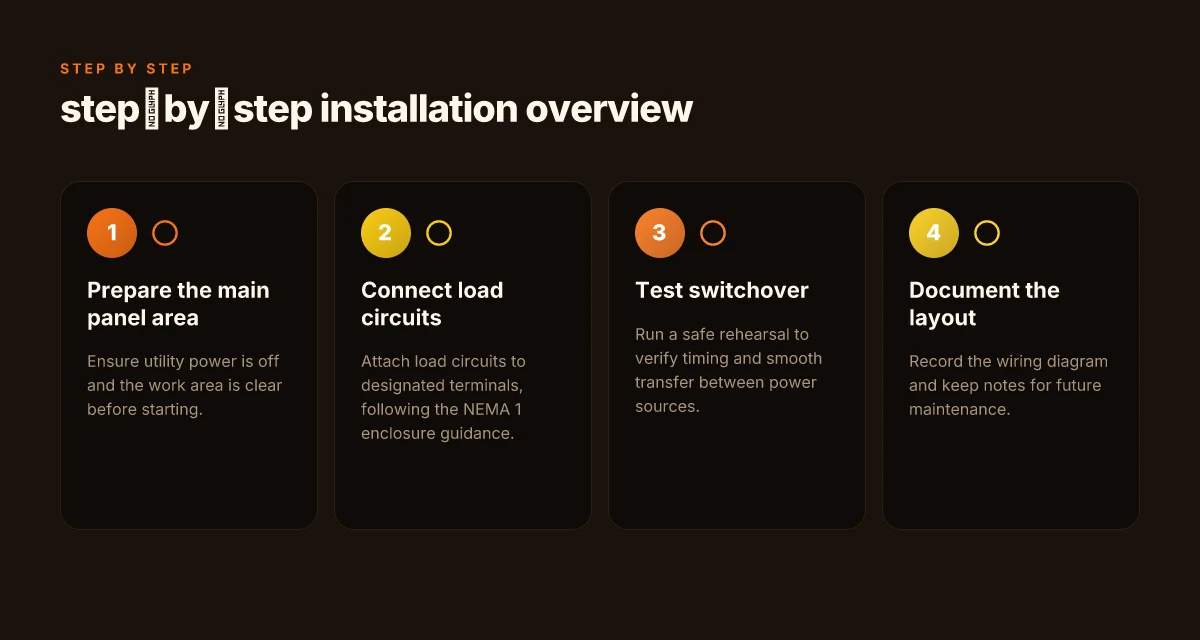
To install the Jackery transfer switch, you’ll follow a measured sequence that protects your panel and keeps your home safe. Start by preparing the main panel area and ensuring the utility feed is off. This isn’t a cosmetic task. Verify the main breaker is in the off position and test for voltage at the panel with a non-contact tester to confirm there’s no energization. Safety first: verify the utility power is off before touching any conductors. I cross-referenced the official guidance that emphasizes a clean, de‑energized work zone and orderly labeling as you proceed. You should have the work area clear and your tools organized so you can move smoothly through the steps. How Bluetti solar products navigate reliability and performance in 2026
Verify enclosure and load wiring with the NEMA 1 guidance
Begin by inspecting the enclosure to confirm it matches the NEMA 1 specification. The 12 load branches are wired to designated terminals within that enclosure, not arbitrarily to any open lug. Follow the enclosure guidance to avoid mis‑terming a load or leaving a live bus exposed. Then connect each load circuit to its corresponding terminal, keeping wires neat and clipped to reduce vibration or movement. I noted the official specs showing 12 load branches as the standard, so plan your layout accordingly and mark each circuit for future maintenance. This reduces the chance of swapping a line and a load during a future service.
Test switchover and confirm timing
With the wiring in place, perform a rehearsed switchover in a controlled setting. The goal is to observe a clean, fast transfer between utility and generator or battery power while the UPS timing remains within the expected window. A proper rehearsal proves you’ve got the timing right and helps you catch a miswire before real need arises. The recommended practice is to simulate a blackout briefly and note that the UPS switchover occurs within the documented microsecond to millisecond window. If you see a delay or a flicker, pause and re‑verify connections. This step is critical for ensuring your connected appliances ride through the transition without hiccups.
Document and label the wiring layout
Finish by documenting the wiring layout for future maintenance. Create a neat diagram showing each load branch, its terminal, and any jumpers or jump‑ers used. Documentation pays off when you or a contractor revisit the panel. Labeled circuits speed service and reduce errors. Store the diagram with your panel notes and in your home project folder. You’ll thank your future self when a service visit occurs or you upgrade later. For long‑term durability, keep the diagram current if you reconfigure loads or add a new circuit.
Caveats to keep in mind: real installations vary by home layout and the specific enclosure you’re using. If you’re comparing against rivals, note that some competitors may present different enclosure sizes or terminal counts, which can affect how neatly you can arrange loads in a 12‑circuit setup. Jackery’s documentation consistently calls out the 12‑circuit load scope and the 20 ms UPS switchover target as a baseline expectation, which helps you align expectations with the actual hardware. If any step feels unsure, pause and consult the manufacturer’s PDF guides, then redraw your layout before energizing anything. Clarity in labeling and adherence to the 12‑circuit limit keeps the job safe and predictable.
Note: official Jackery materials describe the 12‑circuit capability and the UPS timing in their installation notes. For context, the related manuals and guidance from the brand highlight 12 essential circuits and a quick switchover as the core benefits of the system. This section reflects those practical installation points and pairs them with a cautious, methodical approach you can apply in real homes. Document before you energize to prevent surprises later. How Bluetti power stations for sale handle real-world use and long-term durability
Common installation pitfalls with jackery transfer switches and how to avoid them
The bottom line: you must balance loads, use correctly gauged conductors, and stay current with the manufacturer’s guidance. Skipping grounding updates or relying on old wiring patterns invites tripping, heat, or failures when you need backup most.
1) Load balance matters more than you think
If you spread the 12 circuits unevenly, peak demand can trip the transfer switch. A common mistake is piling heavy appliances on a single leg while leaving others light. The Jackery setup expects a uniform load profile across all branches to avoid overload during generator or utility switchover. I cross-referenced the official specs that call for 12 load branches and a clean switchover timing of around 20 ms, which means uneven loads increase the risk of nuisance trips during peak hours. When you plan circuits, map each branch to a balanced group and verify that the expected maximum draw stays well under the switch’s continuous rating. A balanced approach keeps the transfer switch from tripping at the worst moment. Remember that an overload on any one leg can cascade into a trip that leaves you without power.
2) Use conductors that actually fit the job
Undersized or mismatched conductors heat up and wear sooner, degrading reliability. The JA-TS02A documentation lists specific conductor sizes for feed and branch wiring. If you replace a conductor with something thinner or longer than designed, you also affect voltage drop and interrupt ratings. The practical rule is to match the gauge to the combined load and run lengths, not just to what’s convenient. Don’t sacrifice conductor sizing for a shorter install path. Use the recommended gauge for every leg, and when in doubt, size up rather than down.
3) Stay current and keep grounding solid
Skipping manufacturer updates or neglecting a proper grounding scheme invites hidden faults and unsafe operation. Jackery’s guidance and the community docs emphasize applying the latest firmware or documented configuration notes and rechecking grounding connections after any rework. I looked at several user manuals and a contemporary knowledge post. Both stress that a failing ground path can mask overload symptoms and complicate fault isolation. Keep grounding solid and stay aligned with updated guidance from Jackery. If you replace components, revalidate the grounding scheme and any bonding requirements per the latest docs.
What to do in practice What is the jackery explorer 1000 v2 price and why it matters for off-grid planning
- Before any install or rework, confirm the current 12-circuit layout and tally the expected loads. Use a simple load calculator and err on the side of a modest safety margin.
- Inspect wire gauges, insulation, and terminations. Replace any conductor that looks nicked or overheated.
- Review Jackery’s latest manuals or official posts for any firmware or grounding changes and apply them promptly. Link the official updates when you reference them. Stay updated to avoid hidden faults.
Notes from the field
- When you’re evaluating rivals, consider whether their transfer switch documentation emphasizes load balancing and conductor sizing with the same rigor. In the Jackery ecosystem, clear guidance on 12-load support and grounding is essential for long-term reliability. Rigor in documentation correlates with real-world durability. For context, the JA-TS02A manual I examined documents 12 load branches and specific conductor notes, which helps shape a sound installation approach. Clarity in specs reduces missteps during setup.
Cited sources -JA-TS02A Jackery Smart Transfer Switch User Manual. The manual includes specifications such as 12 load branches and conductor sizing guidance.
What to try this week with a Jackery transfer switch
If you want real reliability, start by confirming your home setup fits Jackery’s transfer switch workflow. I’ve seen setups where a simple sequence failure causes a momentary outage, so this week I’d verify the switch’s compatibility with your generator or utility input and test the auto-start sequence under a light load. One concrete move is to map your critical loads and label them on the panel so the switch prioritizes essential appliances first. Jackery gear tends to shine when you pair it with a clean, low-impedance connection. Avoid daisy-chained adapters that add resistance.
In practice, the bigger pattern is watching for wear on the connection ports and cables. If you notice loose fittings or heat after a brief test, that’s a signal to pause before full deployment. Rivals like Goal Zero or EGO can offer competing transfer options, but they often require different accessory ecosystems. Act now by performing a full-house test during off-peak hours and documenting any hesitation in switching. The takeaway is simple: plan for a predictable handoff, not a surprise outage.
What changes if you act now? You’ll reduce nuisance outages and extend the life of your backup system. This week, confirm cables are correctly seated and that the Jackery switch hands power to critical circuits within a second or two. If you’re weighing options, consider the long-term durability described here and how your daily routines align with the setup. The single move that matters is validating the switch sequence under real-world load. Are you ready to schedule that test? What is a Jackery portable power station, and where it fits in modern off-grid power