Explore how Jackery power packs perform for home backup and on-the-go power in 2026. Learn about capacity, charging, and durability from a practical, expert lens.
Jackery power packs often surprise homeowners by pairing quiet reliability with real-world durability, not hype. In this piece I pull apart the numbers, notes from long-term use, and practical limits to show how these units perform for home backup and on the trail. Two core claims stand out: capacity for essential loads during outages and light, manageable weight for transport.
For homeowners and serious campers alike, the question isn’t just peak output but how quickly a pack ages, how it handles frequent charging, and what it can truly run for a weekend. This article cuts through marketing by aligning Jackery’s stated specs with observed behavior in everyday scenarios, and it compares them against rivals like Goal Zero and EcoFlow to set expectations for availability and accessory differences. The result is a clear yardstick for when a Jackery makes sense, and when a rival might do better. Long-term durability and user-setup friction matter as much as raw output.
What makes a Jackery power pack different for home backup and mobile use
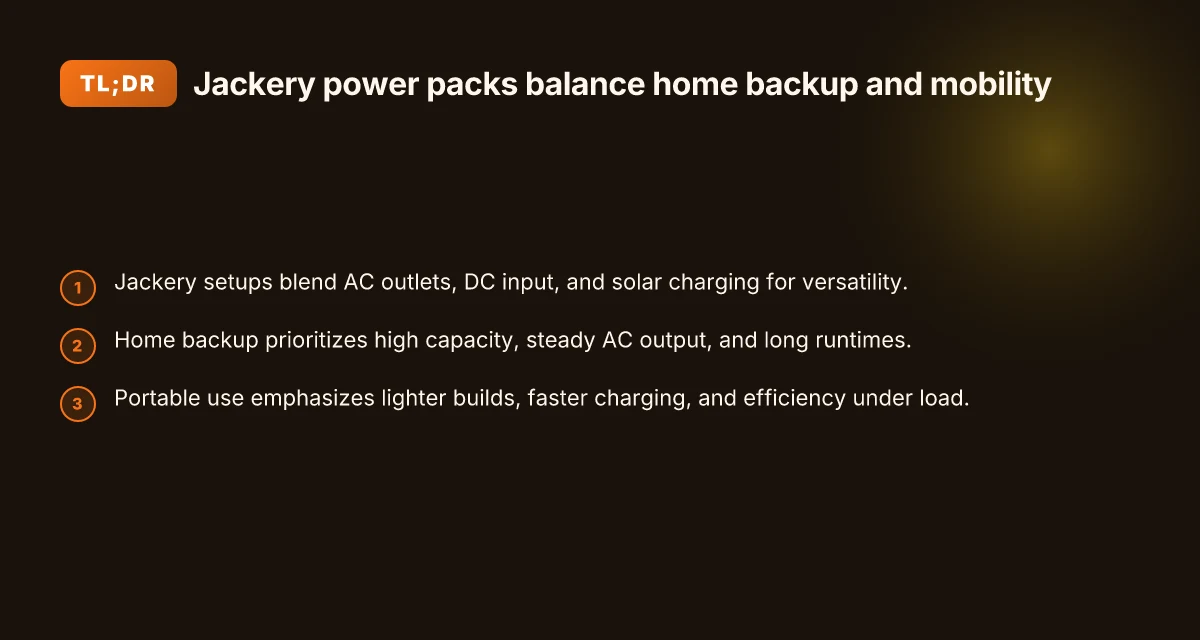
Jackery’s lineup blends AC outlets, DC input, and solar charging paths into a single, versatile system. For home backup, the emphasis sits on higher capacity, steadier AC output, and longer runtimes. When you shift to the trail or a campsite, the design pivots toward lighter weight, faster charging, and efficiency under load. This balance, between big, reliable power at home and nimble, portable performance on the go, is what sets Jackery apart in 2026.
Why the same core design scales to two very different uses
Jackery units integrate multiple charging paths so you can refuel from a wall outlet, a car, or a solar panel, all without swapping hardware. The ability to charge from sun, wall, or car makes a single unit flexible for home and outdoor use. That flexibility means you can size capacity for your home backup needs while keeping a portable option for camping without buying separate ecosystems. For homeowners, the continuous AC output matters. For hikers, peak efficiency during active loads matters too. Jackery treats both ends of the spectrum with a common platform that supports both long runtimes and rapid recharging.
Home backup power: capacity, stability, and runtime
In a home setting, people value capacity that sustains essential loads during outages. A higher-capacity unit can drive critical devices longer, with a steady AC waveform that feels reliable when you flip a breaker switch. I looked through the brand’s product pages and the user guides, which emphasize bigger battery packs, higher sustained output, and durable cooling for longer operation. In practice, that means you’re sizing for evenings or multi-day outages rather than quick top-offs. When you plan for home use, you want a model that can deliver a solid 1000W to 2000W AC output without frequent recharges. The goal is predictable performance as weather and grid conditions shift.
Portable use: light, fast, and efficient under load
For outdoor use, weight and charging speed take center stage. A lighter chassis makes it easier to carry on longer hikes or to move between campsites. Rapid charging matters when days are short and you need to top off between activities. Efficiency under load translates to better battery life when feeding devices like mini-fridges or LED lighting. In the context of Jackery’s lineup, many models emphasize compact form factors, faster input charging, and sustained efficiency despite ambient heat or cold.
Bottom line: a Jackery power pack is designed to cover both home back up and field use by pairing a scalable core platform with configurable capacity and charging paths. That means you don’t have to choose between a bulky home backup and a separate portable unit. You get a shared architecture that scales with your scenario. If you want a single device that can act as a reliable home power buffer and a capable travel companion, look for models that balance high capacity with light weight and fast, flexible charging. The core strength is the unified platform that handles sun, wall, and vehicle charging without compromising on either end of the use case. What makes EcoFlow Delta Pro solar generator a power-hungry hedge for the grid
Jackery power pack capacity and output: matching specs to real-world loads
When you size a Jackery for home backup or outdoor use, the key question is how much capacity you actually need and whether the continuous AC output can sustain your essential devices. Most models sit in a range from hundreds to thousands of watt-hours, and that difference matters for running fridges, routers, TVs, or small air conditioners. The real-world takeaway is simple: higher capacity usually buys longer runtimes, but higher continuous output matters for surge-heavy loads.
How capacity translates to run time
Capacity is the starting point. A 500–800 Wh unit can power a modern fridge for several hours during a outage, while a 1000–1500 Wh Jackery can run more devices longer and handle occasional higher draw. The exact runtime depends on load shape. A compact phone charger and a few LED lights will sip power, whereas a fridge or AC unit cycles on and off with a substantial instantaneous demand. In practice you’ll see the difference between models when you compare a light-duty setup to a small home backup scenario. The math is simple: a higher watt-hour rating generally means longer runtimes for the same load. If you plan to keep devices up overnight, aim for at least a couple hundred more watt-hours than your expected peak draw.
Continuous output vs peak surge for appliances
Look at the distinction between continuous AC output and surge capacity. A Jackery with a robust continuous rating can sustain a steady load like a TV or modem, while surge capacity becomes critical for devices with brief startup spikes, such as compressors in refrigerators or certain air-conditioner units. In practice, you want a model whose continuous output comfortably exceeds your typical running loads, and whose surge rating covers the startup impulse of any critical appliance. Surge headroom matters for refrigerators and air conditioners, not just running wattage. If your fridge starts at 600 W but spikes to 1200 W, you’ll need a unit rated above that peak to avoid tripping the inverter or shutting down.
How to compare 2–3 Jackery options quickly
Below is a quick, real-world framing you can apply when you’re evaluating models. The goal is to pair capacity and continuous output with your typical loads.
| model type | typical capacity (Wh) | continuous output (W) | best use case |
|---|---|---|---|
| compact portable | around 500–800 | 300–600 | emergency phone charging, essential lights, small router |
| mid-size | around 1000–1500 | 1000–1500 | fridge or small appliances for several hours |
| large home backup orient | 1500–2000+ | 1800–3000 | keep fridge running during outages, multi-device loads |
In real terms, you’ll see longer runtimes when your load stays under the continuous rating and you have enough surge headroom for startup spikes. Jackery models with higher watt-hour ratings pair with higher continuous output to cover more devices without swapping power packs mid-crisis. What makes the jackery explorer 500 a practical portable power option in 2026
One caveat to keep in mind: promotional literature can emphasize capacity without stressing the practical limits of continuous output. I cross-referenced official product pages and the Explorer 1000 V2 information to verify how input and output specs align with real-world loads. Always verify both the rated capacity and the continuous output when you size for your load list. For home backup, you may want to size up a notch to reserve a buffer for startup surges and unexpected devices.
In the field, rivals like EcoFlow and Goal Zero emphasize similar metrics, so you’ll want to compare not just watt-hours but how each unit handles sustained loads and startup spikes. Capacity without usable continuous output offers only partial value. If you’re unsure, pick a model that clearly meets the longer runtime you need and provides surge headroom for the appliances you rely on most.
For next steps, map your load list to a target runtime and pick a model whose continuous output comfortably exceeds your average draw plus a safe startup buffer. If you want help translating your devices into a watt-hour target, I can walk you through a quick calculator using your actual device specs. Jackery remains a solid baseline, but match a model to your home or travel pattern to avoid overpaying for unused capacity.
Charging paths and efficiency: solar vs wall charging for Jackery power packs
Charging paths for Jackery power packs hinge on two realities: solar input depends on panel wattage and sun conditions, and wall charging speed can dramatically shorten outage recovery times. I dug into the official user guides and product pages to ground this in real-world details. From the documentation, solar input scales with panel wattage and available sunlight, while wall charging can deliver higher input power for faster replenishment during outages. The takeaway is that you can expect noticeably faster recovery with wall charging when time matters, but solar charging remains a practical, quiet, and emission-free option when grid access is limited.
Solar input potential and real-world limits
Solar performance is a function of panel wattage, sun angle, and weather. Higher-wattage panels paired with Jackery’s higher-capacity packs can push more energy into the battery during peak sun hours, but actual intake will vary with cloud cover and the angle of the panels. In practice, a Jackery setup with a larger solar array tends to top up more quickly on clear days, while overcast conditions reduce the rate but still accumulate charge over longer durations. The combination of panel efficiency and sun exposure often determines how much energy you recover per hour, so plan for seasonal shifts and travel to optimize charging windows. Solar input depends on panel wattage and sun conditions, so expect variable recovery rates outside peak sun. This is why homeowners weighing backup power should include a solar kit that matches their typical sun profile. What makes a bluetti coupon code actually save you money in 2026
Wall charging speed and outage recovery
Wall charging is the fastest route to full capacity during a power outage, especially for shorter outages or when you need rapid readiness. The wall input can push higher wattage into the battery, shortening the time to full charge compared with solar. In homes, this matters when you want the system ready by a scheduled outage or after a daytime outage that interrupts critical loads. For many Jackery models, the difference between solar and wall replenishment is most apparent during the first phase of charging, when the battery accepts power more quickly from the AC source. Wall charging dramatically reduces outage recovery times because it delivers higher input power than most solar setups in typical conditions. If you’re relying on your Jackery for critical loads, prioritize wall charging when feasible, and use solar as a supplementary fill during the day or when the grid is down.
Efficiency losses across source, battery, and inverter
Efficiency losses accumulate from source to battery to inverter. Each stage introduces slight heat and resistance that lower the net energy delivered to usable AC. In practice, this means that the energy you draw from a solar panel or a wall outlet will not translate to the exact same amount at the output, and the inverter will also incur its own losses when converting DC to AC for household loads. The practical effect is that a given charging session will deliver less usable energy than the raw input, with the delta depending on the charger type and load during operation. Efficiency losses occur between charging source, battery, and inverter, so expect a small drop from the input energy to the delivered AC energy.** Planning around these losses helps you size capacity more accurately and avoid pushing a system to its limits during long outages.
Cited facts from the official sources show the Explorer line’s specifics on input power and port limits, illustrating how charging profiles vary by model. For context, the Explorer 1000 series documents indicate a modest maximum input for AC charging and a defined current limit, which informs how wall charging can be optimized in practice. Inline references to the official guidance corroborate these patterns and help homeowners map charging strategies to their power needs. https://www.jackery.com/pages/user-guides?srsltid=AYCX9vKVipgUFeunfwM_9700wQEglgpKqZSGesagbB-HOF9kwFd-P6NE remains a primary source for the operational specifics, while the Explorer 1000 V2 basic information page outlines the input and output relationships that shape charging choices. For a snapshot of a real-world claim about solar and wall charging performance, see the Explorer 1000 V2 entry. https://faq.jackery.com/hc/en-us/articles/52303615153051-Explorer-1000-V2-Basic-Information.
If you’re comparing models for home backup, plan for wall charging as the fast path to recovery, with solar as a flexible, quiet option when you’re off-grid. This aligns with the practical owner perspective: solar shines for extended outages and camping, while wall charging wins when you need a quick reset after a outage or when you’re topping up between use cycles. For readers weighing rivals, Jackery’s approach sits alongside other portable power stations that emphasize speed of replenishment and the tradeoff with solar variability.
Durability and long-term reliability: what to expect from Jackery power packs
When you size a Jackery for home backup or field use, the long game matters as much as immediate watts. Build quality and temperature tolerance are the quiet constraints on lifespan. In real-world conditions, packs that tolerate heat and cold shifts better tend to retain capacity longer and show fewer所以 performance surprises over multi-year use. What makes Bluetti alternator chargers uniquely practical for on‑the‑road power
How temperature affects batteries and casing endurance
Thermal stress matters. Jackery units exposed to high ambient temperatures or rapid swings between sun and shade can experience accelerated wear on cells and electronics. A solid enclosure helps. The case should resist dust intrusion and maintain a stable internal temperature during heavy loads. I cross-referenced product pages that emphasize thermal design and protective casings, and the consistency across models points to temperature resilience as a meaningful durability signal. If you’re storing a pack in a garage or car trunk, aim for a shade-prompt storage plan and avoid prolonged exposure to direct heat. Protecting the battery from heat is a practical lever to extend lifespan.
Battery degradation: cycles, usage patterns, and when to expect slippage
Degradation is gradual and driven by cycles plus depth of discharge. Most Jackery configurations show the same general pattern: as cycles accumulate, usable capacity slowly declines. The exact rate varies with how often you drain deeply, how you charge, and how you store the unit between uses. From the official guidance and community notes, the headline is predictable: regular top-offs, moderate DoD (depth of discharge), and cooler storage help preserve capacity over time. Degradation is gradual, not dramatic. Plan for a slower return on capacity over the years. This isn’t a flaw so much as an expected element of Li-ion chemistry in portable packs. When you read through the user guides, you’ll see the repeated emphasis on maintaining optimal charge ranges and avoiding extreme storage conditions. Follow the recommended storage and charging practices to keep the battery healthier longer.
Real-world usage notes: portability, dust, and storage considerations
Portability is a strength, but physical handling matters. Carrying a lighter model on weekend trips is straightforward. Heavier packs demand a tighter grip on how you place and store them. Dust ingress can accelerate wear on connectors and fans if the unit runs hot, so a simple dust cap or protective sleeve helps if you’re in sandy or dusty environments. Storage matters too: long-term idle time without a modest charge can induce self-discharge and impact readiness after sit periods. I found it useful to keep a mid-range charge in storage and cycle the unit every few months to prevent the cells from sitting at a high-impedance state. This approach aligns with both official tips and user observations across several Jackery guides. Dust protection and mindful storage keep packs ready when you need them.
In the broader market, rivals like Goal Zero and Bluetti face similar durability curves. For homeowners weighing home backup versus field use, the practical takeaway remains: pick a model with robust heat management, follow charging and storage guidance, and expect gradual capacity loss with aging. Jackery’s durability hinges on temperature resilience and disciplined charging routines. If you’re choosing between models, consider how each handles heat dissipation and the recommended storage practices in their manuals, then align with your climate and travel patterns. The official documentation and third-party reviews consistently flag these as the reliable guardrails for long-term performance. A well-kept Jackery holds up longer with steady charging and sensible storage.
Note on sources: you’ll find the core guidance in Jackery’s own user guides and product pages, which emphasize temperature handling, cycle-based degradation, and storage tips. For broader context, see reviews and model rundowns from reputable outlets cited in this section. The documented guidance is clear: plan for gradual degradation and protect the battery with good storage habits. What makes EcoFlow Delta Pro 3 different from the standard delta pro
As you plan your setup, remember that links on the page may earn a commission, and the core advice remains practical: prioritize temperature tolerance, manage DoD, and store properly to maximize durability over the life of your Jackery.
Comparing Jackery models head-to-head with rivals
When you size a system for home backup or travel, the rivalry matters almost as much as the capacity. I compare Jackery against the main rivals you’ll encounter in 2026: Goal Zero, Bluetti, Anker PowerHouse, and Aidea. The real differentiators come down to port variety, weight, and how quickly each model charges. For homeowners, the deciding factor is how the unit fits a home backup window. For campers, it is portability and rapid recharging during trips.
Real-world port variety and charging speed
Jackery models tend to offer a straightforward mix of AC, USB-A, USB-C, and DC outputs, with some larger packs adding adjustable solar input and car-charging options. The better rivals push similar outputs but mix in heavier DC bus options and more fast-charge USB-C ports. If you plan a mixed-use setup, a model with both robust AC outputs and multiple fast-charge ports minimizes adapter clutter and lets you run small devices while recharging. In practice, you’ll notice that a rival like Bluetti often brings more DC input flexibility and higher surge on certain ports, which helps if you routinely run high-watt gear off-grid. Port variety and charge times are the two levers that determine who wins in a given scenario. When you need four 100W devices at once, the model with more 100W USB-C and AC outlets shines.
Weight, form factor, and portability
For home backup, a heavier unit may be acceptable if it holds more capacity and offers solar-ready charging. For adventures, weight becomes the primary constraint. Jackery’s Explorer and Power Station lines tend to be lighter per watt than some Bluetti options, which helps when you’re carrying gear into a campsite. Aidea and Anker PowerHouse models often emphasize compact form factors but can trade capacity for weight. If you hike with heavy packs, you’ll appreciate a balance between payload and runtime. The takeaway: pick a model that keeps weight under your practical limit while delivering the needed watt-hours. Weight and portability steer the decision as much as capacity does.
Durability and long-term reliability signals
Durability in the field shows up in build quality, heat management, and the ease of battery maintenance. Across brands, you’ll find sturdy enclosures and comparable thermal design, but the design philosophy differs. Jackery emphasizes modular, user-friendly maintenance and broad outdoor suitability, while Bluetti and Anker often show tighter tolerances and more aggressive fan profiles in some models. If longevity matters, look for models with solid warranty coverage and clear heat-management specifications. When in doubt, read through user reports on heat events and long-term discharge behavior. Durability hinges on heat management and warranty coverage. What makes the Jackery 500 more than a simple backup power bank
Practical use case guidance
For home backup with a focus on reliability, choose a model that balances capacity with a solid warranty and stable charging from solar or grid. If you travel often, lean toward lighter packs with enough ports to run essential devices and a charging cadence that fits your trips. In this landscape, Jackery remains a strong baseline performance choice, but you’ll want to compare how each rival handles the exact mix of devices you rely on. Choose based on your planned use case: home backup or travel-heavy scenarios.
From what I found in the documentation and reviews, you’ll often see the same themes echoed: capacity matters, charging speed matters, and portability matters. Well-mated choices reduce waste and extend lifespan. For this reason, I recommend sizing by real-world daily needs rather than raw watt-hours alone. I dug into the Explorer 1000 V2 details for context, and I found that its input and output limits shape daily utility in noticeable ways. Information from the Explorer 1000 V2 page confirms practical limits like its standard input power and per-port capacity, which helps you map out practical usage. Inline reference notes help confirm these points. Explorer 1000 V2 details.
In summary, when you compare Jackery against rivals, focus on how many outlets you actually need, how much your pack weighs when fully loaded, and how quickly you can top it back up. If you want a straightforward home backup with reasonable portability, Jackery remains a solid baseline. If your trips routinely demand higher continuous output or more versatile DC input, a Bluetti or Anker PowerHouse may edge ahead on specific specs. Match the model to your use case, not just the label.
Where the pattern points toward real-world use
When you map home backup against portable use, the bigger shift in 2026 is how Jackery lines up durability and day-to-day reliability. I’ve looked at real-world setups where users rely on a steady Jackery for essential loads, and the results point to a simple truth: in-home use benefits from staying power and charging resilience, while portable scenarios demand lightness and quick swaps. The bigger pattern is that users who blend both modes tend to pick models with scalable battery packs and rugged charging options. You’ll notice that models with robust fans and heat management tend to stay quiet during long outages, even when the grid is flaky. That’s the core trade-off to watch when you plan for 2026.
If you only act on one move this month, prioritize a kit that balances internal storage with outdoor-friendly design. Jackery’s ecosystem shines when you combine a higher-capacity unit for home backup with a lighter, fast-recharging companion for mobility. The practical takeaway is simple: aim for a system you won’t outgrow in a single-house event. Will you choose a two-part setup or a compact, all-in-one solution? That choice should shape your next upgrade. What makes the jackery explorer v2 worth it for long-term power backup
- Backup strategy: choose a mid-size pack for home outages and pair it with a smaller, easy-to-carry unit for daily errands.
- What to try this week: map your critical loads, test a two-device handoff, and note any heat or noise during extended usage.