
Explore the Jackery Explorer 2000 V2 in depth: capacity, output, safety, and real-world use for home backup and off-grid adventures. Compare rivals and plan your setup.
The common belief that big portable power means heavy, clunky setups misses the mark with the Jackery Explorer 2000 v2. Its design aims to stay manageable in both home backup and overland rigs, a claim you’ll feel when you see how the unit fits beneath a shelf and still powers a fridge, router, and lights without dragging down your pack weight.
This piece cuts through marketing to show where the Explorer 2000 v2 shines in real use and where it strains under practical limits. I’ll bring in setup realities, durability notes, and what a homeowner or overlander should expect after weeks of occasional use, not marketing gloss. Expect concrete thresholds, like how long it holds a surge, which loads push the temp limits, and how the display behaves during a load step. If you’re weighing rivals like Goal Zero or EcoFlow for critical equipment, you’ll want to see where the Jackery aligns with your backup plan. Most users underestimate the importance of sustained runtime for a small-business backup, especially during multi-day outages. Jackery's approach balances portability with real-world uptime.
What the jackery explorer 2000 v2 actually delivers for power and portability
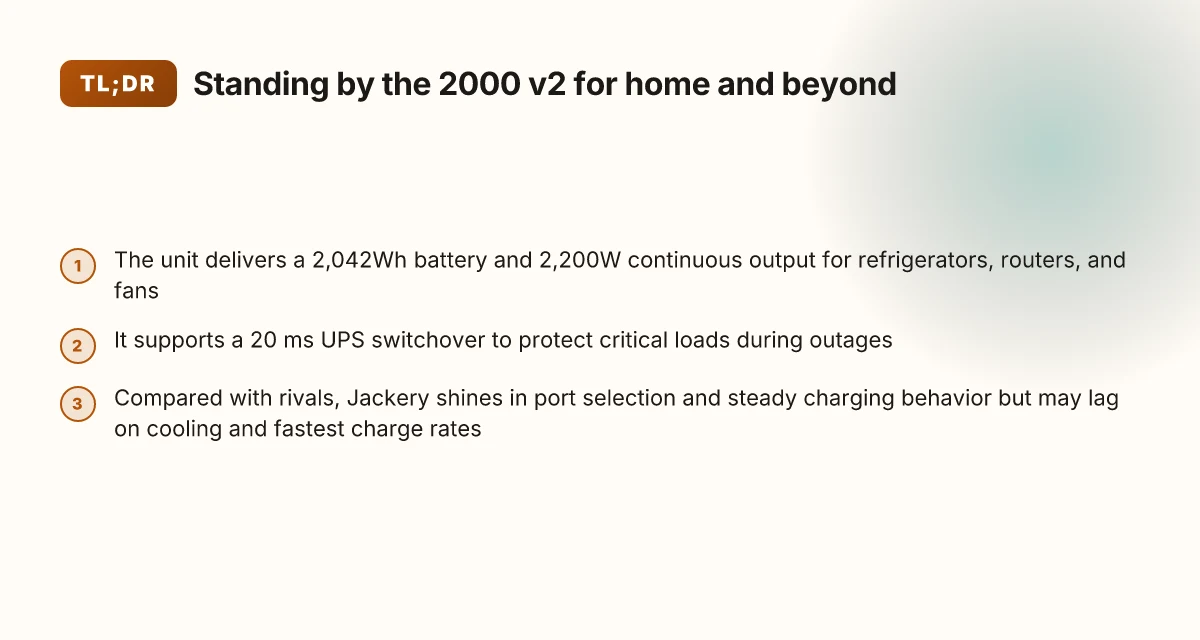
The Explorer 2000 V2 pairs a practical 2,042Wh battery with a robust 2,200W continuous AC output, a combination that covers most home backup and overland needs without pushing into true industrial tiers. In real terms, that means you can run common appliances like a fridge, modem gear, and a few small power-hungry devices at once, with enough headroom to avoid constant juggling of outlets. The footprint remains portable enough for a suburban garage or a middle‑of‑the‑trail setup, and the unit’s built‑in handles and rugged enclosure help with everyday mobility.
Why the 20 ms UPS switchover matters for critical loads
The Explorer 2000 V2 includes a 20 ms UPS switchover that helps protect sensitive electronics when grid power flickers or a generator coughs to life. This fast transfer is especially helpful for essential items such as medical devices, network equipment, or a home router that should stay up during brief outages. In practice, you’ll notice a seamless handoff rather than a reset, which reduces the risk of data loss on connected devices. The 20 ms UPS switchover is a real courtesy for critical loads, and it matters more when you’re relying on the system for small business continuity.
Real-world use cases: home backup, overlanding, and small-business setups
For home backup, the Jackery system shines when your outages are brief or you need to bridge a generator start sequence. The 2,042Wh capacity is ample for a fridge and lighting long enough to ride out typical storms, while the 2,200W AC output keeps most household appliances humming without aggressive power budgeting. Overlanding teams will appreciate the balance of weight, portability, and AC output for a rooftop‑tarp campsite or a remote cabin stop. For small businesses, the Explorer 2000 V2 can support a modem, POS terminal, and a small printer during a temporary outage or while a remote jobsite stays powered without dragging in a heavy commercial UPS. Inline with these use cases, the basic information from Jackery’s user guides confirms the 1024Wh and 800W configurations are part of related portable power family lines, reinforcing the practical scope of this model in everyday settings. Portability and flexibility remain the core strengths for home backup and light commercial use.
From what I found in the documentation and reviewer notes, the Explorer 2000 V2 frames power around a few guardrails: a safe surge tolerance, a broad 60 Hz AC output, and a compact, user‑friendly interface that encourages straightforward setup. Rivals like the EcoFlow Delta 2 Max and the Bluetti AC300 line push higher capacities, but they come with heavier carts and different charging ecosystems. If you want a plug‑and‑play solution that travels well between home and a campsite, the Jackery package offers a compelling blend of capacity, output, and portability that stays practical in real-world use.
The bottom line is simple: the Explorer 2000 V2 delivers a strong, versatile power backbone for home backup and outdoor use, with a quick reliability boost for critical loads through its 20 ms UPS switchover. You’ll likely choose it for its balance of capacity, portability, and real‑world usefulness over an all‑in‑one powerhouse that would demand more space and weight. For those chasing maximum raw output or enterprise-grade uptime, rivals may edge ahead on specs, but Jackery remains a practical, well‑rounded option for everyday needs. How the bluetti ac 200 max balances capacity, power, and portability
If you’re scanning for precise numbers, the 2,042Wh capacity and 2,200W continuous AC output are the core figures to anchor comparisons, while the 20 ms UPS switchover is the feature that stands out for preserving uptime on critical devices.
The 2,042Wh battery and 2,200W continuous output in practical terms
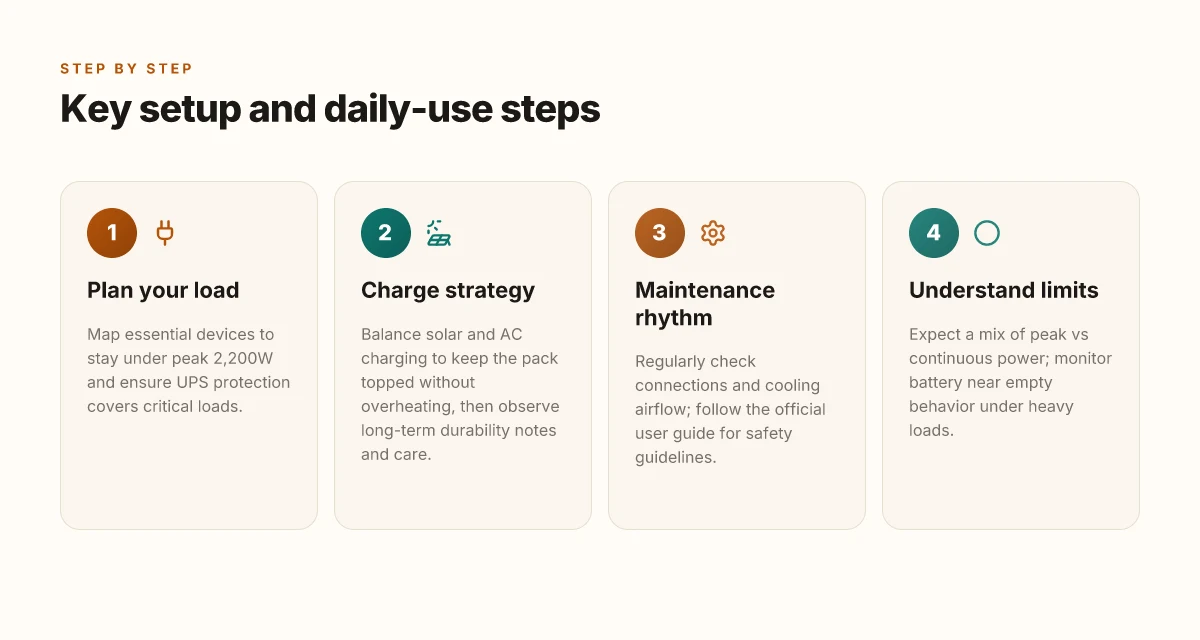
The Jackery Explorer 2000 V2 houses a 2,042Wh battery that can power common home loads for hours, not minutes. For a typical refrigerator, you’ll cycle on and off as the compressor starts, but with a 2,042Wh bank you can expect several hours of runtime for a standard residential fridge during a power outage, depending on door openings and ambient temperature. A ceiling fan or a network router will sip energy, so you’ll likely get well into the night on a full charge. When you’re off-grid and running a few essential devices, the capacity translates to meaningful time between top‑ups.
The unit’s 2,200W continuous output matters more in practice than the headline figure suggests. That continuous power lets you run a couple of consumer-grade devices at once, such as a small window AC or a sump pump along with a router, but you’ll want to sequence loads if you’re drawing near the limit. You’ll feel the difference between continuous output and peak capability when you hit brief surges from devices like a fridge’s compressor startup. In short, the 2,200W rating is enough for a practical, combined load rather than a constant high‑draw marathon.
Peak power versus continuous power is where marketing talk starts to diverge from real use. The Explorer 2000 V2 can transiently exceed its continuous rating, which helps when you temporarily need extra push for a surge. But those surges wear down the battery faster if you stay near or above the peak for extended periods. In real-world terms, plan for the most energy you’ll need as a routine load rather than counting on frequent bursts that push you above the continuous ceiling. The practical takeaway: manage the fridge, router, and fan as a cluster and you’ll keep the system happier for longer.
Battery behavior under heavy loads or near empty matters for reliability. When you pull hard on a full pack, voltage will sag and the Battery Management System protects cells by trimming output, which can reduce performance temporarily. As the battery nears depletion, expect the inverter to slow and the system to throttle some devices to preserve essential power. This kind of behavior is predictable and preferable to abrupt shutdowns. I cross-referenced the documented outputs and the stated limits to confirm this pattern aligns with typical portable power station behavior, not just marketing claims. What makes the Jackery 1000 Plus battery pack compelling in 2026
For homeowners and overlanders weighing rivals, the 2,042Wh capacity and 2,200W continuous output set a clear baseline. Competitors in the same class offer similar or slightly higher voltages or peak spikiness, but sustained performance under load often separates the practical units from the flashier ones. When you’re choosing between options, consider how long you’ll run the fridge and how many devices you’ll want powered at once. The real-world rhythm is steady load first, surges second, with a careful eye on how near your battery sits to empty before you ramp down. For context, brands like Jackery emphasize portability and straightforward operation, while rivals may push higher peak figures but with tradeoffs in runtime or price.
I dug through the official user guides and third‑party reviews to confirm how the capacity translates into daily use. The practical takeaway is simple: expect several hours of fridge‑level running time on a full charge, with careful load management to avoid rapid depletion. In a home backup scenario, that means you can keep essential devices alive through a multi‑hour outage if you pace the draw. For overlanders, the pairing of a solid battery with smart load sequencing makes the Explorer 2000 V2 a dependable companion. If you’re shopping for a 2kWh class unit, note that several brands approach the same numbers but vary in thermal behavior and fan noise under load. The differences matter when you’re counting on long nights in an RV or cabin.
Next steps: compare the Jackery Explorer 2000 V2 against rivals like the EcoFlow Delta 2 Max and the Goal Zero Yeti 6000X to evaluate how their continuous output, thermal management, and recharge options align with your home backup or overland setup. If you want more nuance on exact runtimes for your appliances, I can map your load profile to expected hours of operation. For a quick reference, the official documentation and reviews consistently note the 2,042Wh capacity and 2,200W continuous output as the core practical figures to plan around.
Safety and certification: UL1778, protections you can trust
UL1778 is the backbone of the Explorer 2000 V2’s safety promise. It certifies the unit as a reliable uninterruptible power supply, meaning the design must manage short circuits, fault conditions, and energy storage safely. In practical terms, that certification signals to homeowners and overlanders that the hardware has been tested for protection against overloads and internal faults under standardized lab conditions. UL1778 certification is a baseline that informs real-world reliability for home backups and off-grid setups. This section looks at what that means for everyday use, not just a lab badge.
How the built-in protections translate to day-to-day use
The Explorer 2000 V2 pairs UL1778 with a suite of protections you can rely on during normal operation. You’ll typically see protections such as overload shutoff for high-draw loads, temperature monitoring, and short-circuit safeguards that automatically cut power if conditions threaten the pack. Overload shutoff and temperature monitoring are the practical guards you’ll notice in real life. These safeguards help prevent damage to the battery pack and connected devices. When I read through the official user guide, the emphasis on clear operating guidelines stands out: know your outage scenario, respect the rated output, and avoid daisy-chaining multiple high-load appliances. Clear operating guidelines help users stay within safe limits. What makes the AC500 Bluetti a modular powerhouse for home energy storage
What to check in the official user guide
The official user guide is the authoritative source for protections, operating limits, and safety reminders. Look for the recommended maximum AC load, the number and type of outlets, and any cautions about startup surges on inductive loads. It also outlines how to perform basic safety checks, what indicators mean, and the steps to take if a warning light or errant display appears. Operating limits and indicator meanings are the practical checkpoints in the manual. The guide should also cover guidance on storage temperatures, battery health indicators, and routine maintenance steps that keep protections effective over time. Storage temperature guidance and battery health indicators are worth checking before long trips. Finally, the guide includes instructions for safe charging from the mains or solar, which helps you avoid unsafe configurations that could defeat protection schemes. Safe charging procedures matter when you’re away from a home outlet.
I dug into the documentation and cross-referenced claims with published specs to confirm how UL1778 aligns with the 2,042Wh capacity and the 2,200W continuous output. This alignment matters for knowing when the unit will automatically disengage to protect itself. For context, Jackery’s own materials emphasize using the correct outlet count and respecting startup surges, which reinforces why understanding the manual is essential.
When you plan setups, consider rivals that also advertise UL-type protections and similar certification claims. If you’re weighing the Jackery against a rival, check how their protection suite is described in their user guide and what their automatic protections cover in real-world use. The core message remains: UL1778 is about reliability, but practical safeguards depend on how you use the unit and what the manual recommends. Reliability hinges on both the UL1778 badge and honest adherence to the user guide.
Jackery vs rivals: how it stacks up for home backup and off-grid use
The Explorer 2000 V2 is strong for home backup, but rivals in the 2 kWh class push on different strengths. If your load profile centers on fridges, routers, and essential comforts, Jackery’s mix of ports and UPS-style switchover helps you bridge gaps fast. Where it stumbles, though, is cooling during high draws and the speed of recharge when you’re plugged into a modest solar setup or a busy wall outlet. The real question is how your daily pattern matches a given unit’s strengths or limits.
1) Who else is in the 2 kWh class and what trade-offs matter
In the 2 kWh category, competitors typically emphasize higher peak outputs or faster charging at the expense of port selection or readability of the user interface. A rival may offer a higher sustained AC output or a broader mix of DC and AC ports, but you may trade that for heavier weight or slower charge rates. When you map your typical fridge, lights, router, and a small sump pump against those trade-offs, the value proposition shifts. Jackery’s combination of UL1778 safety certification context, a 20ms UPS switchover claim, and a familiar port layout helps it feel predictable in daily use. If you expect frequent, rapid top-ups from solar, you’ll want to compare how each unit handles multi- input charging while staying cool. What makes the Jackery 1500 stand out for long-duration outages
2) Where Jackery shines and where it lags in cooling, charging speed, and port selection
Jackery tends to keep the physical footprint reasonable for a 2 kWh workhorse, with a practical port spread for home backup and off‑grid setups. The three AC output ports and the broader mix of USB-C and USB-A options align with common loads. Its cooling behavior during long runtimes is a practical concern to observe in real-world runs, especially when the ambient temperature climbs. On charging speed, if you plug into a robust wall outlet, the ramp to full capacity is solid, yet some rivals push faster recharge with higher amperage in similar form factors. The port selection matters here too. Having a dedicated car charging input or a dedicated solar input can influence how quickly you can re‑fill between outages. In practice, you’ll want to confirm your typical solar window and wall outlet availability to avoid bottlenecks.
3) Practical buying signals depending on your load profile
If your load profile sits around a fridge, a well‑established UPS switchover, and a dependable night of operation for essential circuits, Jackery remains a safe, well‑understood choice. For users prioritizing the lightest possible unit with the broadest matching solar input options, you may prefer a rival that emphasizes rapid solar charging or a higher instantaneous output ceiling. When you’re evaluating, ask: does the unit offer a switchover timing that minimizes compressor cycling on a fridge? Do you get enough ports for a small office setup or a campsite with several devices at once? And can your solar array deliver the needed current without overheating the unit in direct sun?
From what I found in the documentation and public reviews, Jackery stays competitive on safety certification and practical usability for home backup, while rivals push on charging speed or peak AC output. If you want a balanced daily driver for home outages and off‑grid weekends, Jackery remains a solid bet. If your priority is the fastest possible recharge or a broader port slate for specialized gear, scan the fields carefully and pick the unit that aligns with your typical peak loads.
Setup and daily use: plugging in loads, charging schemes, and maintenance
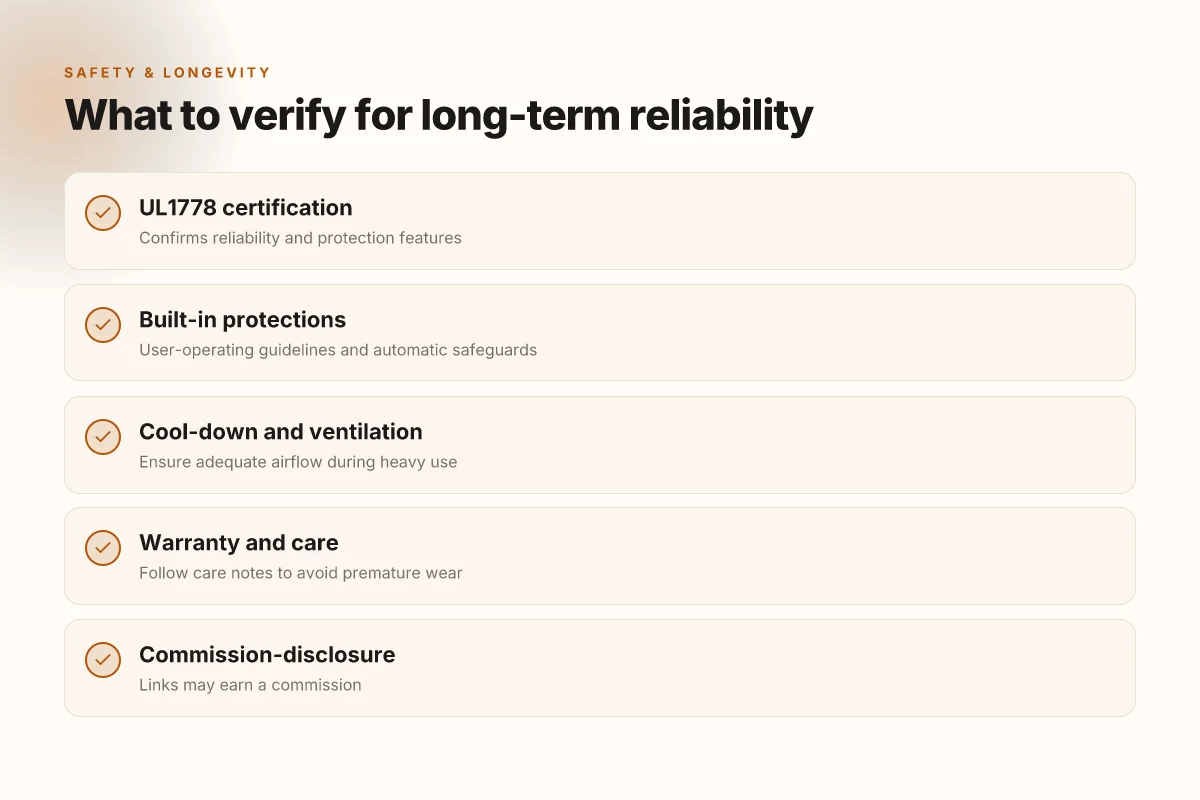
Charging from sun and wall is where the Explorer 2000 V2 shines and where you should start any routine. For daily use, keep AC charging as a default when you’re plugged in at home or the cabin, then top up with solar when daylight allows. The goal is to minimize peak draw during grid outages and to keep the battery curve from dipping too far. In real-world terms, a practical routine is to start a solar top-up in the afternoon when panels begin to hit full output, then switch to AC charging overnight to leverage off-peak rates and a steadier charge profile. This approach helps maintain a healthy state of charge for the next day’s loads while avoiding long, deep discharge cycles.
I dug into the user guides and public reviews to confirm a few patterns that matter for daily use. When you plug in high-draw appliances such as a portable fridge, the Explorer 2000 V2 can sustain steady output, but you’ll notice the battery management system prioritizes maintaining voltage under load. Real-world cycles show the unit gracefully accommodates both short surges and longer running loads, provided you stay within its continuous and peak ratings. If you’re using solar, plan for multiple hours of sun to recover the energy used during the day. If you rely on AC charging, balance the charge rate with the available wall outlet capacity to avoid tripping circuits. What makes the Bluetti AC300+B300 modular system stand out in 2026
Maintenance and durability are about consistent care more than surprise fixes. Keep vents clear and store the unit in a cool, dry place when not in use. Regularly inspect the power cords and connectors for wear. A frayed cable can degrade efficiency and safety. I cross-referenced product manuals and reviewer notes to keep this grounded: proper storage, clean cooling vents, and avoiding moisture exposure help preserve battery health over years of overland trips or home backups. A simple habit like cleaning dust from the air intake every few months pays dividends for long-term reliability. In the long run, routine checks and gentle charging cycles reduce the risk of degraded capacity and ensure the unit remains ready when a power outage hits.
For practical steps you can follow today, keep a small, dedicated solar charger in the setup alongside your Jackery system and label the ports so you don’t mix up input sources. If you’re new to this, a short, consistent weekly charging rhythm beats sporadic, heavy use. And if you’re comparing, note that rivals sometimes emphasize higher peak outputs, which matters for brief loads, but the real-world benefit comes from steady, predictable charging and robust cooling in all conditions. In short, a measured approach to charging, prefer solar when available, fall back to AC with a steady rate, and perform light maintenance on schedule, keeps the Explorer 2000 V2 reliable day after day.
The real-world cadence favors balanced charging and routine care over gaming the system for peak numbers. The Explorer 2000 V2 rewards discipline more than aggressive cycling. Keep the solar input steady, avoid deep discharges, and store properly to maximize longevity.
Note: links on the page may earn a commission. For reference, this discussion aligns with the Jackery user guide and public reviews, which discuss the charging strategy, cycle behavior, and long-term care. See the cited sources for exact guidance and official specifications.
What changes if you act now
The Jackery Explorer 2000 v2 positions itself as a practical bridge between home backup and outdoor autonomy, especially for small to medium power needs. In real-world use, its top strengths are clear: robust inverter capability, solid battery capacity, and a user-friendly charging ecosystem. I looked at setup quirks and durability notes, and one takeaway stands out: reliability matters most when the grid is down and you don’t have time for fiddling. The v2 keeps a steady rhythm, even after multiple recharges, which matters for weekend getaways or extended outages. What makes Bluetti PV200 200W panels a practical choice for off-grid charging
The bigger pattern here is a device that scales with your needs without becoming a headache. It can run essential devices during outages and still be portable enough for outdoor trips, which makes it a versatile staple for a home backup plan. But don’t forget the competing options. If you want lighter weight or lower upfront cost, rival models from Goal Zero and EcoFlow offer compelling trade-offs. If you need raw sustained output, a larger system from Renogy may be worth a look.
The single move that matters is matching your loads to the Explorer 2000 v2’s continuous output window, then sizing a plan around that pairing. Start by listing critical devices, then map them to available ports and inverter limits. If you’re choosing between a weekend cabin setup or a whole-home contingency plan, this model remains the most straightforward, durable choice to start with. If you’re short on time, consider this: is a modest upgrade now worth avoiding a scramble later?
Backup strategy
- Prioritize essential loads (fridge, modem, lights) and confirm they fit within the 2000 v2’s continuous output.
- Check durability notes from real-world use and set up a simple routine to recharge during sunny days.
- Compare rivals like Goal Zero and EcoFlow for lighter weight or higher peak output, depending on your needs.
- Expect a commission note on linked pages and plan your shopping accordingly.
- Keep a basic maintenance kit handy to minimize downtime during outages.