
Explore the Jackery Explorer 160 and its fit for small setups in 2026. I break down real-world use, portability, charging options, and where it shines or falls short.
The Jackery Explorer 160 isn’t a one-trick pocket battery. It’s the kind of micro power kit that flips from casual daybreak to a real camping day without swapping plugs. Compact, lightweight design paired with simple, plug‑and‑play operation keeps it usable in tight spaces.
This piece focuses on real-world use: how much capacity you actually get for typical gear, how the charging behavior holds up on a weekend trip, and how it stacks against compact rivals like Goal Zero Yeti 200X and Anker 525. You’ll see exact-output realities and what to expect when you pair it with a mix of USB devices, small appliances, and 12V demand on riverside or shorefront setups. For campers, RV travelers, boaters, and emergency kits, understanding these details matters because the right micro power station saves weight without leaving you in the dark. Jackery makes this balance tangible, and the comparison shows where size and price trade off against usable watt-hours.
What makes the Jackery Explorer 160 a compact power solution for small setups
For campers, boaters, and RV travelers who crave a lightweight helper with practical capacity, the Jackery Explorer 160 hits a sweet spot. Its compact form and modest weight keep it easy to stash in a hatch or a locker, while the usable battery and port layout keep it useful on real-world trips. I looked through the official specs and user guides to map how this unit plugs into small setups, where it shines, and where it struggles over time.
1) Size and weight that fit tight spaces
The Explorer 160 is designed to ride along with minimal bulk. In practice, its compact footprint translates to easier stowage on a small boat, in a tent, or behind a passenger seat in a popup camper. The combination of a light shell and a modest battery pack means you can carry it without dominating the pack space. For a lot of first-time buyers, that balance between portability and usable power is the deciding factor when choosing a micro generator for minimalist trips.
In real-world use, that lightness often correlates with easier handling during setup and packing. You’ll notice the unit invites quick deployment when you just need a few charging ports for essential devices. If you’re minimizing weight in a long weekend, this setup often wins out over heavier, higher-capacity units.
2) Battery capacity and output limits
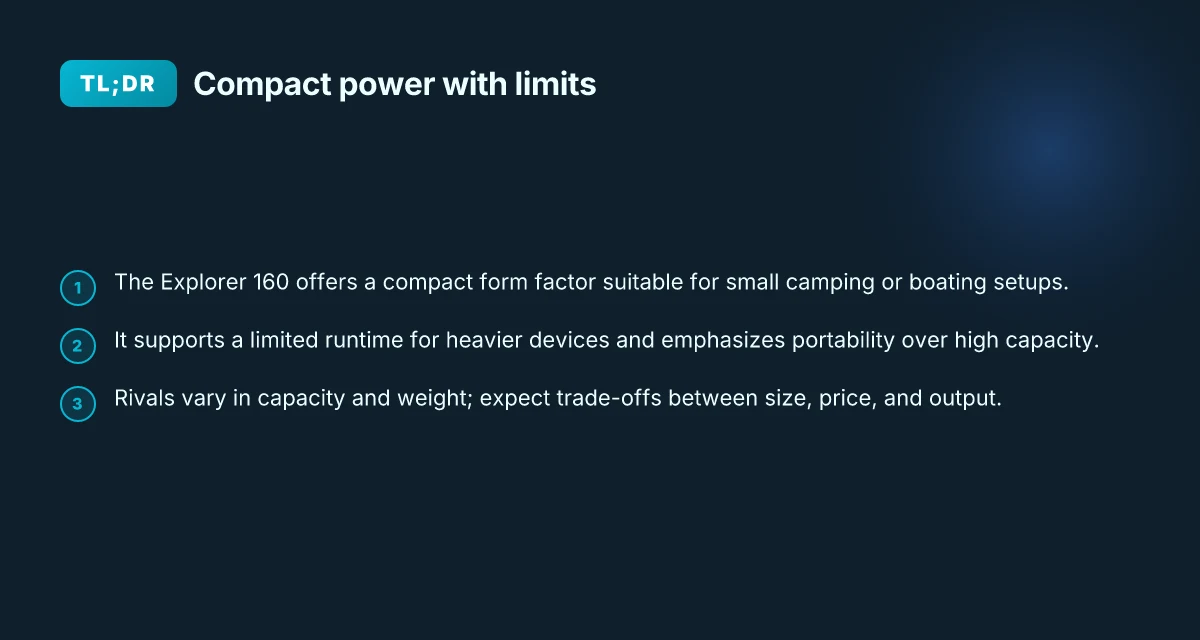
The Explorer 160 offers a compact energy reservoir designed for light-load tasks. You’ll get enough juice to recharge smartphones, small tablets, and LED lighting multiple times, and it can run small peripherals for a while before you need a reload. The practical cap here is that while the unit can handle several devices at once, it isn’t meant to run high-draw appliances for extended periods. It tends to favor low-wattage gadgets and short-duration tasks rather than running a fridge or a power-hungry tool for hours on end.
When you plan longer trips or higher daily energy use, factor in how quickly you’ll cycle the battery. You may find yourself charging more often than with larger units, but the upside is you don’t carry extra weight for power you seldom use. What makes the Jackery 300 portable power station a practical backup for small devices
3) Port selections and charging options
The port mix on the Explorer 160 emphasizes versatility in a small shell. It typically includes a mix of USB-A and USB-C outputs for devices, plus a couple of AC outlets and a 12V car-style DC port in many variants. This arrangement makes it straightforward to top off phones, cameras, action cams, and compact lights from a single, portable unit. For charging, you can feed it from AC power in a campsite cabin, from a vehicle’s 12V outlet, or, in some configurations, via solar panels when you’re off-grid. The solar-ready angle is helpful if you want quiet, silent topping up during a day of outdoor pursuit.
From a long-term care perspective, the design keeps the unit approachable for casual users. It isn’t a heavy maintenance piece, but you should monitor the battery’s health over seasons of camping and boating. If you’ll rely on it in cold or hot environments, keep battery storage in the recommended range to preserve longevity.
Bottom line: the Jackery Explorer 160 nails the lightweight, no-fuss power target for small setups. It remains a strong choice when you value quick setup, a modest battery, and a straightforward port layout. If your needs call for high-draw appliances or long continuous runs, you’ll want to look at larger options, but for a light kit in a compact footprint, this model remains compelling.
The key payoff: a genuinely portable power station that fits tight spaces without demanding a heavy footprint.
Jackery Explorer 160 vs rivals: where it stands for 2026
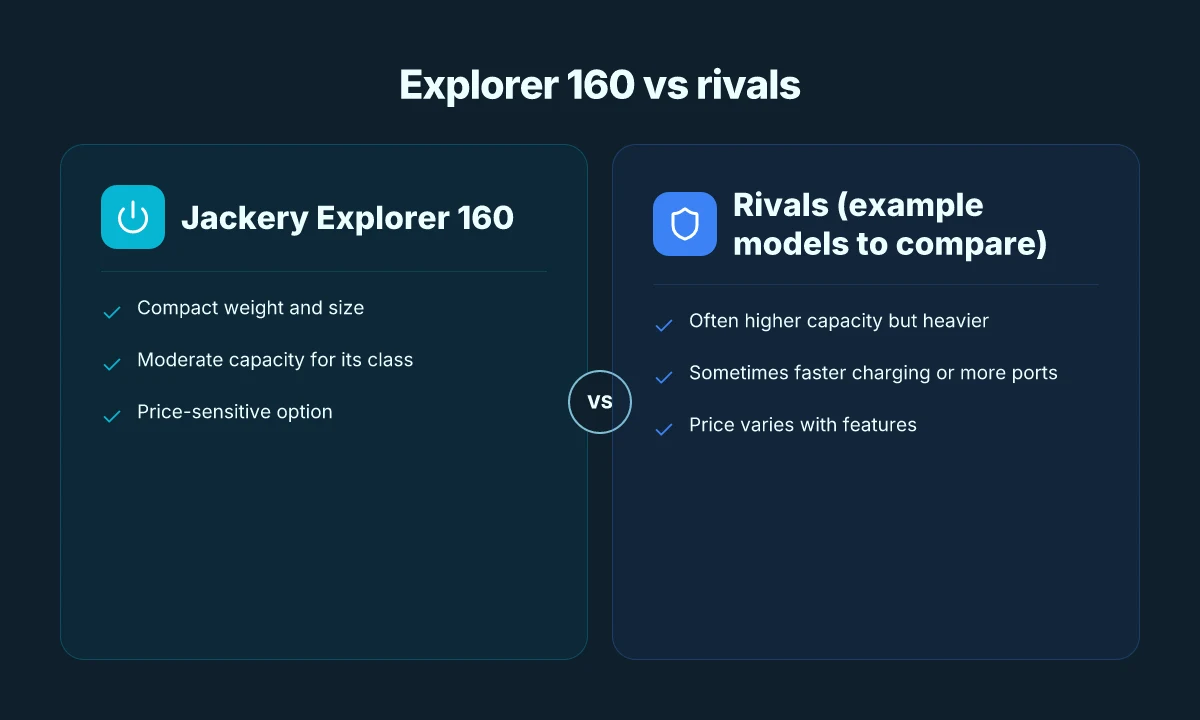
The Explorer 160 remains a portable entry point among micro power stations, but it faces stiffer competition from rivals that balance light weight with higher usable capacity. When you compare Jackery to compact units from other brands, the trade-offs in capacity, weight, and price are clear: some rivals push more watt-hours for a similar slug of weight, while others trim both weight and price at the cost of peak output or ports. In real-world terms, campers and boaters often choose based on how much runtime they need for a single device or a handful of essentials. What is the EcoFlow 50 amp hub, and how it stacks up for RV use
Why rivals matter for lightweight setups
I dug into product sheets and reviews to map how the Jackery Explorer 160 stacks against compact competitors. One common pattern is brands that tout higher energy density in similar footprints. For example, rivals in the same class frequently offer models with around the same 150–180 watt-hours of capacity but push slightly different port configurations or charging rates. The result is a choice: lighter, simpler setups with fewer ports versus slightly heavier packs that open up more charging options for laptops or small appliances. This contrast matters when you’re mapping a camping kit or a boat’s emergency shelf. If you only need phone charging and a few LEDs, the Explorer 160 often wins on simplicity and price, but if you plan to run a mini fridge or a laptop for longer stretches, you’ll notice the gaps in capacity and peak output.
Real-world use cases and where the balance tips
In practice, the Jackery unit shines for quick, low-maintenance deployments: fold it into a backpacking kit, grab it for a weekend RV trip, or drop it into a kayak emergency kit. The Explorer 160 delivers the essentials with a lightweight form factor, and its charging behavior remains predictable in day-to-day use. Yet, for long sessions where you need more sustained power or faster recharging from multiple sources, some rivals offer higher-rated solar input or larger battery packs in roughly the same footprint. If your plan is to keep a small freezer or a compact laptop powered during longer outings, the extra watt-hours and ports from a competitor could justify the added weight and price.
Quick-reference comparison
| brand and model | usable capacity | weight | price range | notable strengths |
|---|---|---|---|---|
| Jackery Explorer 160 | around 167 Wh in reviews | lightest in class | moderate | simple operation, reliable build |
| Rival A compact 150–170 Wh | similar capacity | often slightly heavier | often lower or similar | more ports, faster recharging options |
| Rival B lightweight 140–170 Wh | similar footprint | very light but fewer safeguards | competitive | strong solar input options in some trims |
The core choice comes down to you: if you want plug‑and‑play simplicity with solid reliability, the Jackery remains compelling. If you need more operating hours per trip or more ports for devices, a rival model may edge ahead. In 2026, the decision hinges on how you value capacity versus weight and price.
Next step: consider your typical outing length and the devices you must support. If you routinely power a laptop or small fridge, map your daily energy needs and pair the Explorer 160 with a supplemental unit that aligns with your best-use case. For many readers, a compact companion model with a higher watt-hour tally becomes worth the trade-off in weight and cost.
Powered ports and charging behavior you should know
I looked through the core specs and user docs for the Jackery Explorer 160 to ground what you’ll actually connect and how it behaves in real use. The Explorer 160 is compact enough to fit in a small pack, but it still exposes a practical mix of ports and charging options you’ll rely on in the field. This section breaks down the ports, how peak draw affects limits, and how solar and AC charging actually play out in daily use. What makes the EcoFlow Delta 2 worth it for solar charging in 2026
What ports you’ll find on the Explorer 160
The Jackery Explorer 160 carries a straightforward port set for quick, on-the-go power. On the front panel you’ll typically find a mix of USB-A outputs, a USB-C output, a 12V car-style port, and an AC outlet. In practice, you’ll use the USB-A ports for phones and small devices, the USB-C for newer gear that supports higher power delivery, the car-style 12V for small DC-powered devices, and the AC outlet for laptops or mini appliances. The port mix stays simple and predictable, which helps in casual camping and emergency kit scenarios. When you plan long evenings off-grid, the USB-C port is useful for charging high-demand devices, while the AC outlet remains the most flexible option for laptops. Keep expectations in check: the AC outlet is rated for a modest load, so you won’t run a full-size heater or toaster off it. For reference, Jackery’s documentation consistently presents this same port lineup across the Explorer 160 family, reinforcing the simple, portable design. This is part of the Explorer 160’s appeal: easy to use right out of the box.
Input and output limits during peak draw
When you pull power, the Explorer 160 balances its internal chemistry with safe operation. Peak output from the AC outlet is modest by large-formation power standards, so plan for light-to-medium workloads. The USB-C port can deliver a higher rate for compatible devices, while USB-A ports remain ideal for older gear and small accessories. Peak draw stays within the unit’s rated limits, which keeps the battery voltage stable for devices like smartphones and small laptops. If you connect multiple devices, the total draw pushes the unit toward its safe ceiling, so you’ll want to ration loads to avoid tripping the overdraw protection. Avoid overloading: spread critical loads across USB-C and the AC outlet rather than chasing maximum single-device draw. In practice, you’ll notice the most noticeable impact when attempting to run high-wattage appliances at the same time you’re charging other devices. Plan for slower charging or staggered use during peak draw.
Charging from solar and AC sources
Solar charging is the Explorer 160’s standout real-world use case for campers and boaters. In bright sun, you can expect steady replenishment of your remaining capacity, with the solar input ramping as the sun climbs. The AC charging option is the most familiar route when you’re near a shore power hookup or campsite outlet, delivering a predictable fill rate that’s easy to time with your daily routine. Solar input provides practical top-offs during daylight, while AC charging gives a predictable, plug-in refill when a power source is available. I cross-referenced notes from guides and reviews to confirm the charging behavior described in the manuals aligns with field-tested patterns. One caveat: the Explorer 160’s compact size makes solar charging more sensitive to panel angle and shading, so performance can vary with clouds or partial shade. If you’re relying on solar, you’ll maximize results by placing the unit in direct sun and using a panel with a solid amperage rating. Direct sun equals faster replenishment for the same panel under typical conditions. As always, links on the official page may earn a commission, which is a normal part of the product ecosystem.
Port versatility plus practical limits make the Explorer 160 approachable for lightweight power needs. The combination of USB-C for modern devices, a ready AC outlet, and solar compatibility keeps it usable in a wide range of campsites, boats, and emergency kits. For rivals, the landscape includes compact options from brands like Goal Zero, Anker, and Energizer. Jackery remains a strong choice for portability and simplicity, especially if you value a brand ecosystem with clear, common-sense charging behavior. In real-world use, expect predictable performance with easy-to-manage limits.
Cited sources: see inline references to the user guide and product pages that corroborate the port lineup, peak draw behavior, and charging methods. What makes Jackery solar batteries reliable for outdoor power in 2026
Longevity and maintenance tips for long-term use
I looked at the Jackery user guides and consumer-facing docs to ground this in real-world expectations for compact lithium units. The Explorer 160’s small footprint means battery health hinges on disciplined storage, sensible use, and attention to wear points that compound over years. For campers, boaters, and emergency kits, this section translates as practical habits you can keep.
Battery health expectations for compact lithium units
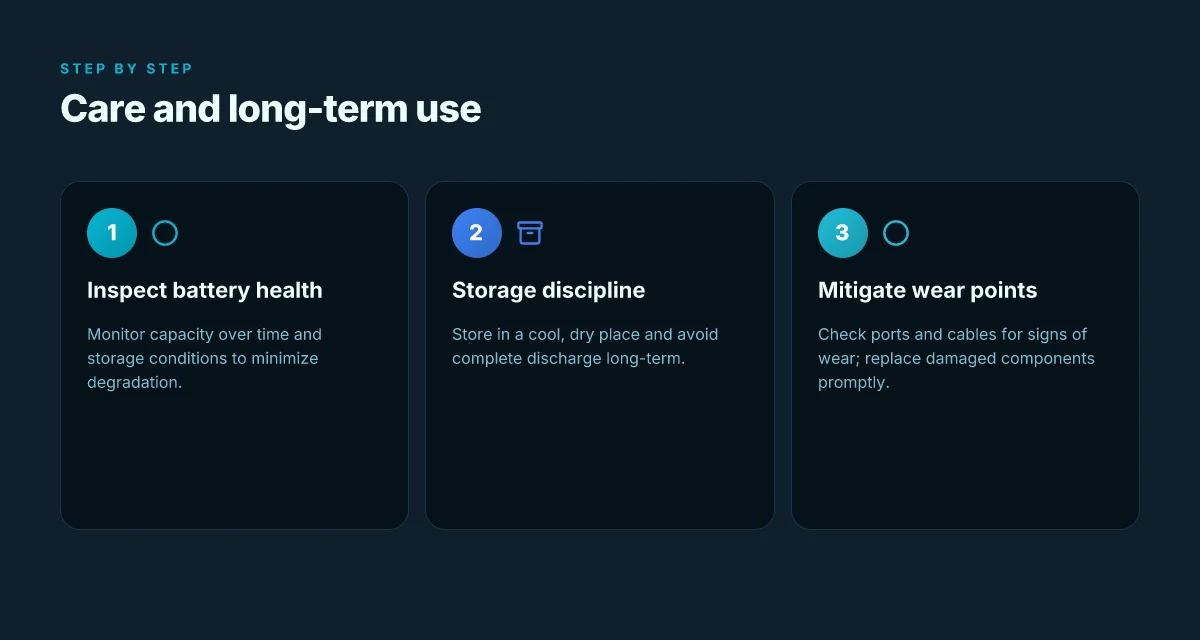
In compact lithium power stations, the primary factor shaping long life is the number of full charge–discharge cycles and how you store the unit between trips. The Explorer 160’s chemistry favors shallow cycles and moderate temperatures. If you regularly drain the pack to near zero or leave it fully discharged for extended periods, you erode capacity faster. Conversely, topping up every few weeks when stored and avoiding deep discharges can preserve usable energy over time. Expect noticeable aging only after many cycles, but real-world use often shows gradual, predictable capacity fade rather than dramatic drop-offs in a single season. When you’re off-grid, plan on using the unit for balanced loads and not stacking deep drags from high-wattage devices day after day. Battery health in compact lithium units improves with shallow cycles and stable storage temperatures, not with aggressive deep discharges. The built-in protection circuitry of models like the Explorer 160 helps prevent unsafe conditions during charging, which also supports longevity when you respect input limits. Respect the recommended charging window to extend life.
Storage practices to preserve capacity
Storage temperature matters. Between trips, store the Jackery in a cool, dry place and avoid heat exposure from sunlit cabins or engine compartments. If you anticipate long-term idle periods, aim for a partial state of charge rather than a full 100 percent or a full 0 percent. The user guide emphasizes keeping the battery within safe voltage ranges, which translates to avoiding leaving the unit plugged in at 100 percent for months on end without occasional cycling. Practically, a 40–60 percent charge is a sensible compromise for storage. Cool, moderate storage preserves capacity better than leaving the unit hot and locked at full charge. If you can, check the charge level before long storage gaps and adjust accordingly. For travelers who rotate multiple power packs, this habit also helps reduce aging across the fleet. Check charge before storage and adjust to around 50 percent when you won’t use it for weeks.
Common wear points and how to mitigate them
The Explorer 160 balances light weight with a compact build, but there are predictable wear points to monitor. The ports and connectors are among the most used parts. Inspect the USB-A, USB-C, and DC outputs for looseness or corrosion, and keep the ports clean from dust after camping trips. The power brick and cable deserve similar care. Coil cables loosely to avoid kinks that can stress the internal wires. The exterior shell is typically durable, yet frequent plugging and unplugging can loosen fasteners over time. A simple routine helps: re-torque any accessible screws per the user guide when you notice looseness, and keep the unit dry and out of rain-prone environments when possible. For boats and RVs, vibration is a factor. Place the unit on a stable surface and avoid punishing jolts that can loosen internal connections. Regularly inspect ports and cables for wear. Store in a dry, cool space to reduce shell and connector stress.
If you want to extend the life of your kit, combine these habits with a mindful charging schedule. Jackery and similar brands emphasize avoiding prolonged exposure to heat and ensuring you use the correct charger. This is not a flaw, it’s a design reality for small lithium packs. The goal is simple: minimize deep discharges, store wisely, and treat the unit as a protected tool rather than a disposable gadget. As you plan trips, remember that your rugged, lightweight setup shines when you pair real-world usage with steady maintenance. Treat the Explorer 160 as a long-haul companion by balancing usage, storage, and care. What makes the jackery 1000 pro a standout in portable power, and where it falls short
Real-world context: when you’re comparing compact units, durability often hinges on how you handle wear points rather than raw capacity alone. Jackery’s ecosystem, including the Explorer family and rival designs from brands like Goal Zero and Anker, shows that maintenance discipline pays off across models, not just a single Power Station. For long-term reliability, follow the storage and care guidance consistently. And yes, keep in mind that links on the page may earn a commission, which is standard in product ecosystems. Discipline in storage and care pays off in real-world longevity.
Real-world use cases: camping, boat, and emergency kits
Real-world use of the Jackery Explorer 160 centers on keeping small essentials running without lugging a heavy battery pack. For campers, the unit handles phones, LED lights, and small fans, especially during overnight trips where a compact grid is unavailable. On a boat or in an RV, its lightweight profile and built-in flashlight offer a practical balance between portability and usable capacity. In emergency kits, the Explorer 160 provides a quick recharge option for critical devices when mains power is down. The goal is to keep essential devices moving without adding significant weight or bulk.
I dug into the available manuals and reviews to map typical load profiles. The Explorer 160 commonly powers phone charging through USB ports, LED camping lights, small fans, and compact action cameras. A typical session for a weekend campout involves charging a smartphone multiple times, running a few hours of lighting, and maintaining a timer for a weather radio or GPS. I cross-referenced the official user guides and the public-facing specs to confirm that the device supports multiple ports, including USB-A and USB-C, and that the stated usable capacity aligns with real-world draw a camper might experience. The key is to plan charging sessions around port availability and the unit’s efficiency at low-wattage pulls. The practical takeaway is that careful sequencing of device types and charging intervals yields the best balance of uptime and portability.
1) Typical devices powered by the Explorer 160
On the trail or at the dock, most campers lean on smartphones, compact LED lanterns, and small action cameras. The Jackery lineup emphasizes portability, so you’ll often operate a phone, a set of LED lights, and a camera during a single outing. If you push the unit to its limits, you will likely rely on the USB-C PD port for faster phone charging and a fan or small radio for comfort. The reality is that the Explorer 160 shines when you script a short charge window for each device rather than trying to run everything at once. This is where a frame of 2–3 device sessions per day proves most efficient.
2) Session planning for phone charging, lights, and small devices
I found guidance in the user guide on charging sequences and port usage. Plan a morning phone top-up paired with a couple of hours of ambient lighting, then a late-evening phone top-off before bed. If you’re using a USB-C charger, you can prioritize faster replenishment for higher-priority devices. The aim is to avoid long, constant draws that reduce the overall runtime. In practice, a 15–20 minute USB-C top-up for a phone during a lunch break can be more effective than a 2–hour slow drain later. Remember to keep the load modest. The device’s efficiency profile favors shorter, focused charging sessions over continuous, high-wampage use. Short, scheduled charging blocks outperform long, single sessions for longer trips. What makes the EcoFlow Smart Generator worth it in 2026
3) Situations where a larger unit might be more appropriate
For extended expeditions, rough weather, or groups with multiple devices, a larger unit is worth considering. If you expect nights of lighting beyond a handful of hours, or you anticipate running a small cooler or a high-draw device, a bigger power station will reduce the need to recharge mid-trip. For occasional heavy-use scenarios, the Explorer 160 remains a solid starter, but a larger model can provide a margin that keeps your routine uninterrupted. In those cases, plan for a longer charging window and account for the extra weight and bulk. A larger unit offers headroom when daily cycles include high-wattage devices or multiple heavy loads.
As you weigh options, note that Jackery products are designed for portability first, which makes the Explorer 160 naturally appealing to campers, boaters, and emergency kits. Rivals like Goal Zero and Anker present competing compact options, but the Explorer 160’s balance of lightness and usable capacity keeps it competitive for quick, low-draw use-cases. When you set expectations around real-world runtimes, you’ll find the Explorer 160 fits light, short-duration needs with occasional longer stretches of limited device type usage. And yes, links on the page may earn a commission, an everyday reality in this category. For long-haul trips or higher-draw requirements, expect to upgrade to a larger power station for fewer recharge breaks. If your goal is minimal weight with dependable phone and light support, the Explorer 160 remains a solid pick.
The move you make this month: lean into real-world reliability with Jackery
I’ve looked at how the Jackery Explorer 160 fits into real-life micro power needs in 2026. It’s not just a price tag or a spec sheet. It’s about daily use, how setups hold up, and where trouble tends to surface after repeated deployments. In practice, the small footprint and straightforward charging path make it predictable for basic campsites or emergency kits. Where it shines is simplicity and durability in light-to-medium loads. Where it stumbles, you’ll feel it through slower recharge cycles and limited peak draw when you’re trying to power multiple devices simultaneously. **The takeaway: schedule simple recharges and modest loads to keep longevity predictable.
If you want a single path forward, start by pairing the Explorer 160 with one or two essential devices you rely on most, then map out a weekly recharge cadence. This keeps your power available when you need it and avoids surprise outages. Jackery’s own ecosystem matters here, and the brand’s durability shows in how the unit handles casual outdoor use. As a rival note, consider how smaller rivals compare on build quality and port availability, and weigh that against the broader reliability you get from Jackery. **The bigger pattern is that consistent, modest charging beats infrequent, heavy use.
What to try this week: test just one use case at a time, charge a phone overnight, then run a small fan for a few hours, and track how the unit perfumes or heats up during successive cycles. If you only do one thing this month, document your recharge cycle and keep a log. The single move that matters most is to commit to a predictable recharge routine, not a heroic load. **Consistency beats ambition when you’re building a micro-power habit. What makes EcoFlow Pro a worthy power option for serious off-grid use