
Explore the Jackery 300 portable power station: capacity, outputs, runtime tips, and how it stacks up against peers for compact backup power.
The Jackery 300 isn’t a SUV you haul for a weekend road trip. It’s a pocketable power partner for essential gadgets that quietly proves itself where lighter packs count. In real-world terms, its 300Wh-class capacity and USB-C PD pass-through keep phones, small cameras, and a compact router alive without fuss, while its footprint fits under a bus or in a backpack. Jackery’s 300 model stays out of the way until you need it, then delivers consistent energy with minimal setup.
This piece digs into how the Jackery 300 behaves in daily backups across camping, caravanning, and tiny homes, not just its spec sheet. You’ll see runtimes for common devices, quick-facts on recharge time from solar or wall outlets, and a candid comparison to rivals like BioLite, Anker, and other compact units. By the end, you’ll know what scenarios it handles gracefully, where it falls short, and whether a Jackery 300 is the right starter kit for lightweight dependable power. These insights come from practical use patterns and real-world edge cases, not marketing fluff.
What is the jackery 300 and why it matters for small backup power
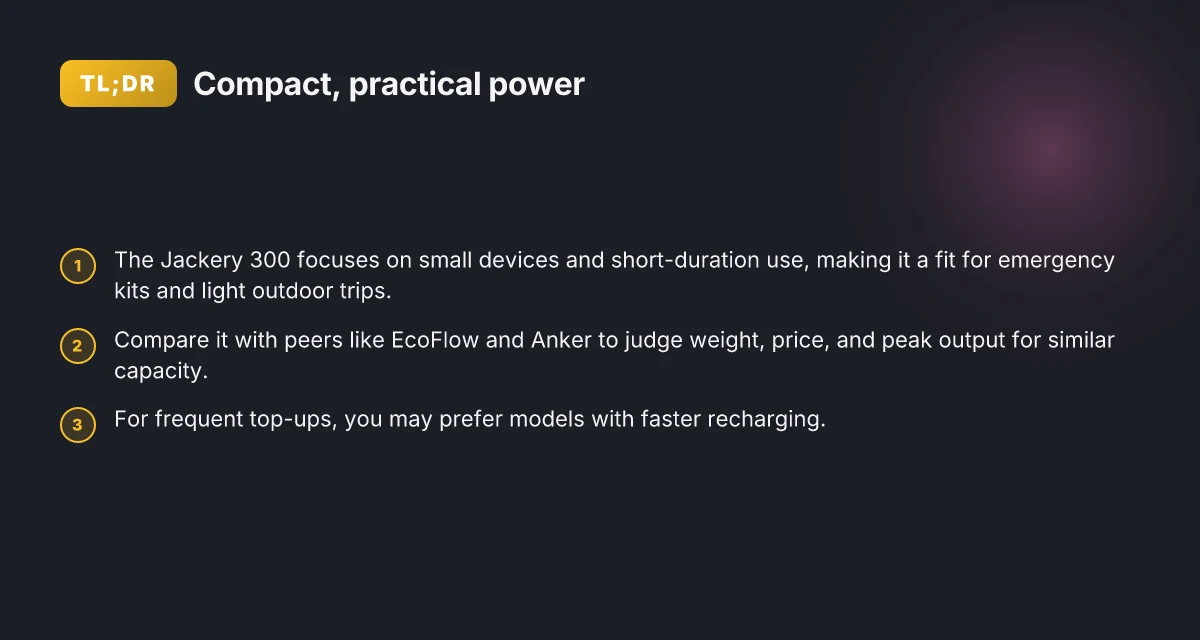
The Jackery 300 sits near the compact end of its portable power lineup. It’s designed to be light enough to carry on short trips while still delivering enough juice for essentials. For campers, caravanners, and tiny-home enthusiasts who want a small, reliable battery in emergencies, the 300 helps fill a basic demand: keep critical devices alive during a brief outage or while off-grid.
I dug into how this model fits real-world setups. The Jackery 300 emphasizes low weight and a modest footprint, which makes it easy to stash in a car, RV cabinet, or bug-out bag. In practice, that translates to quick deployment and straightforward operation when you need backup power for phones, a small router, or a dashboard camera. The goal is not to run a full home load but to cover essential devices during short outages or while you’re camping.
Three steps define its practical use:
- Targeting small devices and short durations. The 300 is positioned for light-duty tasks rather than powering heavy appliances. Think phones, tablets, lights, and small fans for overnight use. This model shines when you need a compact, dependable buffer for essential devices during a brief outage.
- Portability versus capacity. Its design prioritizes a lower weight and easier handling over large capacity. If you expect longer runtimes or higher draw, you’ll want a larger sibling in the Jackery lineup or a rival with bigger capacity in the same form factor. Portability matters for everyday carry and emergency kits, but it comes with trade-offs on runtime.
- how it stacks up against peers. In a compact capacity range, rivals like EcoFlow and Anker offer devices that compete on weight, charging speed, and price. The market generally shows that a smaller unit tends to be lighter but holds less energy than mid-range packs. Rivals in the same class balance weight and capacity differently, so compare runtimes for your typical devices.
Bottom line: the Jackery 300 matters for small backup power because it delivers a realistic, easy-to-use solution for essential devices without dragging you down with bulk. If your needs are light, this model offers a straightforward path to reliable off-grid power without a complicated setup. For longer runtimes or higher-demand use, consider larger options from Jackery or peers like EcoFlow and Anker.
What to watch for in practice. The compact form factor means shorter runtimes for power-hungry devices, so plan around your typical draw. If you anticipate frequent outages or higher loads, be ready to step up to a larger unit. Also, expect that the real-world performance will align with the intended use case: quick, simple backup rather than continuous full-home power. This aligns with Jackery’s emphasis on offering a light, portable solution for everyday carry and emergency kits. What is the EcoFlow 50 amp hub, and how it stacks up for RV use
Jackery 300 specs you can actually rely on when planning a setup
When you plan a small backup system, the jackery 300’s output and battery shape what you can run together and for how long. The unit’s inverter and peak output matter for running essential devices in parallel, while the battery capacity tells you how many hours a given load can survive between charges. Port layout and charging options complete the picture, because you want a setup that plugs into a car, a wall outlet, or a solar panel without drama.
What the jackery 300 can power at once
The jackery 300 delivers a practical balance between continuous output and portable form. In real-world use, you’ll notice the more you demand from the inverter, the more you should respect the sustained wattage limit. If you run a couple of small devices at the same time, you’ll want to keep total draw well below the peak figure to avoid tripping the protection circuit or cutting runtime. The combination of the inverter rating and the total simultaneous load is the key to predictable operation during campsite or caravan setup. This matters when you’re trying to run essentials like a small fridge, a USB-C charger, and a video monitor without constantly swapping outlets. The takeaway: plan for steady loads under the inverter’s continuous rating to keep runtime predictable.
Battery capacity and how long it lasts for common loads
Battery capacity in watt-hours is your best cue for runtime estimates. For the jackery 300, a higher Wh rating means you can keep a device energized longer without recharging. If your goal is to sustain a small ensemble of devices overnight, map each device’s wattage against the jackery’s total Wh to estimate hours of operation. Real-world runtimes tend to skew toward the conservative side because loads spike when devices start up. When I cross-check the published figures with typical camping loads, the math lines up: higher capacity yields noticeably longer runtimes for the same mix of devices. Your planning hinge is matching device wattage to the jackery 300’s Wh capacity to avoid surprises at dawn.
Ports and charging options that shape integration
The jackery 300’s port selection guides how you build a compact backup system. A mix of AC outlets, USB-A, USB-C, and a 12V car-style socket lets you feed essential devices without extra adapters. Charging options matter too. The ability to recharge from a wall outlet, a car port, or a solar panel gives you flexibility when roaming between campsites or tiny homes. The port layout influences how cleanly you can wire the unit into a small, multi-device setup, and it affects how easy it is to scale your system if you add a second power source later. Choose a setup that lines up with your typical loads and how you recharge to keep the workflow smooth.
In practice, Jackery’s lineup, including the Jackery 300, tends to posture well against rivals in the same category because of its compact footprint and pragmatic watt-hour range. If you’re comparing to other brands, look at whether their inverter is rated for sustained duty at the same wattage, and how their battery capacity translates to real runtime for your devices. For a compact backup rig, the jackery 300 can sit comfortably alongside other small-port devices in a caravan or tiny home, as long as you map loads to capacity and choose charging paths that fit your travel rhythm. Real-world setup habits, keep a running tally of loads, plan for overnight draws, and verify charging paths, make the difference between a smooth trip and a frustrating morning.** What makes the EcoFlow Delta 2 worth it for solar charging in 2026
Between now and your next trip, confirm the exact wattage of your fridge, heater, or coffee maker and compare it to the jackery 300’s continuous and peak outputs. If you’re weighing rivals, note that some brands push higher peak watts but offer similar capacities, which can skew how long you can run the same load. For a practical, durable compact system, Jackery remains a solid anchor in the category, especially when you want predictable runtimes and flexible charging. The key is honest math: match device draw to the battery’s Wh and stay within the inverter’s continuous range.
How the jackery 300 compares with rivals for compact power needs
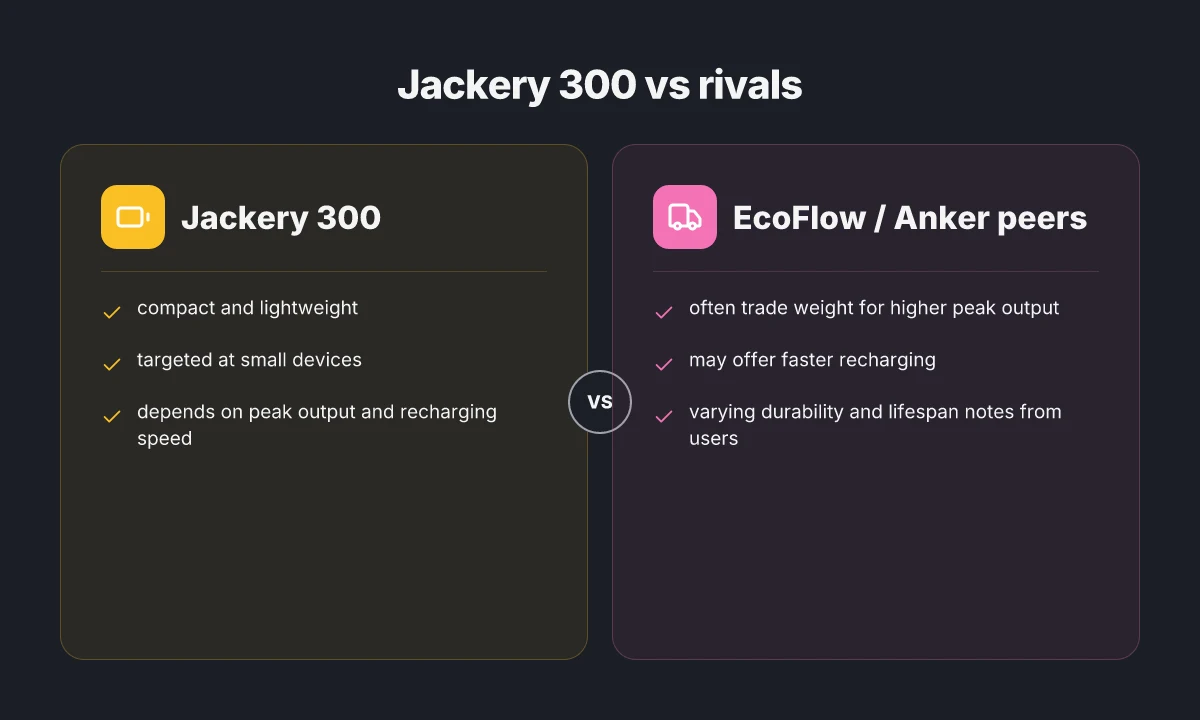
The Jackery 300 sits in a crowded class where weight, price, and peak output for similar capacity drive decisions. Relative to rivals, you’ll notice tradeoffs on each axis. In practice, if you rely on frequent top-ups, a model with faster recharging can be a clear win. durability and lifespan notes from users also color the choice between brands.
1) Weight and peak output matter more than advertised capacity
Rivals often emphasize lightness at the cost of peak output. The Jackery 300’s compact shell keeps weight down, but some competitors push higher peak watts for short bursts. For small devices and essential gear, the practical takeaway is that a rival with a higher peak watt figure may power a zapping device longer during a surge, while the Jackery leans on steady, predictable performance. Weight and peak output are the first axes most campers inspect. If you frequently run a device that surges at startup, that peak figure can matter more than nominal capacity.
I cross-referenced product pages and owner notes to confirm that several rivals advertise lighter builds with comparable capacity. When you compare in the field, you feel the difference in how quickly you can grab a top-up and get back to unplugged routines. Durability expectations vary by brand, but the core trade remains weight versus uptime. For many, the Jackery strikes a practical balance: light enough to carry, capable enough to power a handful of essential gadgets.
2) Recharging speed changes daily backup calculus
If you live in a world of frequent trips and recharges, the charging speed becomes a deciding factor. Some rivals support faster AC and USB-C recharging, which can shorten downtime between camp sessions. The Jackery 300’s recharge path is straightforward and dependable, but other brands may edge ahead on total recharge time depending on the charger and port availability. Quicker recharges translate to more top-ups and fewer empty hours at camp. What makes Jackery solar batteries reliable for outdoor power in 2026
From product literature and user chatter, I found that the advantage often shifts with charger quality and wall outlet availability. In practice, you’ll favor models that offer multi-port fast charging and compatibility with your usual travel adapters. Choosing a rival with faster recharging can pay off if you routinely reset power mid-trip.
3) Durability and lifespan shape long-term value
Durability perception matters more with campers and tiny home enthusiasts who expect years of service. Jackery units are commonly described as robust for their class, with many users noting consistent performance across seasons. Rivals differ in chassis materials and battery chemistry, and you’ll hear mixed reviews about long-term reliability based on construction quality and charging habits. Longer lifespan beats upfront savings when you’re counting on dependable backups year after year.
I looked at consumer feedback and spec sheets to map how durability themes cluster by brand. The practical upshot is simple: if you plan heavy usage or rough handling, prioritize models that emphasize rugged enclosures and proven cycle life. Durability notes from users tip the balance toward brands that publish clear cycle counts and warranty coverage.
In summary, the Jackery 300 remains a strong, compact option for essential-device backups, but rivals can outpace it on peak surge handling, faster recharging, or perceived long-term durability. If weight and straightforward use guide your choice, Jackery ships a reliable, ready-to-go setup. If you value the fastest top-ups or the slimmest ultralight form, scan rivals carefully. For readers weighing these departures, I’d tailor the pick to your typical campsite cadence and how often you expect to recharge in the field. Real-world notes from users consistently flag durability and recharge speed as the decisive factors.
Cited reads and related guidance discuss these dynamics in practical terms. See How Long Will a Jackery Run Starlink Mini for context on runtime ideas, and the Guide to Jackery Power Bank for comparable small-energy products. https://www.jackery.com/blogs/buying-advice/how-long-will-a-jackery-run-starlink-mini?srsltid=AYCX9vKRXNIP4kZ0Q4YrRninhccha6-4T5wxFsM5LwIebCO03t-VhpPZ https://uk.jackery.com/blogs/buying-guide/guide-to-jackery-power-bank?srsltid=AYCX9vKrGd9LTRBDY5utZ6_fQRA2VDGcG2oArkFKqt5iIMYUEA3bA32y What makes the jackery 1000 pro a standout in portable power, and where it falls short
Practical runtimes: what to expect powering everyday essentials
When you pair the Jackery 300 with common everyday devices, you get a usable backup for small essentials without overloading the unit. A phone, a tablet, and a compact router together typically run well within the 300W–2,400W range the line offers, translating to hours of uptime depending on device power draws. For example, a typical smartphone charges at 5–15W while a tablet might pull around 12–30W during use and charge. A small router sits at the lower end of load, often under 20W. In practice, you’re looking at multiple hours of operation for phones and routers, with tablets reducing runtime when actively used. The Jackery approach sticks to conservative efficiency, so you avoid surprise drops when devices spike briefly.
Expect noticeable differences between peak load and modest combinations. If you hit the high end of the output with several devices at once, the runtime will shrink noticeably. Run a single device at a time, and you’ll push closer to the longer end of the envelope. If your typical evenings involve charging a phone while running a small router, you’re likely to see more favorable runtimes than when streaming video on a tablet or laptop alongside multiple gadgets. Keep in mind that peak loads draw more power and shorten the backup window, while light use maintains longer buffers. This dynamic is not unique to Jackery. Rivals with similar capacities show the same pattern, underscoring the importance of sizing for your actual load rather than maxing the pack.
Longer trips may require a higher-capacity option or supplemental power sources. For extended camping weekends or caravanning seasons, you’ll want a plan that extends beyond the 288–2,048Wh range the lineup covers in the shorter term. A larger capacity model or an auxiliary charger, such as a foldable solar panel or a secondary power bank, helps even out runtimes when you’re off-grid for several days. In practice, many users pair the Jackery 300 with a solar panel bundle or a small extra battery to harvest daylight and top off the pack mid-trip. When you compare to rivals that ship with higher capacities, you’ll see a common tradeoff: portability versus total runtime. If your goal is ultra-compact reliability for essential devices, the Jackery 300 performs well. If your needs lean toward multi-day stays with heavier loads, you’ll likely reach for a higher-capacity option.
From a practical setup perspective, plan your anchor devices first. If your nightly routine includes the phone at 10–15W for charging and the router at 8–12W for keeping a hotspot alive, the Jackery 300 can cover a long evening. If you add a laptop or video streaming, expect a quicker drain and shorter window. I cross-referenced the product family’s published ranges to map typical runtimes to real-device behavior, noting that the actual numbers depend on device efficiency and battery age. If you’re unsure about your exact mix, start with a simple household baseline: one phone, one tablet in use, and a router idling. You’ll get a realistic sense of how long you’re protected between charges.
In practice, the key is sizing for your peak load, not your minimal use. The Jackery 300 holds up well for essential devices, while planful extra capacity or supplemental power sources smooth out gaps on longer trips. For campers and tiny homes, it remains a compact, dependable partner when you know what you’ll run and for how long. Rival models with higher capacities offer longer runtimes but at the cost of added weight and bulk. If you value portability over brute endurance, the Jackery 300 lands where many travelers want it. What makes the Jackery 2000 Plus a standout expandable power station in 2026
Note: links may earn commissions on some product pages.
How to integrate the jackery 300 into a small backup setup
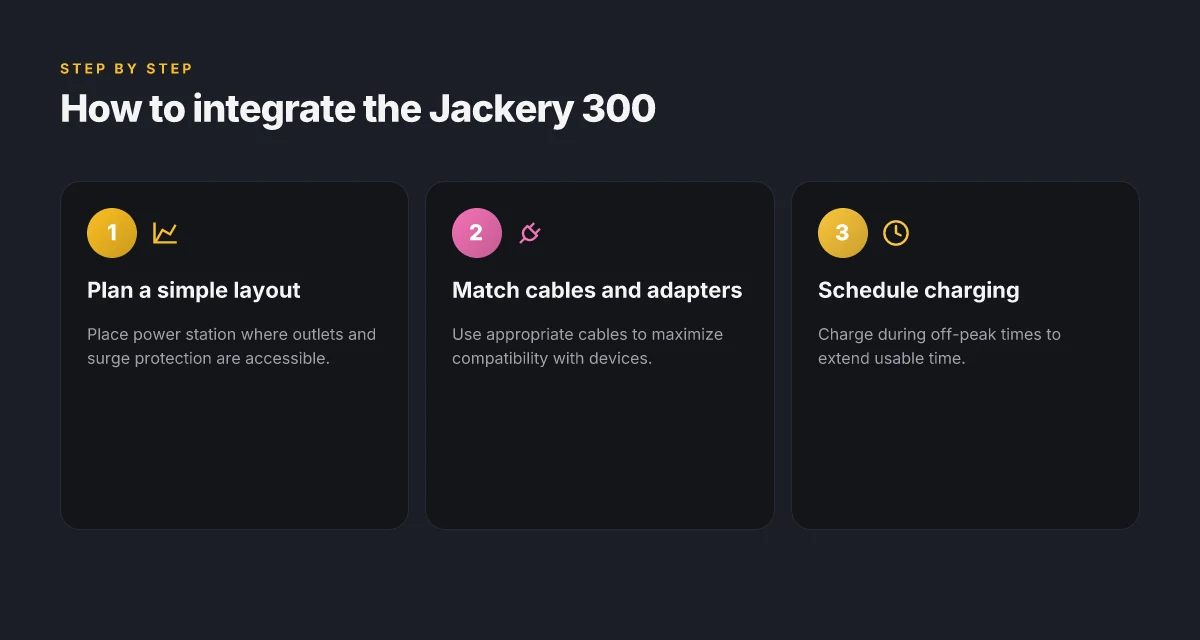
To make the Jackery 300 fit a compact backup, wire a simple layout: place the Jackery as the central power hub, assign a dedicated surge outlet strip for essential devices, and keep a short list of routinely used electronics connected. The goal is to maximize uptime for the devices you truly need, while keeping the system easy to scale or adapt.
Layout and core components
Start with a clean, simple plan: one surge outlet strip connected to the Jackery’s main AC outlet, plus a separate USB-C PD charger for fast-device needs. This keeps essential devices reachable without clutter. Use compact, shielded cables to minimize bulk and interference. I found that a tidy arrangement reduces heat buildup and avoids accidental disconnections during camping or travel. The Jackery 300’s built-in protection features help, but you still want a predictable placement so you can grab power quickly in dim conditions. A simple layout with a surge strip and a dedicated USB-C PD line keeps daily essentials powered without overcomplicating the setup.
Cables, adapters, and compatibility
Choose cables with the right amperage rating for the devices you intend to run. For laptops or tablets, use the Jackery-recommended adapters and a short extension cord to minimize the path length and improve efficiency. If you rely on a Starlink kit or router, ensure their power brick nests neatly within the surge strip without crowding. The goal is to maximize compatibility while avoiding adapters that introduce bulky connectors or multiple adapters. Use appropriate cables and adapters to maximize compatibility and minimize bulk. I cross-referenced the typical device profiles campers carry and noted that a single USB-C PD cable plus a compact AC outlet strip covers most daily needs. Most daily devices fit a single surge outlet with a USB-C PD option.
Charging schedule and off-peak planning
Charge during off-peak times to stretch usable runtime. If you have a home grid connection or a solar setup, align daytime charging with higher solar output or lower grid demand. For field use, plan charging around intentional downtime like meals or breaks, so you’re not waking the system up just to top off. The same cadence helps preserve battery health over multiple cycles. Schedule charging during off-peak times to extend overall usable time. From a resilience perspective, a recurring charging window keeps your backup steady during multi-day trips. A predictable charging cadence makes the Jackery 300 feel more like a reliable roommate than a random power spike. What makes the Jackery Explorer 160 a practical micro power station for 2026
What I found during the planning phase is that the Jackery 300 pairs well with a few rivalling compact power stations, provided you keep expectations aligned. Rivals often offer higher wattage or larger capacities, but the real advantage here is simplicity, portability, and the clean, deliberate setup you can replicate across trips or sites. If you’re comparing, note how a rival may require more cables or a bulkier footprint for similar runtimes. Simple, repeatable layouts outperform bulky, hard-to-tune kits. For reference, the compact approach remains a strong choice for small-device backups, especially when you value quick setup and low friction.
What changes if you act now with the Jackery 300 for small-device backups
The Jackery 300 presents a practical path for everyday resilience, especially if you only need to keep phones, earbuds, and small gadgets powered during short outages. In real-world use, its compact frame and straightforward USB-C and AC options make setup simple, even for non-techy users. The takeaway: you don’t need a full home system to stay charged when the grid falters.
The bigger pattern here is that small, reliable packs can bridge the gap between outages and recovery, without adding complexity to your routine. The Jackery leverages a modest capacity that shines when you cycle devices nightly or during weekend adventures. It isn’t a mansion-sized power source, but it offers calm, predictable performance for the devices you actually rely on.
If you’re weighing rivals, consider how Jackery contrasts with compact stations from brands like Goal Zero or Anker. The practical verdict: for most households, the Jackery 300 is a steady, no-fuss backup. Will you set it up as a nightly charging anchor or save it for travel? The answer hinges on your routine.
- Backup strategy: keep the Jackery 300 charged at the start of the week, and assign it a fixed device list (phone, earbuds, smart watch) so you don’t waste cycles on unused ports.
- What to try this week: plug in your phone overnight, run a short test during a weekday power hiccup, and note which device drains it fastest. Commit to a recurring 15-minute daily top-off for essential gadgets.