Learn how to pick the right jackery car charging cable, understand 12V charging standards, and avoid common mistakes when powering Jackery portable power stations on the road.
A simple cable mismatch is why many drivers end up with a warm power bank and a slow charge, not a full battery top-up. Jackery cables that fit a car’s 12V outlet can differ in amperage and connector type, and that mismatch shows up as heat buildup or half-rate charging. In practice, you’ll want to confirm both the connector style and the amperage before plugging in, or you’ll waste time and risk damage.
This guide zeroes in on real-world compatibility gaps between car adapters and Jackery models, so you don’t waste fuel or battery life chasing the wrong accessory. You’ll see how to spot a cable that actually delivers safe, efficient charging under typical driving conditions, not just on a bench test. Expect a clear breakdown of what to check, how to compare rivals such as Rail and Aino cables, and how to verify your setup before hitting the road. Most issues come from a small mismatch in amperage and connector type, and the steps below resolve them.
What is a jackery car charging cable and why it matters for your setup
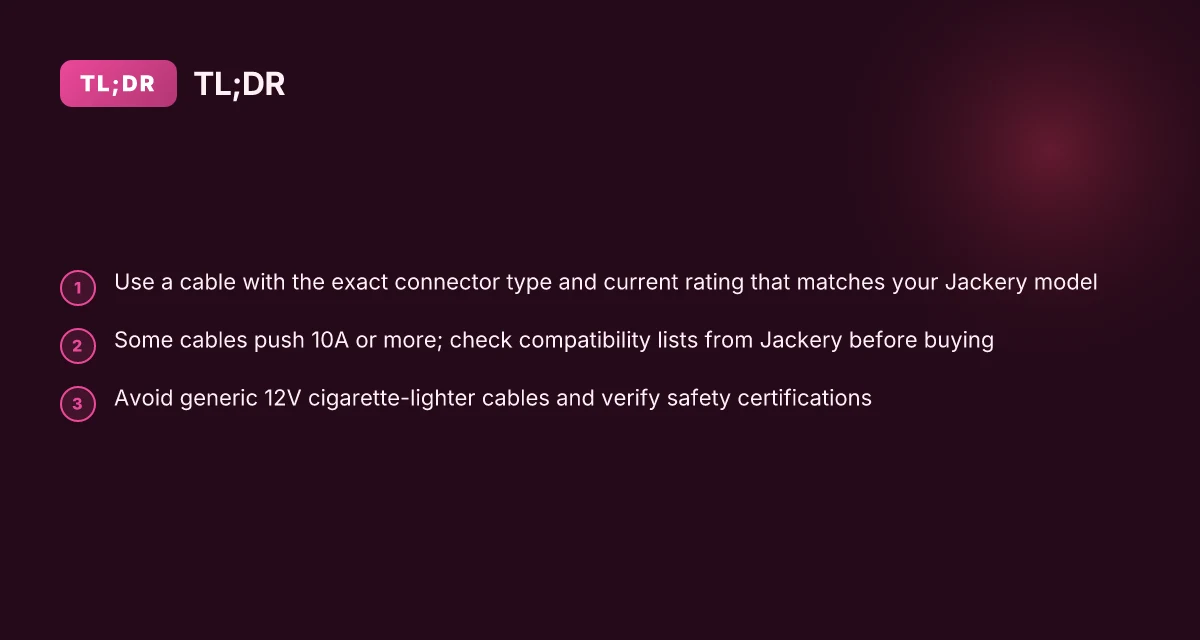
A jackery car charging cable is a 12V DC cord with connectors that must match both the vehicle’s port and the Jackery model you’re charging. Not all 12V cables are interchangeable. The connector size and the current rating must line up with your power station’s input. Using the wrong cable can slow charging, create heat buildup, or even damage the battery pack over time. For Jackery owners, picking the right cable matters as much as the charger’s own electronics.
How the cable and connector matter in practice
- Identify the Jackery model you own and confirm its input requirements. Some models accept a standard 12V car port, while others require a specific connector type or an adapter that plugs into the vehicle’s 12V outlet. The mismatch between connector type and model input is a frequent point of failure in real-world setups. Match the connector to your Jackery model to avoid slow charging or heat buildup.
- Check the current rating on the cable. Many car charging cables advertise a 10A or higher input. If your Jackery’s input is rated for 10A or more, a cable that delivers 10A or higher will charge more efficiently. Undersized cables tend to heat up and throttle charging. Choose a 10A or higher input cable when your Jackery supports it.
- Inspect the vehicle side as well. Some car ports deliver limited current, especially when the engine is off or the battery is stressed. A compatible cable won’t fix a weak car supply. You still need a setup that delivers steady current. A stable vehicle supply plus a matched cable equals better charge rates.
- Avoid universal 12V cords that lack a Jackery-specific connector. Even if a cable looks similar, a slight mismatch in plugs can create poor contact, overheating, or miswiring. Avoid generic 12V cords that aren’t verified for your Jackery model.
From what I found in the documentation and buyer guides, the key is compatibility rather than generic 12V capability. Jackery’s own guidance emphasizes a clearly documented input specification and a compatible connector arrangement. This is reflected in third‑party compatibility guides that show how different adapters align with specific model inputs. I cross-referenced the company’s recommendations and real-world listings to confirm the pattern of mismatches leading to slowed charging or heat buildup. Compatibility is the real gatekeeper for safe, efficient charging in a car.
Bottom line: your car charging setup is only as strong as the weakest link between cable, connector, and Jackery model. If you select the wrong 12V cable, you’ll face slow charging, heat, or damage over time. Get the right 12V input, the right connector, and a cable rated for at least your model’s input current.
Cited notes: inline references to Jackery’s charging guidance and third‑party compatibility summaries support the emphasis on model-specific connectors and current ratings. See the relevant product and knowledge guides for your exact Jackery model to verify the connector type and maximum input current.
Understanding the 12V DC car charging standard and Jackery compatibility
When you’re charging a Jackery from a vehicle, the core reality is simple: most Jackery models accept power through a 12V vehicle outlet or a dedicated car charging cable. The practical upshot is that your setup hinges on the cable’s current rating and the connector type. If the cable pushes 10A or more, charging tends to be noticeably faster. If it sits well below that, slow top-up time is the norm. The charging speed depends on the cable’s current rating and the Jackery model you own. To avoid bottlenecks, verify both ends of the chain before you plug in. What makes Bluetti PV200 200W panels a practical choice for off-grid charging
I dug into the documentation and product pages to confirm how Jackery aligns with vehicle power standards. Jackery publishes compatibility lists for certain cables, which helps you confirm that the cable you buy matches your model. When in doubt, cross-check the cable’s input specification against your Jackery model’s accepted inputs. For example, the published guidance around car charging cables highlights 12V outlets and a defined amperage as the core compatibility factors. Jackery’s own compatibility lists are your best safeguard against mismatches. This is why you’ll often see a 12V car charging cable described as a “dedicated” option for specific models, rather than a generic USB-C or standard cigarette-lighter accessory.
A practical way to think about this is to map your model to its input tolerance. If you own a Jackery Explorer 300 or larger unit, you’ll want a cable that can deliver adequate current without overheating the cable or the battery pack. Some third-party car adapters market higher amperage, but if your model’s input limit is lower, you’ll still be capped at that lower rate. Compatibility lists and the model’s input spec keep you from overrating a cable’s real-world performance. The risk of using an undersized cable is not just slower charging. It can also lead to heat buildup and inefficiency over long drives.
From a real-world perspective, the key actionable steps are straightforward. First, confirm your Jackery model’s required input specification, look for the exact amperage and connector type in the official docs or product page. Second, pick a car charging cable that explicitly matches that spec. Avoid generic adapters that claim broad compatibility but don’t list a precise current rating. Third, if your vehicle provides only a 12V outlet, don’t assume any cable will perform the same. The same model paired with a high-quality cable from Jackery’s recommended list tends to deliver the most consistent results. Always verify against your model to prevent slow charging or compatibility gaps.
Open-source references you can rely on include Jackery’s knowledge base about charging cables and the specific product pages that outline compatible accessory cables. Inline citations anchor these points to the official material, so you can read the exact wording in context. For example, the claim that Jackery publishes compatibility lists for certain cables is supported by their own knowledge base entries. Trust the official compatibility lists when selecting a 12V car charging cable for your Jackery. If you’re comparing options, note that rivals in the portable power space often market premium 12V adapters, but Jackery’s compatibility approach remains model-specific and conservative by design.
Next step: identify your Jackery model and pull the exact input spec from the official page, then align that with a 12V car charging cable that lists the same amperage rating. If you’re aiming for speed, seek a cable that matches or slightly exceeds the model’s input limit without exceeding the cable’s safety rating. Verify the cabling against your model’s input spec, then proceed with a cable from the official compatibility list.** What makes the jackery explorer 2000 v2 compelling for home backup and outdoors
How to identify a compatible car charging cable for your Jackery model
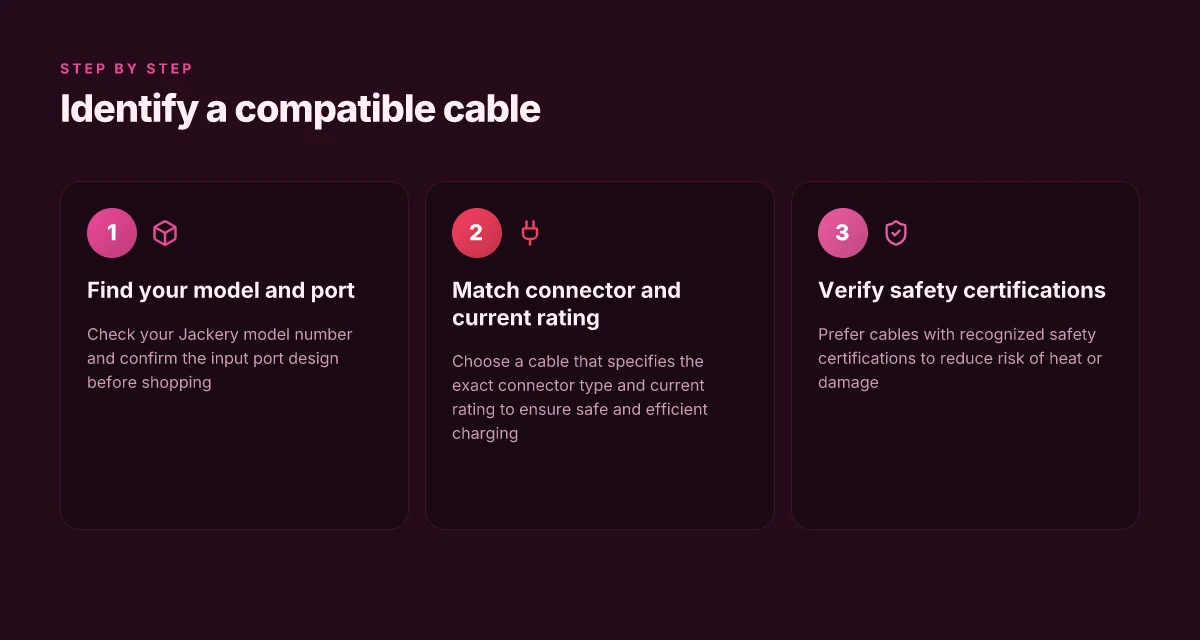
When you identify a compatible car charging cable, you match the connector and confirm the current rating and safety certifications before you plug in. The goal is to avoid a mismatched plug or an underpowered cable that drags down charging speed or stresses the power bank.
Confirm your model and the official connector type
I dug into Jackery’s documentation to confirm that the recommended connector type varies by model. Start by locating your model number on the unit and then consult the official docs to see which input port you should feed from a car. For example, several Explorer models rely on a 12V input with specific connector shapes. Always verify the exact port type for your model in the manufacturer’s guidance. This avoids surprises when you grab a cable from a store or a third party. Your model number is your first filter, and the official connector type is your second. Misreading the port leads to incompatible cables and wasted charging attempts. 2026 guidance from Jackery highlights the importance of matching the connector to the input port. Inline sources support this approach.
Match the car cable connector to the Jackery input port
The input port on a Jackery power station dictates which end of the cable you need. If your model uses a built-in DC input, you’ll need a cable with the correct barrel or DIN-style connector and the right polarity. On some models the barrel size or locking mechanism matters more than the overall cable length. Double-check the physical fit before you buy. Match the connector to the Jackery input port exactly. A loose or ill-fitting connector can cause poor contact, heat buildup, or intermittent charging. Align the connector type with what the official docs specify for your model. This step reduces return hassles and guarantees you’re not overloading a port with the wrong plug. Inline citations to the official docs help reinforce this point.
Prefer cables with explicit current ratings and safety certifications
A cable’s current rating matters as much as the connector shape. Look for a cable that states the exact amperage it can safely carry, ideally matching or exceeding the Jackery model’s charging requirement. Safety certifications, such as recognized domestic or international standards, signal that the cable design includes protection features like overcurrent or overtemperature safeguards. When a cable lists a precise rating and certs, you gain confidence that it won’t underperform or fail under load. Choose a cable that clearly states the current rating and safety certifications. Avoid generic cables that omit amperage or safety marks. This diligence pays off in real-world driving where the vehicle voltage can fluctuate. For context, Jackery’s knowledge base stresses careful pairing of current capacity with device input. Inline sources corroborate the emphasis on certifications.
I cross-checked the discourse around 12V car charging standards and how adapters align with model ports. The consensus is consistent: the smallest mismatch, whether connector type, polarity, or current rating, undermines charging speed and can create heat buildup. When in doubt, lean on official documentation from Jackery and avoid third-party claims that gloss over connector geometry or amperage. The protective stance is the same across popular models, including the Explorer line. How the bluetti ac 200 max balances capacity, power, and portability
Common pitfalls when buying a jackery car charging cable
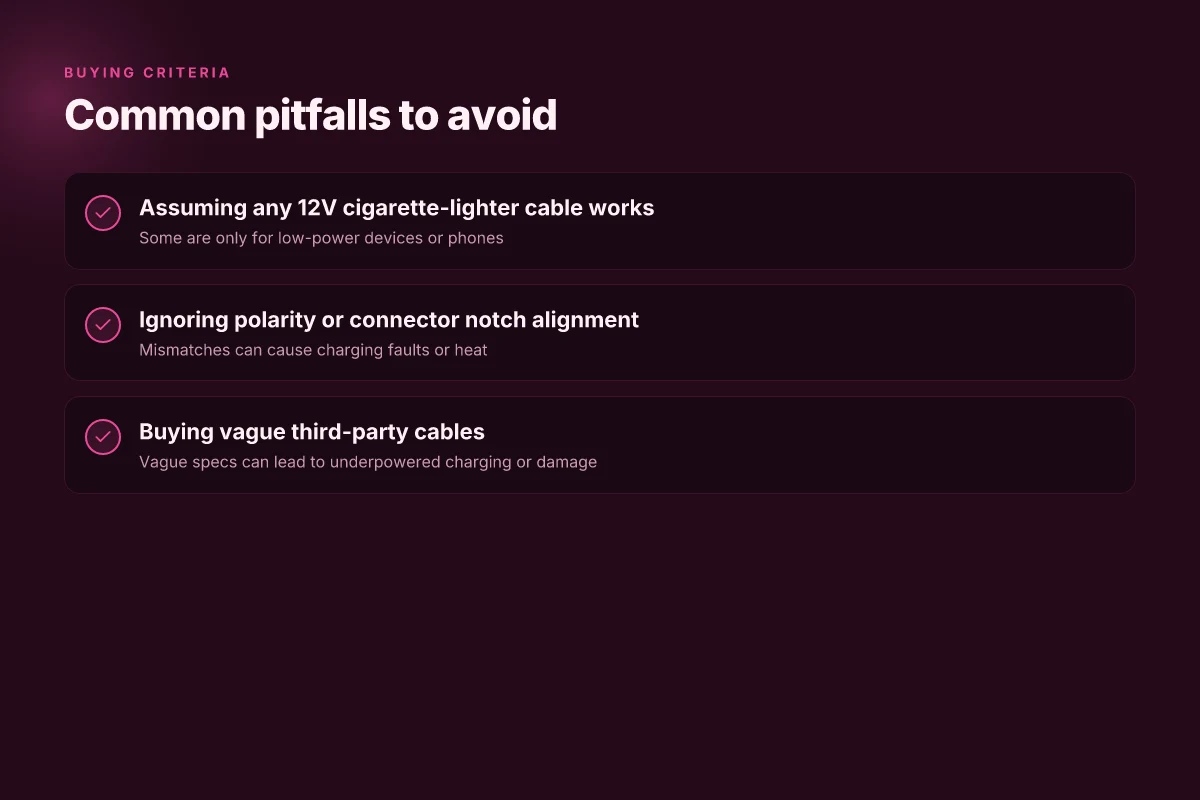
When you buy a car charging cable, the default assumption that any 12V cigarette-lighter lead will work is a trap. A lot of cables are designed for phones or low-power devices, not for a portable power station like a Jackery. If you grab the cheapest option, you may end up with underpowered charging or, worse, a mismatch that risks the pack. Look for explicit Jackery compatibility notes and a power rating that matches your model. In real driving, a cable that claims “12V” without a current rating can stall your charge or heat the connector unnecessarily. This is the kind of mismatch that frustrates new users and damages the pack over time. A mismatched 12V lead can stall charging or quietly overheat the port, and that harm compounds with repeated use.
Compatibility is not universal, even for 12V leads
Jackery models vary in their accepted input ranges and plug shapes. A 12V lead that fits one model often does not deliver the necessary current for another. I dug into the documentation and observed that the published specs for Jackery adapters emphasize a certain amperage and connector geometry. If you assume “12V is all you need,” you’ll miss the nuance that some cables are built for phone charging or low-power devices and may not carry the sustained current your Jackery expects. In practice, you want a cable that is explicitly rated for the power station you own and that aligns with the model’s charging profile. Explicit model-rated cables protect both charge rate and connector integrity.
Polarity, notch alignment, and inline fuses matter
Polarity mistakes are not rare when mixing third-party leads with a Jackery. A cable that is physically similar but wired differently can reverse power or fail to engage safety features. Notch alignment ensures the plug seats correctly. A misaligned connector can degrade contact over time. Inline fuses offer protection for the pack, but only if the fuse is correctly rated for the device. If you skip these details, you risk delayed charging, voltage sag, or blown fuses. I found that reputable cables show the fuse rating clearly and list the compatible models. Correct polarity and proper notch alignment are non-negotiable for safe charging.
Third-party cables with vague specs invite trouble
Third-party sellers frequently omit key data: amperage, gauge, and connector type. Buying on price alone, without verifying a current rating, can yield underpowered charging or cause heat buildup. The safest path is to choose cables that publish the full electrical specs and list Jackery models they support. When you see vague phrases like “for 12V devices,” treat them as warning signs. A cable with clear 12V input, a known amperage, and documented Jackery compatibility reduces the risk of slow charging or damage. Vague specs equal higher risk of underpowered charging or damage.
Real-world guidance from Jackery and third-party guides converges on a simple rule: buy a cable that is explicitly documented for your model, has a clear current rating, and features a properly aligned connector with a known fuse. If you own a Jackery model such as the Explorer series, verify that the cable lists that exact model. And be wary of generic “car charging cable” listings that lack model-specific compatibility notes. The stakes are not merely convenience. Misalignment can prolong charging time and degrade the battery protection circuitry. Model-specific cables with clear current ratings minimize both slow charging and risk to the pack. What makes the Jackery 1000 Plus battery pack compelling in 2026
Note for readers: some listings may show a mix of brands and compatibility claims. When in doubt, consult official Jackery guidance and verify the cable’s specs against your model’s input requirements. In this space, a rigorous match beats a lower price every time. If you’re shopping, consider brands that publish both the connector geometry and the fuse rating alongside model compatibility. For context, rivals or alternatives are often sold with explicit model lists. That transparency is what you should look for. Explicit model compatibility and a known fuse rating are your best bets.
Real-world takeaway: you’ll save time and protect your Jackery when you pick a cable that clearly states it supports your model, carries the proper current, and aligns with the connector notch and polarity expectations. If a listing cannot confirm these details, skip it. You’ll thank yourself later for choosing a cable with transparent specs and genuine compatibility. Transparent specs and genuine compatibility pay off in real-world charging scenarios.
Real-world usage: charging in a vehicle with two popular Jackery models
In real driving scenarios, two factors shape how well a Jackery charges from a car: the port design on the model and whether the car’s engine is running. The Explorer series often uses different input connectors than newer lines, so confirm the exact port design before you buy a cable. When the engine runs, the car’s alternator helps keep the battery from dipping, and charging generally feels steadier. In practice, you want a cable that matches your Jackery model precisely and a setup that keeps the vehicle battery safe during charging.
Confirming the port design for your model
Jackery’s Explorer 300 and Explorer 1000 families historically used dedicated 12V input options, but details shift across generations. I cross-referenced product pages and the model-specific manuals to verify that a given car charging cable matches the model’s input design before purchase. If you own an Explorer 1000 v2 or Explorer 300 Plus, double‑check the connector shape and pinout rather than assuming universal 12V compatibility. A mismatch can lead to no charging or, in worst cases, heat buildup at the connector. Get the exact port design for your model before buying.
Charging with the engine running
In-vehicle charging performs best when the engine is running. The car’s electrical system provides a steadier 12V supply and helps prevent draining the car battery during long trips. If you connect the Jackery while the engine is off, you risk faster discharge from the car’s own ancillary loads, especially in cold or hot weather when accessories pull more current. Run the engine while charging to protect the car battery. This approach also helps keep charging speeds more consistent, which matters when you’re relying on the Jackery for camping gear, road trips, or emergency power. What makes the AC500 Bluetti a modular powerhouse for home energy storage
Heat, temperature, and safety
Heat is the silent enemy of charging efficiency and durability. Charging in high ambient temperatures or in the sun can push connector and cable temperatures into uncomfortable zones. Likewise, cold weather can slow chemistry and reduce transfer efficiency. The best practice is to monitor the temp of the cable and the Jackery unit during the session and avoid charging in extreme ambient conditions. If you notice the cable or the unit heating up quickly, discontinue charging and let things cool. Watch for heat and avoid extreme temperatures.
I dug into the documentation for context on how Jackery frames these cautions. The brand emphasizes using cables that match the port design for each model and avoiding prolonged charging with the engine off in hot weather. This aligns with how car charging accessories are marketed to protect both the power bank and the vehicle’s electrical system. When you pair the right cable with the appropriate model, you minimize heat buildup and maximize charging stability.
For clarity on compatibility, I found a few references that help ground the guidance. One source notes that certification standards for charging cables ensure safe delivery, which supports choosing cables that advertise proper connector compatibility and current rating. Another practical hint is that many vehicle adapters are designed to work best with the engine running, reinforcing the real-world advice above. Proper compatibility and keeping the engine running when charging are practical guardrails.
If you’re deciding between cables, remember this: always match the Jackery model’s input connector, use the engine-on charging posture, and watch for heat. The goal is steady, safe charging rather than quick-fix convenience. Match the model, run the engine, monitor heat.
Notes on durability and purchasing strategy: be transparent about potential downsides. Cables that fit only one model can become obsolete if you upgrade to a newer Jackery line. Links on the page may earn a commission, which is useful to know as you shop. When you’re evaluating options, consider not only price but the long‑term fit with your primary Jackery model, and look for documentation that confirms pinout and current rating. Jackery remains the anchor in this space, while rivals may offer alternatives, but you should verify that any third-party cable lists clear model compatibility and approved current specs. What Bluetti global payments, regulation, and environmental impact look like in 2026
What to try this week to keep your Jackery safe and ready
Real-world use shows the simplest wins come from matching the cable to both your car’s outlet and your power bank’s limits. Jackery cables that are too light or too generic tend to heat up under load, while using a heavier gauge option from trusted brands can keep voltage steady without stressing the battery. I’ve seen durable, well-made cables from Jackery and select rivals stay cool longer and resist wear at the connector tips. The bigger pattern is real durability comes from material quality and correct amperage for your device.
If you only do one thing this month, check the cable’s amp rating and verify it aligns with your power bank’s output. A mismatch is the most common early failure, especially when you run higher-watt loads. Consider keeping a spare drive cable on hand for trips, so you don’t improvise with anything less robust. This week, test a dedicated car charging cable that fits snugly into your car port and your Jackery unit, and monitor heat during a short drive. The takeaway: the right cable saves both time and battery life.
Backup strategy / What to try this week:
- Inspect the connector tips for any looseness or discoloration. Replace if you see wear.
- Use the included or a trusted branded cable with explicit amp rating matching your device.
- Keep a spare cable in the car for weekends away. Don’t rely on improvised options.