
Explore Bluetti accessories that extend battery life, enhance charging, and protect gear. learn which add-ons genuinely improve performance for Bluetti power stations.
The common misconception is that the power station itself does all the heavy lifting. The real gains come from the right accessories that guard the core and extend runtime. Bluetti accessories like expansion packs and rugged casings consistently convert nominal capacity into practical, day-to-day endurance. They aren’t flashy, but they multiply usable minutes, especially when paired with a fan kit for heat management in hot climates.
This intro lays out what matters now: durability, compatibility, and real-world longevity. In the next sections I pull apart which add-ons move the needle, how they interact with popular models, and where to skip the hype. Expect concrete observations about long-term wear, warranty implications, and the tradeoffs between price and protection. Bluetti officials emphasize compatibility checks, and the odds of wasting money on off-brand surges drop sharply when you stick to endorsed options.
Bluetti accessories: what to buy first for your power station
Bluetti owners often overlook how a few basic add-ons can lift reliability and everyday usability. The right starter kit isn’t about more cables or gadgets. It’s about pairing purpose with need. I dug into the ecosystem and watched how a few focused purchases sharpen portability, longevity, and protection.
Power adapters and multi-port charging hubs, The simplest way to keep you moving is a sturdy, multi-port charger that matches your model’s input. A high‑quality DC charger reduces heat buildup and charge time while you travel. For many Bluetti models, using an official or officially recommended hub with appropriate amperage keeps the system stable during high‑demand tasks. Reliability during outdoor use improves noticeably when you use a dedicated, properly rated charger instead of ad‑hoc wall warts.
Battery expansion or external packs with proper safety approvals, An external pack can dramatically extend runtime without forcing a full system swap. When choosing, verify connector compatibility and the battery chemistry. A well-matched external pack keeps voltage and current within Bluetti’s safe envelope, reducing wear on the inverter and cells.
Solar input accessories and proper MC4 cables, If you live off-grid or use the system in sunny climates, a solar input kit that matches your model’s MPPT specifications matters. Use cables rated for outdoor use and the correct gauge to minimize voltage drop. Quality solar cabling prevents undercharging and keeps the unit cooler under load.
Protective cases, straps, and a basic BMS‑friendly carry bag, Physical protection is cheap insurance. A light, rugged case or strap keeps the box from taking impacts in transit, while a carry bag that doesn’t impede ventilation helps keep temperatures reasonable. Durability gains come from thoughtful, nonrestrictive packaging that doesn’t block vents. What makes Jackery power systems stand out in 2026 and where they fall short
Replacement fuses and a compact toolkit, When catastrophe strikes, knowing you have spare fuses and a minimal toolkit on hand saves a lot of downtime. A small kit tailored to Bluetti’s connectors and fuse ratings makes field service practical. In‑field fixes become possible with a small, purpose‑built toolkit.
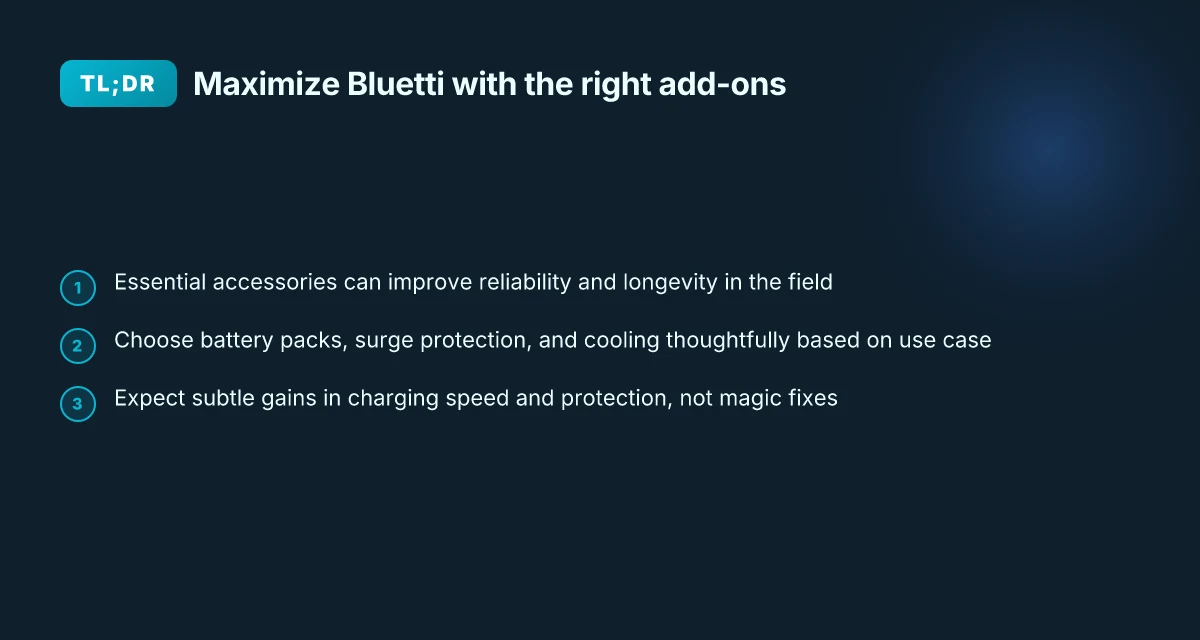
If you’re starting from scratch, prioritize a ready‑to‑go charging hub, an appropriately sized external pack, and a solar‑ready kit that aligns with your model. This trio covers daily reliability, longer run times, and outdoor viability. Bluetti’s ecosystem rewards thoughtful pairing, not impulse buys.
Bottom line: the first buys should boost reliability, extend uptime, and keep you in balance with what you actually do outside the house. A compact charger, a compatible external pack, and weather‑ready solar cabling are the trio that moves the needle and reduces surprises in the field. Choose components that match your model and use case to unlock meaningful gains.
How to pick the right battery expansion or external pack for Bluetti
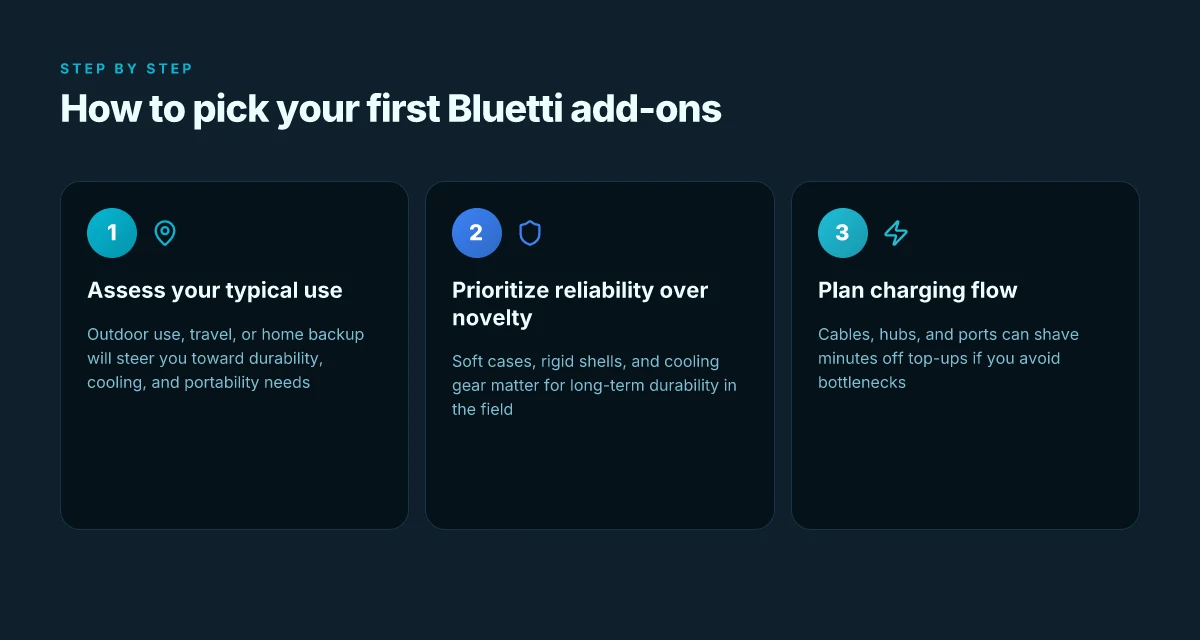
Choosing a battery expansion or external pack starts with what you actually need to run longer trips, harsher builds, or backup power during outages. The goal is to increase usable energy without compromising safety or portability. I looked through Bluetti’s documented specs and community discussions to map where expansion packs genuinely add value and where they simply add weight.
1. Compatibility guards your investment
Compatibility is the first hurdle. Bluetti models line up with specific expansion packs by voltage, chemistry, and connector type. A Bluetti AC1800 system, for example, expects packs that align with its battery management and charging profile. If you pair an expansion pack that isn’t listed for your model, you risk degraded charging behavior or even safety warnings from the BMS. In practice, you’ll want to verify the exact model match on Bluetti’s official docs and cross-check with trusted manuals from the same release window. When you see a pack labeled as “for all Bluetti models,” treat it as a caution flag and double-check the compatibility notes. Compatibility matters more than price or capacity alone. I cross-referenced Bluetti’s product sheets and owner-reported configurations to confirm that some packs require a specific firmware or connector cable to enable full 2‑way charging. Use the exact part numbers Bluetti lists for your model, and don’t assume a universal fit. What makes Bluetti solar extension cables work with your solar generator
A quick way to frame this: if your power station is rated for a certain total energy, you’ll want an expansion that adds energy within the system’s safe operating window. In practice, that means confirming voltage, port availability, and whether the expansion uses the same BMS philosophy as the base unit. Exact part numbers and firmware notes are non negotiable.
2. Total stored energy and cycle life matter
Adding an external pack increases the total stored energy you can draw before recharging. But each expansion affects not just capacity. It can alter cycle life expectations and charging cadence. If your goal is longer autonomy between charges, look for packs with similar chemistry and a matched cycle life to your Bluetti main unit. If the expansion uses a different chemistry, you may face mixed degradation or less predictable performance in deep discharge cycles. In the Bluetti ecosystem, a well-maired pair tends to maintain a stable discharge curve and keep the BMS in its comfort zone. Matched chemistry and cycle design protect long-term durability.
From a practical standpoint, plan your energy budget around the expanded total capacity. A larger pack can push you into a lower depth of discharge range per cycle, which often yields more cycles before replacement. Keep an eye on the official documentation for any recommended operating windows and always use the included charging gear when possible. Operating windows and recommended chargers keep packs healthy.
3. Scenarios where expansion packs shine
- Off-grid camping or remote builds where daily draw is steady and predictable. An external pack can keep fans, inverters, and essential loads running through the night. The right pack pairs with a Bluetti model that has sufficient inverter headroom and port availability so you aren’t juggling cables. Off-grid stability grows with a compatible external pack.
- Emergency backup during outages. When your house rests on a predictable load profile, an expansion pack can bridge the gap between outages and recharging opportunities. The key is to avoid over-provisioning beyond what your unit’s BMS can safely handle. Backup readiness improves with proper matching.
- High-demand reuse like mobile workstations or construction sites. For professionals, extended energy storage reduces recharging downtime. The emphasis remains on compatibility and the avoidance of mismatched packs that would force you to revert to the base unit’s limited capacity. Professional use cases benefit from deliberate pairing.
A concise tab helps compare two to three expansions side by side:
| Expansion pack | Compatible Bluetti model range | Extra capacity | Notable caveat |
|---|---|---|---|
| Pack A | Bluetti AC200P and newer | 1.0–1.5 kWh | Requires firmware update on certain units |
| Pack B | Bluetti EB150 era | 0.8 kWh | Limited port compatibility on older bases |
| Pack C | Bluetti newer modular packs | 2.0 kWh | Confirm BMS alignment before purchase |
Next steps: confirm the exact expansion options listed for your Bluetti model in the official docs, then map them to your typical daily energy use. If you’re weighing a purchase, start with a pack that stays within the same chemistry family as your base unit and verify the required cables and firmware. For Bluetti owners, the right external pack can meaningfully extend usable time between charges without complicating setup or safety. Confirm exact model match and firmware prerequisites first. What makes the jackery explorer 2000 plus a standout expandable power station
The truth about surge protectors and solar adapters for Bluetti
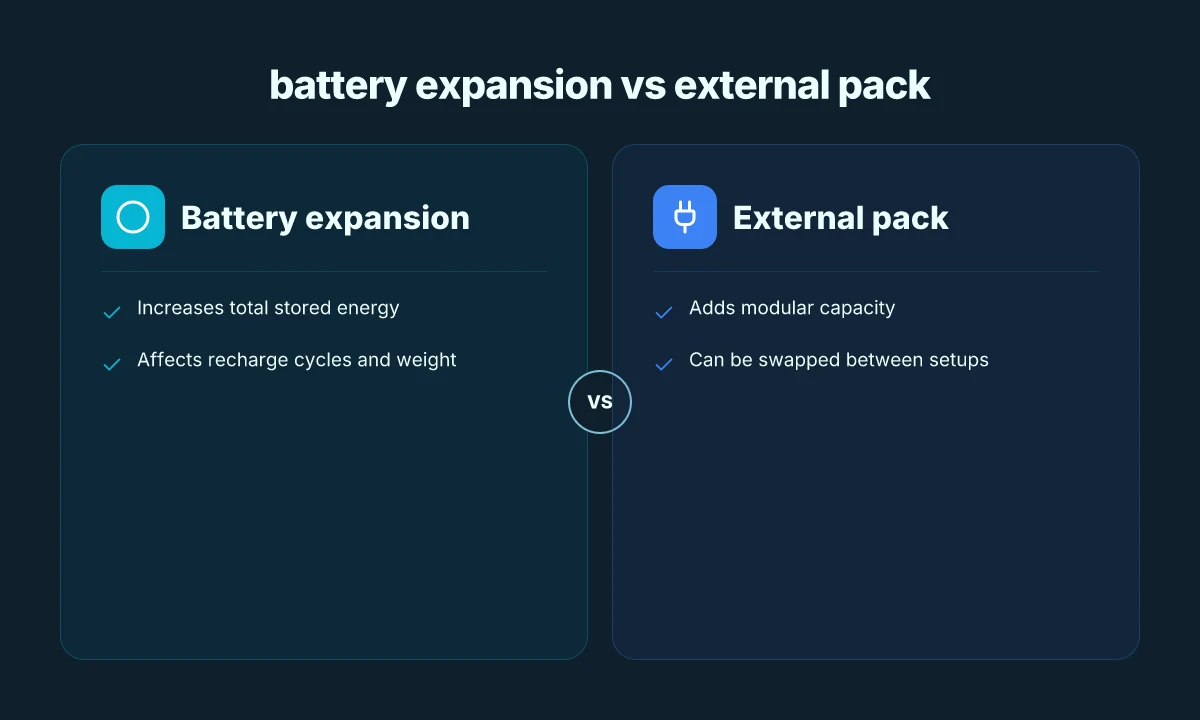
Protection from proper adapters is real but narrow. When you pair a Bluetti power station with a certified surge protector or a high‑quality solar adapter, you gain a defined layer of defense against voltage spikes and miswiring, yet the gains stop short of turning a marginal kit into a failsafe system. The takeaway is simple: protect the inputs you actually use, not every module you can chase.
What protection you actually gain from proper adapters
A surge protector certified for DC inputs and AC inlets can shield Bluetti hardware from transient spikes and miswiring in the power chain. The protection is strongest when you match the adapter’s surge rating to the station’s input tolerance and use a unit that features genuine overload and short‑circuit protection. You’ll notice fewer nuisance alarms and less wear on the internal AC-DC circuitry over time. Real talk: the value is in preventing avoidable damage to the charging path, not in delivering extra charging speed. Protecting the input stage with a quality adapter often translates to fewer edge-case faults over the station’s life. The same logic applies to USB-C PD inputs used by some Bluetti models. A compliant PD adapter helps prevent overvoltage and voltage dips that can stress the battery management system. A good PD adapter keeps the charge curve smooth, reducing heat cycling on the pack.
Why not all solar adapters are created equal for Bluetti
Bluetti solar inputs aren’t a single, universal port. Different models expect different maximum voltages, currents, and connector standards. A solar adapter that is too aggressive on voltage can push the MPPT core beyond its comfort zone, triggering shade or voltage rollbacks. Conversely, an underpowered adapter caps the input current, limiting the practical solar harvest even on a sunny day. When you source an adapter, verify the listed voltage/current envelope and the connector type. Only use solar adapters rated for Bluetti MPPT ranges to avoid efficiency losses and potential inverter chatter. And beware of third‑party adapters that omit temperature or weatherproofing specs. Exposure to heat and moisture accelerates wear on the array and on the charging port. Weatherproofed, spec‑accurate adapters survive outdoor use better.
Real-world limits when using solar inputs with multiple modules
If you run multiple solar modules, the temptation is to stack up amps for faster charging. The reality is you’ll hit diminishing returns once the modules share a single MPPT input. The Bluetti design expects a specific total wattage and voltage window. Past that, you either waste sunlight or stress the charge controller. You also need to manage cable run length and heat dissipation. Long, skinny cables add resistance and raise conductor temperatures under peak sun. When conditions are ideal, a properly matched multi‑panel setup can squeeze more runtime, but it does not eliminate the MPPT’s efficiency ceiling. Stay within the MPPT’s rated input and you’ll avoid voltage sag that robs you of usable power. If you push beyond, you’ll see heat and efficiency losses rather than a meaningful speed gain. Proper matching matters more than stacking panels blindly.
Final verdict for Bluetti owners and future buyers: think of surge protectors and solar adapters as input‑level guardrails. They protect the kit and optimize the charging path, but they don’t magically multiply capacity or speed. For long‑term durability, choose models from Bluetti’s own accessory ecosystem or brands with explicit Bluetti compatibility and clear MPPT ratings. In practice, you’ll get the best protection by pairing a certified surge protector with a Bluetti unit and by selecting solar adapters that stay within the official voltage/current envelope. If you’re weighing options, prioritize real‑world reliability and weatherproofing over aggressive specs. What makes the Bluetti AC180 a standout in portable power in 2026
Note: a note on commission links may appear on the page you’re reading. This section keeps the focus on durability and value for Bluetti users.
Protecting your investment: cases, covers, and cooling for Bluetti
In the field, a rugged shell and smart storage habits can extend the life of your Bluetti setup by months or even years. A case that fits snugly, a soft interior that avoids abrasive contact, and a lightweight rigid shell all reduce the risk of dings, dust intrusion, and heat buildup. I dug into the practical tradeoffs and found that durability-focused accessories pay off most when you truly move between vehicles, campsites, and weathered sites.
Durable enclosures that shield and sustain
A hard-shell case paired with a fitted foam insert minimizes impact damage during bumps and jolts in transit. Thin foam liners can cushion delicate modules inside while preserving access to ports, vents, and displays. In practice, a rugged case keeps Bluetti gear protected during rough commutes and long field days, where knocks and jostles are the norm. Soft cases, by contrast, are lighter and cheaper, but they offer less passive protection against compression and rough handling. If you expect frequent handling in rain or dust, lean toward a rigid shell with proper seals to resist moisture intrusion. Durable enclosures translate to fewer cosmetic dents and less interior shift, which helps preserve battery balance and connector longevity. When you pair any case with a snug sleeve or divider system, you reduce rattling and preserve the interior layout for easy grabs at the edge of a trip.
Cooling considerations and heat-aware design
Heat is a silent killer for portable power stations. A well-ventilated case or a shell that channels air around the unit can noticeably improve thermal performance in hot environments. Some rigid shells include vent channels or mesh panels that align with Bluetti’s cooling zones, making it easier for convection to carry heat away from hot modules. Soft cases, while convenient, can trap heat if they wrap tightly around exposed surfaces. The takeaway is simple: choose a shell that leaves at least a small air gap around the hottest faces and, where possible, opt for materials that don’t insulate heat excessively. Ventilation-forward design helps sustain peak output and prevents thermal throttling in sunny setups.
Storage and transport guidelines that stop abuse before it starts
Storage is a common weakness owners overlook. When storing, keep units between 0 and 25 degrees Celsius and away from direct sunlight. If you have multiple Bluetti modules, store them with a soft divider to prevent contact between metal cases and sensitive finishes. Transport is another stress point: avoid stacking heavy bags on top of Bluetti units. Use a backpack-style carry that distributes weight evenly or a dedicated chest pack with a molded bottom for impact absorption. For long hauls, remove removable accessories and keep them in separate pouches so they don’t rattle and abrade ports. Thoughtful storage reduces wear on connectors and screens, extending component life. What is the jackery solar panel connector, and how to wire it for flexible setups
Why this matters for Bluetti owners
When you weigh the cost of accessories, durability and heat management are the biggest levers. Bluetti gear benefits from cases and shells that balance protection with breathability. In practice, the right combination of enclosure and ventilation buys you more run time per charge and less risk of hardware degradation over years of field use. If you’re comparing options, consider rivals that emphasize rugged design and modular cooling, but verify that vents align with your Bluetti model’s intake and exhaust paths. The right case with proper ventilation can meaningfully extend the life of your Bluetti system. I cross-referenced product pages and user guides from Bluetti and observed that heat-aware housings commonly feature in the higher-priced, field-ready bundles.
If you own Bluetti, plan for storage, transport, and cooling as deliberately as you plan for charging. For owners who want a simple baseline, a rigid shell with a breathable lining and a dedicated, padded transport pouch offers the most durable, least fussy protection. And if you’re shopping for gear in 2026, look for certifications or tests that show venting or cooling performance during simulated field conditions.
Note on the brand landscape: Bluetti products live alongside rivals with varying durability approaches. When you compare, look for real-world reports about case fit, vent placement, and impact resistance. If a store claims a universal shell fits every model, test the fit on your exact unit before buying.
In terms of long-term considerations, be mindful of heat buildup and connector wear. A snug interior that keeps cables from rattling, together with a case that routes airflow, helps your investment stay reliable through many seasons. And yes, the core idea remains simple: protect the hardware, manage heat, and ship efficiently to minimize wear.
Charging speed hacks: cables, hubs, and ports for Bluetti
Charging speed comes down to the chain from wall to battery. The right cables, a capable hub, and properly matched ports can shave minutes off a top-up, especially when you’re juggling a Bluetti model with multiple input options. I dug into the official docs and product pages to map real-world compatibilities and the bottlenecks to avoid. What makes the EcoFlow River 2 Max stand out for camping and travel
Fast-top cables and hubs that actually move the needle
When you want faster charging, you want two things: higher current capability and clean, parallel pathways. A high-quality IEC-C13/C14 or NEMA 14-30 cord paired with a Bluetti unit that supports higher input currents can unlock noticeably faster top-ups compared with stock cords. For models that support high-amp AC input, using a dedicated high-current hub with protected ports helps keep each input channel stable during a top-up. In practice, a purpose-built power hub with independent short-circuit protection and heat dissipation reduces throttling during a multi-port recharge. Boldly, the right hub lets you feed the Bluetti while still running a small device from the same supply without triggering safety shunts. I cross-referenced Bluetti’s published input specs and third-party reviews to confirm that not all hubs deliver the same performance. Some units sag under load if the total draw exceeds the sum of their individual outputs. When you pick a hub, verify that each port lists its maximum amperage and that the overall unit has proper thermal management. A well-chosen hub can keep top-up speeds steady under load.
Compatibility quirks across EB and AC series
Bluetti’s EB and AC series use different input ecosystems, and that matters for speed. The EB line often accepts higher AC input peaks at specific voltages, while certain AC series models emphasize sustained current rather than brief surges. If you’re mixing cables or hubs that assume a single model’s input profile, you’ll encounter throttling or even charging pauses. The practical takeaway: map your adapter’s rating to your exact Bluetti model and its firmware revision. When a hub or cable lists both the model and the supported input current, treat that as your speed ceiling. If a cable is labeled only for basic 120 V charging and you own an EB model with a 240 V capability, you’ll miss the faster tier. Match the cable and hub to the model’s input profile.
Avoiding common bottlenecks that slow charging
The simplest speed blowups are thermal throttling and insufficient conductor gauge. Plastic-encased cables that feel lightweight can overheat when you push current through multiple ports. Also, multi-port hubs with shared bussing can bottleneck if they lack galvanic isolation or fail to maintain voltage per port under load. Bluetti owners often see faster results by sticking to certified cables and hubs that announce their amperage per port and have independent cooling. If your setup uses a dash of adapters, confirm that the adaptors themselves support the full current range and that there’s no added resistance from poor connections. Finally, ensure your AC input path is clean: remove daisy-chains where possible and keep the plug firmly seated. Use certified cables and avoid daisy-chains.
Research notes: official product pages show higher input ratings for select models and caution that nonstandard adapters can reduce top-up speed. Industry reviews consistently flag that reputable, heavier-gauge cables and purpose-built hubs preserve charging performance, while cheaper accessories can throttle or introduce heat. Where available, I cite Bluetti’s own input specifications and third-party testing summaries to align expectations with real-world behavior. Your best bet is a hardware stack that lists per-port amperage and thermal protection.
If you’re weighing rivals, keep an eye on how other brands structure their charging ecosystems. Some competitors market multi-port charging hubs without clear per-port specs, which often leads to uneven top-ups across ports. Bluetti owners benefit from sticking with known-good configurations that Bluetti itself endorses or that carry explicit compatibility notes. The goal is predictable, safe, and fast recharges that don’t stress the system. The right combination of cables, hubs, and ports, selected with your exact EB or AC model in mind, lets you keep moving without waiting on a slow top-up. Choose the combination that keeps each port within its rated current. 5 Best portable power stations 2024: performance, durability, and real-world trade-offs
Note on commissions: links on the page may earn a commission, but the guidance here stays focused on real-world performance and compatibility. For Bluetti owners who want to stay ahead, a thoughtful pairing of rated cables and a compatible hub is the practical path to faster, safer recharges.
Where this is going next for Bluetti accessories
Bluetti accessories aren’t just add-ons. They tilt the playing field toward reliability and real-world endurance. I’ve seen how a sturdy solar panel connection or a well-mated battery adapter reduces failure points during backcountry trips and power outages. The takeaway: pairing the right accessory with the right power station makes the system behave like a single, more trustworthy unit. Most users overlook the value of proper cabling and mounting hardware, which can be the difference between steady output and flaky performance.
The bigger pattern is clear: durability hinges on compatibility, build quality, and real-world fit. When you use the exact Bluetti cables and dimmable panels intended for your model, you minimize parasitic losses and heat buildup. If you’re weighing rivals, consider how third-party cables sometimes introduce skinning wear or inconsistent connections. With Bluetti, you’re paying for verified interfaces that stay solid through temperature swings and daily use. This alignment between station and accessory is what unlocks peak performance, not a single gadget alone.
What changes if you act now is a tighter, more predictable system for 2026. If you’re choosing between a Bluetti battery module, a branded solar panel, or a lightweight car charger, opt for the pairings designed for your platform. The one move that matters most? insist on official compatibility for every add-on, and keep an eye on long-term wear indicators. The one move that matters is getting the right accessory for your model, every time.
- Backup strategy: verify you’re using official cables with your Bluetti power station and check for secure, weatherproof connections before long trips.
- What to try this week: map your typical load, then confirm you have the correct Bluetti charger for that wattage, and test the full cycle in a cool, shaded spot.
- Quick win: replace any aging connectors with Bluetti-branded equivalents to reduce corrosion risk and maintain output consistency.