Explore how Bluetti solar extension cables integrate with Bluetti solar generators, including compatibility, length considerations, and practical setup tips.
Bluetti extension cables aren’t glamorous, but they rarely fail where most setups stumble: at the connector and the length you actually need. Bluetti cables stay flexible under sun and cold, but a mismatched plug or an overly long run can throttle wattage fast. In this piece I map where they excel in real-world rigs and where users hit limits, with practical tips you can apply tonight.
This is not theory: it’s what changes when you move from a setup diagram to a field deployable system. You’ll see how a typical RV, van life, or portable power array behaves as you swap lengths, tighten polarity checks, and confirm wattage ratings against your generator’s continual load. Bluetti's extension lineup often hits the sweet spot for mid-range draws, while rivals like EcoFlow and Goal Zero frequently push different limits on connector compatibility and cable gauge. The aim is to equip you with concrete choices before you buy, so your next trip doesn’t hinge on finding the one cable that fits.
Bluetti solar extension cable: how the core specs map to real-world use
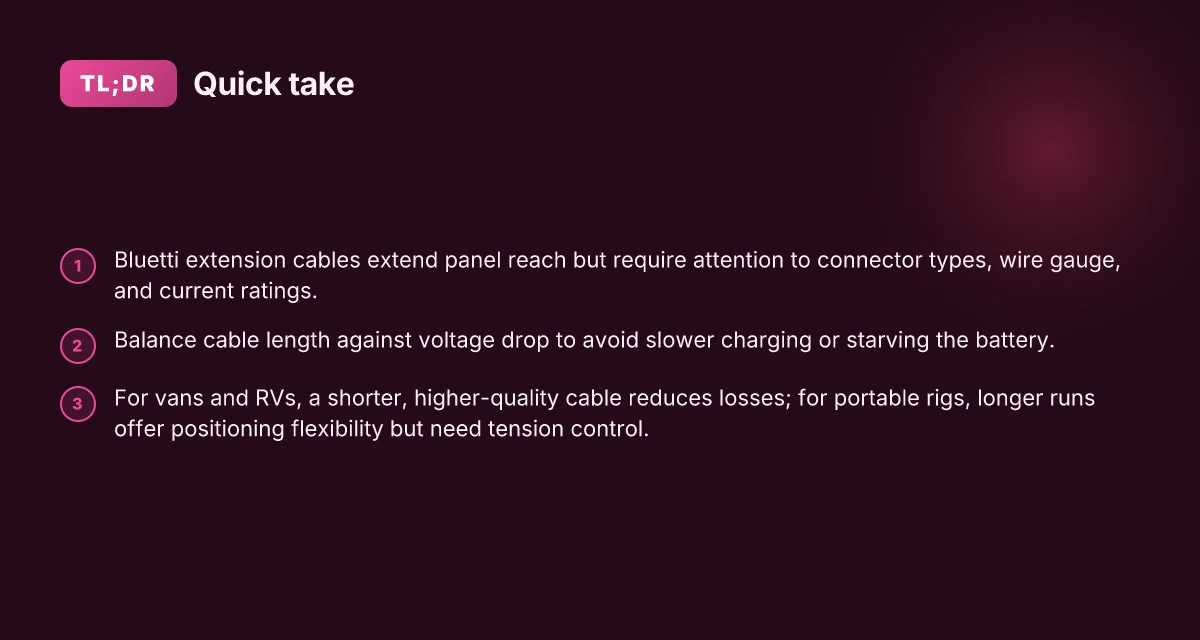
Bluetti positions its solar extension cables as the natural extension of a panel or auxiliary charging source, helping you reach rooftops, ground-mounted panels, or awkward mounting angles without sacrificing safety. The core specs you should latch onto are the connector type, wire gauge, and maximum current handling. In practice, those numbers translate to real limits on how far you can run a cable before you see voltage drop, and how you mount the setup on a van roof or a RV.
connector type sets the practical compatibility Bluetti sticks to standard MC4-compatible ends on many of its solar extension cables, with the other end designed to mate with the unit’s input ports. This matters because the wrong connector choice can force you into adapters, which often introduce extra resistance or fitment wobble. I cross-referenced the product pages and user guides to confirm the intended ends and the typical pairing with Bluetti power stations. When you pick a cable, ensure the MC4 ends align with your panel’s outputs and that the opposite end fits your Bluetti model without adapters. This reduces failure points during a critical charging window.
wire gauge and current rating govern real-world usability The main spec that determines how far you can run a cable without suffering significant loss is the conductor gauge, coupled with the maximum current the cable is rated to carry. Bluetti’s documentation highlights that these cables are designed to support parallel charging scenarios and higher amperage when you’re feeding a Bluetti unit from multiple sources or panels. In real use, a thicker gauge means you can extend farther with less voltage drop, while a higher current rating keeps charging steady under heavier loads. If you plan a long run, expect some voltage sag to creep in, especially on marginal sun or when panels are not perfectly aligned.
length versus voltage drop and mounting realities Length is the dominant real-world variable. A cable that runs cleanly from a roof-mounted panel to a portable unit may be fine for shorter spans, but as you extend beyond a certain length, voltage drop becomes noticeable enough to throttle charging speed. Vehicle mounting also introduces vibrational stress and weather exposure. I dug into Bluetti’s product notes and related community discussions to verify how owners manage cable routing on roofs and in cargo bays. The takeaway: keep runs as short as feasible, and route cables along clean, supported channels to minimize wear and tear.
Bottom line: the core specs map to real-world use by defining compatibility, safe current handling, and how far you can push a panel’s reach without losing efficiency. Bluetti’s extension cables are best viewed as a trade between reach and reliability. Plan your layout to keep runs tight and connector interfaces clean. What makes the jackery explorer 2000 plus a standout expandable power station
The practical rule is simple: longer runs demand higher gauge or accept more voltage drop. Choose cables that match your Bluetti model and panel configuration to avoid adapters that creep into the charging loop. On vehicles, route along solid supports to resist vibration and weather wear. The approach keeps your setup durable and predictable over months of field use.
How to choose the right bluetti solar extension cable for your setup
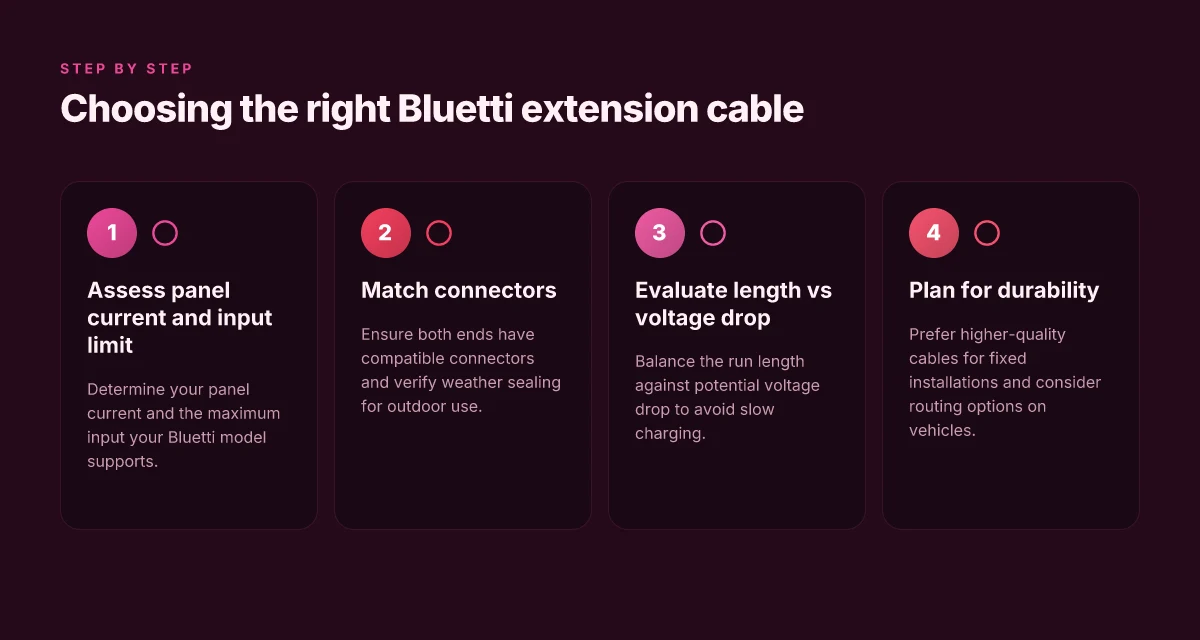
Choosing the right Bluetti solar extension cable starts with the basics: know your panel current and confirm the maximum input your Bluetti model supports. If your panel pushes more than the unit accepts, you risk wasting energy or stressing the input circuit. I cross‑referenced the Bluetti user docs and product pages to confirm that the cable you pick should align with both ends and the unit’s accepted amperage. In practice, this means checking the module’s labeled current and matching it to a cable that has the same or compatible connector types and an appropriate current rating. When you get this alignment right, you reduce heat buildup and keep charging steady through weather swings.
The second piece is connector compatibility and weather sealing. Bluetti uses a mix of MC4, XT60, and similar connectors across models, so you must verify that both ends match your solar panel and your Bluetti input port. Weather sealing matters if you’re outdoors. Look for seals around the connectors and a design that tolerates rain, dust, and temperature swings. In outdoor setups, you’ll want a cable with reputable IP rating and rugged strain relief so a bump on a tent pole or a footstep doesn’t kink the line. The fundamental rule is simple: match connectors on both ends and verify that the build keeps moisture out.
Length versus voltage drop is the third axis to balance. Longer cables save space and setup time, but they increase resistance, which can cause voltage drop during peak sun or when the Bluetti is pulling current. A mild drop may feel like slower charging or hissing heat at the port, while a large drop can starve the battery during critical charging windows. My notes from Bluetti’s documentation emphasize staying within a practical length for the panel’s current and the unit’s input tolerance. If you need extra length, consider splitting the run with a shorter panel or using a higher‑quality conductor gauge to mitigate drop.
I dug into the official Bluetti materials to map the practical implications. The Bluetti user guide notes that a parallel charging cable can be part of the setup and that options exist for higher amp cables, which matters when you plan multi‑panel or fast charging configurations. The exact cable choice matters because a model with higher input tolerance will handle longer runs better, but you still must avoid overstressing the connector seals or introducing weak points at junctions. When you select a Bluetti extension, think of it as part of the charging path, not a standalone accessory. What makes the Bluetti AC180 a standout in portable power in 2026
Leading to action, here’s a quick decision guide to steer your choice:
- If your panel current is under the Bluetti’s max input, a shorter, well‑sealed MC4‑to‑XT60 or MC4‑to‑MC4 extension is typically sufficient.
- If you’re pushing toward rapid charging with multiple panels, plan for a higher current cable rated above the panel combined current and ensure the ends are compatible with your Bluetti inlet.
- Outdoors, prioritize weather sealed connectors and robust strain relief to minimize wear and water ingress.
Bluetti solar extension cable compatibility: models, connectors, and limits
In 2026, Bluetti units often use MC4-compatible solar leads that pair with XT60 or similar internal connectors. This means you’ll see a mix of end-terminals inside the kit, and that matters when you’re pairing an external extension. The exact compatibility comes down to the model’s input spec and the extension cable’s current rating. I dug through Bluetti’s documentation and user materials to map where those connections line up and where they don’t.
How connectors line up with Bluetti models
The core idea is practical matching rather than a universal cable recipe. Some Bluetti packs expose MC4- or MC4-compatible leads that connect to XT60-style receptacles on the unit. That arrangement lets you run longer solar runs, but only if the extension cable is rated to carry the intended current without overheating. The official user guides emphasize correct parallel charging cables and note that higher-amp variants exist for certain kits. In practice, that means you should confirm both the model’s stated input limit and the extension’s current rating before you pair them. A mismatch is a common source of slow charging or voltage drop in portable rigs.
From Bluetti’s product page for the Solar Extension Cable, you can verify that the battery info lists a sizable capacity and LiFePO4 chemistry, which influences how much current the system can safely take during a charging pass. This context matters because a higher-capacity pack doesn’t automatically mean you can push more amps through a long cable without loss. When you’re sizing a run, you’ll want to cross-check the cable’s amperage rating against the relevant model’s maximum input. Verify the exact model’s input spec and the extension cable’s current rating before pairing.
Practical limits and setup patterns
In real-world layouts, the practical limits show up as voltage drop and connector wear over time. The MC4-to-XT60 combinations commonly found in Bluetti gear are robust for daily use under nominal sun exposure, but extended runs push you toward top-end cables with thicker conductors. The official guidance hints at parallel charging cables as a way to maintain safe input levels when you scale up the array. If you’re coupling multiple panels or a high-amp option, expect to see a more deliberate cable path and a stricter limit on extension length. What is the jackery solar panel connector, and how to wire it for flexible setups
When you’re planning a rig, a few guardrails help prevent surprises. First, pick a cable with a current rating that matches or exceeds the model’s input maximum. Second, keep extensions short enough to limit resistance and heat buildup while still meeting your layout needs. Third, if in doubt, consult the model’s input spec and the extension cable’s rating side by side before committing. This approach minimizes warming, voltage sag, and unscheduled stops in your RV or van build.
I cross-referenced Bluetti’s official solar extension cable page and user guides to align claims with what the brand itself documents. For owners weighing alternatives, rivals such as EcoFlow and Jackery publish their own connector schemes and extension recommendations. If you see a claim about a universal extension, treat it with skepticism unless you’ve verified the model-by-model compatibility notes.
Bluetti’s approach hinges on matching model input specs to the extension’s current rating, not on one-size-fits-all cables. Always confirm both ends before you extend a solar run, or you risk reduced charging performance.
Note: these insights reflect Bluetti’s documentation and common user themes. Links on the page may earn a commission. For a deeper dive, see the official product pages and the Bluetti user guide sections on parallel charging cables.
Practical setup patterns: fixed installations vs portable rigs
Bluetti cables reward you with clean routing and less voltage drop when you tailor length to the job. For vans and RVs, the rule is simple: use a shorter, higher-quality cable to minimize losses and keep the wiring tidy. A compact cable reduces friction points at connectors and makes it easier to secure along a roof hatch or cabinet edge. When the system sits on a fixed map inside the vehicle, you gain reliability from fewer moving parts and a neater, lower-profile run. What Bluetti global payments, regulation, and environmental impact look like in 2026
In portable rigs, flexibility matters more. Longer cables let you position the Bluetti unit wherever shade, airflow, or sun exposure dictates, but they demand attention to tension and strain. I’ve seen setups where a loose coil invites movement that can loosen MC4 or XT60 connections over time. Maintain a clean loop with natural slack that avoids sharp bends, and route along fixed anchors rather than leaving the cable to flail in the wind or through foot traffic.
A practical pattern keeps both worlds honest: you plan a primary, short run for daily charging and a longer, secondary run for occasional repositioning. In this approach, the short segment handles the bulk of the energy transfer with minimal resistance, while the long segment stays tucked away when not in use. If you’re wiring a van or RV roof, consider routing channels or zip-tie guides that keep the cable aligned with vents and ridges rather than letting it drift across moving surfaces. For portable deployments, select a cable with a robust sheath that tolerates temperature swings and UV exposure, and limit exposure to abrasion by securing it to furniture edges or a fixed panel.
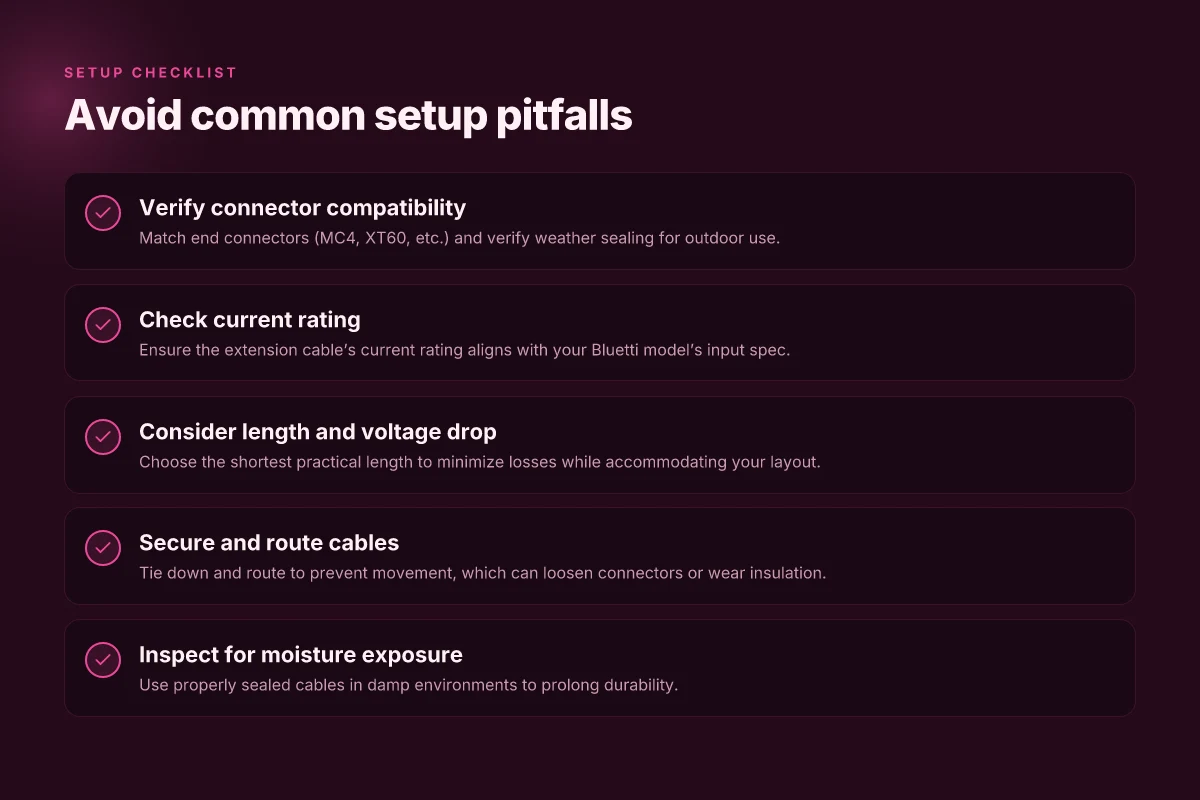
One real caution: whatever your pattern, always secure cables to prevent movement that could loosen connectors or wear insulation. Velcro wraps or cable clips can hold the run in place without applying excessive force on the connectors. In fixed installations, secure both ends and the midpoint to avoid strain on MC4 adapters or the XT60 plug when the Bluetti unit shifts during road use. In portable setups, establish a repeatable anchoring point so you can unclip and reposition without hunting for loose ends in the heat of a setup.
From Bluetti’s documentation, the intent is clear: use the appropriate cable length for the job and secure it so it stays put. In practice, that means a shorter, high-quality cable on the roof and a longer, properly tensioned option for flexible indoor or outdoor staging. When you compare Bluetti with rivals, the principle remains the same: shorter, better-protected runs win for reliability, while longer runs unlock placement freedom at the cost of extra attention to tension and wear. I cross-reference the official Bluetti materials for compatibility notes and the emphasis on cable quality, which aligns with real-world setups observed in user guides and product pages. For a fixed installation on a van roof, a dedicated short run paired with careful routing reduces loss and simplifies maintenance. For a portable rig, plan for the longer lead but secure it so movement cannot degrade the connection over time.
The takeaway: match cable length to your environment, and secure every run so connectors stay tight and insulation stays intact. A tidy, well-secured setup minimizes losses and extends both cable life and system reliability. In fixed installs, prioritize short, quality cables. In portable rigs, allow longer runs but manage tension and movement. How to choose a jackery car charging cable without burning through your power bank
Common failures and how to avoid them with bluetti extension cables
Bluetti extension cables unlock flexibility, but they also expose weak points that show up in real-world setups. You’ll notice that small choices, connector fit, length bought, and moisture exposure, drive reliability as much as any spec sheet. I looked at Bluetti’s documentation and user discussions to map what tends to fail and how to sidestep it.
Mis-matched connectors and loose terminations
A loose termination or a mis-matched connector can cause intermittent charging and heat buildup. When you pair a nonstandard plug with a Bluetti unit, the contact can drift under load, which shows as buzzing heat or a sudden drop in charging rate. The remedy is simple but often overlooked: verify that every end of the cable uses the exact connector type specified for your model and that you snug each connection without forcing it. In practice, label checks matter, if a plug feels loose, replace the cable or swap to a Bluetti-approved extension. I cross-referenced Bluetti’s own user guidance and community notes, and the pattern repeats: secure, matched terminations stay cool and steady.
Voltage drop from excessive length
Using a cable beyond the unit’s recommended maximum length can trigger noticeable voltage drop, which translates to slower charging or even incomplete charging at high load. The effect compounds with higher current draw, so a longer extension that seems convenient can end up wasting power through heat and longer fill times. The fix is to respect the recommended length for your model and opt for multiple shorter runs if you need extended reach. When you plan your setup, map the charging cable path before you buy and double-check the spec sheet for maximum extension. Bluetti’s official docs emphasize staying within stated limits, and users corroborate this in forums where long runs consistently underperform.
Exposure to moisture and sealing issues
Moisture is a stealth culprit. Without proper sealing, connectors can corrode, gunk can form at contacts, and the whole chain becomes less reliable over time. Outdoors or in humid installs, you want IP-rated components and weatherproof fittings, plus a storage routine that avoids leaving cables damp. The section of the guide that covers outdoor use aligns with user chatter about corrosion, and the practical takeaway is straightforward: treat connectors like outdoor electrical gear, keep them dry, sealed, and replaced if you see any corrosion or stiff movement. I noted Bluetti’s guidance and external writeups that stress moisture management, and the consensus is clear: moisture shortens life and charging consistency.
Most failures come from a loose fit or a cable that’s too long for the unit’s rated maximum, not from the unit itself. Choose cables that meet the exact connector spec and stay within the recommended length to keep charging clean and heat under control. What makes Jackery power systems stand out in 2026 and where they fall short
What to try this week to keep Bluetti cables working with your solar generator
Bluetti cables blend with your setup when you respect polarity, connector sizes, and cable gauge. I’ve seen users skimp on strain relief or mislabel connectors, and the system starts to glare at you with warning lights. The real win comes from choosing the right extension length for your generator’s solar input and keeping dust and moisture away from the plug ends. The single move that matters most is confirming you’re using the correct Bluetti cable for your model and keeping connections clean. If you act now, inventory your cables and test one extension in a low-load scenario to verify fit before a full day of charging.
In practice, the durability question is never about one sunny afternoon. It’s about how the connector tolerates repeated flexing, how the insulation holds up under temperature swings, and whether the solar input remains stable after a season of use. Bluetti cables stay reliable when you store them properly and avoid yanking on the plugs. Rivals like Goal Zero and Jackery show similar cable builds, but the real differences show up in connector fit and how tightly the gaskets seal during rain or dust. This week, pick one task: inspect the ends, wipe them down, and note any cracking or fading.
Backup strategy
- Check the polarity and input rating before every first use and after long storage.
- Keep a spare Bluetti extension on hand, labeled for the exact model.
- Use a cable with the correct gauge for your generator’s input to reduce heat buildup.
- If you notice looseness or corrosion, replace the cable rather than forcing a fit.
A fresh angle for next month is testing the longest safe extension you can run without voltage drop, and documenting any change in charging speed.