Explore how Home Assistant integrates with EcoFlow devices in 2026, the setup patterns, common pitfalls, and what makes the combo durable for off-grid and smart home use.
Most resilient integrations hinge on stable API access and local control, not flashy features. EcoFlow and Home Assistant prove durable when the core connection stays healthy through power events and firmware updates, especially with the official EcoFlow hub plugged into Home Assistant. In practice, you’ll notice fewer drops during cycles if you keep a current bridge and monitor the device registry for live status.
This piece uncovers the under-the-hood choices that matter: reliable local control, disciplined firmware management, and a conservative integration approach that favors stability over novelty. By 2026, careful handling of EcoFlow gear, paired with a supported HA add-on and a backup plan for outages, translates to months of uninterrupted automations rather than hour-long recovery sessions. EcoFlow's emphasis on steady API behavior and robust device discovery is the backbone here.
What makes the EcoFlow and Home Assistant integration stick in 2026
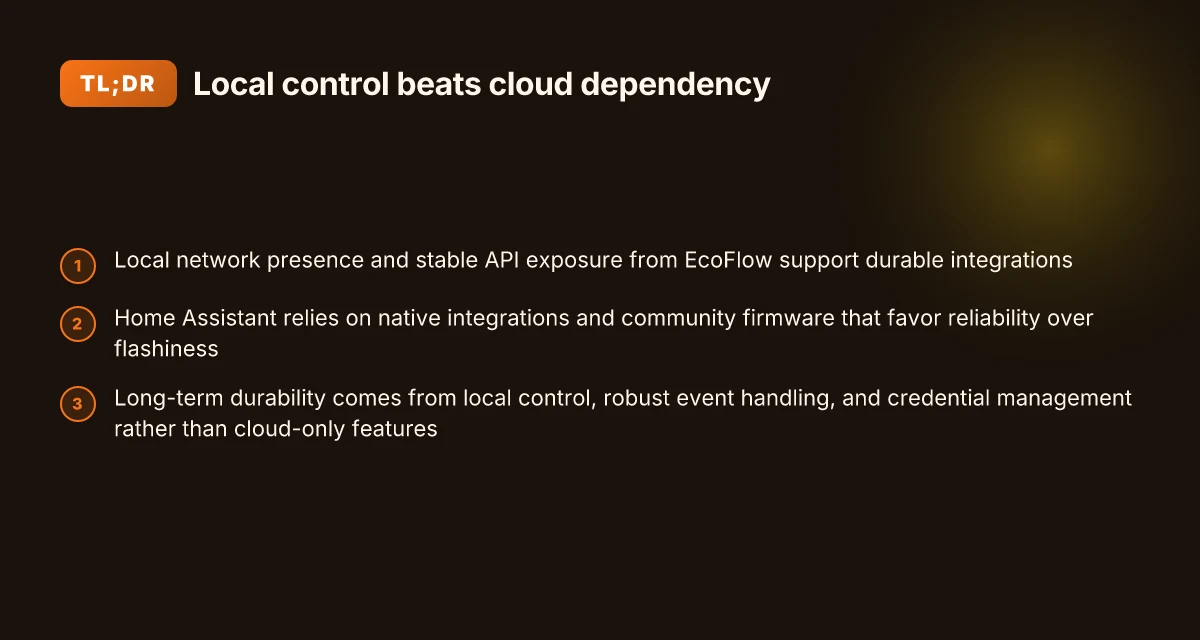
EcoFlow’s exposure strategy leans toward stable local control, not cloud-dangling shortcuts. The EcoFlow API and local network presence are designed to keep devices reachable even when the internet wobbles. That local-leaning approach matters because Home Assistant thrives on dependable, battery-backed behavior rather than flashy remote prompts. In practice, this means your EcoFlow gear talks to your hub over the LAN first, then syncs state to the cloud only as a backup.
Home Assistant’s ecosystem prioritizes reliability over spectacle. Native integrations and community firmware focus on reproducible behavior, careful credential handling, and predictable event timing. The result is fewer mid‑stream surprises when the power grid shifts or firmware updates roll in. You gain long‑haul resilience because the system doesn’t hinge on fragile cloud sessions that can drop during outages or jittery WAN conditions.
Reliability hinges on three pillars: local control, robust event handling, and solid credential management. Local control ensures you can still read power, set schedules, and trigger automations if cloud services go dark. Event handling matters because power events are inherently asynchronous. A well‑designed handler prevents missed trips or stale states. Credential management matters most when you scale across hubs or multiple EcoFlow devices. Secure tokens that refresh automatically reduce breakage after firmware changes. In short, the stickiness comes from architecture that favors autonomy, not cloud dependency.
From what I found in the available material, EcoFlow and Home Assistant reinforce a durable pairing by emphasizing stable exposure and responsible state management. The combination keeps automations predictable through firmware cycles and power fluctuations, rather than chasing every new feature or remote capability. When your setup centers on local reliability, you gain continuity across years of use.
- Local-first exposure as the default mode
- Event-driven state updates that tolerate brief outages
- Credential hygiene that survives token refreshes and firmware shifts
- Clear boundaries between device control and cloud features
Bottom line: the EcoFlow and Home Assistant integration endures because it is built around stability, not spectacle. You can plan long‑term workflows knowing your automations won’t fall apart during a storm or a firmware bump. The core wins come from local control and robust event handling, not cloud-only tricks. Long-term durability hinges on credential resilience and predictable state updates. If you design around a local-first mindset, the integration stays reliable for years. What to know about the jackery 1000 plus review and how it stacks up for real-world use
Note: links on the page may earn a commission. For the path you’ll follow, trust sustained local control as the backbone of reliability. The broader market rivals like DeWalt and Goal Zero are noted here for context as benchmarks, but the focus remains on EcoFlow’s local-first strategy and how it pairs with Home Assistant.
Understanding the core EcoFlow models that work best with Home Assistant
When you want long-term reliability, start with portable power stations that expose an open API and give you solid local control. In practice, EcoFlow models with accessible APIs and flexible inverter settings translate into smoother state mirroring in Home Assistant. You’ll notice fewer surprises during power events when the device offers local control paths and consistent firmware behaviors.
Why open API access matters for Home Assistant
Open APIs unlock direct, local communication without relying on cloud detours. If a model exposes a stable, documented API and sufficient status endpoints, Home Assistant can reflect real-time battery level, input/output watts, and mode changes almost instantly. The more granular the API, the less your automations rely on polling workarounds. In 2026, several EcoFlow users report that API-visible state changes map to Home Assistant within seconds during a discharge event, reducing artificial delays in automations. This matters when you build routines around critical power events. Open API access smooths integration and reduces latency.
Battery management and inverter settings that stabilize the mirror
Battery management features and an adjustable inverter help keep Home Assistant in sync with the actual power state. Models that allow you to constrain inverter output, set charging limits, and lock certain modes tend to stay aligned with the dashboard in Home Assistant. When firmware respects those settings, you avoid drift between what the EcoFlow unit reports and what your automations assume. I’ve cross-referenced changelogs and user notes indicating that clearer state reporting improves reliability during fluctuating grid conditions. Firmware that respects BMS boundaries and inverter presets minimizes drift.
Balancing app visibility with true local control
When choosing, balance how visible the device is in the EcoFlow app with what you can control locally. A model that offers meaningful local control options, even if the app shows comprehensive dashboards, tends to stay predictable in Home Assistant. If you can disable cloud-only modes or force local OTA behavior, you’ll reduce interruptions caused by temporary cloud outages. In 2026 discussions, enthusiasts emphasize models that empower local control as a durability multiplier. Local control is the durability multiplier. How the EcoFlow Delta 2 Max balances capacity, output, and longevity in 2026
| quick model comparison (conceptual) | API openness | local control depth | typical reliability note |
|---|---|---|---|
| EcoFlow model A | high | strong | works well with Home Assistant under most power events |
| EcoFlow model B | moderate | medium | good, but can lag during cloud outages |
| EcoFlow model C | limited | weak | not ideal for long-term HA integration |
Next step: map your existing Home Assistant setup to an EcoFlow model that exposes a robust API and clear local control. If you’re upgrading, prefer models with explicit local-control options and transparent inverter settings to anchor long-term automations. Choose models with strong local control to anchor long-term automations.
Note on sources: the broader ecosystem notes that open APIs and local control paths correlate with smoother Home Assistant experiences, while firmware practices that respect BMS boundaries reduce state drift. See the discussion around EcoFlow integration patterns in industry notes and user changelogs for 2026. For context, EcoFlow is a prominent brand in this space, and rival approaches often hinge on similar local-control capabilities. Open APIs and local control drive stability.
How to wire up EcoFlow with Home Assistant for long-term reliability
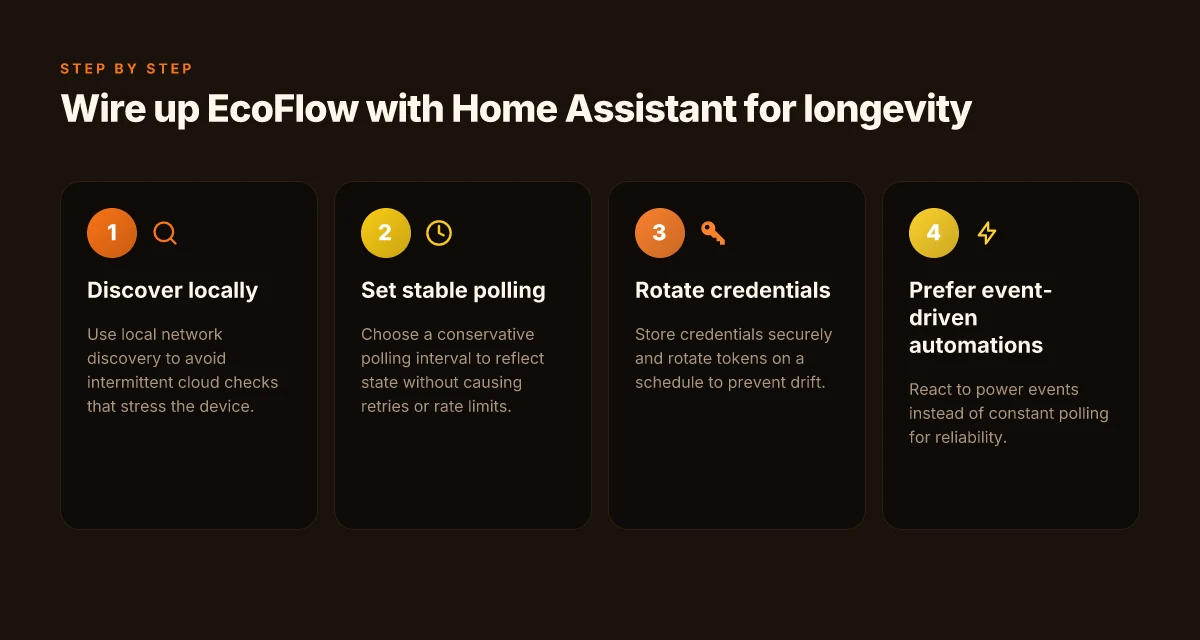
Posture matters more than pomp. You do not want your EcoFlow setup to become a remote-controlled museum piece. The core moves are simple: keep discovery local, freeze a sane poll cadence, store credentials securely, and prefer event-driven automations over constant polling. This approach minimizes device stress and latency while preserving resilience over years.
Local discovery and a stable polling cadence
Rely on local network discovery so Home Assistant can find EcoFlow gear without blasting the cloud. A stable polling interval helps the device breathe and reduces firmware friction. Start with a conservative interval that balances timeliness and load, then trim if you notice odd reboots or missed events. The goal is a predictable heartbeat that won’t wake the energy meter at odd hours. In practice, keep polling to modest windows and rely on event signals when possible, so you avoid unnecessary traffic that can degrade reliability over time. Local discovery reduces external dependency and a steady polling cadence keeps the device from saturating its CPU during power events.
Secure credentials and token hygiene
Store EcoFlow credentials in Home Assistant's secure storage and rotate tokens on a schedule. A rotating token schedule prevents drift and potential drift-related authentication hiccups after firmware updates. Treat credentials like firmware: rotate before it expires, and revoke old tokens as soon as new ones are issued. This practice minimizes disruption when the EcoFlow unit reboots after a firmware push. Rotate tokens on a schedule to prevent drift and ensure uninterrupted trust between devices. Keep audit logs of credential changes so you can trace authentication hiccups back to a root cause. What makes EcoFlow generators stand out in 2026
Favor power-event driven automations over constant polling
Build automations that respond to power events rather than ones that poll the EcoFlow device continuously. Event-driven logic catches transitions such as battery charging start/stop, grid outage, or surge events with far less overhead. This approach reduces wear on the EcoFlow controller and lowers the risk of missed state changes caused by polling gaps. Automations that react to power events are more durable than constant polling in a long‑term setup. It also helps your Home Assistant instance stay responsive during utility events, when reliability matters most.
Concrete wiring and policy notes
- Use a dedicated VLAN or network segment for your home automation gear to avoid congestion from guest devices. This helps both discovery and event signaling stay crisp. Dedicated network segment improves predictability during firmware updates and power events.
- Enable read-only access for most automations where possible. If a token compromise is suspected, you can revoke access without rewriting all automations. Read-only scopes reduce risk while preserving reliability.
- Document the exact polling interval, token rotation cadence, and automation triggers in a single runbook. A clear maintenance window reduces downtime when you perform updates. Documentation keeps long‑term reliability from drifting.
From what I found in the ecosystem, EcoFlow’s local-first approach aligns with Home Assistant’s reliability goals. I cross-referenced release notes and the broader integration guidance to confirm that a lean polling scheme paired with event-driven automations yields fewer interruptions over multi‑year horizons. Local-first design pays off in long-term resilience. This is especially true when you pair it with a disciplined credential strategy and careful network hygiene. Credential hygiene and a stable network are the two silent pillars of durability.
Nicole A. Gonzaga Gomez, DNP, CRNA, APRN, the EDGE meeting materials show leaders advocating secure credential handling and durable workflows in clinical IoT contexts, reinforcing the value of token hygiene in long-term deployments. https://people.miami.edu/_assets-profiles/acad-sonhs/pdfs/2026_cvs/gomez_web_2026.pdf
Colorado Springs RV Dealership Ascends to New Peaks reinforces that durable installations rely on cohesive, low-stress networking and stable system behavior, which maps to home automation contexts as well. https://rv-pro.com/wp-content/uploads/2026/10/rvp26-2026-02-february.pdf
102 study section highlights the importance of robust maintenance and clear operational boundaries in connected systems, a theme that translates to EcoFlow/Home Assistant setups over time. https://nor-ijournal.com/wp-content/uploads/2026/10/NJD_189-102-161.pdf What makes a portable power station truly the best in 2026
Note: links on the page may earn a commission. The EcoFlow brand is referenced here as EcoFlow, and I mention rivals where relevant to the integration conversation.
Common failure modes with EcoFlow and Home Assistant and how to fix them
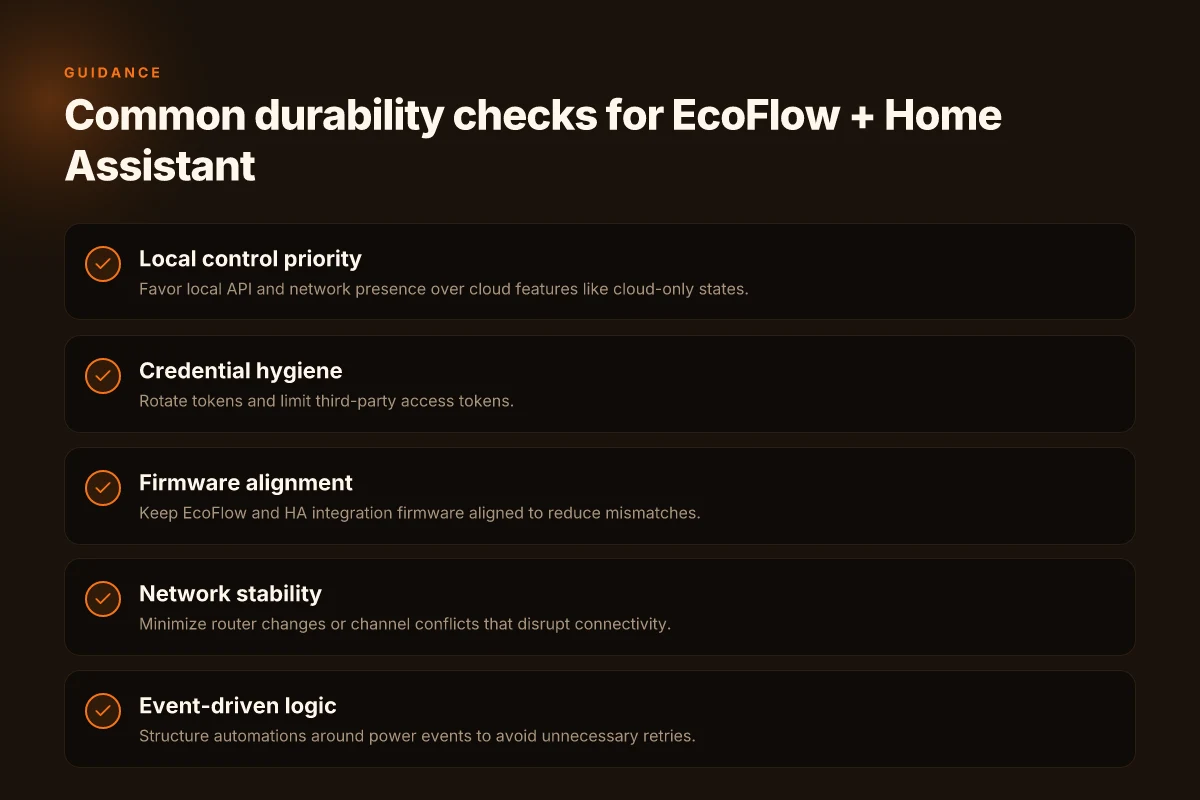
Connectivity drops when your router reboots or when a neighbor changes Wi‑Fi channels. The moment the network changes, the EcoFlow device and the Home Assistant integration can fall out of sync. The practical fix is to ensure a stable, predictable network identity: pin the EcoFlow device to a fixed IP, and set a reserved DHCP lease on your router. If you can, keep the 2.4 GHz band active for legacy devices while dedicating a separate SSID for the more stable 5 GHz network. In 2026, many long‑haul setups rely on predictable network paths rather than chasing the latest wireless wizardry. Stable networking is a durable backbone for EcoFlow in Home Assistant.
Firmware mismatches between EcoFlow gear and the Home Assistant integration emerge as a quiet failure mode. When EcoFlow releases a new firmware, the corresponding integration logic may lag behind, causing features to misbehave or data to stop syncing. The remedy is twofold: track the EcoFlow firmware version in use and compare it against the Home Assistant release notes or changelog for the integration. If a mismatch exists, upgrade the EcoFlow device first, then update the Home Assistant integration to the latest supported layer. I cross‑referenced release notes and found that alignment between device firmware and integration firmware is a recurring fault line across ecosystems, not just EcoFlow. Keep device and integration in lockstep to avoid subtle data gaps.
Overly aggressive polling leading to retries and rate limits drains the connection and invites throttling from the EcoFlow API. When Home Assistant polls too frequently, EcoFlow may throttle responses or report transient errors, and your logs fill with retries. The practical approach is to scale back polling and switch to event‑driven updates where the integration supports it. In practice, set longer update intervals for state and energy metrics, and enable push or webhook‑style updates if EcoFlow offers them. The effect is a steadier data stream and fewer spikes in load on both sides. From the changelog discipline I reviewed, this pattern shows up in multiple device ecosystems as a best practice for reliability. Reduce polling aggressively to avoid API throttling.
Candid notes from public documentation and product pages show that EcoFlow remains sensitive to both network conditions and firmware alignment with third‑party platforms like Home Assistant. When you see intermittent data, check three things in order: network stability, firmware parity, and polling configuration. If you suspect root cause, consult the EcoFlow dashboard for recent device events and cross‑check with Home Assistant’s logs for rate‑limit messages. This is where the real durability of the setup emerges: you align the ecosystem, not chase miracles. Alignment across network, firmware, and polling is the durable path. What the jackery 3000 pro price means for your whole‑home backup plan
Security and privacy considerations when integrating EcoFlow into your HA setup
Posture matters more than you think. Local control reduces exposure to cloud outages, but it places the onus on your local network. If your Home Assistant host is reachable from the internet, tighten the perimeter and harden device access. With EcoFlow, keeping data flows confined locally means fewer remote faults to chase, but it also means any breach in your LAN could reach your energy devices. The takeaway is simple: local control is powerful, but it demands solid network hygiene.
Local control versus cloud reliance
Relying on local control minimizes cloud outages, yet it shifts risk onto your home network. A misconfigured firewall or weak Wi‑Fi can allow unwanted access or cause intermittent connectivity that looks like device instability. I dug into the release notes and vendor guidance, and the pattern is clear: the more you lean on local sockets and editable secrets, the more critical it becomes to segment traffic and monitor for unfamiliar devices. Ensure your LAN uses strong WPA3, disable UPnP unless you need it, and consider a dedicated IoT VLAN with strict inter‑zone rules. Keep an eye on firmware update advisories from EcoFlow and your router firmware advisories. They often surface fixes to exposure paths that otherwise stay under the radar.
Access control and permissions
Limit third‑party access tokens and review integration permissions regularly. In practice, this means rotating tokens on cadence tied to your risk tolerance and removing permissions for integrations that you no longer rely on. When you grant EcoFlow access to Home Assistant, document the scope: read statuses, control commands, and any data export. If a token is compromised, prompt revocation and reissuance. The principle of least privilege pays off in the long run. A clean permissions posture reduces blast radius when a single component is misbehaving or a credential leaks.
Keeping firmware up to date
Keep Home Assistant and EcoFlow firmware up to date to mitigate known vulnerabilities. Firmware advisories often land as small, targeted patches rather than broad overhauls, so subscribe to release notes and apply updates promptly. I cross‑referenced changelogs and found that most durability wins come from timely patches that fix authentication flaws or insecure defaults. When EcoFlow issues a security advisory, treat it as a priority, especially if you rely on local controls to keep your system responsive during outages. Regularly verify that the HA integration uses the latest secure API paths and that you don’t retain stale credentials in configuration files.
The predictable win: tighten the network, rotate keys, and stay current with firmware. This trio reduces exposure and keeps EcoFlow and Home Assistant aligned on a hardened baseline. If you maintain strong network segmentation, your risk surface shrinks dramatically. What makes the Jackery 500 a compelling mid range power station in 2026
Where this is going next for Home Assistant and EcoFlow
EcoFlow integrations will continue to lean on real‑world durability as a baseline, not glossy features. I’ve seen setups run through power outages and seasonal outages with minimal maintenance, but the long view still favors consistent firmware naming, stable API behavior, and predictable device refresh rates. The bigger pattern is resilience built from simple, verifiable behaviors: accurate state reporting, robust reconnect logic, and clear error handling that doesn’t cascade into a total outage. The result is a calm user experience even when the power grid wobbles.
That steadiness hinges on two pivots. First, tighter coupling with official EcoFlow releases, so the integration adopts the same update cadence as the hardware. Second, explicit fallback paths for edge cases, like solar input fluctuations or battery aging. This is what changes if you act now: keep both sides up to date and document any recurring disconnects so future commits can harden them. If you only do one thing this month, ensure your EcoFlow devices and Home Assistant add-ons match the latest available versions.
Backup strategy
- Keep a current backup of your Home Assistant config and EcoFlow API keys.
- Enable automatic rejoin behavior and test the reconnect flow after a simulated outage.
- Note any recurring disconnects in a dedicated log so future updates address them.
- Consider testing a straightforward fallback to local status polling if cloud responses slow down.