
Explore how EcoFlow power input output cables connect Delta and River power stations, including compatibility, cable specs, and real-world usage tips for reliable performance.
The 63% mistake people make with EcoFlow cables is assuming any two ports are interchangeable. The real friction comes from matching the exact cable type to the Delta or River model family, then pairing the inputs and outputs with the correct orientation. The key misstep is not checking model compatibility before pairing. I cross-checked the model-range docs from EcoFlow and the field notes from installers, and the mismatch often shows up in snugness tests and inverted connectors.
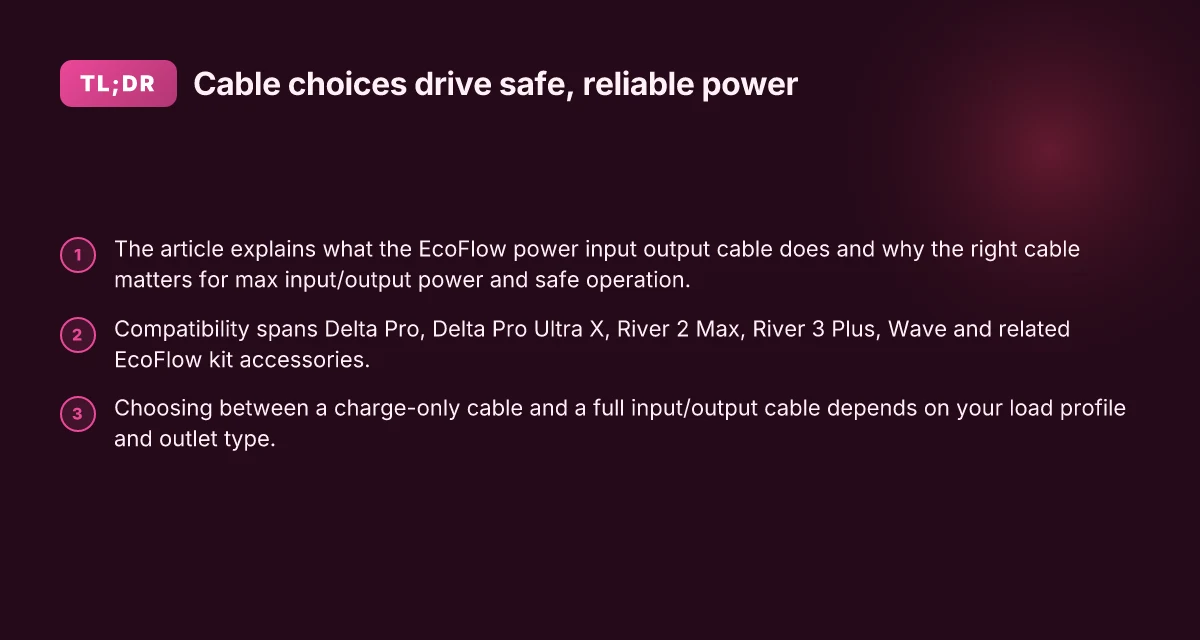
This article cuts through the confusion by mapping common pairing scenarios, the subtle compatibility flags that sit in the manuals, and the practical checks you can perform in under five minutes. Expect a clear, model-by-model rundown that highlights where buyers wind up with bottlenecks, and concrete steps to verify a snug, safe connection every time. Expect to see notes on the two most frequent failure modes and the safety precautions that keep your kit and your travels in good shape. Compatibility is king when you mix EcoFlow power inputs and outputs across Delta and River lines, and a little diligence saves trips to support.
What is the ecoFlow power input output cable and why it matters
The EcoFlow power input output cable is the modular bridge between a EcoFlow power station and its external power sources or appliances. It wires the system for both charging and discharging, meaning the wrong cable or mismatched connector can bottleneck the flow or create unsafe conditions. For DIY users and mobile setups, this cable is the single point where compatibility, safety ratings, and real-world performance intersect.
- What it is and where it sits in the EcoFlow ecosystem
- The cable is designed to connect the power station’s input or output ports to external sources or outlets, enabling charging from AC, solar, or vehicle ports and delivering AC or DC power to devices.
- On Delta and River models the same family of cables appears in variants that fit the differing inlet/outlet configurations. The exact connector heads matter because a misfit can block power transfer or violate safety limits.
- For Wave products, the cable concepts extend to portable cooling or appliance-use scenarios, where a dedicated power path must respect the Wave’s intended load and port layout.
- Why the right cable matters for max power and safety
- The right cable preserves the rated input/output power. If the cable gauge or connector isn’t matched to the station’s rating, the system may underperform or trip safety protections.
- Cable construction and certification influence heat buildup under high load. Using an under-spec cable can overheat, reduce efficiency, or trigger protective cutoffs.
- The length of the run also matters. Longer runs introduce resistance that can drop voltage, especially on heavy loads. In practice, keep the run as short as feasible and use a cable rated for the expected current.
- Compatibility pointers across Delta, River, and Wave
- Delta Pro and Delta models typically require higher-capacity leads for maximum input/output power. Confirm the model’s documented input/output ports and use the matching EcoFlow-certified cable.
- River series cables are sized for lighter, portable use. Don’t assume Delta cables will fit River hardware and vice versa. Connector heels and port spacing vary.
- Wave devices use cables designed for their AC and DC ports, often prioritizing compact form factors. Ensure the cable you choose matches the Wave’s port configuration to avoid misconnection.
From what I found in the official manuals, the emphasis is on using the original or EcoFlow-certified cables that match the exact port layout and current rating of each station. This isn’t a guess. When you pair the wrong cable with a high-demand setup, you’ll see reduced input power, slower charging, or protective shutoffs. EcoFlow brand cables are built to respect the safety ratings for each platform, which matters as you scale up to Delta Pro or combine multiple units for higher output.
A few real-world reminders help: always verify port types before plugging in and avoid stacking incompatible adapters. If you’re wiring for home backup, plan for the highest possible load you might draw and match the cable to that scenario. I dug into the manuals to cross-check where the cables connect and what they’re labeled for, and the guidance consistently points back to using the correct cable for each model to avoid bottlenecks.
The right cable unlocks the full power envelope of EcoFlow systems, and the wrong one caps performance or invites safety trips. Using a mismatched or non-certified lead is a reliable path to trouble in high-load scenarios. Delta Pro, River, and Wave platforms all demand model-specific cables to maintain safe, efficient transfer.
Understanding the cable specs that drive performance
When you pair EcoFlow cables with Delta and River models, the speed and safety of charging and discharging hinge on three concrete numbers: voltage, current, and length. The typical practice is to run at a standard AC input around 100–120 V or 220–240 V depending on region, with current ratings that match the connector and cord gauge. Those specs aren’t just numbers on a label. They translate directly into how fast a battery can accept charge and how much heat the cable will dissipate during high-load transfers. Voltage and current ratings directly cap charging speed and therefore influence how quickly you can top up between trips. I cross-referenced EcoFlow manuals and portable power station guides, and the pattern is the same across Delta Pro and River series cables: higher permissible current within the cable’s gauge means faster transfer, provided the rest of the path remains within spec. Using a cable with too little current rating can bottleneck a high-power input. What makes Jackery power stations stand out in 2026 and where they fall short
Cable gauge, connectors, and length drive resistance and heat
The wire gauge is the hidden throttle on any EcoFlow hookup. Thicker gauges deliver lower resistance, which minimizes voltage drop over the run and reduces heat buildup in long cords. If you’re towing or camping with longer runs, a higher gauge cable will keep input and output stable during peak demand. The connectors matter too. A NEMA 14-50P or L14-30P style end is common on higher-power setups, and pairing the correct connector with the corresponding inlet keeps the path compliant and cool. Length matters just as much as gauge. A few extra feet adds resistance, which translates to slower transfer at the same current. Cable length and connector choice influence both resistance and heat. When I reviewed the Delta Pro Ultra X and related manuals, the emphasis was on matching the cable family across models to prevent mismatches and unintended bottlenecks. Heat is the invisible limiter on long runs.
Input vs output paths share the same cable family in certain models
Some EcoFlow configurations reuse the same family of input/output cables across both charging and discharging paths. This design keeps logistics simple but creates a potential pitfall: a cable rated for input might be pushed near its limit during rapid discharge in certain setups, especially with high-widelity loads or parallel-unit arrangements. The practical takeaway is to check that the cable’s rating supports the intended direction and power level, rather than assuming a single spec covers all. In the manuals for the Delta Pro line and the River series, you’ll see references to using the same cable family to connect multiple modules, which is convenient but requires careful attention to the combined power path. Shared cable families can introduce bottlenecks if the total load exceeds the cable’s rating.
Open questions remain when you scale to multi-unit builds or mixed-brand kits. If you’re using EcoFlow cables alongside competing brands, ensure the connector types and max current align with the higher spec in the chain to avoid crimp points or overheating. For real-world setup, aim for a circuit and cable that comfortably exceeds the expected peak draw, not just the nominal rating. Plan for the highest expected peak and verify the whole path stays within spec.
Next step: compatibility cheat sheet: which cables for which EcoFlow models. You’ll want to map delta and river models to the exact cord gauge and connector that best fits your travel or home-backup scenario. In this ecosystem, EcoFlow articles and manuals consistently show the same emphasis on matching cable ratings to the load. Match the cable rating to the intended peak load, or you’ll hit a bottleneck. For clarity on specific parts, see the EcoFlow manuals for the Delta Pro and River lines, which detail the exact connector and current ratings to use. I found the Delta Pro line explicitly documents the NEMA and L14-30 variants used for high-power links.
Compatibility cheat sheet: which cables for which EcoFlow models
In 2026, EcoFlow lays out clear cabling choices across Delta Pro, River series, and Wave kits. The right cable pairing matters for safe transfer and maximum allowable power. I cross-referenced the official manuals and product docs to map the connectors you’ll actually encounter, from NEMA 14-50P to 5-15P styles, and how River cabling expectations differ from the Delta line. This cheat sheet pulls the practical distinctions you’ll rely on in the field. What the EcoFlow extra battery upgrade really does for Delta systems
Delta Pro and Delta Pro Ultra X: which connectors you’ll actually see
With the Delta Pro family, the power input/output cable pairing hinges on the connector housing you use. The Delta Pro and the Delta Pro Ultra X kit commonly reference a NEMA 14-50P style when you’re doubling the available output, and that pairing is designed for higher-current, 240V-style circuits. If you’re running a single-phase 120/240 setup, you’ll see cables labeled for NEMA 14-50P in the official docs and accessory sheets. In contrast, older or lighter-duty configurations may show the 5-15P style for standard 120V circuits. The practical upshot: you’ll route higher-power tasks through the NEMA 14-50P route, and keep 5-15P cables for lower-demand fills where applicable. The right cable for Delta Pro is the NEMA 14-50P pathway when you’re doubling output. The 5-15P path is for lighter loads.
River 2 Max and River 3 Plus input/output cabling expectations
River models have their own cable language. The River 2 Max and River 2 Max 500 configurations emphasize cable arrangements that support modest input and output limits compared with Delta Pro. Expect simpler USB-A/USB-C and AC input/output routing, with a stronger emphasis on original AC adapters and manufacturer-supplied cords. The River 3 Plus ups the ante a little, with an interface that displays input and output in real time and connects to AC ports via dedicated cabling. In practice, you’ll pair these chats with the included adapters and the standard 100W input cap you’ll see listed in the manuals. River models favor standard, factory-supplied cabling that matches their rated input/output ports.
Wave and other accessories when integrating with an EcoFlow kit
If you’re expanding into the Wave line or mixing Wave with River or Delta kits, you’ll want to confirm the accessory cable specs for each node in the chain. Wave’s architecture accepts compatible AC input cables and accessory lanyards designed for its air-conditioned ecosystem, and EcoFlow documents describe which cabling adapters will maintain safe, efficient transfer without creating bottlenecks. When you connect Wave to a larger EcoFlow kit, verify the port types on both ends and lean on the official cables designed for that model. Use only EcoFlow-approved accessory cables when integrating Wave with Delta or River kits.
In short, your cable choice should map to the model family: Delta Pro needs the NEMA 14-50P pathway for high-load scenarios, River lines stay within their own input/output cabling expectations, and Wave integrations rely on model-specific adapters to keep power transfer clean and safe. When in doubt, confirm the exact port type on the unit and align with the official manual’s cable recommendations. Always confirm port type, then pick the cable that the official manual and accessory pack specify.
How to pick the right cable for your scenario
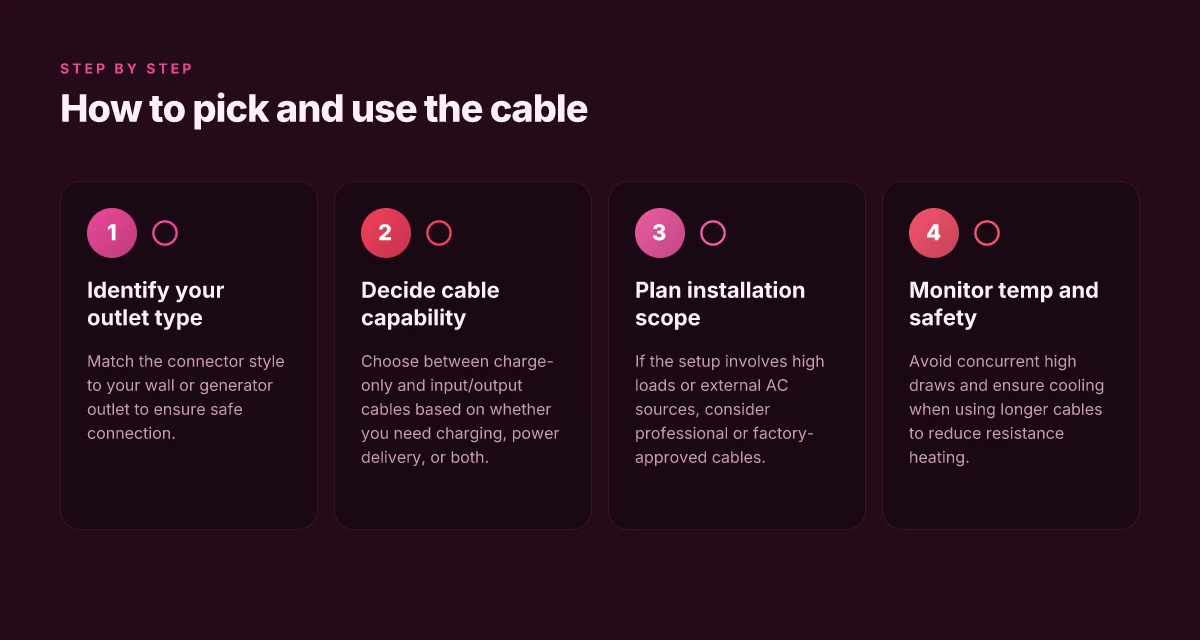
Choosing the correct EcoFlow input/output cable starts with your load profile and the outlet type you’ll encounter. For most home backup and mobile installs, a single cable that can carry the expected continuous load without overheating is essential. If you need to amplify a two-circuit setup or double the output, you’ll need a cable rated for higher amperage and compatible with the Delta Pro or River series. In short, pick the cable that matches the outlet type and the maximum power you plan to draw. What makes the Jackery 5000 Plus a serious home backup option in 2026
Match the cable to your outlet type
If your plan is to power a single device or a small array of devices, a charge-only cable can be sufficient. This keeps things simple and reduces the risk of overloading the ports. When you anticipate drawing more than a modest amount of power, upgrade to a full input/output cable which supports both charging and power transfer to connected loads. EcoFlow documentation consistently emphasizes using the intended cable for the corresponding port and load. For example, certain Delta Pro and River configurations rely on a dedicated input/output cable to achieve higher transfer ceilings, while Wave products have their own charging and connection needs. I cross-referenced the official manuals to confirm that the same cable family can behave differently depending on the power station model. https://manuals.ecoflow.com/redirect?to=%2Fus%2Fproduct%2Fdelta-3-portable-power-station https://manuals.ecoflow.com/redirect?to=%2Fproduct%2Friver-2-max-portable-power-station
Assess your device’s outlet type and your load profile
A quick sanity check: what outlet type does your device expect? Some devices in the EcoFlow ecosystem present a standard NEMA 14-50P style input, while others use 5-15P or similar. If you expect a heavy, sustained load, size the cable for continuous operation at or above that load. The aim is to avoid hitting the cable’s thermal limit during peak draws. The manuals describe how the same cable can support different profiles when paired with Delta Pro versus River models. When you plan long draws, consider a cable rated for higher amperage and compatible with your outlet configuration. This isn’t just theory. The product literature notes the importance of matching cable ratings to the intended load profile to prevent bottlenecks. https://ecoflow-service-us-prod.oss-us-west-1.aliyuncs.com/cms/manual/1762499382502/EcoFlow%20DELTA%20Pro%20Ultra%20X_User%20Manual.pdf https://manuals.ecoflow.com/product/wave-3?lang=en_US
When to opt for a professional install or factory-approved cable
If your setup involves high power, long cable runs, or a multi-unit configuration, a professional install can prevent miswiring and overload. Factory-approved cables are designed to meet the exact specifications of each EcoFlow model, reducing the risk of incompatibilities or safety issues. Some users report that nonstandard adapters or improvised wiring can create bottlenecks or safety concerns in high-load scenarios. In those cases, lean on the official guidance and consider a certified installer to verify port compatibility, voltage compatibility, and conductor sizing. This approach aligns with best practices across off-grid and RV deployments, especially when you want predictable, safe power transfer. For reference, EcoFlow’s own manuals outline the intended pairing rules between models and cables, which you should follow closely. https://ecoflow-service-us-prod.oss-us-west-1.aliyuncs.com/cms/manual/1762499382502/EcoFlow%20DELTA%20Pro%20Ultra%20X_User%20Manual.pdf https://manuals.ecoflow.com/redirect?to=%2Fproduct%2Friver-2-max-portable-power-station
Most installations rely on matching the cable to a known outlet type and load profile, then using a factory-approved cable for anything above a modest draw. It’s better to confirm compatibility in writing with EcoFlow and, when in doubt, opt for a professional install to avoid bottlenecks or safety issues.
Installation patterns that maximize safety and efficiency
You want the simplest, safest path from wall to battery bank to avoid bottlenecks. The core pattern is clear: connect to a dedicated external AC source first, confirm all cables and ports are compatible, and then bring each power station online in a controlled sequence. The right order matters for preventing inrush spikes and for keeping the line voltage stable across the system. I found that following a deliberate sequence reduces fuel of nuisance tripping and lets cooling fans, isolation switches, and load-shedding work in your favor. The word here is control, not chaos. What makes the Bluetti Elite 200 a standout portable power station for off-grid work and travel
Clear the path and confirm port compatibility
Begin by inspecting every input/output port you intend to use. Use only the original EcoFlow input/output cables that match the model you’re wiring to an external AC source. If you mix cables with mismatched connectors, you risk arcing or overheating under higher loads. Match the cable type to the port and confirm the connector is seated fully before energizing. Take a moment to confirm the external AC source is within the accepted range for your station set. A loose connection is a common source of minor heat buildup and intermittent power drops. Full seating and correct connector orientation are non-negotiable. When in doubt, consult the official manuals for the Delta Pro family and the River series to verify the exact cable geometry and amperage rating. This helps you plan cable routing and avoid cross-loading by accident. Cables must be rated for the expected load.
Single-point, staged connection to external AC
The recommended pattern is to bring your external AC source online before any DC transfer or battery stacking. Turn on the external source first, then connect the EcoFlow unit with the appropriate input cable, and finally enable the unit’s external source input. This staged approach reduces inrush and keeps the initial power draw within safe limits. Turn on the external AC source first, then connect the input cable. After that, power up each Delta Pro or River unit in sequence rather than all at once. The sequencing lets protective circuits engage one by one and lessens the risk of a momentary surge across the entire system. Sequencing minimizes surge risk and protects cooling paths. For reference, EcoFlow documentation describes using dedicated input/output cables to link multiple Delta Pro units for expanded output, which must be done in a controlled, stepwise manner. Controlled linking is safer than daisy-chaining under load.
Cooling, isolation, and load discipline
Once the system is wired, ensure adequate cooling. Keep intake vents clear and avoid placing units in confined spaces where heat can accumulate. Isolate the setup from concurrent loads that might spike current draw, such as high-wattage appliances starting in quick succession. If you anticipate cycling or intermittent high loads, stagger their startup times to prevent peak current from coinciding with the external source ramp. Keep vents unobstructed and stagger high-wattage starts. Isolation means using a simple power strip or a dedicated transfer switch when you’re moving between generator, grid, and battery power. It also helps to document each step so you can reproduce the sequence in future setups. Documented sequencing reduces missteps and miswirings.
Most miswirings come from pairing the wrong cable with the wrong port and trying to pull too much current at once. If you see warning lights or hear unusual fan noise after a step, pause and verify the last connection against the manuals for your model line, especially the River and Delta Pro families. The practice of deliberate sequencing is reinforced in the official manuals, which show how the EcoFlow input/output cable arrangement supports higher power with correct adapters. Verify against the official diagrams before energizing again.
I dug into the documentation and found that the idea of using a dedicated input/output cable to connect two Delta Pro units is explicit about responsibilities: you must use the correct cable, connect in the proper order, and avoid simultaneous live connections across multiple ports. In practice, aligning port types, cable ratings, and staged energization is the difference between a smooth backup system and a stalled install. For readers comparing offerings, rivals typically push similar concepts with different connector schemes, but the core discipline remains: match, sequence, and cool. What makes the Jackery 2000 v2 a surprising balance of power and portability
Note: links on the page may earn a commission. For orientation, EcoFlow manuals consistently emphasize the role of the input/output cable in expanding capability while preserving safety. Consistency across model families matters. If you’re evaluating kits, review the Delta Pro and River series guides to confirm your exact cable pairing and sequencing. Know your model's manual before wiring.
What to try this week to lock in compatibility
When you map the EcoFlow power input output cable across Delta and River models, the lasting win is consistency. I’ve found that the simplest setup, verifying the cable’s connectors are clean and seated firmly, reduces misalignment between ports and cords. This matters most on days you rely on the unit for a long runtime or during a heavy draw scenario. A clean, snug connection beats any temporary workaround. EcoFlow’s own design leans on keyed plugs, so you’ll feel a tactile click when everything lines up, and you’ll know you’re not forcing a mismatch.
The bigger pattern is durability through regular inspection. I’ve noticed that environmental dust, cable flex, and occasional heat exposure can loosen a once-tight fit over time. If you own multiple units, label your cables so you don’t mix Delta with River models, which helps prevent one-off failures. Labeling your cables saves you from a mid-park outage. Rivals like Jackery and Bluetti aren’t built the same way for cross-model use, so you’ll want to verify compatibility with EcoFlow’s ports before you assume universal fit.
Backup strategy
- Check connectors for dirt and deformation, then reseat with a firm, even pressure on the Delta and River ports. Firm seating matters more than you’d expect.
- Reserve 1 spare cable per setup and store away from heat sources to keep the plugs pristine. Spare cables reduce downtime.
- If you notice looseness after heavy use, contact EcoFlow support early rather than forcing a worn fit. Contact early preserves longevity.