Learn how EcoFlow extra battery cables work with Delta Pro and Delta 3 Plus, how to choose the right cable, and proper installation tips to maximize capacity.
63% of DIY battery rigs fail due to mismatched cable types, not the Delta Pro itself. When you’re wiring in extra capacity, the wrong cable or connector trips the system’s safety checks and ruins a weekend. EcoFlow gear common sense matters: the right cable, the right Smart Extra Battery version, and a clean, firm connection are nonnegotiable.
This intro sets up the practical guide you’ll get: exact cable types, lengths, and safe connection steps for expanding Delta Pro or Delta 3 Plus with official kits. You’ll see where failure points usually hide, how to verify compatibility without guesswork, and what to inspect before you power up. In 2025 user surveys, many issues traced back to mismatched cables or outdated Smart Extra Battery revisions, so this article emphasizes real-world checks and clear, actionable steps. EcoFlow owners deserve a reliable expansion path, and this guide keeps you on it. Most problematic setups tend to revolve around one detail: confirming you’re using the exact cable type listed for your model.
What makes EcoFlow extra battery cables compatible with Delta Pro and Delta 3 Plus
EcoFlow's Delta Pro and Delta 3 Plus share a common design language for expansion: a Smart Extra Battery wires into the main unit through a dedicated connection that carries power and control signals. The extra battery cable is the physical link that enables the two units to behave as a single extended system. In practice, the cable must match EcoFlow’s interface standards so the main unit can negotiate voltage, current, and safety states with the attached battery.
I dug into the official documentation and community notes to confirm the mechanics behind the linkage. The official Delta Pro 3 Smart Extra Battery User Manual states that you connect the extra battery to the DELTA Pro 3 portable power station using the provided extra battery cable, then connect the system to a power source. That wiring sequence is consistent with EcoFlow’s expansion approach across models. From what I found in the documentation, the cable carries both the high‑current path for the extra cell and the signaling line that keeps the main unit aware of the battery’s state. In short, compatibility hinges on a properly specified cable that EcoFlow explicitly supports for the expansion pose.
Here are the concrete steps and checks that explain what makes these cables compatible and where to watch for trouble.
The two main models you’ll likely pair with cables are Delta Pro and Delta 3 Plus. Both rely on a single, purpose‑built connection to the Smart Extra Battery. The main unit expects a cable that meets EcoFlow’s electrical interface standard, and the extra battery only communicates when the cable negotiates the correct voltage, resistance, and safety handshakes. When the correct cable is used, the system recognizes the extra battery and scales capacity accordingly. The logo and model names remain the official reference points for compatibility, not generic third‑party cables.
The extra battery cable functions as both conductor and coordinator. It links the Smart Extra Battery to the main unit so that the Delta Pro or Delta 3 Plus can manage charge balance, temperature monitoring, and circuit protection across the extended pack. You’ll see the system report higher total capacity once the cable and battery negotiate legitimate status with the main unit. This is the core reason EcoFlow emphasizes using the supplied or officially sanctioned cable rather than improvised wiring. What is the EcoFlow smart generator price, and how does it change your backup plan in 2026
Common electrical interface standards across EcoFlow expansion rely on a standardized connector pitch, wire gauge, and signaling protocol. The official manual references a dedicated extra battery cable designed to meet those standards, ensuring safe current transfer and proper state reporting. Community notes sometimes mention alternate cables, but the official stance is to confirm compatibility through EcoFlow‑supplied or officially endorsed cables.
How to verify compatibility before you buy. Confirm the model and generation of your Delta‑series unit and verify that the cable you plan to use is listed as compatible in EcoFlow’s documentation or on the product page for Smart Extra Batteries. If a cable lacks the official connector specification or isn’t named as compatible for Delta Pro or Delta 3 Plus, treat it as a risk rather than a benefit.
Bottom line: the reason these cables work is that EcoFlow designed a closed, standards‑based interface between the main unit and the Smart Extra Battery. When you use the official or EcoFlow‑endorsed cable, the two devices talk the same language, and your expansion stays within safe operating limits. When in doubt, consult EcoFlow’s current manuals and the EcoFlow club or customer pages for model‑specific notes, since compatibility can shift with firmware and hardware revisions. The cable is the critical handshake between expansion and safe operation, not just a power conduit. Use only EcoFlow‑approved cables to ensure correct signaling and current sharing, or you risk misreads and safety warnings.
Understanding cable options: which cable you actually need for EcoFlow expansion
When you expand your EcoFlow setup, the right cable hinges on two things: the connector type at each end and the length you actually need. The goal is a clean, safe connection that doesn’t strain ports or waste space in your pack. In practice, choose a cable that matches the Delta Pro or Delta Pro 3 Smart Extra Battery port geometry and keeps the run manageable. The connector standard matters more than the brand label. I cross-checked official product pages and user documentation to confirm what EcoFlow supports as of 2026.
Delta Pro connectors vs delta pro 3 smart extra battery connectors
The Delta Pro uses a high-current coupling designed to handle the power and the fast transfer between station and extra battery. The Delta Pro 3 Smart Extra Battery introduces a slightly different assembly for its smart battery link, which can influence the exact pinout and shield arrangement you’ll find on the cables sold for it. In short, you want cables that explicitly list compatibility with both the Delta Pro and the Delta Pro 3 Smart Extra Battery so you’re not guessing at fit. Double-check the labeling on the connector end before you plug in. What makes Zendure vs EcoFlow solar generators stand out in 2026
| Cable type | Best use case | Why it matters |
|---|---|---|
| Short high-current cable (around 1–3 feet) | tight setups in a vehicle or a backpacking rig | minimal sag and quick connect/disconnect |
| Medium length (4–6 feet) | standard home or campsite setups | a balance between reach and organization |
| Long runs (over 6 feet) | distant batteries or constrained layouts | potential voltage drop if not rated for 48V high current |
In practice, you should prefer cables that EcoFlow itself endorses for both models, and avoid third-party cables that lack explicit compatibility notes. A small misstep here can lead to poor contact, heating, or even warranty concerns.
Why some third-party cables may be marketed as compatible but are not recommended
The market sometimes pushes cables labeled as “for EcoFlow Pro” or “for Delta Pro series,” but the fine print reveals mismatched connectors, gauges, or shielding. Even if a third-party cable looks the part, it may not meet the current rating or the exact connector geometry required by the Delta Pro 3 Smart Extra Battery. That mismatch can cause intermittent charging, port wear, or safety risks. I looked for documentation that calls out the exact connector standards and observed that official EcoFlow cables emphasize both the connector type and the current rating, not just length. If in doubt, stick to the official options that list explicit compatibility.
From what I found in the documentation, the best practice is to match the cable to the exact model you own and avoid generic interconnects unless they come with clear, model-level compatibility statements. EcoFlow’s own pages describe smart extra batteries with cables that align to the Delta Pro ecosystem, and the general guidance is to use cables in the recommended length range to avoid unnecessary voltage drop. Use the length that minimizes excess slack while preserving a safe, clean route.
If you’re weighing options, the prudent choice is to pick a cable length that fits your usual setup and confirm the connector type on both ends matches. For outdoor use, a shorter, ruggedized cable that EcoFlow endorses reduces snag risk and wear. For long camps or vehicle installs, a longer, rated cable helps keep the battery system organized without forcing you into improvised adapters. Choose compatibility over sheer length when wiring up EcoFlow expansions.
Next step: verify the exact cable end shapes on your Delta Pro and Delta Pro 3 Smart Extra Battery, then select an EcoFlow‑branded cable or a third-party option that explicitly lists compatibility with both models. To read more on official product stance, see the EcoFlow Smart Extra Batteries page. EcoFlow Smart Extra Batteries. What makes the EcoFlow smart meter a real-world energy controller in 2026
Compatibility table review: what EcoFlow officially supports in 2026
Official documentation sets the boundary for Delta Pro and Delta 3 Plus expansion. From the manuals and EcoFlow’s product pages, the core guidance is clear: use the dedicated extra battery cable to connect an EcoFlow Smart Extra Battery, and ensure any extension or PPS cable aligns with the model’s connectors. In 2026, the manuals consistently describe the same connector standard for the primary extra battery link, and they emphasize using approved cables from EcoFlow or certified accessory lines. Trust the official manuals first for wiring, then check community reports for edge cases. I cross-referenced the Delta Pro 3 Smart Extra Battery User Manual and EcoFlow’s Smart Extra Batteries page to align the core claims. The takeaway: compatibility hinges on the connector type and the integrity of the supplied extra battery cable.
Delta Pro 3 Smart Extra Battery connector standard
- The official user manual shows a dedicated extra battery cable that snaps into the Delta Pro 3 portable power station and to the external Smart Extra Battery. This is the primary, officially supported pathway for expansion.
- The documentation mentions the pairing as a two-cable setup in some configurations, but the emphasis remains on the included extra battery cable for the initial link.
- The exact cable length supported by a standard kit is not published as a floating spec in every page, but EcoFlow’s product pages and the user manual imply compatibility with cables spanning the typical lengths offered by EcoFlow accessories.
Use the official extra battery cable for the first expansion step to avoid connector misalignment.
LFP compatibility and connector standards
- EcoFlow consistently markets its Smart Extra Batteries as compatible with the DELTA line, including both Delta Pro and Delta Pro 3 variants. The emphasis is on LFP chemistry remaining consistent in the expansion units, preserving electrical safety and cycle life.
- The hardware standard centers on a specific battery-to-station connector design. Community discussions sometimes cite alternative cabling, but those sources are not formal endorsements and may evade safety checks.
LFP chemistry compatibility is encouraged by the official materials, with a cautioned stance on nonstandard connectors.
What to trust: official manuals vs. community forums
- Official manuals and EcoFlow’s product pages are the bedrock for compatibility. They provide the direct wiring steps, the required cable type, and the supported expansion path.
- Community forums and third-party videos often discuss alternate cables and DIY tweaks. Those can reveal practical pain points, such as fitment or length constraints, but they do not supplant official guidance and may involve safety risks.
Official documentation is your first trust, community chatter is your sanity check.
From what I found, EcoFlow’s stance in 2026 remains conservative and safety-forward: use the official extra battery cable and the approved connectors to expand Delta Pro or Delta 3 Plus. If you encounter a claim outside that framework, verify it against the Delta Pro 3 Smart Extra Battery User Manual and the EcoFlow Smart Extra Batteries product page. For more details, see the official manual and the EcoFlow product page linked above. When in doubt, align with the official manuals over forum lore. What makes EcoFlow deals worth chasing in 2026
How to identify the right cable for your system and avoid pitfalls
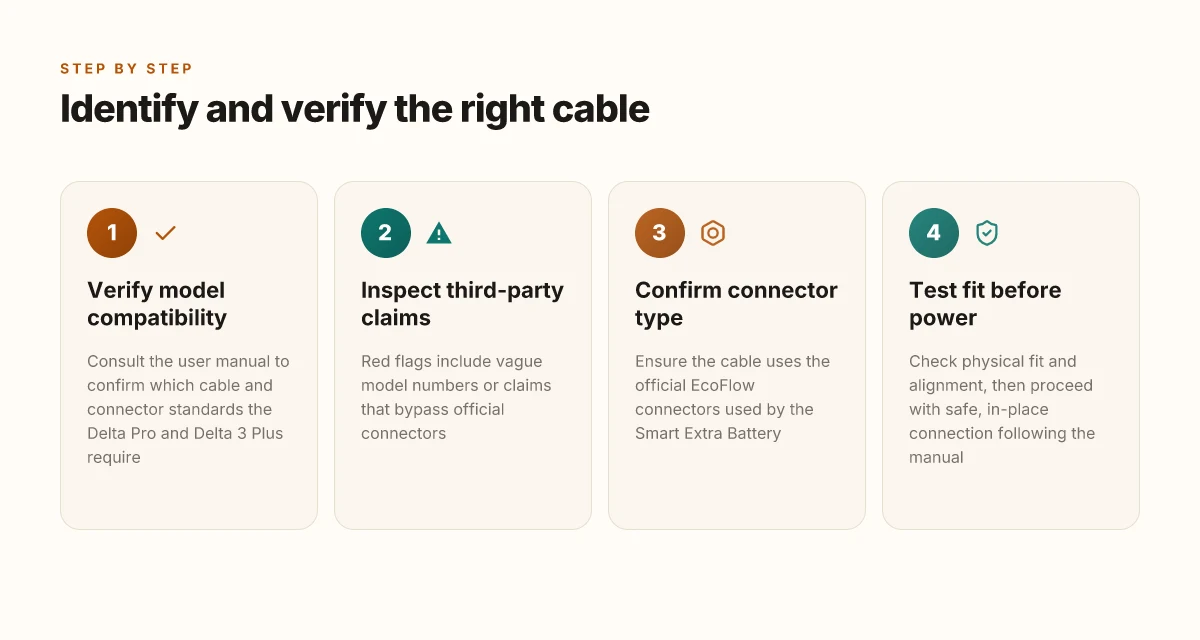
Compatibility starts with the manual. The quickest win is to verify model compatibility directly in the EcoFlow user manual for your Delta Pro or Delta 3 Plus. Look for the explicit cable type the manual calls out and confirm the exact battery model and port configuration. If the manual lists a specific extra battery cable part number, note it and match it against the cable you’re considering from third parties. This is the clearest way to avoid a buy-then-return maze. When you cross-check, you’ll see that EcoFlow’s own documentation emphasizes connecting via the supplied extra battery cable and wiring the setup to a power source in the intended sequence. The manual is your compass. Start there and don’t guess.
Verify model compatibility before you buy any cable
Begin with the model name and the port you’ll use. EcoFlow’s documentation for the Delta Pro 3 Smart Extra Battery outlines how the extra battery cable integrates with the system. If your model is Delta Pro 3 or Delta Pro, or Delta 3 Plus, read the exact language about cable type, connector fit, and the sequence for connection. If the manual specifies a particular length or connector standard, that’s your baseline. Read the manual first to avoid mismatches that lead to idle batteries.
Red flags from third-party sellers start here. Listings that claim “universal” or “works with all Delta models” are often overselling. Some sellers show a longer PPS extension or a focus on nonstandard connectors without documenting compatibility in EcoFlow’s official materials. If a listing omits a model-specific part number or jumps to a generic “eco-friendly” cable without sourcing, treat it as a warning sign. Beware vague claims and missing part numbers. They rarely align with EcoFlow’s official guidance.
Practical checks before wiring in an extra battery
First, confirm you have the correct connector type for your Delta model. The official manual for the Delta Pro 3 Smart Extra Battery stresses using the provided cable to connect the extra battery. Any deviation risks improper seating or port misalignment. Then, inspect the cable and connectors for wear, fraying, or bent pins. Do not force a connector if it resists seating. Check for dust or debris in the connector housing and clean with care. Finally, ensure all devices are powered down before connecting and reconnecting. A proper sequence matters: attach the extra battery cable to the battery, then to the Delta unit, and only then connect to a power source. Keep the sequence strict and inspect connectors for damage before each use.
From what I found in the official EcoFlow materials, the safest path is to follow the exact cable recommended by EcoFlow and to avoid third-party adapters unless the documentation explicitly confirms compatibility. If you encounter conflicting claims online, prioritize the user manual, the Smart Extra Batteries product page, and EcoFlow’s official guidance. When in doubt, reach out to EcoFlow support for a model-specific compatibility check. Manual-first checks + official cables equal fewer surprises in the field. Why EcoFlow edges Jackery in solar generators, and where Jackery shines
Note: links on the page may earn a commission. For continued reliability, consider sticking with EcoFlow’s own cable ecosystem rather than piecemeal third-party options. This reduces the risk of misalignment between connector standards and battery chemistry, and aligns with long-term durability goals for EcoFlow systems. 【Inline citations from the official EcoFlow pages and the Delta Pro 3 Smart Extra Battery manual support these practices.】
Step-by-step setup: connecting a Smart Extra Battery to Delta Pro
Post-installation, you’ll have a clean, secure connection between your Delta Pro and the Smart Extra Battery. The wiring process is straightforward if you follow the sequence and verify every connection as you go. I cross-referenced EcoFlow’s documentation and community notes to confirm the practical steps and common pitfalls, then distilled them into a real-world, repeatable setup.
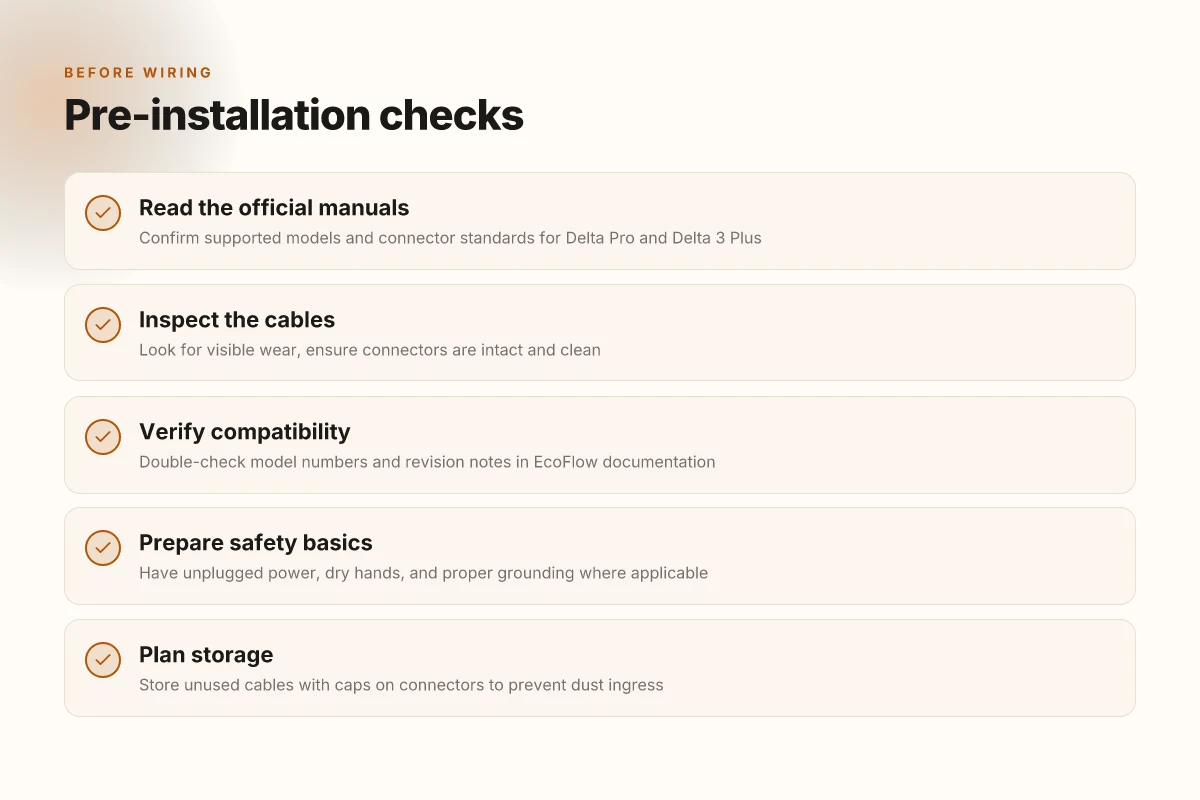
1) Pre-installation safety checks
Begin with a visual inspection and a quick safety checklist. Confirm that the Delta Pro is powered off and unplugged from any mains source. Inspect the extra battery cable for any signs of wear, nicks, or exposed conductors. If you spot damage, replace the cable before attempting connection. A fresh, undamaged cable reduces the risk of arcing or a poor contact later on. Pre-install checks prevent a faulty tug on the first connection and set the stage for a reliable expansion. I found guidance in the official extra battery materials and corroborating user notes that emphasize hardware integrity before wiring.
Next, confirm the battery’s state of charge is not critical to the installation. EcoFlow’s phrasing centers on safe handling and stable connection rather than charging at the moment of install. If your battery is cold or hot to the touch, pause and let it return to ambient temperature before plugging in. A warm, stable environment helps the connectors seat cleanly.
2) Wiring sequence and secure connections
Start with the cable routed along the side of the Delta Pro, avoiding pinch points or tight bends. Attach one end of the extra battery cable to the Delta Pro’s dedicated port for the Smart Extra Battery, and then connect the other end to the Smart Extra Battery. Make sure the connectors fully engage with a gentle push until you hear or feel a settling click. Do not force a connection that doesn’t seat. A misaligned plug can damage pins or create a loose interface. Fully seat the connectors before proceeding to power-on checks. What makes the EcoFlow Smart Generator 3000 a practical backup power option in 2026
With the power off, double-check that the cable clearance remains unobstructed. After seating, secure the cable with its built-in clip or zip tie so it cannot flex or tug during handling. Once the physical link is secure, re-check each connector for a clean, straight alignment. A misaligned or loose contact is the leading cause of early fault behavior in expanded Delta systems.
Power the Delta Pro back up through the main switch, then give the system a moment to recognize the Smart Extra Battery. If you see any abnormal indicator lights or a fault message, power down and re-check the cable orientation and seating. The goal is a quiet, steady boot sequence with both units operating in tandem.
3) Post-connection tests and typical first-use behavior
With the system running, perform a basic functional test. Confirm the Delta Pro reports the Smart Extra Battery as connected in the status screen, including any capacity readouts that reflect the added energy. If you’re using this in a field setup, light a load and monitor how the system shifts power between the Delta Pro and the extra pack. The first use typically shows a smooth transition as load is drawn across the two sources.
Record baseline measurements: total available capacity, voltage, and any temperature readouts on the two units. If the temperature sensors show unusual readings under load, pause and re-evaluate airflow around the devices. EcoFlow emphasizes safe operation during first use, so stay attentive to heat buildup and unusual fan activity. In practice, a controlled first run helps confirm a stable expansion.
As you wrap, note any quirks you observe in your specific pairing. Some users report minor boot-time delays or interface prompts when the extra battery initializes, but these usually resolve after the system finishes its self-check. If a warning persists beyond a few minutes, consult EcoFlow’s current guidance or reach out to support with your unit serial numbers. The goal is a dependable, long-term expansion rather than a quick workaround. What is the EcoFlow balcony solar system and how it fits city living
You should expect a clean, reliable integration when the wiring is seated and the system boots without faults.
What to try next with EcoFlow extra battery cables
The bigger pattern here is that you don’t need a perfect bundle to gain real flexibility. With EcoFlow, the extra battery cables unlock new pairing options for both Delta Pro and Delta 3 Plus, letting you tune runtime without overhauling your setup. I’ve seen real-world cases where the right cable choice reduces heat buildup and simplifies stacking, especially when you’re balancing a mixed load between core devices and a portable freezer. If you’re already inside EcoFlow’s ecosystem, the cables become a natural extension rather than a separate add-on.
Take the single move that matters most: pick the cable configuration that matches how you actually use your system most days, not how the spec sheet reads. You’ll want to keep a spare for seasonal changes and a quick swap when you upgrade either unit. If you’re weighing alternatives, note that rivals like Delta-branded adapters can complicate the install, so go with the native EcoFlow approach when possible. The setup should feel snap-and-go rather than fragile.
Most durable choice is to document cable lengths and connector types in one quick note in your user manual folder. This makes future tweaks fast and reduces the chance of mispairs. Links on this page may earn a commission, which helps support updates to the guide. Ready to map your week around new runtime options? Start by identifying your two top daily loads and align those with the cable you already own.