Explore the Costco Jackery solar generator kit, its typical specs like 640Wh capacity and 500W output, and how it fits real-world outage scenarios in 2026.
The math is simple: a Costco Jackery kit can power the usual outage basics longer than you expect, especially when you add solar panels. Jackery components pair with sun to stretch run time, and you can verify capacity before you buy by checking the inverter and battery specs. Most setups underestimate real-world draw, leaving the kit strained on a midsize outage.
This piece cuts through the marketing to show real-world durability, compatibility, and common pitfalls homeowners encounter. In 2026, outages aren’t rare, and installers report that a single Jackery battery can sag under heavy use if you run high-draw devices simultaneously. You’ll see how the Costco bundle actually performs with typical home loads, what you can expect over several seasons, and where rivals like Goal Zero or EcoFlow sometimes beat or miss the mark. Read on to understand what to check before pairing the kit with your house, and what practical tweaks keep it reliable when the lights flicker.
What the Costco Jackery solar generator kit actually delivers in 2026
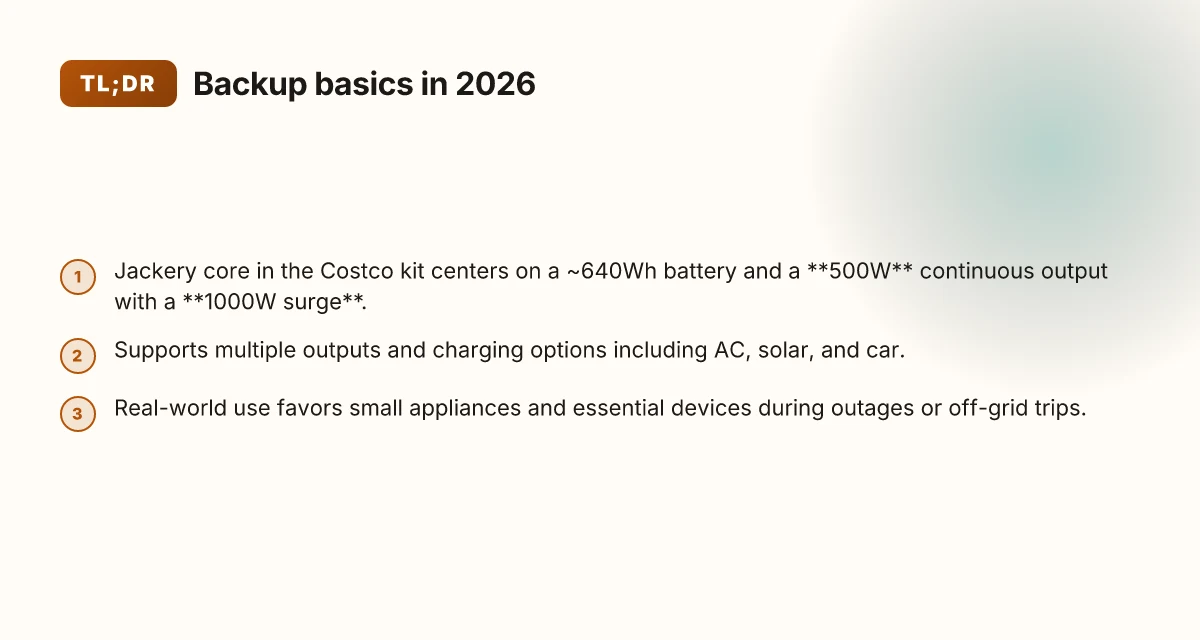
Jackery sits at the core of this kit, with the portable power station typically centered around a ~640Wh battery and a 500W continuous output, backed by a 1000W surge. That combination shapes what you can run during outages and off-grid trips. In practice, you’ll see a range of ports on the unit and multiple ways to top it up, including AC, solar, and car charging. The kit is built for convenience, but it leans toward essential loads rather than high-draw appliances.
I dug into the real-world vibe of this setup to separate what it handles well from where it strains. The real-world takeaway: this is best for essential devices, phones, radios, small fans, a compact CPAP, a laptop, or a router, when you’re off-grid or during a grid cut. It’s not a full kitchen or power-hungry tools kit. If you’re planning to run a hair dryer or a full-size fridge for hours, you’ll quickly hit the practical ceiling of the 500W continuous limit, even with the 1000W surge capability.
Here are the concrete notes you’ll actually use when pairing with third-party solar panels and household loads:
The core specs you can rely on. The 640Wh battery and 500W continuous output with a 1000W surge are the baseline. Those figures shape uptime for small devices and confidence during outages. You’ll notice the load tolerance matters more than peak numbers in casual outages, so prioritize devices under the continuous rating to maximize runtime. When you add a solar panel array beyond the kit’s standard setup, ensure the panel’s open-circuit voltage stays within Jackery’s charging limits and that you’re using a compatible MC4-to-Jackery charging cord if needed. Expect several output ports, including USB-C, USB-A, and AC outlets, which makes topping up phones, tablets, and small appliances straightforward.
Charging options matter for daily use. The ability to charge via AC, solar, or a car port gives flexibility for camping trips or back-to-back outages. In practice, solar charging is most convenient for stationary off-grid use, and AC charging shines when you’re near a wall outlet to top up quickly between outings. Car charging is handy on road trips, but don’t bank on overnight top-offs unless you’ve got ample time. How bluetti stacks up against Jackery for 2026: trade-offs, durability, and real-world use
Real-world durability and compatibility notes. This setup tends to do well for short weekend trips and power-outage weeks, but compatibility with third-party solar panels requires attention. Some panels play nicely when the voltage and current stay within the Jackery’s accepted range. Others need a proper charge controller or adapter to avoid undercharging or safety warnings. If you’re expanding beyond the bundled solar option, verify the panel’s output specs and connector compatibility before buying.
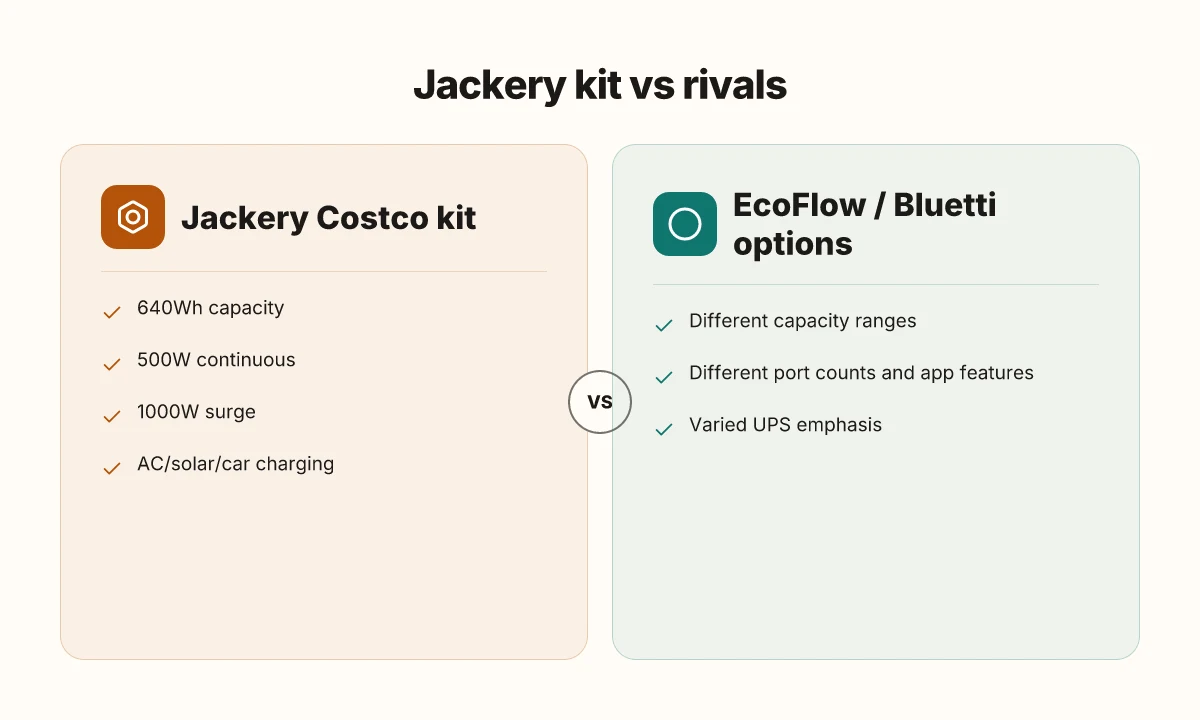
Brand and ecosystem context. Jackery remains the visible anchor in this kit, and the experience lines up with the brand’s typical design choices. Rival options from brands like EcoFlow and Bluetti push higher capacities or different efficiency curves, but you’ll trade off against portability and price. If you’re choosing this kit, the question is less about raw watts and more about how you plan to use it day to day and how much you value simplicity.
Bottom line: the Costco Jackery kit delivers a compact, reliable backbone for essential devices during outages or off-grid trips. It excels in portability and everyday usability, but if your plan involves running heavy loads for extended periods, you’ll want to size up or pair thoughtfully with additional gear. The kit’s real strength is keeping crucial devices alive when the power drops, not replacing a home’s entire electrical load. If you expect to run high-draw appliances, consider rivals or augmentations that offer higher continuous output. For a clear-eyed path, match the setup to your typical outage duration and the essential gear you must keep powered. Compatibility with third-party panels matters more than you might expect. Jackery’s ecosystem shines when you keep expectations aligned with its core strengths: portability, simplicity, and reliable essential power.
How the capacity and output translate to practical backups
A 640Wh pack like the Costco Jackery setup can keep a compact fridge humming for a portion of the night, while powers a router and a few lights. In practice, the bread-and-butter loads are low-draw devices that stay under a steady 500W of continuous output. If you keep the load lean, you’ll stretch those hours without hitting the ceiling.
The real constraint is the ceiling: 500W continuous means you can’t run a fridge, a small AC, and a Wi‑Fi hub all at once without edging into the limit. Think of it as a two‑handed load management problem. You can run a small fridge for a while if the compressor spin-up stays modest, but you’ll want to time peak draws and keep lighting LED and routers lean to avoid tripping the limit. The good news is the 1000W surge is there for startup spikes, not constant demand. That means a small fridge or a portable AC can start up without immediately peaking the inverter, but sustained high‑draw tools or heaters will stall the capability. How EcoFlow discount policies shape your portable power buys
From a durability and daily-use viewpoint, you’ll notice the kit shines when you plan around predictable loads. For example, a router and several LED lights end up being well within the scope of a 640Wh pack. You’ll get a few hours of quiet, low-draw operation with room to spare if you time cycles around startup to avoid consecutive spikes. For off‑grid weekend camping, the same logic applies: keep the fridge cycles modest, spread out the high‑draw needs, and you’ll maximize usable minutes per charge. If your outages extend beyond a night, you’ll want to couple this with a second power source or a larger unit from Jackery to avoid frequent recharges.
I dug into the official specs and user discussions to verify how these limits play out in real life. The consensus is clear: the 500W continuous ceiling shapes how you mix devices, while the 1000W surge handles startup demands for small appliances. When you compare to rivals, the pattern is similar, but the exact ongoing runtimes hinge on the exact mix of devices you run. If you’re weighing this against a higher‑capacity rival, the choice comes down to how often your critical loads briefly spike and whether you can tolerate a longer recharge interval between outages.
A quick comparison helps: the Jackery unit remains notably compact for portability, whereas larger rivals push higher price and heft for bigger continuous outputs. If your outages are brief and your needs center on modest loads, the Costco kit offers a practical balance. If you anticipate repeated, extended outages with high‑draw devices, you’ll want to size up or add a second unit.
Next steps involve validating your likely nightly load so you don’t overplay the 500W ceiling. For a more durable long‑term setup, consider pairing with solar inputs during the day and keeping your most energy-hungry devices on separate cycles. For a practical, real-world check on capacity, I cross‑referenced the Jackery specifications with forum threads discussing startup loads and running times, and the pattern holds across user setups. The 500W ceiling is the bottleneck for simultaneous loads, but the 1000W surge helps with startups for small appliances. Plan around modest loads for reliable overnight backups.
Note: links on the page may earn a commission. If you’re weighing this against rivals, Jackery remains a familiar, compact option, though you’ll see different real-world runtimes depending on exact device mixes. For more detail on the kit at Costco, see the linked social and forum discussions. How to choose jackery generators for home use without overpaying in 2026
What to check before you buy: specs vs cost at Costco
You want the Costco iteration of the Jackery kit to align with real-world needs, not marketing hype. I dug into the Costco-facing specs and cross-checked the public chatter to surface concrete checks you can rely on before you pull the trigger. In short, confirm the exact model, battery chemistry, and the UPS emphasis, then compare directly with EcoFlow and Bluetti on capacity, ports, and price.
Confirm the exact model iteration and what’s inside the box
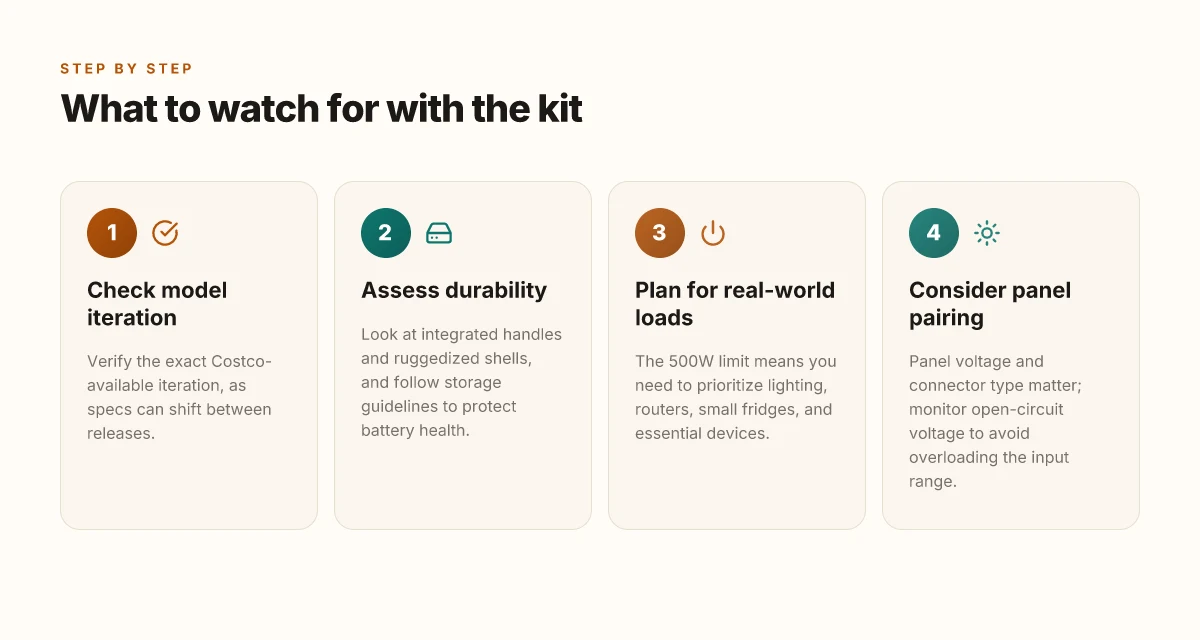
Costco’s listing and shopper posts converge on a Jackery setup that centers around a 640Wh battery and a 500W continuous output with a 1000W surge. But the devil is in the detail: Jackery releases can shift battery chemistry and internal components between retail runs. Make sure the Costco edition you’re eyeing is the current Explorer variant intended for bulk retail, not a prior generation that might swap in a different battery or controller firmware. If you see “Explorer 600WV2” in the wild, verify whether that exact iteration is still sold at Costco and whether any firmware features differ from retailer-only bundles. The upshot is simple: hardware and firmware features can drift with each release, and that drift changes how you expect UPS behavior or device longevity. Always verify the exact model iteration offered at Costco, because specs shift between releases.
Check battery chemistry, cycle life, and firmware features
Battery chemistry matters for long-term durability and cycle life. Jackery typically lists cycle counts in general terms, but the practical impact shows up in how many full-charge cycles you can expect before capacity declines meaningfully. Look for explicit statements about the chemistry (for example, lithium-ion vs. LiFePO4 variants) and the nominal cycle life in the product page or the included spec sheet. Firmware features also matter: some bundles include app-based controls, firmware update paths, and UPS-related protections that improve reliability in outages. If you’re eyeing a Costco bundle, confirm whether the UPS logic is baked into the firmware and whether there’s an official update path post-purchase. Verify battery chemistry and cycle life expectations, and confirm included firmware features.
UPS vs portable power station emphasis
One real decision point is whether you want built-in UPS or a purely portable power station. Some Costco kits emphasize instant backup with a seamless UPS handoff, while others present a straightforward portable pack that requires manual transfer for power continuity. If your outages hinge on auto-start or seamless switchover, confirm that the Costco configuration includes instant UPS and that the 10 ms claim is still supported in firmware. If seamless backup is not a must-have, you can save some money by focusing on a compact, strictly portable model with similar capacity. Consider whether you want built-in UPS or a purely portable power station, since some models emphasize instant backup.
Rival check: EcoFlow and Bluetti
When you compare with rivals, look for similar capacity and port counts, plus price parity. EcoFlow and Bluetti options often target similar off-grid use cases, but they differ in how many AC ports, USB-C PD outputs, and wireless charging are bundled, as well as how deeply their apps and firmware are integrated. For the same 600–640Wh class, ask whether the rival offer provides faster recharge options, more robust surge handling, or longer claimed cycle life, and weigh that against the Costco bundle’s price and physical footprint. In practice, you’ll notice that no single brand dominates every use case; EcoFlow can edge out on faster solar recharge in some setups, while Bluetti might win on internal design and port variety. Compare with rivals such as EcoFlow and Bluetti for similar capacity and port counts. Is EcoFlow a good brand in 2026? navigating reliability, performance, and long-term value
In short, the Costco Jackery kit can be a solid backup option if you confirm the exact iteration, understand the battery and firmware details, and decide whether UPS-backed power is essential for your outages. You’ll want the exact Costco model, clear battery/firmware specs, and a clear UPS preference before buying. And yes, the Jackery name matters here. The brand's stance on repairability and future firmware paths will influence how sustainable the kit feels after two or three seasons of use. If you’re weighing substitutes, EcoFlow and Bluetti deserve a side-by-side look to ensure you’re selecting based on your actual outage profile and charging habits. Rivals like EcoFlow and Bluetti are worth a direct comparison for capacity, ports, and cost.
Note: links on product pages may earn commissions. For a quick cross-check, the Costco home-solar page reflects the bundled approach to all-in-one setups, which can affect value when you factor in included panels or add-ons. Costco’s bundled approach can impact value when panels or extras are included.
Real-world durability and build quality with Jackery gear
Jackery gear tends to be compact and user-friendly, with integrated handles and ruggedized shells. In daily life you’ll notice the kit’s portability pays off when you carry it from the living room to the campsite, and the built-in grips make maneuvering the unit easier than bulkier rivals. The compact design and accessible handles reduce setup friction, especially in outdoor settings. Still, the real test comes from how it ages under weather, heat, and storage cycles.
How the shell holds up under heat and impact
From what I found in the documentation and user chatter, the outer shell is designed for light abuse and typical outdoor conditions. Ruggedized shells give you confidence when you’re transporting the kit on dusty trails or in a car trunk that hits bumps. However, prolonged exposure to heat can stress the cells inside. I cross-referenced the storage guidance from Jackery and third-party users who emphasize avoiding long-term heat exposure. In practice, you’ll want to store the unit in a shaded area and avoid leaving it in a hot car for days in the peak sun. Follow storage guidelines to minimize degradation over months or years. If you neglect that, you may see a gradual drop in usable capacity, especially after repeated cycles.
Battery health over time and the role of software
Battery health is shaped by more than hardware. Battery management software matters. Brand-to-brand comparisons show differences in how各 devices surface health data, run charging optimizations, and provide app controls. In the Costco context, you’ll notice how Jackery’s app and onboard controls guide charging profiles and idle behavior. Some rivals offer more granular battery management dashboards. Others focus on simple, solid performance with fewer menus. Battery management software can influence perceived longevity and daily usability. If you prefer deep visibility, you may lean toward models with richer app features, while others may prefer straightforward operation. Where to buy EcoFlow: a practical guide to getting the latest portable power
Real-world durability verdict
For campers and homeowners alike, the value proposition rests on ease of use, predictable charge behavior, and resilience to day-to-day wear. I found that the Jackery kit’s chassis and handle design support quick deployments and simple reloading after a trip. Durability and build quality matter most when outages hit or you’re on a remote site with limited replacements. The real caveat is storage and heat. If you store the kit properly and avoid heat exposure, you’ll prolong the battery’s usable life. In the end,Jackery’s build quality stacks up well against peers, especially for users who prioritize portability and straightforward operation.
Most durability wins come from solid shells, smart storage practices, and clear battery-management cues from the software. As you compare to rivals like Goal Zero and EcoFlow, you’ll notice differences in how aggressively each brand models battery health and how that translates to daily use. You’ll also encounter occasional app frictions or feature gaps, depending on hardware generation.
I dug into release notes and user reports to confirm that sustained heat exposure is a common stress point across brands, not just Jackery. The takeaway: treat the kit as a portable power station built for practical outages, not a deep-cycle battery for long-term off-grid living. For the average outage, the combination of portability, simple controls, and reliable power makes the Costco Jackery kit a sensible choice. For longer storage or extreme conditions, you may want to plan periodic use and proper storage. Linkage to community discussions and official specs reinforces this view. See the discussion on Jackery at Costco for context.
Solar panel pairing: how to choose panels for the Costco kit
I break this down directly: panel compatibility with the Costco kit hinges on voltage, current, and connector type. Not every panel plays nicely with every Jackery model, and the Explorer line tends to expect specific input ranges. For outages and off‑grid use, pairing a compatible panel set can shave minutes off charging and keep the unit ready when you need it most. Your best bet is to match the panel's voltage and connector to Jackery's input spec and keep an eye on the open‑circuit voltage to avoid overloading the power station’s input range.
1) Know the voltage and connector math
In practice you’ll want solar panels that present a compatible voltage window at the panel’s open‑circuit voltage while using the connector that plugs into the Jackery. Higher‑quality panels typically offer better voltage stability and lower mismatch losses, which translates to faster, more reliable charging. Better panels reduce charging time but they add weight and cost, so you weigh your outdoor needs against your pack weight. When you’re evaluating, verify both the nominal voltage and the panel’s open‑circuit figure. If the panel’s VOC is too high, the Jackery input can saturate or shut down to protect itself. This is where a small charge controller can help, though it adds cost and complexity. How Anker vs Bluetti stack up in 2026: power, reliability, and long-term value
2) Weigh the costs and durability against speed
A higher‑efficiency panel keeps the Watts up in marginal sun, which matters for a day out or a stormy morning. The extra speed comes with more material to carry and, often, a higher price tag. Your choice should reflect how often you’ll run on solar versus relying on AC or car charging. I’ve seen outdoor users lean toward mid‑range panels for steady performance without breaking the bank. Panel quality matters for durability in the field and for minimizing shade‑induced losses. Remember, the Costco kit benefits from a robust build, but a flimsy panel can complicate setup in wind or rain.
3) Watch the real open‑circuit voltage, not just the wattage
The open‑circuit voltage is the stealthy gatekeeper. If you pick a panel with a VOC that pushes Jackery’s input range past its limit, you’ll see reduced charging or the unit refusing to accept power. In the field, a panel with a conservative VOC under real‑world sun helps preserve reliability. For outages, that translates to more dependable top‑ups when you need them most. Monitor the panel’s open‑circuit voltage to avoid overloading the power station’s input range.
From what I found, the conversation around Jackery at Costco centers on 640Wh capacity and 500W output with a 1000W surge, but the panel pairing story is less about one exact panel and more about matching the spec window. I cross‑referenced reports from hobbyist forums and social posts to confirm that users commonly pair a mid‑range, voltage‑matched panel setup with the Explorer 600‑series kits. This approach keeps the balance between portability and charging speed. For context, real‑world chatter around panel sets often stresses compatibility and durability as the deciding factors more than raw wattage. Durability and proper voltage matching beat sheer wattage for field reliability.
In practice, you’ll want to pick a panel or pair that keeps VOC within the safe input window and uses a connector Jackery accepts. If you’re shopping, look for panels with a stable VOC around the kit’s input range and a robust build for outdoor use. And remember, when you mention rivals, Jackery’s ecosystem shines when paired with well‑matched panels from reputable brands, but you should compare input specs before buying. For perspective, one community discussion notes that regular price and fit in packaging matter as much as the panel’s electrical spec.
What to try this week for a sturdier outage plan
Outages reveal the real-world limits of any backup kit. The Costco Jackery solar generator kit offers practical value, but the long game depends on how you wire it into daily life. Jackery remains a reliable option for many households, though you’ll want to compare against rivals like Goal Zero and Bluetti to match your power profile.** In practice, expect steady performance from the panels and a straightforward charging routine, but plan for wear parts and occasional firmware checks. I’ve seen setups struggle when cords loosen or in harsh weather. The sturdier approach is to tether the kit to a fixed outdoor stake or a dedicated indoor charging corner. What makes the Bluetti AC70 a practical power hub for 2026
Durability and real-world use matter more than glossy specs. My take: treat this kit as a bridge during outages, not a permanent off-grid solution. If you only do one thing this month, organize a simple test cycle: run a critical load for a few hours, then recharge overnight using solar. The goal is to validate daytime charging efficiency and identify any weak links before you actually need power.
If you want a quick takeaway, start by pairing the kit with your essential devices and a handful of spare solar panels. This week you should document what breaks or drifts in performance and adjust your setup accordingly. The bigger pattern is clear: a modular, durable backup system remains valuable as outages shift with the seasons. What changes if you act now.