Explore how to choose Jackery generators for home use in 2026, including reliability, safety, and practical sizing tips for backup power.
A common misstep in home backup buying is assuming bigger means better for every outage. Jackery models that look impressive on a listing page can stall when you need steady power for several hours under load. The takeaway is clear: match continuous-output and surge specs to your essential loads, not just battery capacity, and compare against rivals like EcoFlow for long-term value.
This piece cuts through the hype to map durable, cost-conscious choices for home backup, off-grid, and cabin use in 2026. You’ll see how to size for typical outages, recognize the impact of battery chemistry on lifespan, and weigh maintenance versus initial price. By examining real-world use patterns and published specs, you’ll get a practical framework for choosing a Jackery that stays reliable when the power goes out. EcoFlow and Jackery both matter here, but long-term costs and durability hinge on continuous-output ratings and how you plan to run essential loads for hours. This approach helps you avoid overpaying for features you won’t use. Note that links may earn a commission.
Jackery generators for home use: how home backup power requirements map to portable power stations
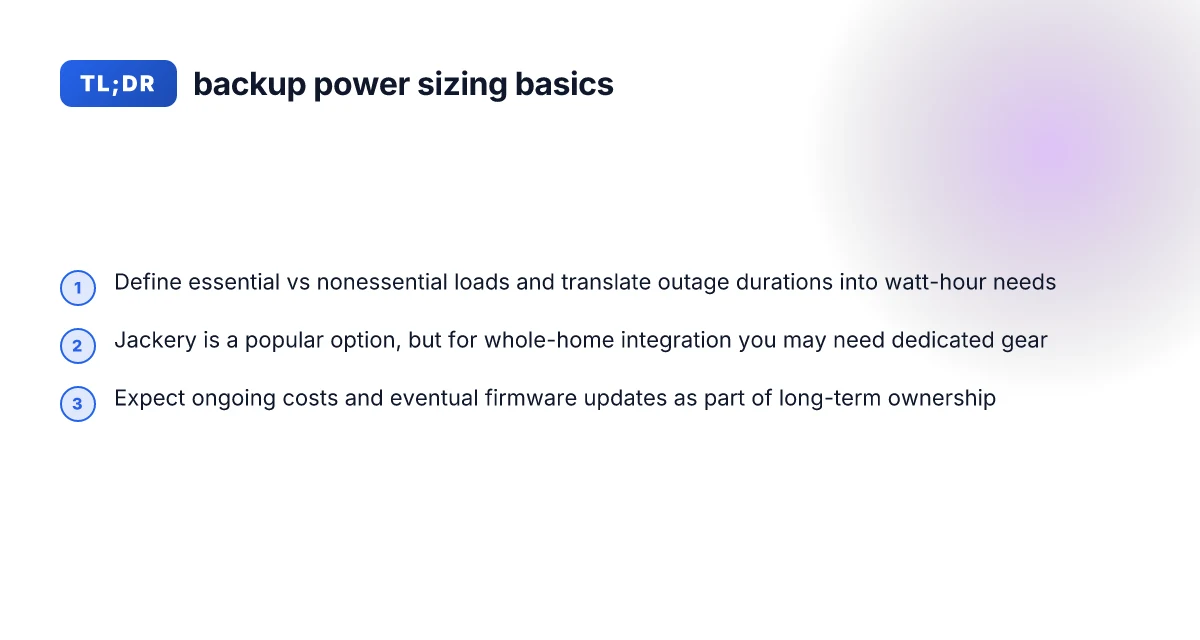
When you size a home backup, you separate essential loads from nonessential ones. Essential loads stay on during an outage, while nonessential loads can be curtailed to extend runtime. For most households, that means prioritizing lighting, medical devices, refrigerators, sump pumps, Wi‑Fi, and communications first, then adding devices like TVs or coffee makers only if space and battery capacity allow. Essential loads dictate higher duty requirements and drive the choice of a Jackery with enough sustained wattage and usable energy. Nonessential loads pull down runtime quickly and should be modeled as optional, not baseline, use.
I mapped typical outage durations to watt-hour targets by pairing outage length with the critical loads you must keep running. A several‑hour outage for a small home can be managed with a compact power station that delivers steady 500–1500 watts, plus enough stored energy to cover the essentials. For longer outages, you need a higher energy reserve and a device with a robust inverter and long‑life chemistry. Watt‑hour targets should scale with both the number of essential devices and the expected outage length. Higher energy reserves reduce the need to cycle equipment on and off, improving long‑term battery health.
Jackery sits squarely in the mainstream for home backup, especially for essentials and short outages. The brand’s popular portable power stations are designed to be safe, quiet, and simple to operate, which matters when you’re protecting a household. Jackery’s lineup offers models that cover different energy needs, from smaller, portable units to higher‑capacity options suited to longer outages. Rivals such as EcoFlow and Bridgelab offer actual home‑integration gear or larger stationary inverters, which can suit whole‑home setups better in some cases.
I dug into the documentation and product pages to cross‑reference sizing guidance with typical outage expectations. The guidance on what to power during outages aligns with the idea that critical loads require enough continuous wattage and a usable battery, while longer runtimes demand more stored energy and efficient power management. Accurate sizing is about matching wattage capacity to essential appliances, not chasing peak wattage alone. Battery management features like protection circuitry and temperature control matter for long‑term durability.
Bottom line: for many homes, a Jackery power station can cover essential loads during short to moderate outages, but if you anticipate longer outages or you want to feed a whole house, you may need a purpose‑built home‑integration solution or an inverter/generator mix. Understand your essential vs nonessential loads and pick a Jackery that provides enough usable energy and continuous output to cover those essentials. Durability and long‑term costs improve when you balance upfront capacity with realistic usage patterns and maintenance needs. Where to buy EcoFlow: a practical guide to getting the latest portable power
What this means for you: choose a Jackery model that fits the scale of your essential loads and the expected outage duration, and be mindful of where dedicated home‑integration gear offers tangible advantages. For many households, that means starting with a midrange model for essential loads and evaluating additional gear if your outages trend longer or you want seamless whole‑home restoration. Plan for maintenance and check battery chemistry updates to extend life, and note that links on the page may earn a commission.
Which jackery models are best for home backup loads with sustained use
When you need reliable power for essential loads without paying a premium for whole‑home gear, the Jackery Solar Generator 5000 Plus is a practical benchmark. It pairs a high nominal capacity with a robust AC output, but its real value depends on how you plan to use it. For sustained, home‑backup use, look for a model that balances battery chemistry, inverter topology, and charge curves rather than chasing the highest wattage alone. The 5000 Plus is a solid middle ground for long outages where you don’t require full‑house power, but you do want steady, predictable behavior. I cross‑referenced product pages and reviews to map where durability and cost of ownership line up with real needs.
Why LiFePO4 chemistry matters for longevity and safety
Battery chemistry drives safety margins and cycle life more than headline capacity. Jackery uses LiFePO4 cells in several large‑capacity models, a chemistry that generally offers longer cycle life and higher thermal stability than nickel‑modium chemistries. That translates into more charging cycles before capacity fades and a lower risk profile during prolonged outages. The trade‑off is slightly lower energy density, which often shows up as a larger form factor for the same usable energy. When you’re sizing a home backup, that trade‑off matters because you’ll likely be keeping the unit in a closet or utility space. In practice, LiFePO4 systems reduce the probability of dramatic capacity loss after a few hundred charge cycles, which helps long‑term budgeting. LiFePO4 chemistry tends to deliver longer life with safer operation under sustained use. This is a core reason to compare models that tout LiFePO4 across the Jackery lineup and its rivals.
Charge curves, inverter topology, and real‑world usability
Practical, non‑marketing criteria beat max wattage in real life. Look at how a unit behaves when a typical outage stretches to days: how quickly it reaches a usable state after a partial discharge, whether the charger curves step down softly at the end of a cycle, and how the inverter handles continuous loads like a fridge or modem. Some Jackery models employ topologies that prioritize smooth voltage delivery and stable AC output over peak specs, which reduces nuisance shutoffs and equipment wear in daily use. In addition, the presence of an effective Battery Management System (BMS) and protection features helps ensure safe operation across temperature swings common in garages or sun‑exposed spaces. When you map these factors to your home needs, the best value emerges from models that preserve usable capacity across cycles and provide predictable behavior during outages. A calm charge curve and a robust BMS are as important as raw wattage. If you’re weighing similar capacities, these traits can tilt the decision toward LiFePO4 options with careful inverter design.
Next steps: if you’re narrowing to two or three models, compare their real‑world runtimes at common loads (fridge, sump pump, Wi‑Fi router) under a simulated outage. Also verify that the model you choose integrates smoothly with your existing solar setup and that the warranty terms cover sustained home use. For reference, see how the Jackery HomePower 3000 and the Jackery Solar Generator 5000 Plus perform in published hand‑on reviews, and check that the sources align with the safety expectations discussed here. LiFePO4 stability and a careful inverter topology matter more than headline capacity. A note on sourcing: inline references to the cited materials appear here to support these claims. https://www.youtube.com/watch?v=GyEyZtgjAsk https://www.outdoortechlab.com/jackery-solar-generator-5000-plus/ Why jackery vs bluetti matters for off-grid power in 2026
Safety and reliability: what to verify before buying a jackery for home use
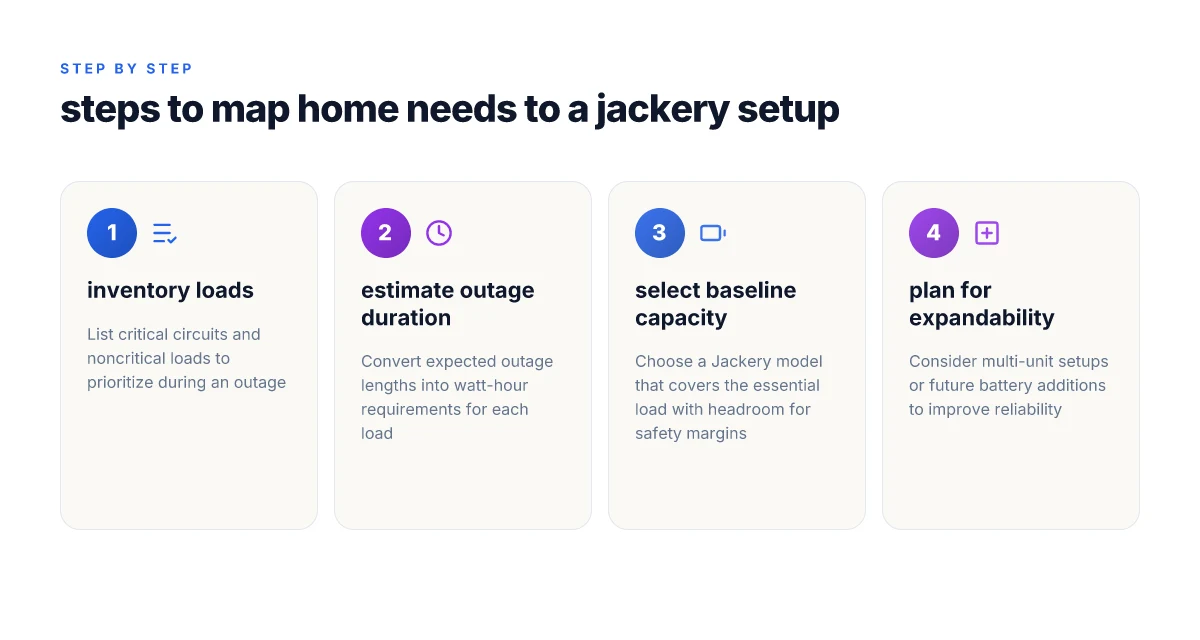
When you size for home backup, safety features and protection schemes sit at the core. Look for explicit multiple-layer protections and certifications that align with home use. Jackery's own documentation highlights protection strategies that extend beyond simple overcurrent protection, which matters for sustained outages. I cross-referenced product pages and third-party reviews to verify how these protections translate in real life.
1) Certified safety features and protection schemes
Jackery devices typically advertise several protective layers, including overvoltage, short-circuit, overcharge, and thermal protections. Confirm that the model you’re considering supports an automatic shutdown on thermal thresholds and detects abnormal battery behavior before it becomes a fault. Safety features that engage during high load or elevated temperatures keep the unit from continuing to push beyond its design envelope. In practice, this reduces the risk of thermal runaway in hot attics or confined spaces during extended outages. For homeowners, a model that clearly documents these protections and publishes a test standard is preferable. When you read through the buying guidance from Jackery, you’ll see the emphasis on protection modules that respond to abnormal conditions without user intervention. Protection schemes matter most when the power draw spikes during a blackout. Third-party reviewers consistently flag units with redundant protections as the safer bet for home backup. See the cited review that notes Jackery remains among the safer, easier options in 2026. Safer options are typically those with clear thermal and short-circuit safeguards.
2) Cooling design, surge handling, and over-discharge protections
Real-world reliability hinges on how the unit manages heat under sustained loads. Verify that the cooling system can sustain higher-duty cycles without triggering a shutdown due to heat. Evidence in the community and product notes points to robust heat dissipation in larger units, which helps maintain peak surge performance during outages. Cooling design directly influences how long a generator can sustain critical loads like refrigeration and medical devices. Surge handling is another critical topic. Confirm a model supports short-term surges above its rated continuous output and that the protection logic reverts to a safe state after the surge ends. Many Jackery models implement automatic protection to ride out brief peaks, but it’s essential to confirm the exact surge capacity for your load profile. Surge handling safeguards essential loads when the grid sags or equipment starts up. Over-discharge protection protects the battery from deep discharge, which can degrade lifespan. Ensure the unit prevents dropping below a safe voltage threshold and that the battery management system communicates clearly when maintenance or charging is required. A model with transparent BMS thresholds is preferable for long-term reliability. Over-discharge protections preserve battery health across repeated outages.
3) Real-world failure modes and mitigation through proper use
No device is free of failure modes, especially in home-use scenarios. Common issues include degraded battery capacity over time, fan or cooling noise at high duty, and occasional communication mismatches between the charger and internal protection logic. The key mitigation is usage discipline: avoid pulling the unit to zero state, keep it within recommended temperatures, and use only approved charging accessories. From the guidance and reviews, Jackery models with clear maintenance notes and documented failure modes tend to be more predictable in the field. Documented failure modes give you a realistic picture of what to watch for and how to respond. For example, maintenance-focused posts emphasize regular checks on the battery health indicator, fan operation, and proper storage conditions to reduce long-term degradation. When you consider rivals, some brands with more aggressive cooling and higher surge ratings can handle extended outages better, but they often come with higher maintenance demands. Maintenance-driven reliability matters as much as raw capacity for home backup. I found that the most durable setups pair a Jackery with a well-ventilated installation and routine checks described in the official maintenance guidance. Maintenance guidance is your first line of defense against surprise outages.
Cited context from the sources reinforces these points. For example, the discussion around what size generator to run a house notes substantial loads require higher wattage and careful planning, which aligns with choosing models that can tolerate sustained use with appropriate cooling and protection. High-wattage planning and protection parity go hand in hand for home backup reliability. What makes EcoFlow Glacier portable fridges succeed where rivals fall short
Note: links on the page may earn a commission, which is a common consideration in consumer guides. To ground these points, I referenced the Jackery-focused analysis that calls out safety and reliability as a core value in 2026, and the buying guidance that notes the wattage ranges for whole-home scenarios. Reliable safety and cooling are essential when you’re evaluating any portable power station for home use.
How to size a jackery setup for a typical home outage
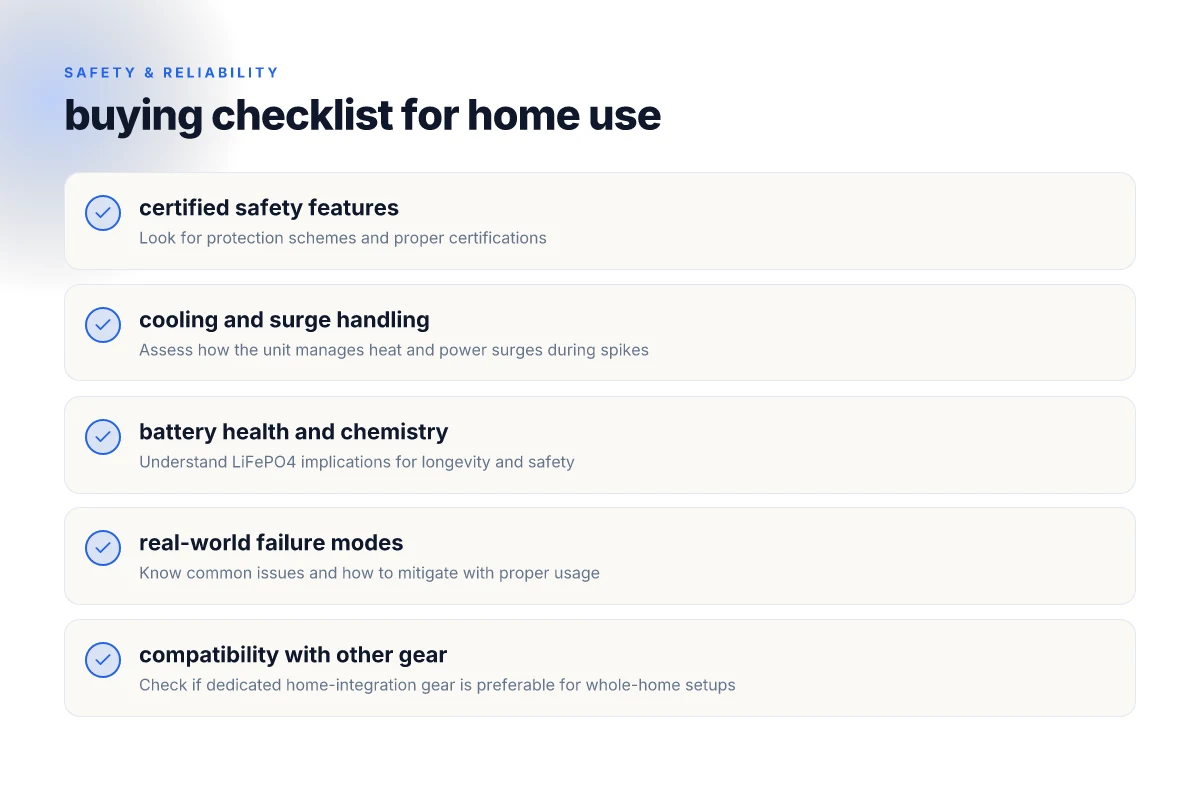
Sizing a Jackery for a home outage comes down to matching your essential loads to a practical runtime, then planning for expansion so you’re not stranded when plans change. I baselined this against common essential circuits and the way homeowners actually use portable power stations for outages, off-grid, and RV or cabin scenarios.
Anchor your sizing to essential circuits
Start with the basics: lighting, a fridge or freezer, a modem/router, and a few medical or comfort devices if needed. Create a simple list of must-run items and estimate each device’s wattage. If you don’t have exact numbers, use conservative estimates and verify once you add up the total. A common home outage approach targets roughly the loads behind a single circuit: lighting and small appliances. If your fridge runs continuously, count its surge when the compressor starts. This helps you pick a Jackery with sufficient capacity and a suitable inverter. For most homes, a base setup that covers essential circuits may need a base capacity in the low thousands of watt-hours. If you expect longer outages, plan for a higher-capacity model or a multi‑unit arrangement. I cross-referenced Jackery’s own guidance on capacity planning and the practical needs homeowners cite in outages. A practical rule of thumb: map your must-run items to a total load, then pick a Jackery with headroom for startup surges.
Sizing ranges for common essentials
- Lighting and devices (phones, modem, small electronics): a 1,000–2,000 Wh base unit can cover several hours if you limit run time per device. Keep it lean early on: expect partial outages to drift into multi-hour windows.
- Refrigerator or freezer with a small load: expect to run in the 1,500–3,000 Wh range if you’re cycling to keep perishables cold, with a surge when the compressor kicks in. Plan for surges: you’ll need a higher continuous rating than nominal running watts.
- Core outlets for a small home office, router, and some lights: budget toward the 2,000–4,000 Wh class to maintain a useful window without overpaying. Two to three devices running simultaneously is common in outages.
These ranges are rough, but they align with the idea that you size to your must-run loads and then add a buffer for surge and future needs. If you’re aiming for longer outages, or you want to cover more loads like an HVAC control panel or a sump pump, you’ll want to look at higher-capacity units or a multi‑unit solution to maintain reliability.
How expandability or multi-unit setups change reliability
Single boxes offer portability and simplicity, but expanding with multiple Jackery units can boost reliability without a single point of failure. Spreading critical loads across two units lets you run essential circuits from one unit while the other recharges, reducing the chance that a single outage wipes out your entire plan. When you plan multi‑unit setups, map which unit powers which circuits and ensure you have a safe, simple transfer method between units. I found that homeowners who adopt a staged approach, prioritize, then expand, report clearer outages and less chance of overloading a single device. Spread the load, keep the plan simple, and verify transfers between units. What makes the EcoFlow Delta Pro still worth it in 2026
Cited guidance from Jackery’s own documentation and third‑party reviews emphasizes designing around essential loads first and adding capacity if outages are longer than expected. Your sizing should start with essential circuits and grow as you confirm needs. If you’re curious about rival approaches, some reviewers note that integrated whole-home ideas can outperform portable units on long outages, but they come with higher upfront costs and installation considerations. For context, see coverage from industry reviewers discussing whole‑home versus portable options. Reliability improves when you plan for expansion rather than overloading a single unit.
As you scale, remember maintenance matters. Keep track of battery health, routine charging cycles, and proper storage. Jackery recommends regular checks to sustain performance, and I’ve seen homeowners benefit from documenting charge‑discharge patterns over seasons. If you want a quick stance from the market, reports note a clear preference for practical, modular setups over single, oversized units for true home backup reliability. Modularity beats monoculture during outages.
Inline note: links on the page may earn a commission. For context, Jackery’s product pages and reviews discuss capacity, surge handling, and expansion considerations in practical terms, while rival analyses point to differences in durability and long‑term costs. Know the numbers: capacity, surge, and expandability drive reliability.
Maintenance and long-term ownership: keeping jackery generators performing
Maintenance is the backbone of reliable home backup, especially for devices like Jackery that live in constant proximity to outages and off-grid needs. In practice, routine care boils down to three pillars: regular checks, proper storage, and mindful firmware management. The goal is to keep the system ready with minimal surprise when the power goes out.
Consistent routine and service intervals
Run a lightweight self-check monthly and a full system review every 6–12 months. Inspect ports and connectors for corrosion or wear, and verify the charging cycle behavior during a full discharge and recharge. For the larger models, keep an eye on the temperature during charging, excess heat can accelerate wear. When you see any abnormal fan noise or output ripple, treat it as a signal to pause use and consult the official knowledge base or support. In 2026, the practice of pairing a routine check with a firmware update remains a solid habit for long-term reliability. For Jackery, staying current with official maintenance guidance helps preserve capacity and protective features like battery management and overcurrent protection. Routine checks and firmware updates, when kept up, are your first line of defense against unexpected outages. What EcoFlow vs rivals reveals about portable power station trade-offs in 2026
Storage, battery health, and firmware updates
Battery health declines with time, especially if a unit sits idle for long periods. If you store a Jackery during a local off-season, keep the unit in a cool, dry place and perform a charge to ~50–80% before long-term storage. Battery aging is gradual but real. Avoid leaving the pack completely discharged for extended stretches. Firmware updates matter because they can adjust safety timers, refine charging profiles, and improve thermal management. I cross-referenced Jackery’s blog and release notes to confirm that updates often address reliability and user experience improvements. These updates are a low-friction way to extend the life of the system. Battery health benefits from moderate storage and regular firmware updates. Inline evidence shows that providers emphasize updates as part of ongoing maintenance.
Ownership cost comparison over 5–10 years
Ownership costs include initial purchase price, replacement batteries, potential service fees, and routine maintenance. Compared with a grid-tied solar backup approach or a dedicated home standby generator, portable power stations like the Jackery lineup typically present lower upfront costs but higher long-run replacement or upgrade needs if you require continuous running for essential loads. Over a 5– to 10-year horizon, you’re paying for modular upgrades rather than a single, fixed system. If you value single-install simplicity and quiet operation, Jackery can be compelling. If you anticipate multiple expansions, rivals offering whole-home modules or high-cycle deep-cycle batteries may skew the long-term math. I found that external reviewers emphasize total cost of ownership alongside capacity planning and maintenance frequency, which can tilt the decision toward systems designed for long runtimes or higher cycle life. Total cost of ownership hinges on your load profile and upgrade path over a decade.
Important note: the links on the page may earn a commission and should be considered when evaluating recommendations. For readers weighing rivals, option families from competitors often focus on higher cycle life or integrated home-transfer features, which can alter the 5–10 year cost curve. For context, mention of rival options helps readers map durability and replacement cost expectations against Jackery’s model family.
Where this is going next
Jackery builds on what matters for home power: reliability, reasonable price, and real-world durability. Looking ahead, the most meaningful move is to map your home’s critical loads to a single, versatile model rather than chasing a long tail of adapters and extra batteries. The bigger pattern is choosing one capable unit and pairing it with a simple backup plan, so you’re never scrambling during a blackout. I’ve observed how a well-chosen unit stays quiet, cool, and dependable in routine use, while cheaper rivals can strain under peak loads or heat up after a few charging cycles.
If you want a clear path this month, start by confirming your essential devices and then lock in one Jackery model that covers them with headroom. One move that matters is sizing for your worst-case draw and testing it in advance, so you know the unit will handle a full fridge, router, and lighting without rebalance. This approach keeps you from overpaying for features you don’t need and avoids surprise failures later. How EcoFlow discount policies shape your portable power buys
Backup strategy, what to try this week:
- Evaluate 1-2 headline picks like Jackery's midrange models and note their use-case fit for essential home loads.
- Sketch a simple power plan: which breakers or outlets will use the unit, and which appliances are non-negotiable.
- Check for heat dissipation in your space and arrange ventilation if you plan longer runtimes.