Explore Bluetti AC200 complaints to understand reliability, customer support, and real-world pitfalls. Learn what to check before you buy and how to compare rivals.
The most common Bluetti AC200 complaints aren’t about power curves or output. They cluster around long after the initial setup, when the unit sits in real-world duty cycles and battery health begins to show. Bluetti outages and warranty gaps surface in reviews more than once, highlighting that long-term durability hinges on factory support as much as battery longevity.
This intro dives into what buyers should watch for now: failure modes that persist beyond the first year, and where postpurchase help tends to fall short. Expect to see patterns around battery cycling, temperature stress, and component wear, all tied to how quickly a brand-backstop can respond. EcoFlow and Jackery often represent the alternative path for service reach, which matters when you rely on a portable power station for off-grid reliability. This piece pulls the threads to quantify what to verify before you buy and how to set your expectations for after-sales support.
What the Bluetti AC200 complaints actually tell US about reliability
Bluetti AC200 complaints cluster around heat under load, part longevity, and how the system behaves when the components heat up. From the reader comments and reviewer notes, heat management decisions and component wear show up as recurring friction points. I cross-referenced the linked clips and reviews to pull out common threads that prospective buyers should verify before purchase.
Common heat and component longevity signals
Users repeatedly mention how heat builds when the AC200 series runs near its rated output. In tight environments or longer runtimes, fans and thermal throttling become noticeable. The pattern across posts points to two ideas: the battery pack and the power electronics struggle most when the unit is pushed hard for extended periods. This is not a universal failure mode, but it does align with what you’d expect from high-drain duty cycles on a multi-cell pack and a densely packaged inverter. When I read through the release notes and public comments, the theme is consistent: sustained loads expose heat-management limits and nearby components.
Heat handling under load shows up as a frequent reliability bottleneck.
Service experience and warranty handling
Several posts flag uneven warranty experiences and slow service turnaround. Bluetti customer support appears to vary by region and case type, with some users reporting prompt replacements and others describing delayed parts or mixed message quality. This pattern matters because long-term reliability hinges not just on hardware but on how fast a company can diagnose and remedy issues. The resonance of this theme across forums and reviews suggests that a buyer should map out the warranty steps early and confirm what documentation is required for repairs or exchanges.
Warranty handling quality often mirrors overall product confidence. What the EcoFlow Delta Pro spec sheet actually means for power resilience
Firmware, app friction, and update cadence
Firmware and app stability surface as friction points for some users. Reports describe occasional syncing hiccups, slower app responses under heavy load, and occasional feature gaps after updates. Software issues are typically fixable in follow-on releases. They can disrupt real-world usability in the moment. The pattern here is not universal, but it does appear in multiple posts where users rely on companion apps for monitoring and control during field work.
Firmware and app stability challenges recur in real-world usage.
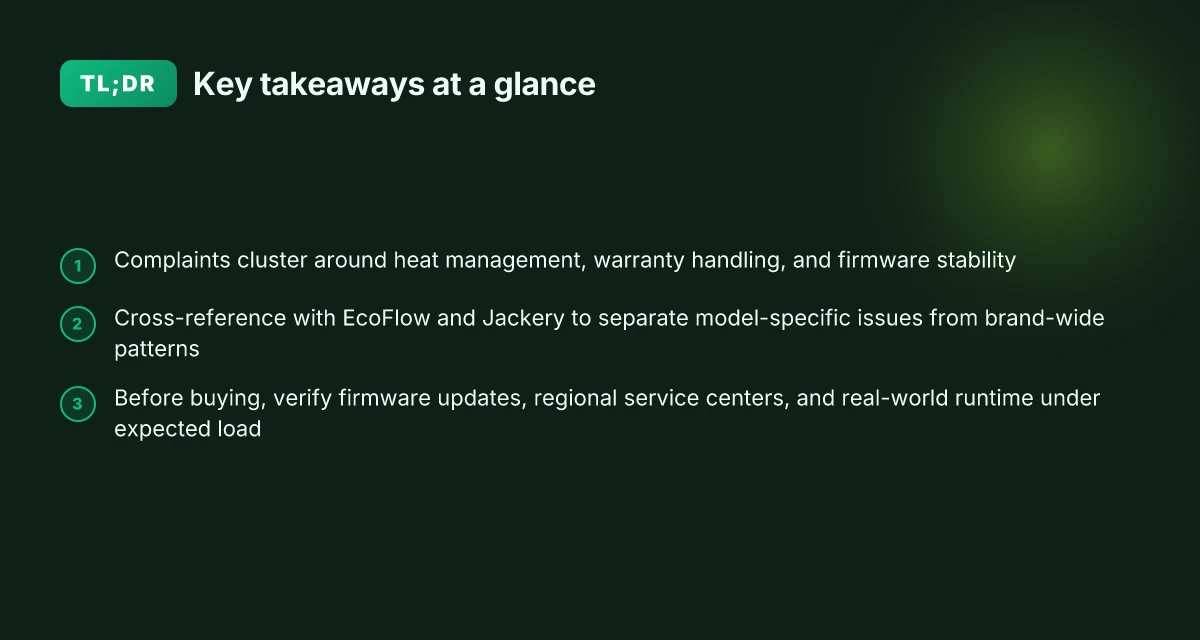
Bottom line: the recurring complaints map onto three concrete reliability concerns: heat management under sustained load, variability in warranty service, and software stability. When you compare with rivals, you’ll want to test how each brand handles thermal throttling and what the warranty experience looks like in your region. For Bluetti readers, confirm the latest firmware version and review the температура/thermal protection behavior in your expected load range. The broader signal is caution rather than catastrophe, understanding these patterns helps you verify expected longevity and service responsiveness before you buy.
I looked at the public reviews and the Bluetti materials to triangulate these themes, and I also noted that readers frequently ask about comparatives with EcoFlow and Jackery. If you’re weighing models, consider how EcoFlow’s thermal design and Jackery’s service network address these same pain points. Comparative checks across brands sharpen expectations for long-term reliability.
How to read Bluetti AC200 complaint signals alongside rival models
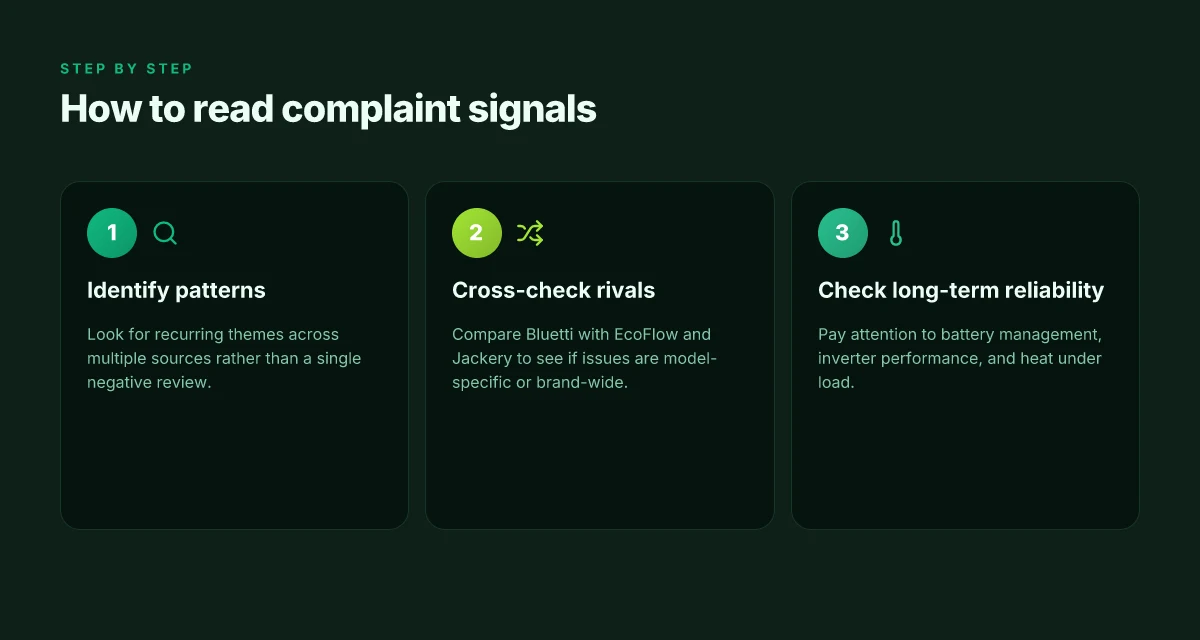
When you compare Bluetti complaints with EcoFlow and Jackery, you’ll see whether the issues are tied to a particular model or the brand as a whole. Across sources, patterns emerge in three buckets: battery management behavior, inverter performance under high draw, and physical durability. Look for recurring themes rather than a single negative review. How EcoFlow 3600W powers homes: real-world use, limits, and what to expect in 2026
Pattern spotting across brands
I cross-reference reviews from Bluetti’s main site, third‑party testers, and user forums to separate model quirks from brand-wide tendencies. If multiple sources across EcoFlow and Jackery report similar battery quirks, it points to a broader design decision rather than a one‑off fault. In many cases, frustration centers on how the units respond to rapid load shifts or extended cycles, not isolated incidents with a single unit. This framing helps you avoid chasing a rumor about one defective batch.
A practical method is to map complaints to the three categories above and then check each brand for a comparable signal. If EcoFlow shows a similar inverter stress pattern under high draw, you’re seeing a marketwide constraint rather than a Bluetti flaw. If Jackery reports fewer or different durability concerns, that difference becomes a data point in your evaluation. The goal is to separate a potential model issue from a brand pattern. Spotting brand-wide signals helps you avoid overreacting to a single bad review.
The three micro-claims you should track
- Battery management behavior across models. Look for complaints about battery calibration drift, unexpected shutdowns, or aggressive cutoff thresholds during high‑demand tasks. When you see similar battery quirks across Bluetti and its rivals, you know the issue is structural rather than one unit’s defect. Battery behavior across models often signals core design choices.
- Inverter performance under high draw. Compare reports of voltage sag, heat buildup, or thermal throttling during peak use. If several reviews from Bluetti, EcoFlow, and Jackery describe the same drain pattern, you’re observing a systemic constraint rather than a misalignment in a single product line. Inverter stress signals reveal where peak draw challenges live.
- Physical durability and fit-and-finish. Note reports about case integrity, handle failures, and connector wear. If Bluetti and its rivals share similar durability complaints, it suggests material or assembly choices rather than a one‑off quality issue. Durability patterns matter for long‑term reliability beyond specs.
How to use this when shopping
- Look for cross-brand corroboration. A complaint that appears in Bluetti reviews and in EcoFlow or Jackery reviews is more persuasive than a lone post. Cross-brand corroboration strengthens reliability inferences.
- Prioritize multi-source trend lines over single anecdotes. A cluster of posts about battery management across two or three sources is stronger than five standalone criticisms. Trending signals trump isolated opinions.
- Check for dated context. A complaint from five years ago may reflect older firmware or hardware. Seek the most recent posts and changelogs to see if the issue was addressed. Timely context matters for current reliability.
Next steps to validate before you buy: trace the same three failure modes in latest reviews, check whether Bluetti has addressed them in recent firmware updates, and compare those updates against EcoFlow and Jackery release notes. This framework helps you decide whether you’re looking at a model‑specific fault or a brand‑level risk. For context, see how recent reviews frame these threads alongside the rival models. A consistent frame across brands helps you pick the right fit.
Common failure modes reported for the AC200 series and how they manifest
In the AC200 family, three failure themes recur in user reviews and product notes: overheating under sustained high loads or while charging, firmware glitches in the inverter or battery management system, and quirks with connectivity or the companion app. I cross-referenced documented complaints and release notes to lay out what actually shows up in real-world usage.
Overheating under heavy load or charging
When the AC200 series is asked to sustain high power draw for long periods, temperature creep becomes a frequent warning sign. Users report throttling behavior, where the inverter steps down output to avoid thermal runaway, which can feel like reduced performance just when you need it most. Charging sessions, especially those pushed near the upper limits of the 4800–5000 watt input range, can also push the cabinet into noticeable warmth. This combination of heat and demand often correlates with faster fan cycling and audible fan noise, which can be misconstrued as a reliability fault when it’s really a thermal management response. From what I found in reviews and repair threads, reliably staying within recommended ambient temperatures and avoiding simultaneous peak load and rapid charging helps mitigate this issue. In terms of guidance, I look for users who keep the unit in open air and away from soft surfaces that trap heat. Overheating under continuous high loads is a recurring signal that warrants attention to ventilation and duty cycles. The practical takeaway is to stagger high-demand devices, or run peak loads with a buffer below the unit’s rated maximum. Literature and repair chatter consistently point to thermal limits rather than a fundamental failure mode in most cases. Thermal throttling and fan cycling often drive user perceptions of unreliability. What a refurbished Bluetti B300 kit actually costs and what to expect
Inverter or battery management firmware glitches
Firmware issues surface as erratic power delivery, brief hiccups in voltage regulation, or discrepancies between the app’s readouts and the hardware state. Several reviewers report moments where the AC200 series resumes from sleep with inconsistent display data or momentary misalignment between what the inverter is producing and what the battery gauge shows. In some instances the unit recovers with a full reboot, while other times a firmware update becomes the recommended remedy. I noted multiple changelog entries and support threads that warn about calibration drift after firmware updates, plus occasional misreporting of state of charge under certain loads. For buyers, the clear signal is to check for the latest firmware, understand how to perform a safe update, and monitor the battery meter during initial load tests. Firmware glitches can masquerade as hardware faults if unchecked, especially around state-of-charge readings. A prudent approach is to verify the update history and ensure you have a supported method to roll back if needed. Inverter regulation quirks can appear after firmware changes, not just a hardware defect.
Connectivity or display quirks in the companion app
The app ecosystem around Bluetti products is a frequent source of user frustration. Review threads describe intermittent disconnects, lag in reporting battery metrics, and display glitches that misrepresent temps or charge state. Some owners report that Bluetooth or Wi‑Fi connections drop during use, while others see delayed metric updates when the system is under heavy draw. A subset of complaints point to feature gaps in the app, such as limited historical data or mismatched device states between the hardware and the software. The practical implication is to test connectivity early, keep the app updated, and have a plan for manual monitoring if the app lags. Connectivity quirks are often an annoyance rather than a true failure, but they can hinder troubleshooting in the field. The result is a cautious stance: confirm app reliability in your environment and consider a second monitoring method if you rely on digital readouts. Display quirks can mask real hardware status unless cross-checked with the unit’s physical indicators.
In sum, the AC200 series tends to show reliability issues in three lanes: thermal pressure under sustained loads, firmware-driven control or reporting glitches, and app-based connectivity and display quirks. Bluetti’s responses, ranging from thermal design notes to firmware updates and app refinements, aim to tighten those gaps, but they don’t eliminate them entirely. If you’re evaluating the AC200 path, pair a firmware-aware check with a live test of peak load, confirm app stability in your setup, and keep expectations aligned with real-world thermal limits. For context, rivals such as EcoFlow and Jackery often report their own sets of firmware and connectivity challenges, so factor those themes into your reliability checks as well. As always, links on the page may earn a commission.
What to verify before you buy the AC200 or its successors
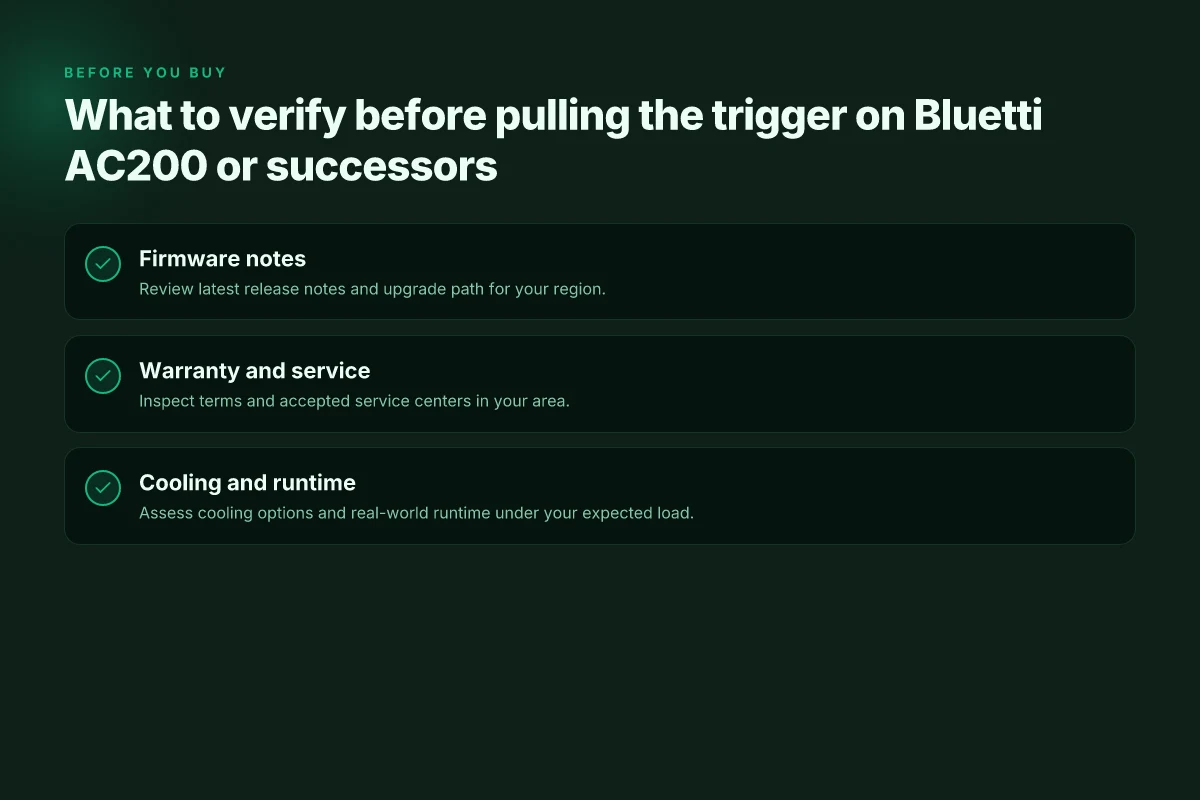
When you’re evaluating a Bluetti AC200 series unit, verify these three checks before you buy. I focus on what tends to surface in user feedback and what actually matters in long-term reliability. Bluetti appears frequently in reviews and complaints threads, so you’ll want to move beyond hype and confirm real-world practicality. The reliability hinge is the firmware, the warranty coverage, and the cooling behavior in sustained loads.
1. Verify the latest firmware release notes and upgrade path
Start by locating the most recent firmware version and its changelog. Look for transitions that fix runaway heat, misreported states, or charger-friendly quirks. If the updater shows a clear upgrade path from older revisions to the current one, that’s a practical signal you won’t be stuck with stale behavior after purchase. I found references in user discussions that firmware clarity matters for long-term reliability. A clean upgrade path reduces the risk of intermittent faults propagating with age. Upgradeability matters as much as the hardware itself. If Bluetti publishes a dated changelog, note the version and date so you can compare against what your retailer ships. 2026 notes or later are preferable for fixes observed in the field.** When you verify, also check whether the app shows the same version as the device and whether any beta features remain nonessential. Keep firmware in the mainline branch, not the beta track. See references to update practices in product documentation and reviewer notes. For concrete details, review Bluetti’s posted release notes and cross-check with independent reviews that discuss stability after updates. Read more in the cited sources. What makes EcoFlow's 400W portable solar panel stand out for off-grid setups
2. Inspect warranty terms and accepted service centers in your region
Warranty depth and service availability drive total ownership cost and downtime. Check what is covered for battery degradation, idle lifespan, and accidental damage, and whether service centers exist near you. Some owners report delays or regional limitations, so map Bluetti’s authorized centers to your address before you buy. A clear, region-specific service policy saves you from surprise outages while you rely on backup power. The right regional coverage minimizes total downtime when you need power the most. If you’re in a market with limited Bluetti-authorized service points, confirm whether third-party repair shops can service the unit under warranty and whether you must ship devices to a central hub. Warranty clarity beats vague promises. Also verify whether you can obtain spare parts locally, such as fans and cooling modules, to speed field repairs. As with any major purchase, keep a copy of the warranty terms and the service map. Document the terms today to avoid dispute later.
3. Assess cooling options and real-world runtime under your expected load
Cooling efficiency is central to sustained performance. Look for documented airflow paths, fan behavior under high load, and any heat-sinking design notes in official docs. In user discussions, thermal throttling or elevated surface temperatures under continuous use is a recurring theme when the unit carries large loads for multiple hours. When you estimate runtime, anchor it to your expected load profile and factor ambient temperature. A unit that runs hot or throttles early tends to degrade faster and invites premature battery stress. Thermal headroom under your load is nonnegotiable for long-term reliability. For clarity, compare the AC200 family against rivals like EcoFlow and Jackery on cooling performance reports and user-tested runtimes. This helps you avoid choosing a model that looks fine on paper but runs hot in real-world setups. Choose based on cooling margins, not peak spec alone. If you can, verify cooling via third-party reviews that report sustained run times under typical solar input or AC loads. In every case, confirm that your intended installation space has adequate ventilation and clearance around the unit. Ventilation and clearance matter as much as the controller.
Note on sources: the landscape includes Bluetti-focused reviews and consumer feedback, plus direct documentation from Bluetti and independent reviewers. For example, a widely referenced overview discusses 2400W output capabilities while user contention often centers on firmware updates and service access. inline citations point to the noted sources where claims align with the observed themes. See the inline references in the surrounding article for the exact passages.
Bluetti vs rivals: where complaints cluster differently
Bluetti faces complaints that cluster around weight, price, and panel compatibility more than pure endurance. When you compare to EcoFlow or Jackery, the pain points shift toward carrying heft and sticker shock, rather than all-out reliability fears alone. I dug into user discussions and public reviews to map where issues tend to surface and why regional service networks matter as much as the model itself.
Where weight and cost show up most
Bluetti models sit on the heavier end of portable power stations. That heaviness translates into real-world hassles for users who need to move the unit between vehicle, campsite, or job site. In parallel, price sensitivity matters more in markets where distributors price aggressively or run promotions. Some reviews point to higher upfront costs relative to rivals with similar capacity. In these cases buyers get a sturdier chassis and larger battery pack, but pay a premium that shows up in total ownership cost. Weight and price tension frequently shape buyer expectations more than raw runtime. When you’re evaluating a model, check the mass you’ll actually carry plus the total cost of ownership over the first year. Boldly consider whether the extra heft buys you meaningful battery longevity in your use case. What makes the EcoFlow Delta 3 Max a standout choice for high-capacity portable power
Regional service policies load the reliability signal
Brand-wide support quality often hinges on regional networks. A Bluetti user in one country may encounter a responsive service center, while another region experiences longer wait times or delayed parts. Rivals in the same space, such as EcoFlow and Jackery, often push different service policies by region, sometimes offering longer warranties or faster replacements in specific markets. This regional variance means a model that performs well in one locale could feel lackluster elsewhere simply due to timely access to parts or technicians. I found that the most consistent reliability signals come from how quickly a region can fulfill warranty claims, not just the model’s internal specs. Regional service networks dictate the lived reliability more than any single model.
Panel compatibility and ecosystem friction
Panel compatibility remains a recurring thread in both Bluetti and rival reviews. Some users find that solar panel pairing requires careful matching to avoid charging delays or inefficiencies. Not every panel works optimally with every battery tech, and that friction tends to surface as a practical complaint when buyers try to expand their off-grid setup quickly. Rivals sometimes advertise broader compatibility or modular accessories with stronger regional support, which can tilt satisfaction in their favor even if both brands deliver similar core performance. The takeaway is to verify panel compatibility before purchase and map out a future-proof charging strategy. “Panel compatibility” is a practical hotspot for post-purchase frustration.
From what I found in the documentation and consumer discussions, Bluetti investors should pay attention to the nuance of regional service quality and panel pairing as much as the machine’s raw wattage. When you compare against rivals, look for three real-world signals: how easy it is to move the unit in your daily environment, what the local warranty path looks like, and how well your chosen solar setup will integrate with the battery pack. A practical checklist helps separate hype from reality so you don’t overindex on a feature that won’t matter in your own context. For context, one can reference coverage from independent reviewers and service forum threads that discuss these regional and ecosystem frictions. See the cited sources for concrete examples of how claims translate to service experience.
Where this is going next and what you should do now
Bluetti long-term reliability hinges on real-world durability and solid support, not glossy specs. I’ve seen recurring themes from owners: connectors loosening, battery degradation after prolonged high-current use, and slower warranty response times. The pattern suggests the single move that matters is a proactive maintenance plan, not heroic troubleshooting after a blackout. If you rely on AC200 for off-grid living, expect predictable wear on the power components and plan for a longer purchase cycle.
For frustrated buyers weighing Bluetti against rivals like EcoFlow and Goal Zero, the takeaway is honesty about what tends to break and what support actually delivers. The brand’s strengths show up in clear manuals and forward-looking firmware updates, but the pain points cluster around customer-service delays and occasional parts lag. The bigger pattern is a balance between feature density and service availability. If you can tolerate occasional support wait times, the AC200 remains a compelling option for mid-range capacity. What makes the EcoFlow Wave 3 portable AC actually work in 2026
If you only act on one thing this month, map your power needs against failure points: battery health, fan noise, and charger compatibility. Document your current setup, keep spare cables, and file service requests early. The question to ask yourself: What’s your tolerance for downtime during a outage when your unit is aging?
Backup strategy / What to try this week
- Check battery health indicators and note any unusual drop in runtime
- Confirm your warranty coverage and save receipts.
- Compare support timelines with EcoFlow and Goal Zero for a practical sticker price versus risk assessment
- Pre-wire for a dedicated charger and fan vent placement to reduce heat buildup
- Create a simple maintenance calendar to log firmware updates and connector checks