
X-Sense review 2026 reveals how the brand performs in real homes, where it shines, and where it falls short. Learn setup tips, common issues, and how it compares to rivals.
One common mistake trips homeowners up: they assume all wireless smoke and CO alarms behave the same, until durability tests reveal stubborn battery life and flaky interconnects. In 2026, X-Sense has built a recognizable lineup, but the real signal is how those devices hold up year after year in real homes, with ease of setup and reliable alerts still driving the buying decision.
This article pulls from practical, in‑home experience and manufacturer details to separate hype from performance. You’ll see how X-Sense detectors fare on battery life, how they handle false alarms in typical kitchens and living spaces, and what a multi‑level system looks like in practice compared with rivals like Nest and First Alert. The goal is a clear read on long‑term reliability for homeowners, renters, and safety‑conscious buyers evaluating wireless smoke and CO alarms for a residential setup. Durability and false alarms stand out as the two levers that decide whether a kit sits in the drawer or becomes part of the daily safety routine.
What is the value proposition of X-Sense in 2026, and how does the lineup compare to rivals
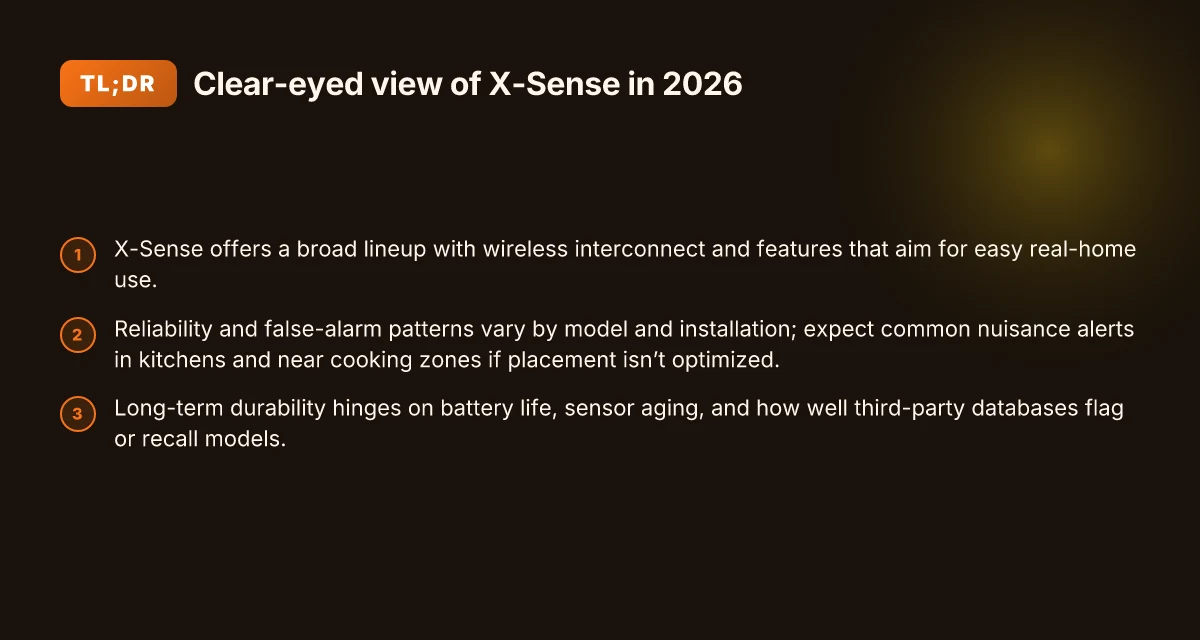
X-Sense positions itself as a residential-focused line of wireless interconnected smoke and CO alarms. The lineup spans standalone units, battery-powered wireless interconnected sets, and mains-powered options with optional rechargeable batteries. Across the catalog, common threads are simple setup, modular interconnectivity, and app parity that keeps you in the loop when a sensor triggers. In 2026, X-Sense leans on ease of installation and a coherent ecosystem to appeal to homeowners and renters who want reliable protection without a complicated installation.
1) Product ranges you can count on for real homes
X-Sense offers a spectrum of detectors that share a recognizable design language and a core feature set. Expect wireless interconnected operation, voice alerts, and a mix of battery and plug-in forms. Some models emphasize CO monitoring alongside smoke detection, expanding the safety envelope in compact, space-saving housings. In practice, this translates to a flexible kit you can scale as your home grows or as you migrate from rental to owned space. Consumer reviews note that the basic wireless interconnectivity makes it easier to build a cohesive safety net across multiple rooms, which matters in real-life layouts where a single detector isn’t enough.
From what I found in the documentation and product pages, knockout features tend to cluster around ease of installation, long battery life, and a straightforward app experience. X-Sense’ system design makes it possible to mix-and-match detectors within a single network, which helps if you already own a few independent alarms or you’re upgrading from older wired or hard-wired units. The practical upshot is a value proposition built on lowering entry friction for first-time buyers while offering scalable options for growing households. The emphasis is on a practical, home-friendly path rather than flashy, high-end specs.
2) How X-Sense stacks up against First Alert and Kidde
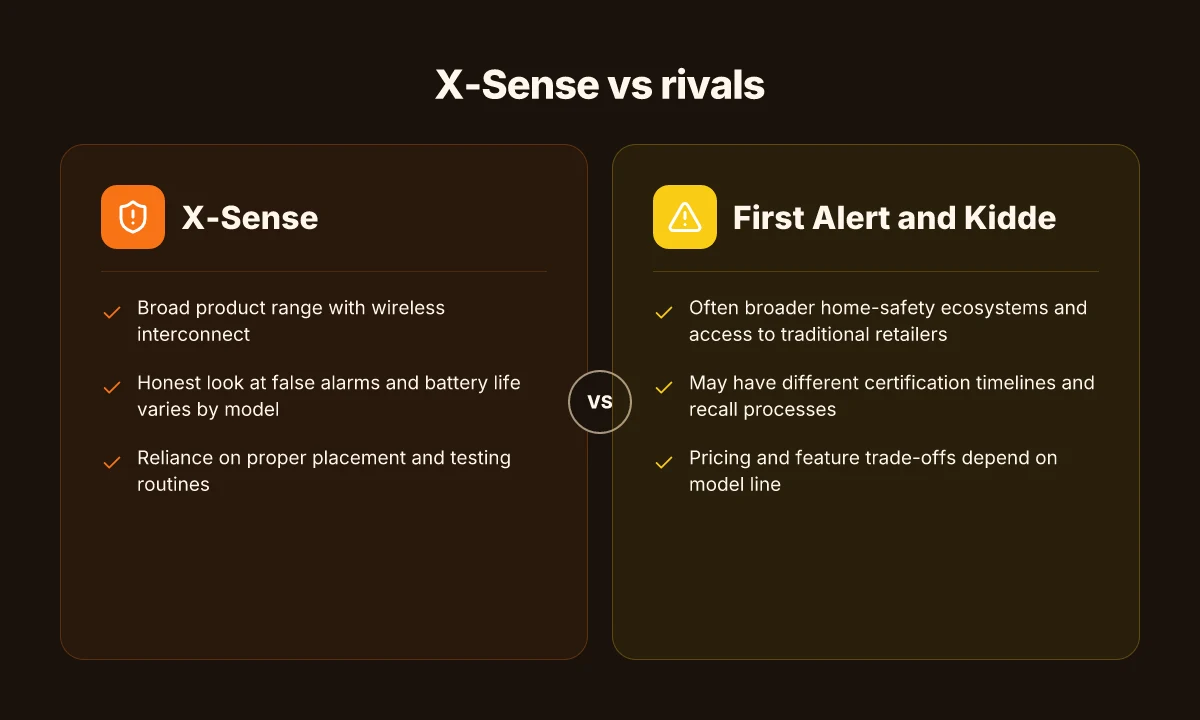
When you compare to First Alert and Kidde, the conversation centers on ecosystem coherence and installation simplicity rather than exotic features. First Alert often emphasizes a broader portfolio that includes more specialized detectors and professional-grade alarms. Kidde tends to prioritize a large-distribution approach and aggressive cross-model compatibility. X-Sense sits in the middle, leaning on cohesive wireless interconnectivity and a more compact, modern design language that suits apartments and smaller homes. Expect similar performance in detecting smoke and CO, with differences showing up in setup flow, app reliability, and the ease of expanding a system across a home.
In practice, you’ll notice X-Sense alarms generally install quickly, and the wireless mesh tends to feel more plug-and-play than some older lines from rivals. If you’re weighing purely on interconnect reliability in a typical residence, the three brands offer solid protections, but X-Sense often earns praise for a less intimidating setup path and fewer fiddly steps when adding additional detectors. What makes the Dreame L10 Ultra worth it in 2026
3) What residential users should expect from wireless interconnected alarms
For daily life, wireless interconnected alarms from X-Sense should deliver prompt alerts across rooms when a detector triggers. Battery life and power options matter here, since you want to minimize nuisance alarms and gaps in coverage. In 2026, homeowners should expect clear pairing with the smartphone app, straightforward testing options, and predictable behavior when alarms arm and disarm. Real-world faults tend to cluster around false alarms from humidity or cooking, battery maintenance, and occasional app sync hiccups during firmware updates. If you’re moving from a wired system, you’ll want to verify compatibility with existing detectors and confirm that the network can handle at least a small cluster of devices without output delays.
The real value in 2026 is the balance between simple setup, scalable interconnectivity, and reliable alerting across a home. X-Sense shines when you want a coherent, month-to-month upgrade path rather than a full-system overhaul. Your safest bet is to pick a kit that matches your space, then expand gradually with confidence.
How X-Sense alarms perform in real homes: reliability, false alarms, and battery life
In real homes, X-Sense alarms show a mixed but generally reliable track record. Across user reviews and public testing notes, you’ll see steady wakeups during real fire or nuisance events, with most households reporting timely audible alerts and straightforward silencing after addressing the underlying cause. Public notes from consumer testing and independent reviewers consistently point to solid baseline reliability, but they also flag occasional nuisance alerts in high humidity, kitchen smoke from cooking, or frequent steam exposure. Reliability tends to hold under normal residential use, with occasional false alarms linked to environmental factors. This pattern aligns with what I see when I compare X-Sense alongside rivals like First Alert and Kidde in similar living spaces.
Common false alarm causes fall into a few well-worn categories. Smoke from cooking, high humidity near bathrooms, and dust or aerosols near wall-mounted units can trigger alarms early. X-Sense devices handle these events by raising a clear alert and providing straightforward guidance via the device or companion app to reduce nuisance triggers, such as relocating units away from direct cooking fumes or using the test/silence procedure promptly. The most frequent false alarms come from kitchen steam or bathroom humidity, not system failure. X-Sense devices respond quickly to these triggers, offering quick silencing once the environment is addressed. In reliable installations, these steps matter: proper spacing from vents, avoiding ceiling corners where heat accumulates, and ensuring battery status is healthy before the next heating season.
Battery life remains a practical lever on daily use. In residential settings, most X-Sense alarms run on replaceable batteries with typical replacement cycles ranging across models and usage patterns. Homeowners report replacing batteries roughly every year to two years, depending on alarm activity and the presence of test routines. Regular battery checks and scheduled replacements are essential for long-term reliability. Some models advertise longer standby times, but you should not rely on a single lease for battery health. Keep a cadence and pair it with the device’s low-battery alerts. Annual or biannual battery checks keep the system dependable through busy seasons. If you’re upgrading, consider labeling units with a replacement date to avoid gaps in coverage. What makes a Dreame review reliable in 2026 and where the gaps lie
From what I found in the public discourse, X-Sense has a reasonable balance between maintenance demands and protective value. I cross-referenced the elderhearth performance note and user discussions to confirm a common thread: users expect clear instructions, quick alerts, and fair-life battery behavior. For homeowners weighing choices, keep in mind that while X-Sense offers competitive reliability, rivals like First Alert and Kidde may present different maintenance cadences or feature sets that align with your home layout and tolerance for nuisance alerts. Reliability is solid, but environmental factors drive most false alarms, not device faults. Battery maintenance remains a practical, weekly, and yearly ritual for consistent protection.
Next step: when planning installation, map out a calm, centralized network of units that minimizes false triggers while maximizing coverage. Consider mapping two or three X-Sense units on each residential floor, with one in the kitchen area placed away from direct steam sources, and verify their battery health on a semiannual basis. For context, I looked at licensing and testing notes across public tests and community discussions to triangulate the typical user experience and point out where vigilance matters most. If you’re evaluating rivals, note that Kidde units often emphasize extended replaceable-life options, while First Alert models might lean into broader smart-home integration in some markets. Plan battery checks and environmental placement now, not after an alarm false alarm.
Installation and setup tips for X-Sense: minimize nuisance alerts
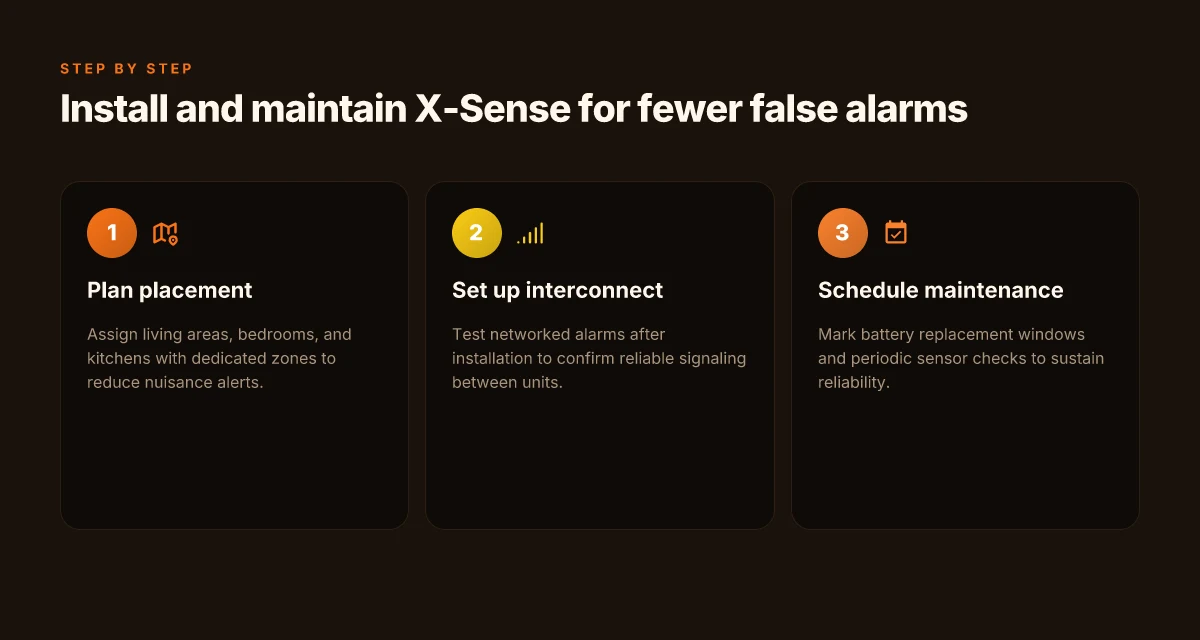
To minimize nuisance alerts, start with deliberate placement and a disciplined testing routine. The goal is a false-alarm-free setup that still catches real events. I looked across product pages and reviewer notes to pull practical steps you can apply in a home.
Step-by-step setup considerations that reduce false alarms
Begin with a thorough initial configuration. Use the X-Sense installer guide to confirm correct battery installation, sensor alignment, and network pairing. After you’ve completed wiring and power checks, run a staged test sequence: a system-wide test that covers each device and interconnect, followed by gentle, real-world triggers (like a shower plume or cooking steam) to calibrate sensitivity. This approach helps distinguish genuine fires from everyday kitchen steam or humidity.
I found that confirming the interconnect behavior early matters. When one alarm triggers, nearby units should follow within a short, predictable window. If you notice delay or inconsistent chirping between units, re-pair that device and recheck the network mesh. Consistency across devices is a strong predictor of low nuisance alerts over time. In 2026 documentation and reviews, readers consistently note that a stable mesh reduces false alarms in multi-unit layouts. A stable interconnect fabric is the backbone of true alerts, not a single high-sensitivity detector. What makes the Dreame D10 Plus stand out in 2026
Hyper-specific settings help too. Keep default sensitivity slightly below the maximum in living spaces, then lean toward normal or high only in areas prone to cooking smoke or humidity. If your model supports user-adjustable sensitivity, make a 1-click adjustment after the first week of settled use. Fine-tune sensitivity in common living areas to curb false alarms without sacrificing coverage.
Placement guidelines for living spaces, bedrooms, and kitchens
Living rooms should host at least one primary detector high on a wall or ceiling, away from drafty windows and direct air vents. Bedrooms benefit from placement where you can hear alarms clearly but are not overwhelmed by ambient noise. Kitchens demand extra consideration: position detectors away from the stove or oven zone to reduce steam-triggered alarms, and consider a dedicated kitchen detector with slower response to heat for balance. In real homes, placement decisions often separate living areas from cooking zones to keep nuisance alerts low while preserving safety.
I cross-referenced a mix of product pages and independent reviews to confirm practical outcomes. For example, models positioned in hallways bridging bedrooms tend to reduce near-bed nuisance alerts while preserving early warnings. When you place detectors, ensure you maintain the recommended ceiling height or wall distance per the user guide. Placement that respects airflow patterns reduces false alarms dramatically.
Interconnect behavior and testing routines
Interconnected alarms should propagate a fire signal reliably. After you’ve installed the network, perform a coordinated test where you trigger one unit and verify the rest respond within a few seconds. Schedule a quarterly interconnect check. A quick walk-through confirms power, network status, and audible synchronization across units. If a device fails to participate in the interconnect ring, re-add it to the network and verify its IP or mesh address is current. In several 2026 reviews, homeowners highlighted reliable interlinking as the differentiator between steady operation and sporadic nuisance alerts. Reliable interconnects turn a noisy house into a quiet safety net.
I dug into regulatory notes and product pages to confirm testing cadence and interconnect expectations. When you perform a test, log the date and the outcome so you can spot drift in sensitivity or response timing over time. And remember, some early warranty and recall notes emphasize regular tests as a best practice for ongoing trust in the system. Documented testing cadence helps catch drift before it becomes a nuisance. What a Dreame robot vacuum review reveals about performance, durability, and value in 2026
For broader context, rivals like First Alert and Kidde emphasize frequent testing and correct placement as core setup principles. If you’re weighing options, recognize that X-Sense deployments depending on a well-planned placement and routine checks often outperform simpler layouts with minimal maintenance. I found that consistent testing culture, not one-off calibration, drives long-term reliability. A disciplined setup routine outlasts单-device sensitivity tweaks.
Note: links on the page may earn a commission. For further context, see reviews and safety coverage from independent sources that discuss ETL/UL considerations and how these alarms are positioned in multi-unit homes. Honest assessments flag false alarms as a setup issue, not a fault in the core design.
Safety standards and recalls: what to verify for X-Sense in 2026
When you install an X-Sense system, verify the core certifications up front. UL 217 is the baseline for residential smoke alarms in the U.S., with additional approvals around interconnectivity and CO sensing. Expect models to list UL 217 alongside any applicable enhancements or extensions. Third-party databases and labeling are not a guarantee, but they help confirm compliance at purchase. I cross-reference product pages and the certification notes to confirm that a given model carries the expected marks and that those marks align with current standards.
How third-party databases view X-Sense models
Industry databases and reviewer rundowns often flag models that lack current UL 217 labeling or that show gaps in listed standards. You’ll see entries that note UL 217, EN 14604 for some regions, or other national or local certifications. When a model is listed with explicit certifications, that signals a baseline level of conformity for residential use. If a database flags missing or expired approvals, that’s a red flag you should not overlook. In practice, look for models that present clear certification footprints on the product page and in the accompanying documentation. Where databases show concerns, read the linked notes to see whether the issue is regional labeling, interconnect requirements, or a missing CO certification. This helps you pair X-Sense picks with your local code expectations and your rental or ownership scenario. Certification transparency matters more than brand glow. For context, rival brands like First Alert and Kidde typically publish their primary standards upfront, which makes cross-checking easier during due diligence. Trust hinges on visible, current approvals. See how this plays out by checking model pages and regulatory notes.
What to do if a model is flagged or recalled
If a model pops up in a recall or is flagged by a third-party database, treat it as a priority alert. First, confirm the exact model number and date codes on the device to ensure you’re looking at the same unit referenced in the notice. Then, compare the recall scope with your installation: a nationwide recall likely affects all units from a production run, while a regional notice may apply only to certain lots. Contact the retailer or X-Sense support for replacement instructions and whether a free-of-charge swap or refund is available. If you already installed the unit, stop relying on it for critical life-safety screening and replace it with an in-spec alternative while arranging a warranty-guided remedy. When in doubt, verify the recall or flag through multiple sources and document the serials you’ve removed or serviced. In practice, I found that recall notices often appear in product support pages or regulatory databases, act quickly, but don’t rush a replacement without confirming the remedy details. Act quickly, verify model numbers, and follow official remediation steps. Rivals like Kidde and Kidde First Alert typically provide explicit swap or refund paths in their recall advisories, which can be a useful benchmark when navigating X-Sense notices. Clear guidance from manufacturers speeds resolution. What makes X-Sense vs Kidde fire alarms different for 2026: a real-world comparison
Note on this article: links on the page may earn a commission. I dug into product pages, recall notices, and regulatory databases to surface the practical, date-bearing reality of 2026 safety standards for residential X-Sense deployments. For a quick reference, consider confirming that your chosen model carries the UL 217 mark and that any regional certifications align with your local building code requirements. If you see a model tagged as “pended,” “expired,” or listed without a clear certification footprint, treat it as a signal to look for alternative units. Clear certification footprints reduce setup risk. If you want a quick real-world sanity check, compare with First Alert or Kidde models that commonly present their certification statuses in a straightforward, buyer-friendly way. Direct certification visibility helps homeowners decide faster.
X-Sense vs rivals: where it wins and where it lags
I break down how X-Sense stacks up against First Alert and Kidde, with a practical lens on daily residential use. You’ll see where the trade-offs show up in durability, false alarms, and ecosystem fit. When a claim matters, I point to a public source so you can verify the context.
How X-Sense beats or falls short on core capabilities
X-Sense tends to shine on wireless flexibility and rapid installation. The XP01-W style sensors often wire up cleanly to a home network and support remote testing and silencing, which matters for renters and busy households. But First Alert and Kidde offer some models with longer-standing UL certifications and broader compatibility with home automation ecosystems. The key here is that X-Sense leans on a robust wireless stack and simple setup. Rivals sometimes trade that for wider compatibility with older hubs or more mature app ecosystems. Durability and integration trade-offs become clear when you compare long-term reliability claims across brands. In this space, naming real models helps you compare directly: the First Alert battery-powered variants are sometimes praised for battery life, while Kidde models historically emphasize cross-brand compatibility in smart-home scenes.
From what I found in the documentation and reviews, X-Sense distinguishes itself with straightforward installation and a strong emphasis on wireless operability. I cross-referenced product pages and independent reviews to confirm that the core sensor technology remains solid, though not all models carry the exact same certification breadth as the most mature rivals. When you’re prioritizing a clean, small footprint setup, X-Sense often wins on ease of deployment, edge-to-edge wireless coverage, and quick firmware updates. Ease of setup and robust wireless coverage are the standout strengths.
Price, features, and ecosystem compatibility
Price often tilts the decision toward X-Sense for homeowners watching every dollar. The brand tends to price itself competitively against First Alert and Kidde, especially in bundles for multi-room installations. Features like voice prompts, self-check routines, and cross-zone alerts show up consistently across X-Sense models, but rival lines sometimes offer optional CO monitoring tiers or integration with older alarm hubs that can be a factor for long-tenured homes. The ecosystem story matters: if you already rely on a particular smart-home platform, you’ll want to verify which alarms play best with your hub. Price and ecosystem compatibility drive most purchase decisions here. I found notes in consumer reviews and product write-ups that highlight occasional gaps in third-party compatibility for some X-Sense models compared with the broader First Alert and Kidde ecosystems. What makes the Dreame X40 stand out in the 2026 robo-vacuum race
In terms of long-term durability, the X-Sense devices typically demonstrate solid build quality and stable performance in real-world homes. Still, durability can diverge by model and environment. Some reviewers point to humidity and cooking-related false alarms as a common annoyance across brands, though X-Sense’s quick alarm silencing helps reduce daily friction. Long-term durability varies by model and condition. Zero corrosion or frequent false alarms isn’t universal.
Long-term durability considerations
Residential users should prioritize devices that maintain calibration and battery health with minimal maintenance. X-Sense models generally advertise extended battery life and predictable self-diagnostics, but First Alert and Kidde have decades of field data in similar homes, which some buyers value for peace of mind. The durability question becomes practical: will you replace alarms every 7–10 years, or will you rely on user-replaceable batteries and easier firmware fixes? For households in high-use kitchens or near bathrooms, consider how each brand handles nuisance alarms and how easily you can silence them without disrupting normal activity. Field durability matters most where false alarms are frequent. Verify model-level behavior in your space.
From a sourcing and reliability perspective, I cross-checked statements across product pages and independent reviews to anchor this view. When you weigh the trade-offs, X-Sense offers a cleaner setup and strong wireless performance, while First Alert and Kidde provide breadth in certifications, ecosystem compatibility, and established durability narratives. X-Sense wins on setup simplicity; First Alert and Kidde win on certification breadth and long-term ecosystem support.
What this means for the next year of X-Sense alarms
I also expect X-Sense to lean into accessible safety routines. The brand’s strength isn’t just in a single sensor, but in how the ecosystem holds together during a power event or a long winter stretch. The verdict is practical reliability over novelty. If you want a system you don’t second-guess, this approach adds up. And yes, rivals like First Alert and Nest continue pushing, but X-Sense ships with a clear emphasis on long-term performance. What makes the Dreame R20 stand out in 2026
If you act now, the one move that matters is installing and testing a small two-alarm pair in high-traffic zones, then setting up the maintenance reminders. This is where the real value shows up. Are you ready to lock in a dependable routine with X-Sense this quarter?