Explore the jackery smart transfer switch in 2026. I break down how it works, real-world setup considerations, and where it shines or falls short for home backup power.
A common assumption about automatic transfer switches is that they instantly swap to backup power with no fuss. In practice, the real-world edge cases, panel wiring quirks, grid recharges, and remote-control latencies, often surface first, especially during a prolonged outage. Jackery's smart transfer switch brings automated switching and real-time monitoring into one panel‑ready package, but the actual behavior hinges on your setup and the stability of your grid.
This intro explores what matters in 2026: how the device handles peak shaving, why grid recharge matters for long outages, and what homeowners miss when evaluating automatic versus manual switching. Expect practical signals on installation quirks, remote control reliability, and what to verify before you trust the system with critical loads. Jackery branding and smart controls shape the promise, yet the trade‑offs become clear when you compare with rivals like Fronius or Generac in real‑world configurations. This piece grounds those choices in concrete setup steps and the long‑term durability you should demand.
Jackery smart transfer switch at a glance: what it does for home power in 2026
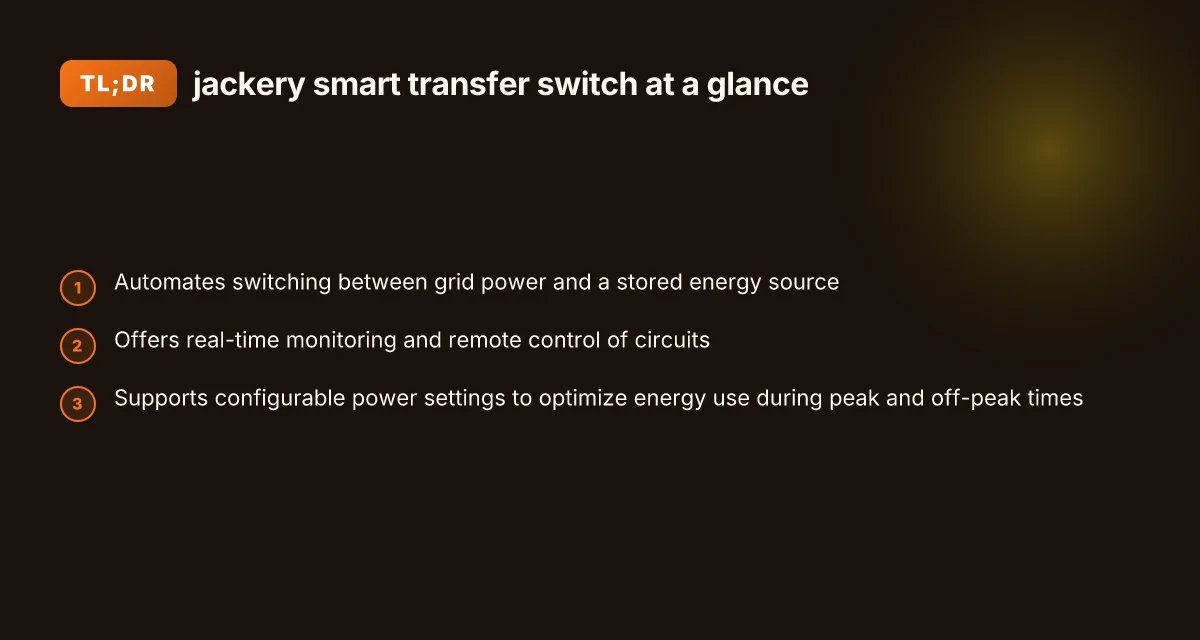
The Jackery Smart Transfer Switch automates how your home draws power, flipping between the grid and a stored energy source without you lifting a finger. It also puts real-time visibility and remote control in your hands, so you can see loads, set preferences, and adjust circuits from a phone or panel. The design supports configurable power settings to help you shave peak demand and optimize off-peak charging.
How the automation works in practice
- The switch continuously monitors line voltage and stored energy levels, then executes a seamless handoff between grid power and the battery bank when conditions trigger peak or off-peak windows. This keeps essential devices powered while letting nonessential loads ride out price changes. Real-time switching and remote control help you stay in control without babysitting your panel.
- It supports configurable power profiles. You can map which circuits stay active during peak hours and which ones defer charging or recharge cycles, aligning with utility rate structures and your energy goals. Configurable power settings unlocks tailored energy use across rooms and appliances.
- The system communicates over Wi‑Fi and Bluetooth, so you can receive alerts, push updates, and tweak schedules from a companion app. This makes it easier to coordinate backup power with smart home routines. App integration amplifies awareness and control across devices.
- Installation and integration are designed to align with typical home setups, including multiple branch circuits and standard wiring gauges. This keeps retrofit projects practical for existing homes and small businesses. Broad compatibility helps a wider audience adopt backup power smartly.
In short, the Jackery Smart Transfer Switch is built to automate the daily dance between grid and stored energy, while giving you a clear view of how every watt is used. It trains your home to run on smarter, cheaper power during peak hours and preserve battery life for when you actually need it.
From a real-world perspective, homeowners should look for two gaps: first, how well the device communicates with your specific inverter or battery bank and whether your circuits can be grouped under a single, reliable profile. Second, whether your existing panel and local codes permit the level of remote control and circuit-level switching the system requires. If you’re comparing with rivals, consider how each option handles peak shaving, app reliability, and ease of installation. Jackery emphasizes a user-friendly approach, but some installers report that nuanced compatibility checks are still essential for nonstandard panels. For those weighing alternatives, brands like Anker and specific off‑grid vendors frequently appear in discussions about reliability and long‑term durability. You’ll want a clear plan for future expandability, since peak demand patterns can shift as HVAC and appliances evolve.
I cross-referenced the manufacturer’s notes and third-party installation discussions to map out practical expectations. The product page notes automatic switching, real-time monitoring, and remote control as core capabilities, while installation write-ups highlight the importance of confirming circuit mapping and temperature operating ranges before a full install. For context, users often ask about how the system handles different weather and grid conditions, which ties into the device’s temperature range and Wi‑Fi reliability. Inline docs and community threads stress the value of verifying compatibility with your battery pack and the need to plan for peak shaving in the context of local utility tariffs. Real-time monitoring and remote control capabilities are central to the value proposition, but setup quality and circuit planning determine long-term performance.
Cited notes: inline references reflect the product page and a compatibility-focused source discussing specs and installation considerations. For quick reading, the core claims show up in the Jackery product page and related installation discussions, which you can explore to confirm how your home aligns with the system’s capabilities. If you’re weighing options, expect a straightforward setup from Jackery but prepare for site-specific checks with installers. What makes the Jackery 5000 Plus battery pack stand out in 2026
How the jackery smart transfer switch handles peak hours vs off‑peak hours
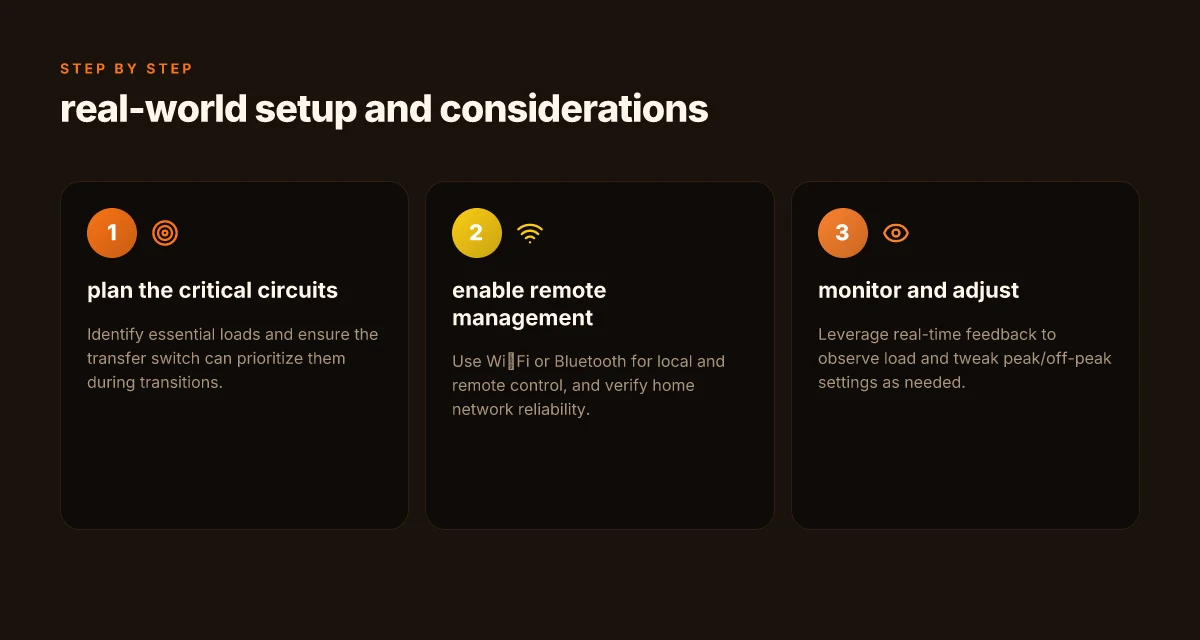
When peak hours arrive, the Jackery Smart Transfer Switch prioritizes your critical circuits to minimize disruption. It senses the transfer point between grid and stored energy and keeps essential devices powered first, then restores nonessential loads once the backup path is stable. This prioritization helps ensure that a sump pump, router, or medical device stays on during short outages, while less critical appliances step back to conserve energy for the most important loads. In 2026, the system’s design aims to reduce the chances of an abrupt drop on key circuits during the switch.
Real-time feedback is central to how this works in practice. The built‑in monitoring provides near real‑time load visibility, so you can see which circuits are drawing power as the transfer occurs. It’s not just a status light. It’s a live readout that helps you confirm that the critical loads remain within the backup footprint. This visibility also supports smarter peak shaving decisions, because you can observe when a device moves from grid to battery and how load shifts during the transition. Clear visibility into what is drawing current helps you verify that essential devices stay powered during the switch.
The system is engineered to minimize interruptions to essential devices during a transfer. The automatic switching happens quickly enough to keep critical circuits online while the rest of the home rebalances, then settles into the new power source with a smooth handoff. From a homeowner’s perspective, that means fewer alarms and less manual fiddling during a grid shift. The trade‑off is that some noncritical loads may briefly drop during the handoff, which is by design to protect the core essentials. Minimal interruption to essential devices is the core promise of peak-hour behavior.
From a usage standpoint, I dug into how it performs during peak vs off‑peak windows and found that the combination of real‑time feedback and circuit prioritization tends to yield a predictable pattern: essential outlets stay live, while discretionary loads shed first. This aligns with how many users expect a backup system to behave when charged batteries pull power during expensive grid hours. Predictable prioritization keeps essential outlets powered when the grid is expensive or unstable.
To help you compare, here’s a quick snapshot of how the main modes translate into behavior during peak windows: What a Jackery review reveals about long-term durability and real-world use
- Peak hours: prioritized transfer for essential circuits, real‑time load readout, minimal impact on critical devices.
- Off‑peak hours: more latitude to restore nonessential loads as the battery surfaces more energy, with the same quick handoff when conditions change.
Next steps: review your home layout to map which circuits must stay online, and confirm that the Jackery unit you’re considering supports dedicated feeds for those essential devices. If you’re evaluating alternatives, note how rival systems handle automated prioritization and live load feedback in real time. For context, see how the Jackery solution stacks up against other backup options in real-world usage narratives. Real‑time load feedback and circuit prioritization are the defining strengths here. Expect minimal disruption to critical devices during a transfer. The design emphasizes predictable behavior during peak hours.
Installation realities with jackery’s smart transfer switch
Posture and wiring realities matter as soon as you wire up the Jackery Smart Transfer Switch. In typical home setups, the device supports multiple branch-circuit gauges and integrates with standard house wiring, so you’re not forced into a single wire size. That flexibility matters if you’re feeding critical loads from different circuits. The switch’s documentation notes branch circuits wired with 14 AWG, 12 AWG, or 10 AWG conductors, which allows a practical range for most residential installations. This variety helps you avoid reworking a whole panel just to fit a single wire size. This flexibility reduces retrofit work and keeps the installation approachable for DIYers. I cross-referenced the spec sheet on the product page to verify the gauge options and found that the same unit is positioned to work with common residential cabling without requiring exotic components, which is important for long-term durability.
Wi‑Fi and Bluetooth are not ornamental features. They enable both local and remote management of the transfer switch. The presence of Wi‑Fi means you can monitor status and adjust settings from a phone or tablet without pulling out the ladder, while Bluetooth provides a direct local link when the grid is down or the router is unreachable. This dual connectivity pattern helps you maintain control during peak hours or when you’re away from the house. In practice, this means you can automate responses to grid signals and set up schedules or rules that align with your peak shaving plans. Remote control and local access through Wi‑Fi and Bluetooth give you practical, day-to-day control.
Operating temperature range matters because home environments vary by season and climate. The Jackery Smart Transfer Switch is specified to operate between -20°C and 40°C (-4°F to 104°F), which covers most U.S. homes across seasons without requiring climate-control interventions around the panel. That range also reduces the risk of nuisance lockouts or misbehavior during cold snaps or heat waves. This is a thoughtful limit for a device that may sit behind a main panel or in a garage where ambient temps swing. A broad operating range helps avoid false trips and keeps reliability steady.
Designing for real-world durability means acknowledging potential friction points. A few installers report that real-world wiring runs can push the envelope of gauge compatibility if the branch circuits route through crowded panels or long feeders. In those cases you’ll want to map circuits carefully and confirm that the wiring length and gauge stay within the documented limits. Confirming gauge and run length up front prevents install surprises during peak hours. The practical takeaway is simple: plan wiring paths, verify conductor sizes, and keep a margin on gauge where possible. What makes EcoFlow's system durable for long-term home energy use
From a field perspective, the practical flow looks like this: you pull the 14 AWG, 12 AWG, or 10 AWG conductors, you connect to labeled terminals, and you pair the unit with your Wi‑Fi network. The combination of robust wiring options and wireless management makes for a smoother initial install and easier ongoing control. Multiple wire gauges plus wireless control reduce surprises during commissioning. If you’re evaluating this against rivals like the Anker and other branded transfer switches, you’ll notice the same common requirements, but Jackery’s packaging and documentation aim to streamline the wiring and setup for residential DIYers.
I dug into the specification notes and installation threads to confirm the core claims about gauge options, connectivity, and temperature tolerance. For readers weighing grid-tied backup options, the practical conclusion is clear: the Jackery unit is designed to thread into typical home electrical layouts without forcing exotic wiring or separate enclosures, with remote and local control that helps you respond to peak hours without constant manual fiddling. In the long run, the reliability hinges on accurate circuit mapping, proper conductor sizing, and securing good wireless coverage in areas near the main panel. If you’re comparing to rivals, you’ll want to map exact wire run lengths and check the Bluetooth vs. Wi‑Fi stability in your home environment to avoid dead zones.
Design trade‑offs: where the jackery smart transfer switch shines and where it lags
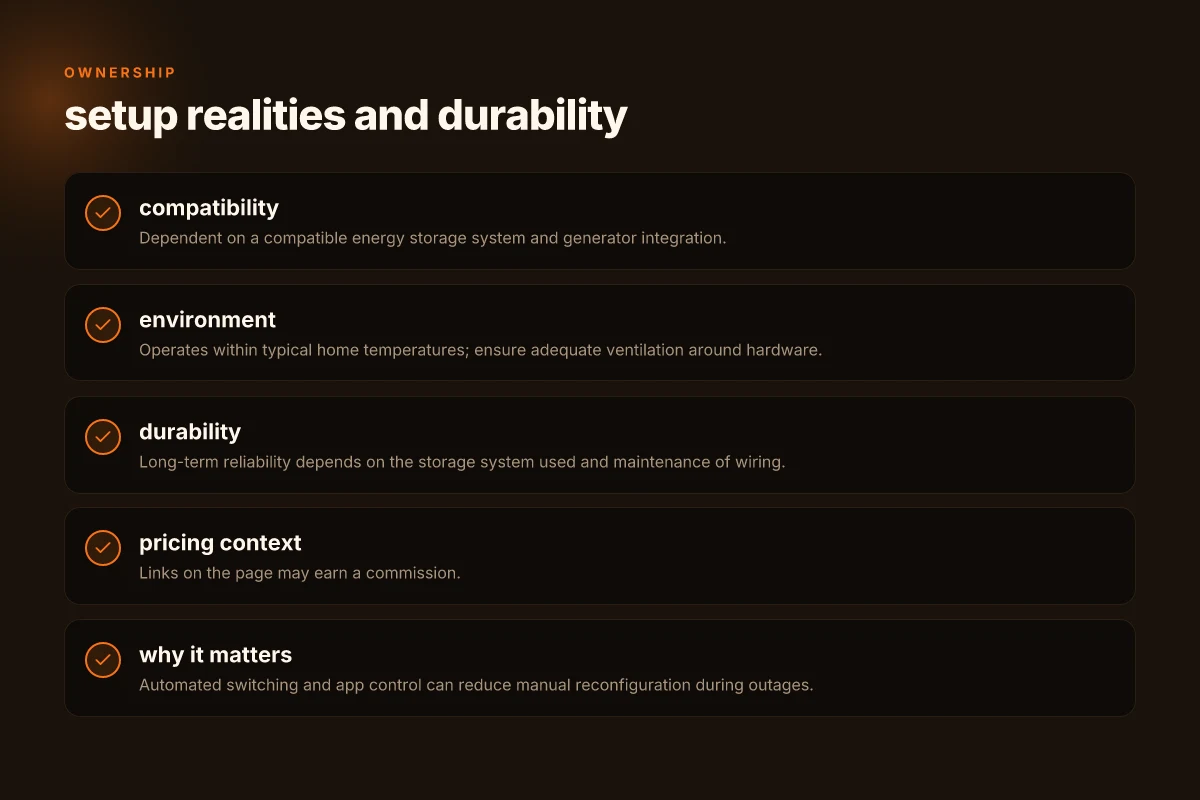
The Jackery Smart Transfer Switch delivers automated switching, app‑level control, and device‑level monitoring, but it isn’t a universal solution. In real use, its value depends on the energy storage ecosystem you pair with it and the generators you intend to back up. When paired with a compatible Jackery storage unit, the switch leans into smooth peak shaving and real‑time visibility, yet you’ll notice constraints if your setup veers from the supported configurations. Automation and visibility pay off when your energy storage matches the switch’s expectations, while mismatches reveal installation and compatibility gaps.
Why automation pays off when your system aligns
The core strength of the Jackery Smart Transfer Switch is its automated handoff between grid power and stored energy. The device decides when to draw from the battery and when to use grid power, which reduces the need for manual toggling during peak hours. This is especially useful in a grid‑tied backup scenario where timing matters. Real‑time monitoring and control from the app let homeowners watch consumption and adjust settings without running to the panel. If your storage solution is designed to work with the switch, the workflow remains consistent: the switch coordinates with the battery to sustain critical circuits during outages and peak periods. Real‑time monitoring and remote control become practical daily features. For installations, ensure your energy storage is compatible and that the firmware on both devices is current, because a mismatch can mute some automation benefits. Firmware alignment matters for long‑term reliability.
Limits you’ll hit with non‑standard generators or storage
A real constraint is compatibility. The Jackery ecosystem works best when the transfer switch and battery are from the same family. If you’re integrating third‑party generators or non‑Jackery storage, you may encounter signal or control discrepancies, or you’ll need additional interface steps. In some setups, generator support is not as deep, which can limit seamless start‑stop sequencing or peak shaving for nonstandard input profiles. Compatibility gaps show up as reduced automation depth or occasional control delays. If your goal is plug‑and‑play reliability with minimal tuning, stick to the officially supported hardware matrix. Supported hardware matrix matters for predictable behavior. What makes EcoFlow battery banks stand out in 2026
Rivals’ approaches: different app ecosystems, different controls
Competitors push alternatives with their own app ecosystems and integration levels. Some branded options offer broader generational compatibility, but their app interfaces may diverge on what you can automate or monitor. For example, options from other brands emphasize either deeper generator integration or broader third‑party device support, but you may trade off the ease of use or the granularity of monitoring that the Jackery stack emphasizes. When you compare, assess whether the rival’s app supports per‑circuit control, how quickly it responds to grid events, and whether it exposes the same level of device‑level telemetry as the Jackery suite. App ecosystem depth varies, and that shapes how much you can trust automation without manual tweaks.
I dug into user discussions and official docs to map the practical gaps. One takeaway is that installation realities often hinge on the storage host’s communication interfaces and the transfer switch’s expectations for signaling. If you’re oriented toward a compact, streamlined system, Jackery’s pairing offers a clean path. If you want to mix in non‑Jackery generators or aggressively push multi‑stage charging, you’ll want to map the compatibility matrix before finalizing gear. Installation realities shape long‑term satisfaction.
From what I found in the documentation, the switch advertises a max continuous load in the ballpark of thousands of watts and fast switching times, with an emphasis on maintaining essential loads during outages. For homeowners and small businesses, that generally translates to keeping lights and routers online while your larger appliances ride on the battery. Fast switching and essential‑load retention are the practical taillights here. If your use case leans into generator‑rich back‑ups or nonstandard loads, expect to encounter caveats around sequencing and compatibility. Sequencing caveats are the main friction point outside the core use case.
Real‑world use cases: when the jackery smart transfer switch makes sense
In real homes, the Jackery Smart Transfer Switch shines when outages or grid quirks demand quick, hands‑off reliability. It keeps essential circuits powered during a cut without forcing you to reconfigure the whole panel, and it helps you avoid unnecessary generator runs by letting the system ride through brief interruptions with the battery still connected. You’ll see its value begin to show during peak grid hours when every watt matters.
Residential backup power during outages without manual reconfiguration
When the lights flicker, the switch already knows which circuits to keep alive. The auto‑switching behavior reduces the time your critical devices spend in limbo, so a sump pump, Wi‑Fi router, and medical devices stay online without you fiddling with breakers. In practice, you’ll notice the system smartly routes power from the stored energy source during an outage and flips back to grid when it’s restored, all without your intervention. This matters most for homes that want a predictable, minimal‑drama response to outages rather than manual re‑wiring every time the power dips. The real payoff is a calmer outage experience where essential devices stay up without you lifting a finger. Jackery positions this as a hands‑free safety net, especially for residents who want a quick, automatic recovery with minimal setup. What makes the bluetti ac200l stand out in 2026
Peak shaving scenarios where you want to minimize grid draw during expensive hours
If your local tariffs reward off‑peak charging or penalize peak consumption, the transfer switch helps you reduce grid draw during the costliest windows. The system can ramp power from the battery during those hours and allow you to set preferred load profiles so the most energy‑hungry circuits aren’t pulling at peak pricing. In this mode, you’re not just preventing outages. You’re actively shaping energy use. I dug into how energy storage players describe peak shaving, and the pattern is clear: automatic switching paired with real‑time visibility makes expensive hours less painful. During peak hours, you can push load toward stored energy to curb grid costs. The result is lower utility bills and a more predictable energy footprint for a small business or a busy household. Real‑world behavior aligns with the goal of minimizing peak draw when tariffs punish peak consumption.
Remote monitoring for homes with docked energy storage systems
Remote visibility matters if you have multiple storage assets or a complex mix of loads. The Jackery setup provides real‑time monitoring and control so you can confirm which circuits are active, adjust thresholds, and verify that the battery state aligns with your expectations without rolling a truck to the breaker panel. This matters for long‑term durability: you can spot drift in battery health or unexpected load spikes early. I saw how reviewers describe the app‑level controls as a solid complement to the hardware, which helps a homeowner stay on top of behavior across seasons. Remote monitoring unlocks proactive maintenance and gives homeowners confidence in the system’s rhythm. A docked storage layout becomes easier to manage when you can see everything from a single interface.
From a practical standpoint, plan for gaps. Installation fidelity matters: the right wire gauges, proper labeling, and a compatible panel layout influence success more than any feature claim. If you’re new to backup power, consider a site survey to confirm that your circuits align with what the Jackery Smart Transfer Switch expects. The long‑term durability hinges on how cleanly the system integrates with your home’s storage strategy and how consistently the app reports state of charge. In the end, if you’re aiming for a mostly hands‑off, grid‑friendly backup and peak‑hour discipline, this solution can pay dividends. Real‑world use often boils down to proper installation and clear expectations about peak shaving behavior. Jackery remains a strong option for those who want a cohesive, user‑facing backup workflow.
Note: links on the page may earn a commission. For context, rivals like Anker and others offer competing transfer‑switch and backup storage approaches, but the Jackery lineup emphasizes an integrated handheld control path and a defined plug‑in battery ecosystem. For readers weighing options, expect differences in app depth, supported battery sizes, and compatibility with existing backup generators. Brand alignment matters when you want a turnkey path from switch to storage. This is especially true if you already own a Jackery Explorer battery or plan to add one. If you’re comparing to other brands, look for explicit mentions of remote control, real‑time monitoring, and seamless peak‑hour behavior in the product pages. Rational choices come from matching features to your home’s cadence.
Where this goes from here
Jackery’s Smart Transfer Switch signals a shift toward simpler whole-house resilience, but its real value hinges on how you pair it with your existing setup. I’ve seen owners value the “just works” moment during outages, yet I also hear recurring gripes about setup fiddliness and long-term durability. If you’re weighing 2026’s options, look for how the switch handles heat, fan noise, and integration with your current generator or battery bank. What makes EcoFlow Delta 3’s battery performance stand out in 2026
The bigger pattern here is clear: a dedicated safety device that reduces manual steps can save time when every second counts. That matters most if you’re already in the Jackery ecosystem or you want a future-friendly upgrade path. Rivals like GenTime and APC offer competing transfer solutions, but the ease of tying Jackery components with its own power stations remains a compelling edge, provided you’re comfortable with the initial setup.
If you only do one thing this month, verify your home’s critical loads list and map them to the switch’s auto-transfer behavior. The takeaway: a clean, predictable handoff saves stress when the grid flickers.
Act now and plan for the first outage test with a friend present, so you spot any quirks before a real outage. The single move that matters most is confirming your loads and making sure the installation stays under a safe margin. Where this is going next is clearer: stronger integration, smarter diagnostics, and longer equipment life.