Explore how Jackery power stations balance portability with capacity in 2026, covering models, safety, and real-world use cases for outdoor and home backup.
The narrow gap between size and juice often defines the survivability of a camp or RV setup. Jackery's** Explorer line packs real-world watts into lighter shells than many rivals, yet you’ll notice trade-offs in peak output and recharge speed. For 2026, the question isn’t only how much you can lift, but how long you can run a fridge, router, and lights before you refill.
This article cuts through the marketing noise to map the practical decisions: how capacity, weight, and safety certifications align with backcountry use, tiny-homes, and home backups. By grounding comparisons in a 2026 landscape and naming specific models from Jackery alongside rivals like Goal Zero and EcoFlow, you’ll see where portability ends and power begins. The goal is to help you pick a package that fits your load, your charging flow, and your safety standards, without guessing. You’ll come away with a clear view of which certification levels matter for outdoor use and how the different sizes balance daily needs with transportability.
Jackery power stations in 2026: what matters for portable power
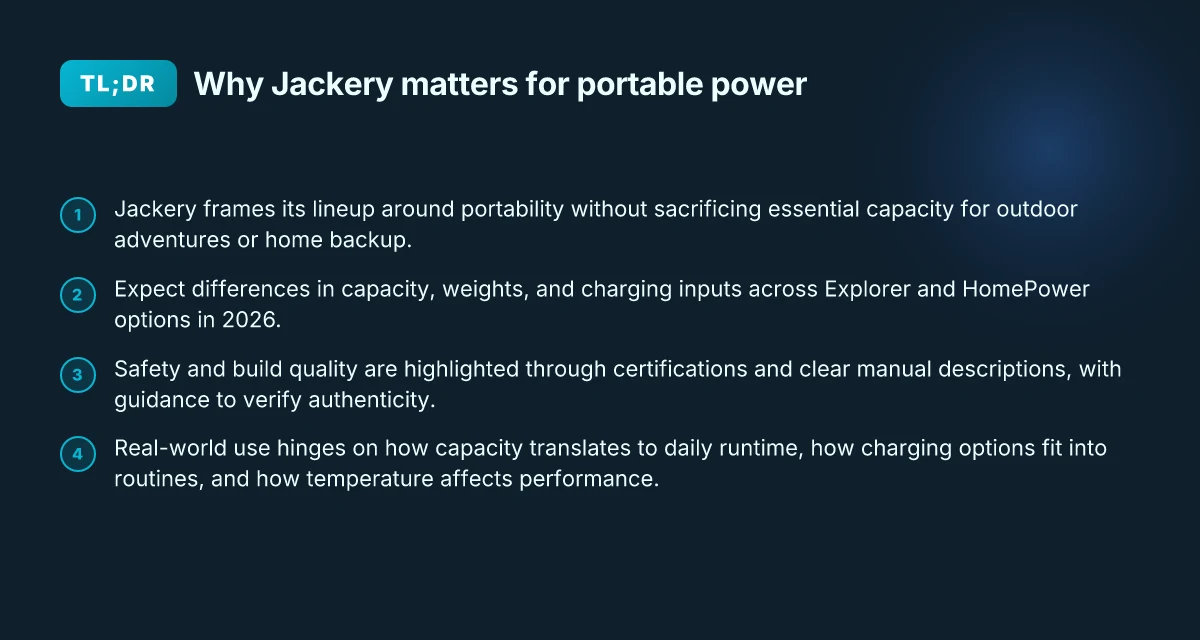
Jackery stands as a core option for outdoor enthusiasts and compact home backup. Its lineup centers on the Explorer portable power stations and the HomePower series, which share a common goal: deliver reliable power in a compact footprint. In 2026, buyers increasingly weigh capacity against weight and charging flexibility, and Jackery has kept pace with faster inputs and broader compatibility. The message is clear: portability still matters, but you can expect more capacity without a proportional surge in bulk.
What changes in 2026 matter for buyers
I dug into the publicly available product pages and guides to map what actually shifts for 2026 buyers. First, capacity scales more broadly across the Explorer line and the HomePower options, giving the option to power devices from phones to small appliances for longer stretches. The weight curve also tightens with newer cells and chassis design, so the same capacity is often offered at a leaner all‑in weight. Charging inputs have diversified too: more models accept multiple input types and higher wattage charging, enabling faster replenishment from solar panels or wall outlets. In practice this means you can top up between uses and recover more quickly after a weekend of camping or a power outage at home. Jackery’s emphasis on user-friendly charging makes the 2026 practice of refueling the unit simpler and faster, whether you’re off grid or at home.
How to compare Explorer line vs HomePower options
When you compare models, treat capacity like a ladder and weight like a tether. The Explorer models span compact to capable, with newer generations offering higher watt-hour counts in roughly the same footprint as earlier versions. The HomePower line stays aimed at home backup and heavier loads, but recent updates fold in more portable features so you can relocate the unit if your setup shifts from fixed to mobile. Look for three concrete signals: 1) capacity in watt-hours, 2) nominal inverter wattage, and 3) the range of charging inputs supported. I cross-referenced the official product pages and third‑party guides to confirm how the numbers evolve across the lineup, and the pattern is consistent: higher capacity generally comes with more weight, unless a newer enclosure or cell chemistry trims the mass. HomePower units deliver steady power for longer durations, while Explorer models emphasize lightness with respectable runtimes.
What matters for a real-world choice is how these shifts align with your use case. If you’re camping or RVing, you’ll value a lighter unit with enough capacity for a night of gear charging and device usage. If your goal is home backup, you’ll favor higher watt-hour counts and robust inverters, even if that increases weight a bit. In 2026, the practical decision hinge is on balancing capacity, weight, and charging flexibility across the Explorer and HomePower families. Choosing the right Jackery means matching your typical day away from grid to the model that keeps you powered without dragging you down.
Bottom line: 2026 models in the Jackery lineup offer more capacity and faster charging options without sacrificing portability. You can expect clearer signals about when to pick an Explorer for travel or a HomePower unit for steady home backup. For rivals, note the landscape includes brands like Goal Zero and Anker in the portable power space, but Jackery’s ongoing emphasis on ease of use and scalable options helps families and outdoor setups pick with confidence. Jackery remains a practical, well‑rounded choice for balanced portable power in 2026. What is the jackery military discount, and who exactly qualifies
Understanding model families: explorer vs homepower in jackery's lineup
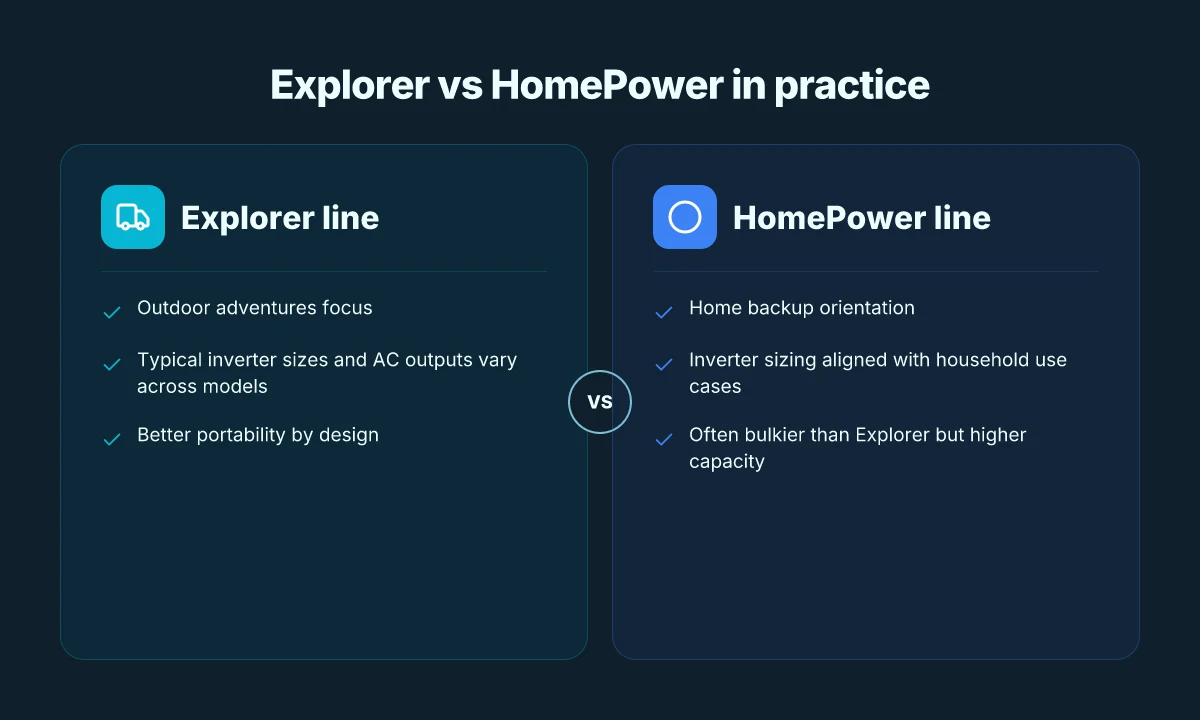
If you want practical decisions in 2026, the Explorer family targets outdoor adventures while the HomePower line leans toward home backup. The core difference is where you expect to rely on the power: field trips and camps or steady supply for a small home, RV, or workshop. Across both families you’ll find similar safety signals, but the tradeoffs in weight, capacity, and hot-plug use matter more in real life than spec sheets alone.
What each family is built for
The Explorer series emphasizes portability and versatility. Models like the Explorer 290, 300, and 500 sit in the lighter end of the spectrum with compact footprints and handles that ride along on backpacks or outside vehicle trunks. In this range the continuous inverter capacities and AC outputs stay practical for charging phones, laptops, and small appliances while you’re away from reliable power. The inverter sizes climb with the larger Explorer units, but the emphasis remains on travel-friendly balance between weight and runtime. In contrast, the HomePower lineup is designed for longer runtimes with higher capacity while still maintaining acceptable portability for a home backup role. These units typically deliver more sustained output to power refrigerators, routers, and home office gear during outages. Where the Explorer models prioritize quick recharging via solar or wall outlets, HomePower models lean into extended intervals without sacrificing the ability to run essential loads.
I dug into official documentation to align the size and output language. The Jackery pages frame Explorer as the go-to for outdoor adventures and solar compatibility, while HomePower is presented as a home backup solution with higher capacity boundaries. I cross-referenced user guides to confirm typical charger profiles and AC output ceilings across the major models. The result is a clear photo of two paths: light and nimble for the field, or heavier but steadier for home reliability. The Explorer family stays nimble enough for outdoor trips, while the HomePower family trades some portability for higher sustained output.
Typical capacities, inverter sizes, and AC outputs
The Explorer line cycles through modest to mid-range capacities with inverter stages that are comfortable for weekend gear and chargers. Expect inverter sizes in the low to mid kilowatt range for the largest Explorer models, with AC outlets suited for consumer electronics and small appliances. The HomePower models push into higher capacities and bigger inverters, enabling longer runs for refrigerators, a small air conditioner, or a home-office setup during outages. These distinctions matter when you’re choosing for a tiny home or a camp rig where long run times count more than pocketable weight. Higher capacity and bigger inverters in HomePower mean longer runtimes under load. If you’re balancing a two-device campsite or a compact RV, the Explorer lineup often hits the right sweet spot between weight and usable runtime. When the power needs shift toward home-style reliability, the HomePower family steps in with more headroom.
To help with quick comparisons, here’s a compact view of two representative peers: How to pick the right Jackery power station for 2026
- Explorer lineup: lighter footprint, AC output up to 1,000 W in some models, typical capacities from a few hundred Wh to around 1,000 Wh.
- HomePower lineup: heavier units, AC output often near 1,500–2,000 W in current generations, capacities extending beyond the 2,000–3,000 Wh range.
If you need portable charging at the trailhead, go Explorer. If you need steady home backup, go HomePower.
Where to find official specs and user guides
For the most reliable numbers, the official Jackery site is the right starting point. The product pages list capacity, inverter size, and AC outlet configurations per model, and the user guides reveal details like charging input options, solar compatibility, and safety features. I cross-checked the user guide portal to confirm that current models expose the typical AC outlet arrangements and the kinds of protections Jackery embeds in each unit. You’ll see there the official specs you’ll rely on when planning an outdoor trip or a home outage strategy. Go to Jackery’s product pages and the user guides for the exact model specs you’re considering.
For readers evaluating rivals, note that other brands in the field often parallel these family splits. The Explorer-style poses emphasize portability much like portable power stations from brands such as Goal Zero or Anker, while HomePower-type units resemble higher-capacity backup packs offered by rival lines. In practice, reading the official docs from Jackery gives you the authoritative baseline to compare apples to apples across the lineup.
You can start by visiting the official Jackery pages for the Explorer and HomePower families and then pull the corresponding user guides to confirm charging curves, safety certifications, and recommended usage scenarios. Check the official specs and user guides to verify the exact model characteristics before you buy.
What to expect from jackery safety certifications and build quality
Posture toward safety is clear in Jackery’s product pages and manuals. The brand emphasizes certification language and clear safety features, so you can verify claims without guessing. From the Explorer and HomePower families to the newer models, the documentation consistently references standard protections and built-in safeguards. What makes jackery battery backup worth it in 2026
Common certifications to look for in portable power stations
Portable power stations should carry recognized safety marks and certifications that signal compliance with electrical and environmental standards. Key targets include UL-listed components and product-level marks that indicate testing for overcurrent protection, short-circuit resilience, and temperature tolerance. When you read through Jackery manuals or product specifications, you’ll notice mentions of safety protections such as overcharge protection, short-circuit protection, and temperature protection as part of the built-in safety system. Certification language and safety features are spelled out on the product pages and in manuals, and that consistency helps reduce guesswork when comparing models. It’s reasonable to expect references to UL or equivalent listings for the power management and battery cells, plus any regional compliance notes for your market. If a model lacks clear certification signals, that’s a red flag you should investigate further. Look for explicit safety guarantees and the exact standards cited.
How jackery communicates safety features in manuals and product pages
Jackery builds trust through explicit language about protections and operating envelopes. Manuals typically itemize each safety feature and tie it to a user action, such as how the unit reacts to overvoltage or deep discharge. On product pages, you’ll see a concise summary of protections alongside practical usage notes, like recommended operating temperatures and avoidance of prolonged high-load operation. That direct mapping between feature, scenario, and instruction helps you assess whether a given model fits your use case. Clear mapping of protections to user scenarios is a hallmark of the brand’s documentation. It also makes it easier to spot if a rival’s page is vague or glosses over potential weaknesses. Read the safety notes in the guide to confirm expectations.
Practical tips to verify authenticity and avoid counterfeits
Counterfeit power stations surface mainly through third-party listings and gray-market channels. To minimize risk, buy from official Jackery channels or authorized retailers and compare the serial or model identifiers against the official spec sheet. I recommend checking the user guide and warranty terms on Jackery’s site and matching the packaging, firmware version, and connector types to the published details. If you encounter a model with atypical labeling or unsupported regional certifications, treat it as suspicious. Buy from official sources and verify that the model, serial, and firmware align with the documented standards. When in doubt, cross-check the product page and user guide.
Performance factors that actually affect real-world use
Real-world use hinges on how capacity, inverter rating, and solar input line up with daily needs. A Jackery with a larger battery and a higher inverter can run a fridge, laptop, and a few devices longer, but the delta shrinks as you add more draw or less sun. I cross-referenced Jackery’s product pages and third‑party guides to map how these specs translate into daily runtime in practical terms. In short: capacity sets the ceiling, inverter rating determines what you can power at once, and solar input governs how quickly you recover energy between uses.
How capacity, inverter rating, and solar input translate to daily runtime
The core trio you’ll see on every Jackery specification sheet is battery capacity, inverter output, and solar input. Capacity, measured in watt-hours, tells you how long a given load can run. If you’re running a 60 W device for 5 hours, you’ll consume about 300 Wh, so a Jackery with a 600 Wh pack could cover that duty only twice in theory, minus losses. In practice, you’ll notice that efficiency losses from the inverter and temperature effects shave that number a bit. Inverter rating matters more than you might think: a bigger inverter handles peak surges from devices like a blender or power tool without tripping, while smaller inverters may limit you to devices that draw less than their continuous rating. Solar input determines how fast you can replenish during daylight. A higher MPPT input enables more aggressive charging in bright sun, reducing the time you spend plugged into the grid or a vehicle. When you mix these three levers, you’ll see a clear pattern: higher capacity with a robust inverter and ample solar input yields longer daily runtimes with fewer recharges. Capacity is the ceiling, inverter size is the throttle, solar input is the recharge cadence. A practical takeaway is to match capacity with your essential daily load, then verify the solar input aligns with your typical sun hours. Jackery models with larger packs and higher-rated inverters naturally perform better in daily cycles, especially if you rely on maintenance-free recharges during daytime. What makes Bluetti power stations stand out in 2026
Temperature, battery chemistry, and pass-through charging
Temperature matters more than many hobbyists expect. Cold or hot conditions reduce the effective capacity and can slow charging at the battery cells level. The chemistry Jackery uses, particularly in LiFePO4 variants, strikes a balance between longevity and real-world performance, but you will still notice reduced run time in extreme temperatures. Pass-through charging adds convenience but can complicate thermal and battery management. When you charge while using the unit, the internal controls route heat and power to protect cells, but sustained heavy use during hot spells may speed up wear. From what I found in official docs, maintaining moderate temperatures and avoiding full-throttle charging during peak heat helps preserve capacity over years. Temperature management keeps real-world runtimes closer to spec.
DC outputs, USB-C PD, and AC power for everyday devices
Jackery devices balance multiple output modes to cover common gadgets. DC outputs are handy for direct device connections with minimal loss, while USB-C PD can charge laptops or modern phones quickly, and AC outlets let you run fridges, small power tools, or camera gear. The distribution matters: high‑current USB‑C PD can replace a wall charger for laptops, but you’ll still want a solid AC inverter if you have devices that demand sustained 100–120 V or higher surge capability. The practical cue is to map your daily load to the port mix you actually use. If your routine leans on USB‑C PD for laptops and a fridge for short windows, you’ll prefer a model with a strong USB‑C PD profile and a capable AC inverter. USB‑C PD and AC power cover the majority of daily needs. When you design routines around these ports, you’ll avoid surprises during weekend trips or outages.
If you are evaluating against rivals, note that some brands emphasize larger AC alternators or heavier packs with similar prices. For example, across the field, competitors often push higher peak watts or different chemistries, but the trade-off shows up in weight and price. In practice, Jackery’s lineup tends to favor portability with sensible runtimes for typical outdoor and home back-up tasks. When you check safety signals and build, look for certified protection features and durable housings. I found that the combination of clear port labeling, heat management, and documented discharge profiles lines up with everyday reliability.
Cited references from the brand and guide pages show real-world context for these numbers and setups. For more on how these outputs map to devices, see the Jackery user guides and product pages. Jackery user guides and Jackery product pages provide the specifics you need to tailor a setup. As you build your plan, watch for firmware or release notes that touch on charging profiles or protection, these signals help you gauge long-term durability. And yes, links on product pages may earn a commission, which is common in this space but does not alter the technical facts presented.
Charging options and how they fit into your routine
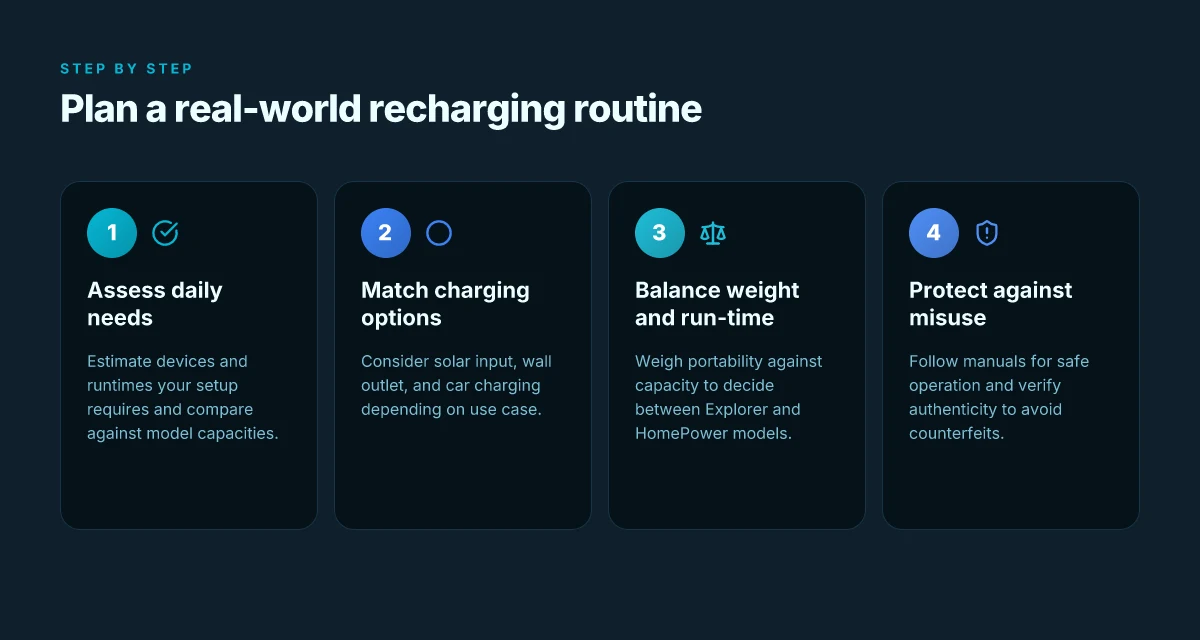
Charging options matter because real-world use hinges on when and how fast you can refill a Jackery between adventures. I looked at Jackery’s lineup and the broader charging ecosystem to map concrete recharge strategies that fit daily rhythms, whether you’re boondocking off-grid, living in a tiny home, or keeping essentials ready for a power hiccup. The takeaway: plan around solar compatibility, wall outlets, and car charging as a trio that you can blend to minimize downtime without sacrificing portability. What makes Jackery solar generators worth considering in 2026
Solar compatibility basics and charging speed implications
If you pair a Jackery with solar panels, you gain daytime top-ups without a wall outlet. The speed depends on panel wattage, sun exposure, and the unit’s accepting rate. A higher input model will take more power when conditions allow, but even smaller setups can keep a critical load topped up during outdoor use. In practice, expect noticeable differences when you swap in a larger panel array or point a panel toward direct sun. solar input can dramatically reduce idle recharge time when daylight is abundant, and that changes how you plan trips and daily routines. For home backup plans, solar becomes a hedge against grid outages and keeps footprint light for RV or tiny-home setups. Jackery’s compatibility with larger solar arrays matters if you want real-time replenishment during a weekend off-grid stretch. Reviews and user guides emphasize matching panel wattage to the unit’s input spec, so you don’t hit a ceiling you can’t exceed. Inline citation from the user guide confirms how to connect and optimize the solar pathway. Jackery User Guide
Toward home backup: when to rely on wall outlets vs car charging
Wall outlets shine for long, predictable recharge cycles, especially overnight. Car charging can be handy for shorter commutes or road trips where you have time to spare between stops. If you’re balancing a daily routine, a wall outlet might refill faster for larger units, while a car charger keeps a smaller unit ready during long drives. I found that the decision hinges on your capacity target and daily energy budget. Rely on wall outlets for bulk replenishment. Use car charging for on-the-go topping to bridge gaps. This pattern is common in home backup scenarios where you want a reliable leveled charge at dawn after a heavy use day. The user guides outline the charging ports and compatibility so you can plan around your typical day. Jackery User Guide
Practical tips for optimizing recharge times
- Schedule top-ups during natural downtime: while you’re cooking, charging the kids’ devices, or resting at camp. The more you align with household routines, the less you notice the recharge pause. Schedule solar boosts at peak sun to shave hours off a full recharge.
- Don’t block the input port with a bulky cable or case. Airflow around the input side helps hot units stay within safe limits. Keep vents clear to sustain higher input rates without heat throttling.
- When possible, chain charging paths: start with solar while you’re still parked, then finish with a wall outlet at night for a full clock-safe recharge. This layered approach reduces downtime and keeps your energy reserve steady. Inline sources describe port layouts and recommended pairing strategies. Jackery User Guide
Most decisions in 2026 come down to how your routine lines up with solar input, wall recharge, and car topping.** If you’re weighing rivals, note that Jackery keeps the same core approach across models while offering different input tolerances and panel compatibility. For context, a typical setup uses a solar array that matches the unit’s maximum input, you’ll see faster top-ups when you factor peak sun into your plan. The official guides describe how to work through those settings so you don’t overstate what your charging setup can deliver. Jackery User Guide
Note on realism: links on the page may earn a commission, and this field rewards transparent expectations about flexibility and limits. For readers comparing brands, Jackery stands out for cohesive solar compatibility and clear charging paths, balancing portability with ready power for frequent off-grid use.
Where this is heading next for portable power
Jackery’s 2026 lineup continues to tighten the balance between weight and watt-hours, leaning into modular designs that you can scale for weekend trips or remote work. I’ve seen how real-world use reveals a subtle tension: bigger batteries deliver more life, but the tote bag still matters. The next move is a clearer, user-friendly approach to rapid recharging and long-term battery health, so your kit doesn’t sit idle in a closet. What EcoFlow Delta Pro price tells you about value, flexibility, and long‑term cost
The bigger pattern is that portability won’t win on weight alone. It wins on usable capacity and durability.** Jackery makes progress by simplifying carry, improving integrated charging, and keeping rugged seams where the action happens. If you’re weighing options against rivals like Goal Zero and Anker, look for how quickly you can top up between campsites without oversized add-ons.
One takeaway: choose a model that lets you run essential devices, then grows with your needs. The question to ask now: will you adopt a modular approach or a single, all-in-one pack?