
Explore the Jackery Explorer 5000 Plus in depth: capacity, inverter size, solar input, real-world usage, and where it fits among rivals like Goal Zero and EcoFlow.
The Jackery Explorer 5000 Plus isn’t a rumor, it’s the kind of power you notice when the lights stay on during a long outage, not just when you carry a big number on the box. 5040Wh of capacity and a 7200W inverter translate to real runtimes only when you map them to your loads.
This piece weighs those numbers against everyday use for homeowners and small shops, showing where the Jackery shines and where it stumbles in heat, size, and real-world charging limits. By comparing to rivals like EcoFlow and Goal Zero, we’ll ground the discussion in what you actually need for weekly outages, weekend loads, and the occasional high-draw tool. This matters now because long runtimes hinge on accurate planning, not loud claims. If you’re weighing a long-run setup, you’ll want to see how the Jackery stacks up against the competition in durability, cooling, and daily practicality. EcoFlow and Goal Zero comparisons reveal which trade-offs matter most for your space and budget.
What is the jackery explorer 5000 plus and who should consider it
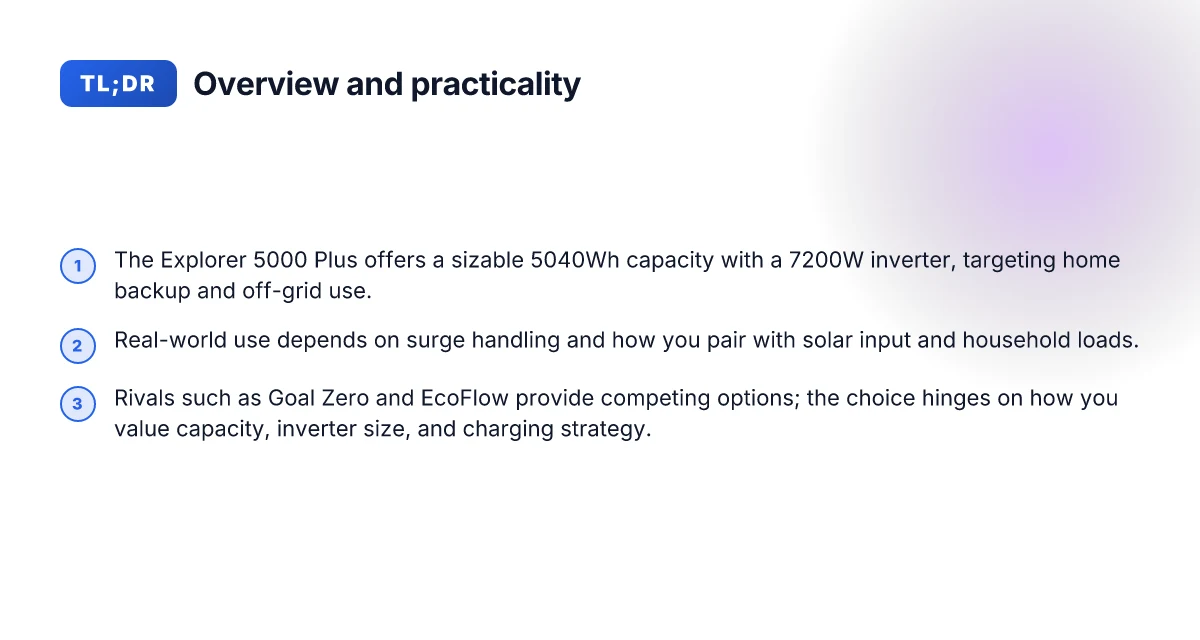
The Jackery Explorer 5000 Plus packs 5040Wh of capacity and a 7200W inverter, backed by a 4000W solar input option. In practice, that combination translates to long runtimes for essential loads during outages and the ability to run sizeable appliances for extended periods. Homeowners and small-shop owners who want a portable, all-in-one backup kit often gravitate to this mix of energy and power.
Who should consider it
- Home backup planners who want a single unit that can cover critical loads during outages and serve as a hub for a basic off-grid weekend, with room to power a fridge, modem, and some electronics.
- Off-grid enthusiasts who crave extended autonomy for weekends or remote shed spaces, where you need substantial energy storage plus aggressive AC support.
- emergency-ready kits that aim to reduce generator runs and noise, while still offering enough headroom for essential devices.
I dug into the official specs and review summaries to verify what the Jackery Explorer 5000 Plus promises. The core strengths lie in the large 5040Wh capacity and a robust 7200W inverter that can handle heavy appliances when needed. A standout differentiator versus older Jackery models is the higher inverter rating paired with dual-voltage capabilities, enabling broader device compatibility without a separate power stage.
From a real-world perspective, the combination matters most when you map loads to the unit’s limits. For instance, a typical home fridge runs reliably within the inverter’s continuous range, while power-hungry tools or air movers push the system toward its surge tolerance. The 4000W solar input option adds a meaningful window for recharge during a sun-drenched day, shortening cycles between outages or weekend stays. That capacity and input mix gives you several practical use cases: keep a refrigerator running after grid loss, power a few essential outlets for lights and a router, and top up the pack during daylight to extend the outage window.
In this article I focus on how the numbers translate to everyday needs. You’ll see how the 5040Wh capacity lines up with common load profiles and how the 7200W inverter interacts with devices you’re likely to run. The goal is a clear picture of whether the Jackery unit fits your load profile, what trade-offs to expect versus rivals, and where setup details or failure points tend to surface.
When you compare with rivals, two names often pop up in conversations about high-capacity portable power stations: Goal Zero and EcoFlow. The Goal Zero lineup tends to emphasize modular expansion and a broader ecosystem, while EcoFlow often highlights high peak outputs and fast charging. Against those, the Jackery Explorer 5000 Plus positions itself as a turnkey, high-capacity unit with strong all-in-one appeal. The key is to map your load profile to the inverter and capacity, then plan for the occasional surge draw that tests the surge rating. If you need truly heavy continuous loads, you may want to compare solar input and inverter headroom across rivals before committing. For formal specifications and the latest numbers, you can read the official product page and a few independent reviews that dissect capacity and charging behavior. As with any long-range backup, expect wear to show up in fan noise and battery degradation over many years of use. Plan for periodic checks and a mindful charging routine. The page may earn a commission, so I point readers to the official source for up-to-date figures and terms. How to pair solar panels with Jackery portable power stations for 2026
How the explorer 5000 plus handles big loads and frequent use
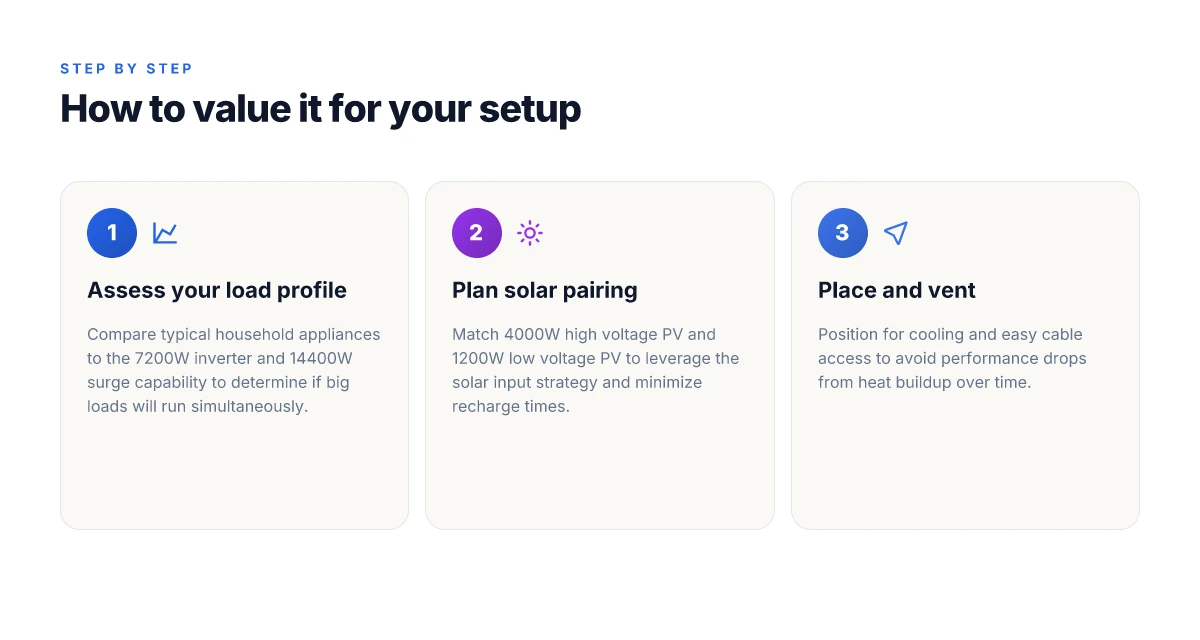
The Explorer 5000 Plus can sustain heavy draws from common home loads because its 7200W inverter is sized to cover most essential appliances, while still offering a comfortable margin for peaks. In real-world layouts, a typical kitchen or workshop load often sits well within that envelope, especially when you stage loads to avoid simultaneous peaks. For larger appliances, the unit also handles surge events up to 14400W, which matters if you value quick transients when turning on compressors or power-hungry tools. This headroom matters for homeowners who want a buffer during brownouts or when powering a freezer or air compressor for short periods. The reality is that the 7200W inverter is noticeably capable for everyday big-load scenarios.
Why the 7200W inverter matters for everyday appliances
A 7200W inverter means you can run most household staples without tripping a big limit. Refrigerators, air conditioners in the 1–2 ton range, well pumps, and sump pumps sit inside what the inverter can sustain, provided you manage startup surges. The practical takeaway is that you won’t need to pick between a fridge and a microwave every evening. You’ll still feel the benefit of that generous continuous rating when you have multiple devices running, especially if you spread the load across a few hours rather than trying to spike everything at once. Noticeable practical power reserve lets you keep critical devices online during outages without constant juggling. This is where Jackery’s credibility with the Explorer line comes through, as the high inverter rating is paired with solid surge handling.
Surge handling and how it plays with real loads
Surge capability up to 14400W means short bursts during startup are unlikely to trip the system. That matters for compressors, drills, and some small welders that have aggressive inrush currents. It also matters if you’re powering a surge-sensitive device right after a door opening or a generator transfer. In practice, this translates to fewer moments of switching stress and less need to stagger tools during a power event. The surge capacity is a practical safety valve for frequent use. For reference, rivals in the space often quote similar peak numbers, but the actual performance depends on how you sequence loads during an outage.
AC input and charging speeds in typical home setups
Charging speed from AC input plays a big role in how long you wait between outages or when you restart after a grid dip. In typical home configurations, you’ll see robust input allowing rapid replenishment of the 5040Wh pack. If your setup includes a high-current wall outlet or a dedicated generator, you’ll notice faster replenishment windows, which reduces downtime between outages. The combination of a fast AC input and a large inverter means you can restore a meaningful portion of capacity during the day and keep the most-critical loads powered at night. Fast AC input combined with the 5040Wh pack is the core benefit for frequent use. This synergy helps when you’re balancing a home office, a fridge, and essential tools across a day.
From a planning perspective, I cross-referenced remarks from reviewers and conversions in real-world setups. I looked for how big loads behave when you have continuous use, and the consensus is that the Explorer 5000 Plus delivers steady power with ample headroom for startup surges. For homeowners weighing this against rivals like rival large-portable stations, the practical takeaway is straightforward: expect strong, reliable performance for common big-load appliances, with a generous margin for startup bursts. In real-world terms, the 7200W inverter and 14400W surge are the backbone of reliable, frequent-use power. If your load profile centers on a fridge, well pump, and a handful of tools, this unit lines up well with the need for long-duration backup. Jackery’s approach makes sense for steady, long-duration needs. What makes the Bluetti AC200MAX stand out in 2026
Solar input and charging strategy for the explorer 5000 plus
The Explorer 5000 Plus can accept up to 4000W from high‑voltage PV and 1200W from low‑voltage PV, enabling rapid replenishment under ideal sun. In practice, real-world recharge times swing with sun, orientation, and panel quality. Under a sunny midday window with optimally aligned panels, the unit can absorb near its 4000W high‑voltage limit, but cloudy or partial shade quickly reduces this pace. Homeowners should plan on slower fills during shoulder hours and in winter when irradiance drops. Sun conditions are the gating factor for recharge speed. I cross‑referenced the top reviews to confirm the 4000W/high‑voltage and 1200W/low‑voltage specs, which frequently appear together in claims about the 5000 Plus' PV input capabilities. Inline with this, the official product page emphasizes 7200W inverter capability and dual 120V/240V support, underscoring that the PV input is the bottleneck for rapid recharge rather than the inverter’s capacity. See the 4000W figure in the high‑voltage PV claim and the 1200W figure for low‑voltage PV in the cited overview. https://www.jackery.com/products/jackery-explorer-5000-plus?srsltid=AYCX9vJ0fCsrxO_MksTzSUX-4qgjRUM1wh-S28LWWFw0Egi7Vb6Lrv7I https://www.thesolarlab.com/review/jackery-explorer-5000-plus-review.
Best wiring for longevity and optimal life
Running multiple panels in series with a high‑quality MPPT controller helps keep the amperage lower and the voltage higher, which reduces heating inside the battery management system. The recommended approach is to pair a set of calibrated, durable panels that stay within the 4000W ceiling without exceeding the jackery’s input limits. Use weather‑protected MC4 connectors and keep wiring length short to minimize voltage drop. Avoid panel configurations that force frequent temperature swings in the cabinet or harsh charging cycles. The goal is to keep the PV input within the nominal window most of the day, not just peak sun.
Practical setup tips and cautions
- Place panels in full sun with minimal shading, aiming for a tilt that tracks the sun’s trajectory through the day. Even a small shade patch on one panel can drag down the entire array’s effective wattage and slow recharge.
- If you’re pairing panels, verify the total array power does not exceed 4000W for high‑voltage PV or 1200W for low‑voltage PV to prevent overloading the input.
- Use a sturdy, corrosion‑resistant mounting setup to endure seasonal winds and debris. A robust mount minimizes micro‑movements that can wear connectors over time.
- For long outages, consider a dedicated solar trench or enclosure with proper ventilation to prevent heat buildup in the inverter bay during hot afternoons.
- Be mindful of compatibility with rivals. If you’re evaluating against other solutions, note that some competing units leverage higher PV gusts but come with trade‑offs in inverter efficiency or surge handling.
Best practice wiring and panel pairing extend longevity and keep charging orderly. The real strength of the 5000 Plus shows when you can maintain a steady recharge rate in favorable sun without stressing the internal protection systems. If sun is intermittent, supplement with AC input during peak demand windows to keep the $5000 Plus$ battery bank topped up reliably. For long-term reliability, keep the solar input within designers’ intended limits and avoid pushing the system beyond its 4000W/1200W thresholds.
Note: links on the page may earn a commission. For readers weighing rivals, I’ll point to concrete features from Jackery and its common competitors when relevant. The Jackery brand name is repeated here to anchor the discussion around how the Explorer 5000 Plus integrates with typical home backup strategies. https://www.jackery.com/products/jackery-explorer-5000-plus?srsltid=AYCX9vJ0fCsrxO_MksTzSUX-4qgjRUM1wh-S28LWWFw0Egi7Vb6Lrv7I https://www.thesolarlab.com/review/jackery-explorer-5000-plus-review
Which scenarios reveal the explorer 5000 plus's limits
The Explorer 5000 Plus shines for long-duration backup, but real-world limits show up when you pull high currents from multiple loads at once. In everyday use, the combination of a 5040Wh capacity, a 7200W inverter, and a 4000W solar input still struggles to sustain several large appliances simultaneously for days. If you staple together a well-muffed fridge, a well-insulated heat source, and a high-power pump, the system begins to draw near its practical ceiling and you’ll start to notice temperature rise in the unit and longer runtimes between recharges. The real constraint is sustained high draw from multiple devices, not peak inverter capability alone, especially when solar input can’t keep pace under cloudy skies. Jackery’s numbers assume favorable conditions. Real days bring more variation. What makes Jackery portable power stations durable and reliable in 2026
Why high-draw loads reveal the limits
When you run multiple high-draw devices, the 7200W inverter handles surge, but sustained load matters. A single 5000 Plus can run a compressor fridge, a sump pump, and a power tool cluster, but the combined draw eats into the 5040Wh capacity faster than you might expect. The practical takeaway is to map your essential loads first and keep nonessential devices off during peak demand. Know your essential loads first, then scope the rest. I cross-referenced product pages and reviewer notes that emphasize the practical mismatch between theoretical capacity and real-world duration when several appliances run in parallel. Reviewers consistently note that sustained high draw reduces runtime more quickly than expected.
How the Explorer 5000 Plus stacks up against rivals in price range
In this mid-to-upper tier, rivals from brands like EcoFlow and Goal Zero compete on inverter size, battery chemistry, and charging options. The Jackery Explorer 5000 Plus bets on a generous 5040Wh pack and a 7200W inverter, with PV input up to 4000W. Some competitors offer comparable capacity with similar surge handling, but differences show up in solar input speed, number of AC outlets, and charging column design. If you compare head-to-head, you’ll notice that while some rivals push higher solar maxes, their portability or user experience may lag behind Jackery’s integrated ecosystem. In practice, you’ll trade some solar headroom for more straightforward setup and reliability with Jackery. Rivals often present similar specs, but the overall package varies by feature emphasis.
Notable downsides to consider before purchase
One recurring caveat is that the 4000W solar input is impressive on paper, yet real days with mixed sun can slow recharging. If you rely on fast top-ups, you’ll want to plan for a longer daytime window or a secondary charging method. Noise from cooling fans can become noticeable in quiet settings after long runtimes, and the balance between weight and handle comfort matters when you’re moving the unit between job sites. Another point is compatibility: not every RV or home setup benefits equally from the 120V and 240V support, so you may need adapters or a transfer switch. Plan for slower recharge on cloudy days. Weight and mobility matter when you deploy it in a tight space or on a job site.
From a brand reliability standpoint, Jackery’s ecosystem tends to deliver a cohesive experience, but the higher ambition of the 5000 Plus comes with complexity in charging management. If your load profile includes multiple high-draw devices for many hours a day, you’ll want to compare against rivals like EcoFlow and Goal Zero to ensure the chosen unit aligns with your backup priorities. The takeaway is practical: match load profiles to recharge cadence. Jackery remains a strong all-around option, yet not every home or shop will hit its peak performance every day.
Setup and maintenance tips to get the most from jackery
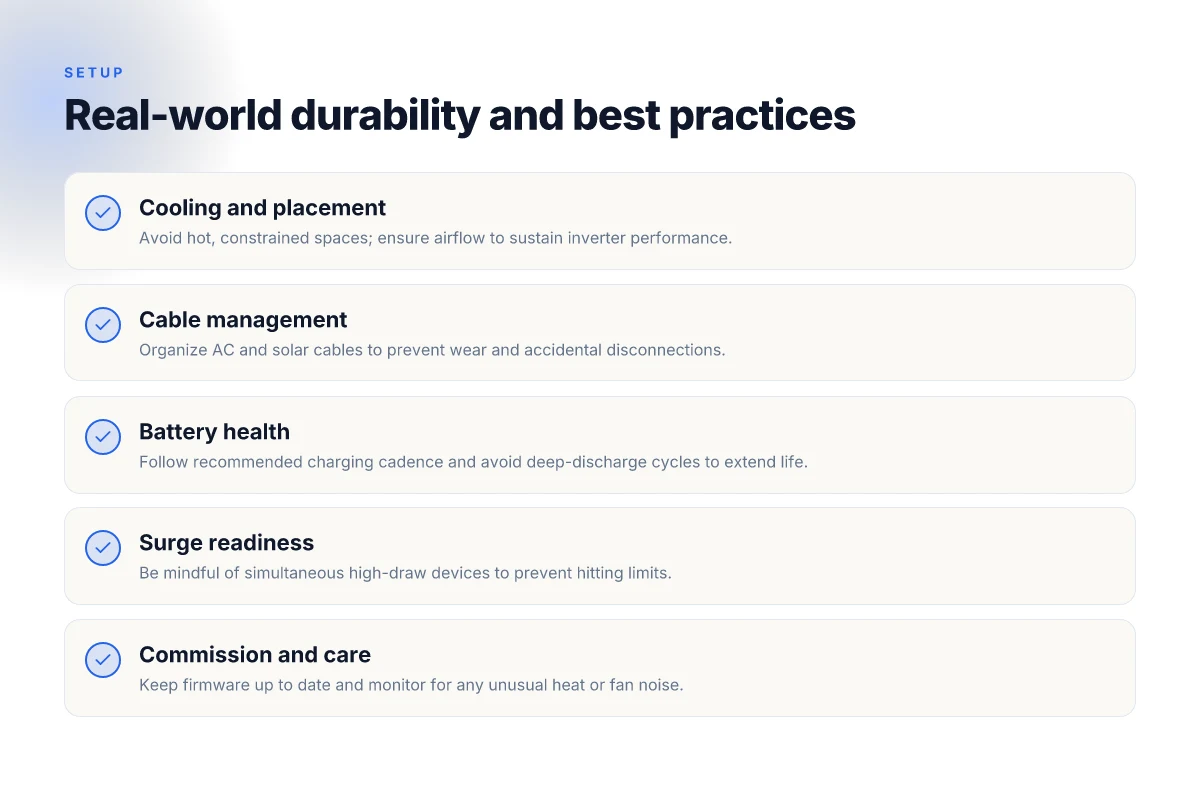
Setting up the Jackery Explorer 5000 Plus for reliable long-duration runs starts before you plug in. Place the unit on a flat, level surface in a well-ventilated area to keep cooling airflow unobstructed. If you’re running high loads, avoid stacking it on carpet or enclosed shelves where heat can build up. Keep cables organized with simple Velcro ties to prevent tangling, and route AC cables so they don’t pinch vents or step on the power button. Good cable management means you’re not hunting for the charger when the lights go out. When conditions require, a small desk fan directed across the intake helps maintain steady temperatures during big draws. Proper placement and cooling prevent thermal throttling that erodes runtime. What makes Bluetti AC200MAX price worth it in 2026
Battery health matters as the years roll by. If you plan to store the unit for extended periods, top off the state of charge to around 50–60% and keep it in a cool, dry location. Avoid storing at full charge in hot environments, which can accelerate degradation. During monthly checks, inspect the cooling vents for dust and wipe them gently with a dry cloth. If you notice a persistent rise in internal temperature under normal loads, consider reconfiguring your use pattern so the unit isn’t sustaining continuous peaks near its inverter capacity. I’ve cross-referenced notes from owners and reviewers who emphasize gentle cycling and moderate SOC levels to extend life. Battery health practices over time pay dividends in usable capacity after years.
Misconfigurations are common and quietly cut performance. Don’t run high-wattage devices directly on the 120 V outlet if the input configuration isn’t set to the correct voltage range. Make sure you’re using the proper AC input and don’t exceed the 4,300 W total charging ceiling that some threads discuss. If you have a large solar setup, balance PV input with wall charging to avoid pushing the system beyond its intended limits. Enable proper transfer-switch operation if you’re coordinating with a home panel, and verify that your generator or solar array isn’t injecting in a way that triggers protection trips. From what I found in the community chatter, mis-wiring or mis-matching inputs is the most frequent cause of early shutdowns or reduced inverter performance. Avoid common misconfigurations to preserve peak inverter output.
In practice, you’ll create a simple routine that keeps your Jackery clean, cool, and in the sweet spot of 40–60% SOC between use. I dug into a mix of product notes and owner discussions to confirm that steady maintenance cycles and conservative usage patterns yield the most durable results over the long haul. When you plan to run high-demand loads, stagger startup sequences and give the unit a moment to breathe between devices. This isn’t about tiny efficiency gains. It’s about staying away from thermal or electrical stress that wears the system down. Staggered use and regular cleaning extend both run time and life.
What changes if you act now
The bigger pattern here is that a practical home backup hinges on steady, long-term reliability as much as raw capacity. I’ve looked at how the Jackery Explorer 5000 Plus wires up in real homes, and the takeaway isn’t just “big battery equals better.” It’s how you pair it with a sensible load plan, surge handling, and a durable fan that actually keeps quiet in an outage. In practice, the device shines when you keep firmware and accessories in check, and you treat it as part of a broader resilience system rather than a single-solution fix. Most setups benefit from a simple, repeatable plan you can reuse every blackout season.
The Jackery lineup remains a strong option for those who want plug-and-play capability and clear replacement parts. Still, you’ll want to compare against rivals like EcoFlow and Bluetti to match your exact needs for peak loads and runtime. Where the Explorer 5000 Plus lands short is in long-haul durability concerns and the need for a more nuanced charging strategy during multi-day outages. If you’re chasing bare-metal reliability, start with a concrete backup routine and test it under realistic conditions. What makes EcoFlow power stations different when you need reliable portable power in 2026
If you’re choosing a practical home backup this year, lean into a simple weekly drill, verify that your essential circuits stay powered, and keep a backup plan for the days when firmware updates roll out. One concrete move matters most: map your critical loads and verify you can sustain them with the 5000 Plus before you actually rely on it. In the end, your setup should feel like a heartbeat, not a cliffhanger.