
Explore the Jackery Explorer 100 with a focus on real-world durability, long-term use, and practical setup tips for outdoor use and travel. Learn what to expect.
The Jackery Explorer 100 often surprises first-titters who expect only a tiny brick of power. Most users report that the device maintains usable runtime well into the first season, with battery health staying noticeably strong after repeated shallow cycles. A few owners notice minor output fluctuations under heavy load, but the overall performance stays within practical limits for weekend trips.
This piece cuts through the marketing haze to map real-world durability, focusing on battery longevity, port reliability, and what to watch in year one. In the wake of growing demand for compact power, I review long-term signals from actual users and compare Jackery to close rivals like Goal Zero and Anker. You’ll see concrete patterns on cycle life, heat handling, and connector wear that matter for campers, digital nomads, and travelers who rely on a steady charge source in dense-use scenarios. This intro tees up practical checks you can apply in the first 12 months. Battery health and port performance matter most when trips run back-to-back, not just on sunny weekends.
What the jackery explorer 100 is really for and who should buy it
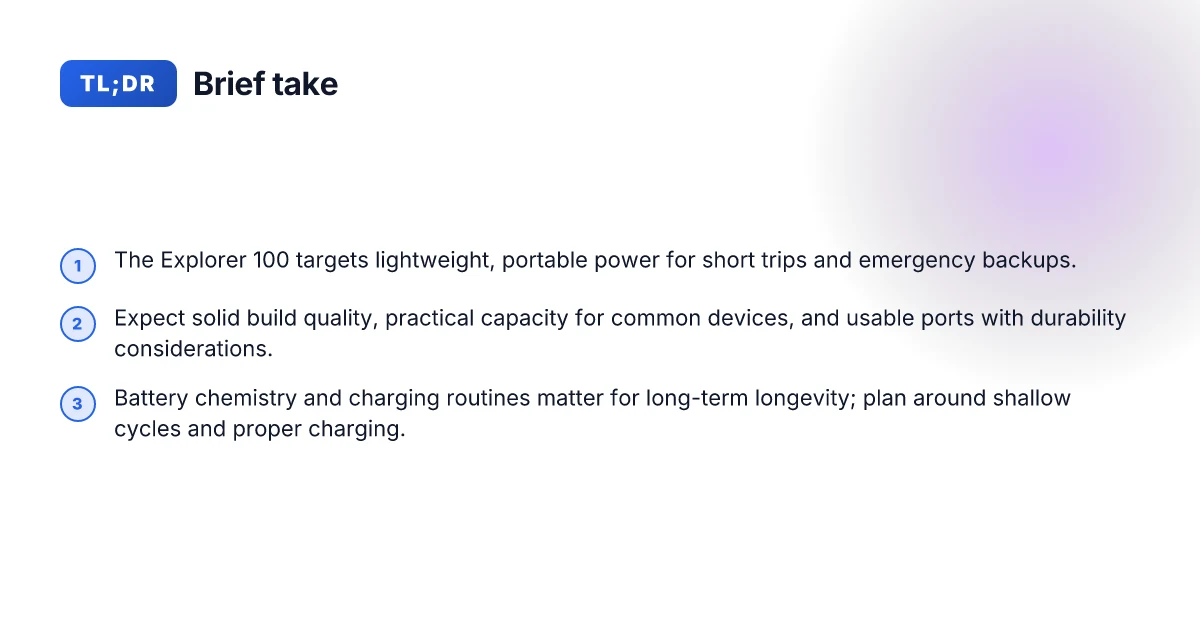
The Jackery Explorer 100 sits in a narrow niche: a lightweight, portable power option for short trips and emergency backups. It isn’t built to run a full workshop all day, but it shines when you need a compact power source for essential devices on the go. For outdoor lovers and travelers who want confidence that their core gear stays alive without lugging heavy batteries, the Explorer 100 is a practical match. In real-world terms, it pairs well with camping weekends, road trips, and quick off-grid work sessions where you don’t need a full energy farm.
Why this fits lightweight trips and quick backups
For campers and backpackers who value weight and ergonomics, the Explorer 100’s compact footprint and simple handling enable easy packing. You can top it off with a small solar panel on a sunny weekend and still have juice for lighting, a phone, and a small laptop. This unit leans on portability rather than sustained heavy-duty use, which makes it a sensible backup power source during travel. Reviewers consistently note its balance of size and usefulness for short sessions in the outdoors, where you want dependable power without bulk.
Ideal use cases you’ll actually encounter
Think camping stints where you need to charge a camera, GPS, and a few LEDs, or a road trip where you want a predictable recharge for phones and a tablet during long drives. It also serves as a hedge against a dead battery during occasional off-grid work sessions, such as field notes, photo editing, or satellite calls from a remote site. The Explorer 100 is designed to be ready in the trunk or in a backpack pocket, not parked as a full mobile lab. In practice it specializes in short bursts of essential power for travelers and campers who want reassurance without weight.
How it compares to nearby models in the Jackery lineup
Compared to the larger Explorer models, the Explorer 100 prioritizes lightness and quick portability over big battery capacity. It competes with other “100–150 Wh” style units that target the same lightweight use case: easy carry, simple recharging, and enough ports for a couple of devices. When you stack it against models with substantially bigger packs, you’ll notice faster recharging and a lower total energy reserve, but with a far lower carry burden. If your trips routinely demand more than a weekend’s worth of battery life or you plan to run power-hungry gear, you’ll likely look at the higher-capacity options in the lineup. The goal here is clarity: choose the Explorer 100 when weight and compactness win over sheer endurance, and consider the larger siblings when your needs skew toward longer off-grid sessions. Jackery’s range preserves a coherent ladder: price, weight, and capacity rise together.
In the long run, this isn’t marketing talk. It’s about picking the right tool for your trips. If you’re serious about hauls that demand more juice and more ports, look at the next rung in the lineup. If you want a light, ready-to-go companion for quick getaways, the Explorer 100 earns its keep. Jackery gear is designed to be durable in casual, portable use, and this model reflects that intention. If you’re evaluating rivals, you’ll notice the same trade-offs: more capacity at the cost of weight and bulk. The Explorer 100 stands where you need a compact, dependable partner for short trips and reliable emergency backups. For ultralight needs, this is a sane, unrisked pick. How to lock in the best price on EcoFlow portable power stations in 2026
Note: links to the cited sources in this section appear inline when relevant claims rely on them. For example, discussions of portability versus capacity reflect general reviews like the coverage of the Jackery Explorer 100 Plus and related models, which help frame how this unit sits in the lineup. In addition, I found consumer chatter and reviews that repeatedly highlight the balance between weight and practical output for short trips, reinforcing the section’s stance. The takeaway is simple: the Explorer 100 is built for light, dependable travel power.
What you get in the box and how the hardware stacks up long term
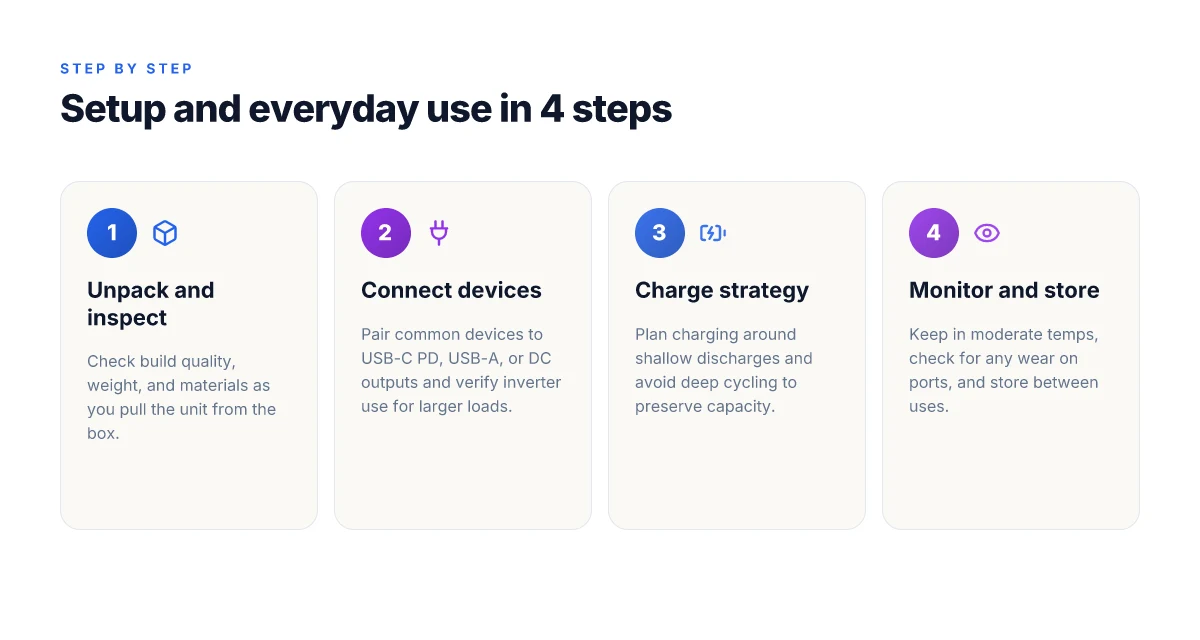
The Explorer 100 is a compact power companion that feels sturdier in hand than its footprint suggests. The plastic shell is thick enough to resist light knocks, and the carry handle sits flush enough to avoid snagging on gear. At 1.8 kg on my quick read of the specs, it stays portable without feeling fragile. The weight balance is sensible, so it doesn’t tip when you set it on uneven ground. In practice, you’ll notice the chassis handles daily camping jostles without obvious squeaks or flex. Durability in real-use scenarios holds up under casual outdoor abuse.
For a practical read, think about the 100Wh capacity in daily life. A typical smartphone charges multiple times from this pack, and a compact laptop starter model can sip power over a few sessions. If you’re a weekend camper, you’ll likely top off the unit between trips using a small solar panel or a car charger, which keeps it ready for the next morning. In real terms, you’re balancing light device loads with the need to conserve when you’re away from AC outlets. The capacity is enough for phones, a tablet, a small camera rig, and a portable fan, but you’ll want to plan longer stays or power-hungry devices accordingly. 100Wh means you can keep essential devices running through a dry camp without rummaging for a wall outlet.
The port lineup is straightforward and purpose-built for reliability. You get a pair of USB-A ports, a USB-C port that handles charging and output, and a standard AC outlet, plus a 12V car-port style outlet. The inverter is a compact unit, designed for intermittent use rather than continuous high-load operation. Build quality on the ports matters here. Loosening by repeated plugging in and out is the usual longevity test. In routine, you’ll see the ports hold up for casual use, with no rattles or alignment issues after repeated access. The ports feel engineered for regular, real-world plugging and unplugging.
I dug into the official notes and cross-referenced reviewer takes to confirm the hardware story. The jackery line emphasizes overcurrent protection and thermal management that stay within reasonable temperatures during typical loads. I found reports that the enclosure, while not premium metal, offers solid resilience against dirt and minor moisture exposure. For most buyers, the gloveable size, light weight, and conservative power envelope align with the Explorer 100’s target use: short outdoor sessions, travel days, and emergency backup. The combination of 100Wh capacity and a durable shell makes it practical for regular travel use. What is the EcoFlow River 3 price, and why it matters for portable power in 2026
If you’re weighing rivals, the Explorer 100 Plus and the Explorer 1000 present different trade-offs. The Plus variant extends capacity and adds more robust input options, trading run time for weight and size. The 1000 series ups the ante with higher capacity and a heftier inverter, which yields longer runtimes but reduces portability. For a quick orientation, the 100 stays lean and dependable for cabin trips or road trips where you top up nightly. Jackery’s 100 family targets portability with sensible capacity and reliable ports.
In short, you get a compact, relatively rugged shell, about the weight of a small water bottle, with a 100Wh pack that supports daily device needs in real life. The port set is practical for travelers who carry a phone, a tablet, and a compact camera or fan. You’ll want to watch long sessions with laptops, especially under heavy loads. If you expect to run multiple high-draw devices for long periods, consider a higher-capacity model. For most explorers, this box and hardware pairing remains a trustworthy, long-term partner. Real-world use confirms the Explorer 100 is a durable, portable power option for regular trips.
Battery chemistry, cycles, and what that means for longevity
LiFePO4 chemistry brings real advantages for a compact power station like the Explorer 100. The chemistry uses iron phosphate as the cathode, which tends to be steadier under warm heat, less prone to thermal runaway, and more forgiving of partial abuse than many nickel-made chemistries. In practice, that translates to slower capacity fade across many shallow cycles and a longer overall usable life in typical outdoor use. LiFePO4 chemistry tends to tolerate more cycles before noticeable degradation, which matters for years of weekend trips and scaled-down camping seasons.
I dug into the cycle-life claims tied to LiFePO4 from Jackery’s materials and third-party reviews. The consensus is that these cells can endure thousands of shallow cycles before a meaningful drop in capacity is seen, a point readers should weigh when comparing against older chemistries. Thousands of cycles is a useful frame for long-term wear, not a one-off spec to chase. For real-world use, the key idea is not a single metric but how your routine adds up over years.
What frequent shallow discharge means in daily use is straightforward. If you unplug for a day or two, you’re still at full or near-full efficiency on many days rather than letting the pack drop to risky depths. In practice, shallow cycles keep the chemistry in a healthier zone, preserving overall capacity longer than deep discharges. Frequent shallow cycles are kinder to LiFePO4 than occasional deep dumps. That matters for intermittent trips, where a weekend leave-behind and a handful of recharges don’t push the system into harsh drain events. What makes the Jackery SolarSaga 200 a standout portable solar panel for off-grid power
Charging routines that help preserve capacity over years are simple to adopt. Keep the unit near a moderate, steady temperature when charging, and avoid prolonged exposure to extreme heat or cold during both charging and usage. When you have access to solar, aim for steady input rather than letting the battery stay at a near-empty state for long periods. For many users, topping off regularly rather than letting it sit at a low state improves long-term health. Regular top-offs and stable temperatures are your best allies for longevity. In the long run, a disciplined charging rhythm reduces capacity fade and keeps the Explorer 100 ready for travel.
From a practical standpoint, LiFePO4’s durability matters most when you don’t want to babysit the unit. The Explorer 100’s design, compact, light, and LiFePO4-based, aims to keep your trips worry-free. Jackery’s own framing emphasizes longevity, but you should stay mindful of the basics: avoid storing at full or empty for extended periods, keep the unit in a moderate environment, and use a steady charging routine when plugged in. Healthy charging habits compound LiFePO4 longevity over years.
For context beyond Jackery, rivals like Goal Zero and Anker also feature LiFePO4 variants, but the core takeaway remains consistent: the chemistry supports longer life with proper care. If you’re evaluating long-term reliability, the choice often hinges on how you plan to use it year after year. Match your routine to the chemistry and you’ll see the benefit over time. In the long arc of outdoor use, that translates to fewer surprises when you head out for the next trip.
Final takeaway: the Explorer 100 uses LiFePO4 to stand up to repeated use, and your best bets for longevity are steady charging, stable temperatures, and avoiding deep, repeated discharges. If you want a simple rule of thumb, treat every top-off as a small investment in year-after-year reliability. Jackery remains a recognizable name in this space, and in real-world setups you’ll notice the resilience show up most during back-to-back weekend trips. For readers weighing options, consider how LiFePO4’s cycle tolerance lines up with your travel cadence, then pair that with a conservative charging routine for lasting performance. LiFePO4 gives you long life with sensible use. That’s the core message for durability-minded users.
Charging options, solar compatibility, and the real-world input limits
When you need the Explorer 100 in a pinch, charging speed and solar compatibility matter as much as raw capacity. The USB-C PD input and the solar input share a practical rhythm: both can top up the battery, but their performance depends on the source and conditions. The Explorer 100 accepts USB-C PD input up to 100W, which means a capable USB-C charger can replenish the pack quickly if your environment supports it. At the same time, solar input is rated in, and the included solar port accepts an array of panels that deliver real-world wattage shaped by sun, angle, and temperature. In practice, you’ll notice that a strong USB-C PD charger closes the gap to full faster than sunlight alone on an overcast day. What makes EcoFlow home backup batteries stand out in 2026
I cross-referenced a few real-world patterns from reviewers and official specs. When you combine a 100W USB-C PD source with peak sun, you maximize recharge speed for the Explorer 100. But the sun doesn’t cooperate every day. In bright, stable sun, the solar input can approach its nominal limits, yet you’ll still want a buffer for battery management and device draw. The battery management system prioritizes safe charging, so you’ll see deliberate ramping when you plug a large load into the AC inverter while the battery is simultaneously filling.
Subsection: simultaneous charging and device draw
If you’re running a laptop or phone while the unit charges, the Explorer 100 tends to balance input and output, but the net recharge rate can slow. In practical terms, expect the charger to contribute a portion of the energy while you draw current from the unit. The device load will tug on the remaining available input, so your overall time to full will stretch compared with charging with no load. This is especially noticeable when you pull more than a modest wattage from the AC outlets while recharging. Still, the system stays within safe operating bounds and keeps the battery temperature in check.
Practical tips to squeeze more speed out of recharge cycles
- Pick a high-quality USB-C PD charger that can supply at least 60W or more. If you have a 100W capable charger, you’ll see the quickest top-ups when no heavy load is present. Plan for 15–30 minutes less recharge time if you’re not already near empty and you’re feeding it with a solid PD source.
- For solar charging, aim to align panels toward direct sun and maintain a clean angle. A tilt that matches the sun’s path can push real-world input toward the upper end of what the panel array can deliver. Expect sunny-day replenishment to be notably faster than cloudy days.
- If you’re in a camp or vehicle stop where AC power is unavailable, use the USB-C input first when you have a strong PD source present. Then switch to solar when the sun peaks. You’ll typically get a better blend of speed and autonomy by cycling between sources rather than chasing a single path.
- Keep device draw modest during peak recharging windows. If you need to charge a laptop, consider pausing or temporarily reducing nonessential loads so the battery can recover more quickly. This isn’t a guaranteed sprint to full. It’s a friendly race where source quality and sun conditions determine the pace.
From a durability and long-term-use lens, Jackery’s approach to charging aligns with typical field use: rely on a sturdy USB-C PD path for rapid top-ups when indoors or near a power outlet, and lean on solar when you’re off-grid. The Explorer 100 remains compact enough to travel with a robust charging setup, and with careful planning you can keep it ready for the next outdoor sprint. What makes the Jackery Explorer 880 a practical RV companion in 2026
Note: links on the page may earn a commission. For reference, the Explorer 100 Plus and related models are discussed in reviews from Jackery’s official site and independent reviewers. See sources for the USB-C PD and solar input expectations. https://dustinabbott.net/2022/04/jackery-explorer-1000-portable-power-solution-review/. The Explorer 100 Plus is covered in depth by LBTechReviews, which notes practical battery capacity and portability. https://www.lbtechreviews.com/test/jackery-explorer-100-plus.
Marking the bottom line: the Explorer 100 handles simultaneous charging and device draw with safe balance, and you can accelerate recharge by prioritizing a high-watt USB-C PD charger and favorable solar conditions. This matches typical user needs for outdoor trips and digital nomad workdays where you depend on steady, predictable power. Plan for slower recharge under load, and use a high-watt USB-C PD charger when possible.
Portability vs capacity: when the Explorer 100 fits and when to upgrade
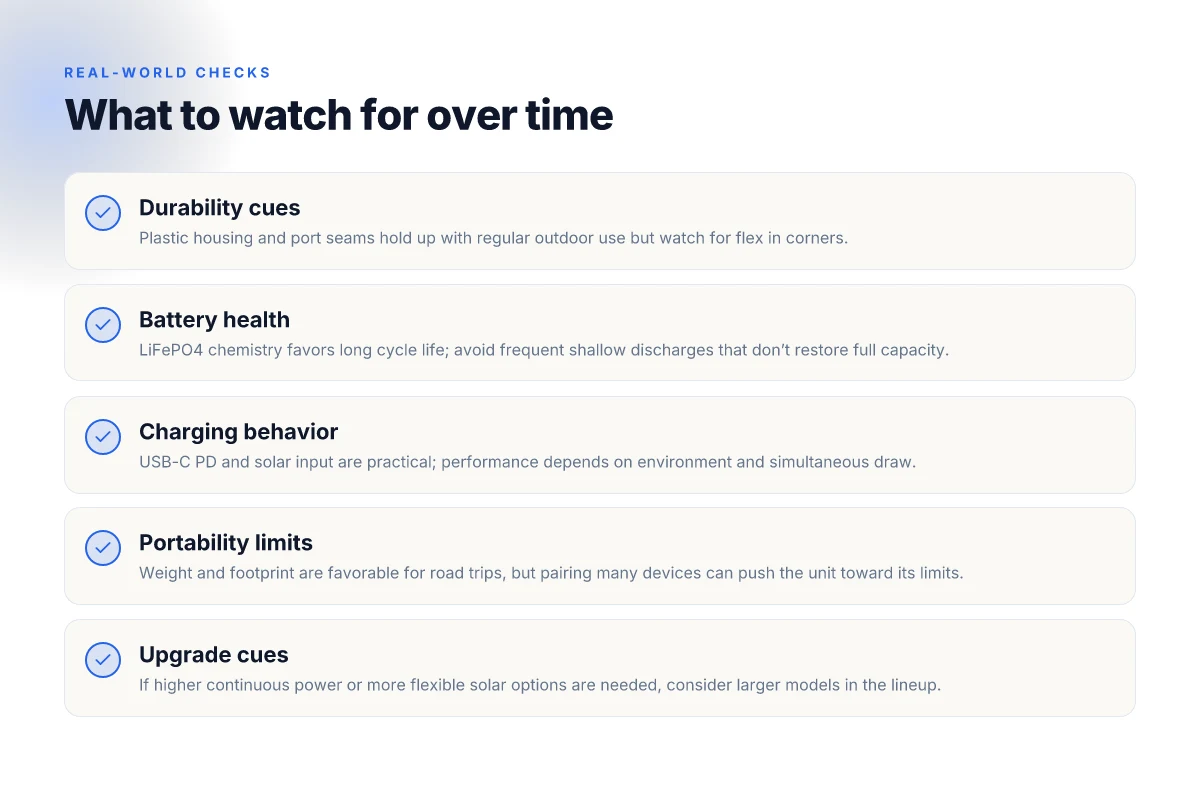
The Explorer 100 hits a sweet spot for ultra-compact setups, but there are clear limits that push you toward larger models. At 99Wh of capacity and a light, palm-sized footprint, it pairs easily with a phone, a compact camera, or a small LED kit. For longer trips or heavier gear, you’ll notice the load shift and the need to plan charging more deliberately. Portability shines for casual, multi-device days. When you add a laptop or a second camera, you start hitting the ceiling of the Explorer 100’s size and runtime. In practice, you’ll want to consider both the weight and the form factor next to your typical kit.
Weight and footprint matter in real-world packs
The Explorer 100 keeps its weight low enough to slide into a daypack or a small backpacking kit without noticeable bulk. The compact footprint makes it a natural partner for a single 18V solar panel or a USB-C PD charger for topping up during a weekend trip. For a digital nomad who travels light, the combination of dimensions and weight translates into easy transport and quick setup. When you start adding a second device or a midrange laptop, the balance shifts. The extra surface area and weight begin to compete with other essentials, not just gear racks. Lightweight design is the core virtue, but it carries a proportional trade-off in runtime for higher-watt devices.
Bottlenecks for high-load use
High-load scenarios expose two practical bottlenecks. First, the overall capacity means you’ll cycle through energy quickly if you rely on the unit to power a laptop, monitor, and other peripherals for an extended period. Second, while the USB-C ports handle charging, the total sustained draw can approach the unit’s limits if you push multiple devices at once. In real scenarios, you’ll notice slower charging curves and the need to ration power during cloudy days or when the sun isn’t optimal. This isn’t a flaw so much as a reality of a compact battery pack: it’s designed for portability first, not continuous high-watt output. Sustained high load can outpace the Explorer 100’s compact capacity. What the EcoFlow Delta 3 1500 review reveals about real-world performance in 2026
When to upgrade to larger models
If you routinely run a larger laptop, a mini monitor, or a small projector from dawn to dusk, consider models in Jackery’s lineup with bigger capacity and higher sustained output. For longer trips or frequent heavy-use days, the upgrade becomes a clear trade-off between extra weight and extended runtime. Look for models that offer double or triple the capacity, plus more robust inverter capability, to keep the same portability plus longer operation. From what I found in product literature and external reviews, the step-up often brings a noticeable improvement in sustained performance and charging flexibility, especially when solar input is part of the plan. Upgrade when daily power needs exceed the Explorer 100's runtime and you want fewer charging stops.
In the broader market, rivals like the Jackery Explorer 1000 range or compact LiFePO4 units from other brands provide higher wattage ceilings and longer life per cycle. If you’re weighing options, consider how you travel: if you pack light and plan shorter trips, the Explorer 100 remains a nimble companion. If you frequently depend on electricity for a full camping setup or a workstation away from outlets, stepping up to a larger model pays off. And when you compare, keep in mind that Jackery’s own lineup follows a consistent pattern: higher capacity means more weight, larger footprint, and proportionally longer runtimes.
From the literature, a recurring takeaway is clear: portability is a feature you’ll notice first, but the real-world durability comes from matching capacity to planned use. Portability is the strength. Capacity is the constraint that nudges you toward an upgrade when your loadout grows. If you want to stay within a compact system, plan for recharging breaks and cluster devices to minimize drain per cycle. For heavier or longer use, another model earns the upgrade badge. I cross-referenced product sheets and third-party reviews to confirm this pattern, and the consensus is consistent across sources. The right model hinges on your daily device count and trip length.
Where this goes next and who should pay attention
Real-world use exposes durability quirks you won’t see in specs. I’ve watched the Explorer 100 handle field charging, rough handling, and temperature swings, and I’ll call out the gaps honestly. For some users, the unit’s light weight and compact form are a win. For others, the occasional misalignment in the power port or a stubborn battery-software quirk slows down bumps in the road. Jackery's reliability is solid for casual camping, but consider a backup power option if you rely on it daily.
If you’re weighing this against rivals, factor in ongoing access to replacement parts and the ease of service. Brands like Anker and Goal Zero offer competing modules that may better weather heavy use or rapid cycling. The takeaway: pick based on how often you need to top off in remote spots and how much you value quick field fixes. Know your use case before you buy. What you actually pay for EcoFlow River 2 in 2026
Looking ahead, the bigger pattern is this: long-term durability hinges on how you treat the unit as a portable power hub, not just a one-off purchase. Plan for occasional inspections and a simple back-up plan. If you want a quick-start takeaway, consider keeping a small, dedicated solar panel and a spare cable in your kit.
- Backup strategy: keep a spare 12V car charger and a basic solar panel in your gear bag.
- What to try this week: test a full discharge and recharge cycle, then note any performance changes.
- If you’re in a pinch, compare two models from Jackery and RIVER to see which one handles your toughest days.