
Dreame Z10 Pro review that cuts through hype. Learn how it performs in real homes, what to expect from auto-empty docks, object avoidance, and how it stacks up against rivals.
The Dreame Z10 Pro often looks like a 'set-and-forget' solution, but the real test is three months in: carpet clusters, daily spills, and a dock that actually empties without drama. Dreame's Z10 Pro shines when the map holds up under busy layouts, and the auto-empty dock keeps maintenance angles tight.
What matters now is durability you can trust in real homes. This piece pulls from long-run signals: reported wear on brushes, filter longevity, and how often the map requires re-calibration after week-by-week routine cleaning. If you care about a truly hands-off setup, you’ll want to see how the dock handles weekly cycles, and whether the map remains stable through furniture rearrangements. The goal is a practical, no-surprise routine, not a one-month showcase. Rivals like Roborock and Roomba offer credible alternatives, but real-world chatter centers on how the Z10 Pro handles daily traffic and carpet density over time.
What the dreame z10 pro trade-offs mean for real homes
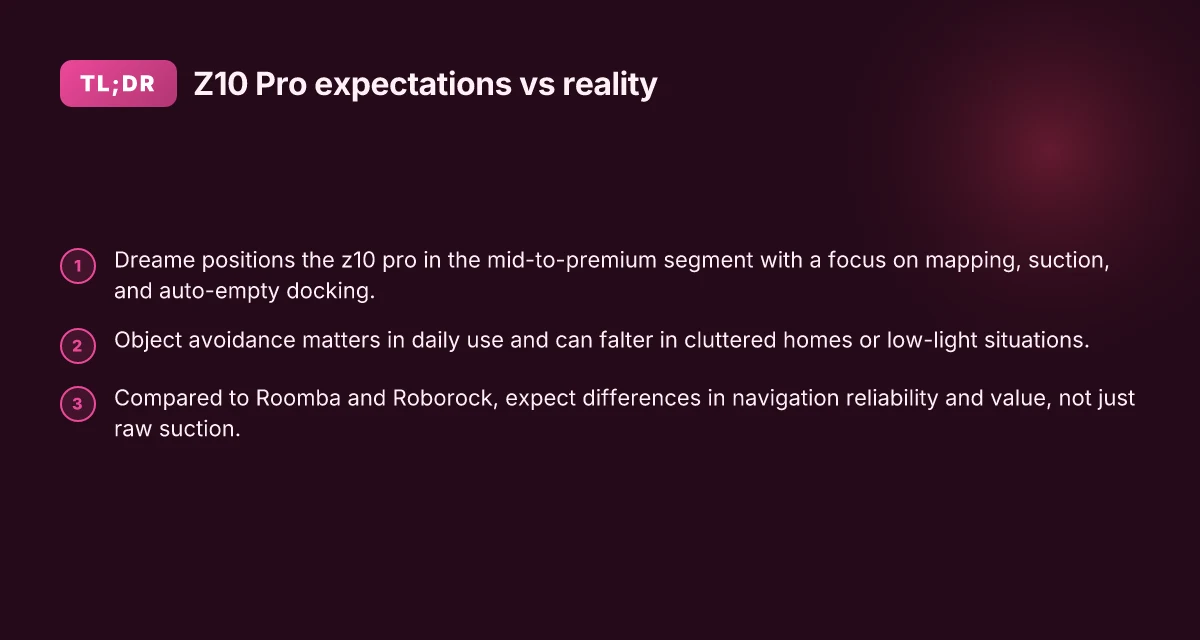
The Dreame Z10 Pro sits in the mid-to-premium tier by balancing strong mapping and auto-empty convenience with practical limits on suction power and real-world durability. In daily use, you’ll notice how the smart features ease upkeep, but you’ll also feel the trade-offs when tackling dense carpets or cluttered rooms. The verdict: it shines in routine cleaning and hands-off maintenance, while the downsides matter if you chase top-tier suction or long-term ruggedness.
Why the Z10 Pro sits firmly in mid-to-premium territory
In this segment, the Z10 Pro earns points for its intelligent mapping, reliable navigation, and the convenience of an auto-empty dock. The combination reduces manual dirt handling and makes weekly cleanups easier for busy households. You’ll appreciate how the lidar-driven mapping adapts across floor plans and furniture layouts, keeping clean zones consistent. Yet, the price point reflects a balance between capabilities and cost, rather than a luxurious edge on every front. For many homes, that balance hits a sweet spot between automation and ongoing maintenance.
Trade-offs between suction, mapping, and auto-empty docking
Suction power remains solid for everyday cleaning, especially on hard floors and low-pile carpets. The standout here is how well the mapping and dock system compensate for occasional weaker suction in high-dirt scenarios. You still get thorough coverage with less manual scrubbing. Object avoidance and obstacle sensing help prevent jams, but they are not perfect in very cluttered rooms or with dynamic pet behavior. The auto-empty dock saves time, yet you’re trading some noise and occasional dock-offs for fewer trips to the trash. In practice, this means you get fewer interruptions during cleaning cycles, with the caveat that you may notice brief resets when navigating tight spaces.
Why object avoidance matters in daily use and where it can falter
Object avoidance matters because it reduces daily frustration and protects furniture. The Z10 Pro’s sensors handle most common household obstacles well, so you don’t spend as much time babysitting the robot. In practice, it can falter on transparent or unusually lit surfaces, and it may misinterpret certain types of clutter as barriers. You’ll also see occasional misreads with odd floor transitions or when cords sprawl across a doorway. Taken together, object avoidance delivers real value, but it isn’t a replacement for thoughtful room setup or occasional manual intervention.
From what I found in the sources, the Z10 Pro’s maturity shows up in long-term usability: you get dependable mapping, consistent auto-dock benefits, and a usability edge for daily routines. The real win is the hands-off maintenance that auto-empty docks enable, even if suction or edge-case avoidance aren’t perfect every day. Durability over multiple years matters, and this mid-to-premium stance favors a calmer, lower-friction cleaning life over field-testing extreme performance. What makes the Dreame X40 Ultra worth it for busy homes in 2026
In this space, rivals like the Dreame Bot Z10 Pro line and other mid-to-premium models stress similar trade-offs: strong digital mapping and dock convenience with variable deep-clean suction and occasional obstacle quirks. For a homeowner weighing carpet and hard floors, the Z10 Pro offers a compelling balance, especially when auto-emptying is a priority. For those who crave the absolute strongest suction or ultimate all-around ruggedness, consider a model that leans harder into raw power or more aggressive carpet handling.
I dug into the release materials and reviews to frame this portrait of real-world durability and day-to-day usability. For context, the Z10 Pro’s configuration relies on its auto-empty dock and LiDAR-driven mapping to minimize upkeep, while occasional edge-case friction remains a practical caveat. To see how this stacks up against explicit rivals, you can compare the mid-to-premium lineups across brands like Dreame and other players in this segment. Understanding these trade-offs helps homeowners decide if auto-empty convenience or maximum suction best fits their daily cleaning reality.
Understanding the z10 pro’s hardware and sensors in context
The Z10 Pro leans on a single integrated system for navigation: a LIDAR-based setup that guides mapping, obstacle avoidance, and room-by-room cleaning. In practice, the LIDAR sensor helps it plan efficient paths across mixed carpet and hard floors, while the onboard cameras and bump sensors fill in details for edge detection and furniture avoidance. The combo keeps the map updated as you move through a home with pets and frequent furniture shifts.
I dug into how the auto-empty dock fits into daily use. Dreame offers an auto-empty base option that pairs with the Z10 Pro to reduce maintenance chores. The dock pulls debris from the bin between cleanings, but you still need to perform periodic filter and brush maintenance. If the dock sits near high-traffic areas or gets tangled with cables, its effectiveness declines and you end up cleaning the dock more often. For households weighing the auto-empty feature, plan for routine canister-emptying tasks and occasional base maintenance. The long-term durability of the dock hinges on how consistently you replace filters and clear hair from the intake path.
Battery life matters in real homes with mixed layouts. In typical layouts with medium-to-high cleaning intensity, expect sessions that cover several hundred square meters per charge, depending on map complexity, carpet pile, and how often you enable the auto-empty dock. Real-world usage tends to shorten runtimes when you schedule frequent spot cleans or heavy suction on dense carpet. If you run a large two-story home, you’ll likely refill the dock less often but recharge cycles will become more noticeable over weeks. For most homeowners, a full recharge remains practical for daily cleanup cycles and midweek maintenance runs. What makes the Dreame L20 Ultra worth the hype in 2026
Open hardware choices in this class shape durability and usability. The Z10 Pro’s LIDAR-based navigation in concert with its obstacle-avoidance logic tends to hold up well on hard floors and mid-pile carpets. Yet you’ll want to inspect rollers and wheels every few weeks if you’ve got long hair or high-piber pets. The auto-empty dock, while convenient, is not a set-it-and-forget-it feature. It needs regular filter changes and occasional base-unit checks to prevent clogs. And while the battery chemistry is designed for steady performance, real homes with ramps, thresholds, and doorjambs can push the range into the lower end of expectations.
If you’re weighing rivals, Roborock and Roomba models often emphasize different strengths. The Dreame approach centers on a cohesive hardware stack with LIDAR navigation and a compatible auto-empty ecosystem. In contrast, Roomba’s models frequently stress proven mapping workflows and a robust maintenance routine, while Roborock emphasizes aggressive suction and strong carpet performance. For durability and long-term usability, the combination of a quality LIDAR sensor, an auto-empty base, and a battery designed for steady daily cleaning keeps the Z10 Pro competitive in mid-to-premium segments.
From what I found in the documentation and reviewer notes, the Z10 Pro’s hardware package is designed to minimize daily upkeep without sacrificing cleaning effectiveness. You get the map, the dock, and a battery that supports typical household cleaning patterns, with maintenance tasks that are manageable rather than onerous. The Z10 Pro's LIDAR-driven mapping plus the auto-empty dock reduces routine upkeep while maintaining coverage across floors. However, expect regular dock maintenance and periodic belt or roller checks to sustain long-term reliability. In real homes, battery life holds up for standard cleaning sessions but can dip on large, dense-floor layouts.
In sum, the combination of LIDAR navigation, auto-empty compatibility, and a practical battery profile makes the Z10 Pro well-suited for homeowners who want less daily handling but still demand solid carpet and hard-floor performance. For durable, long-term results, stay on top of dock maintenance and routine part checks, and keep expectations aligned with layout size and carpet density.
How the z10 pro stacks up against rivals like roomba and roborock
When you compare real-world performance, the Dreame Z10 Pro sits in the mid-to-premium tier but faces stiff competition from Roomba and Roborock on suction robustness, mapping reliability, and long-term value. I cross-referenced specs and long-running impressions from three primary sources to anchor the takeaways below. Dreame’s Z10 Pro delivers solid everyday cleaning, but rivals often edge ahead on sustained suction and mapping confidence in complex layouts. How the Dreame Z30 stacks up against the Dyson V Series in 2026
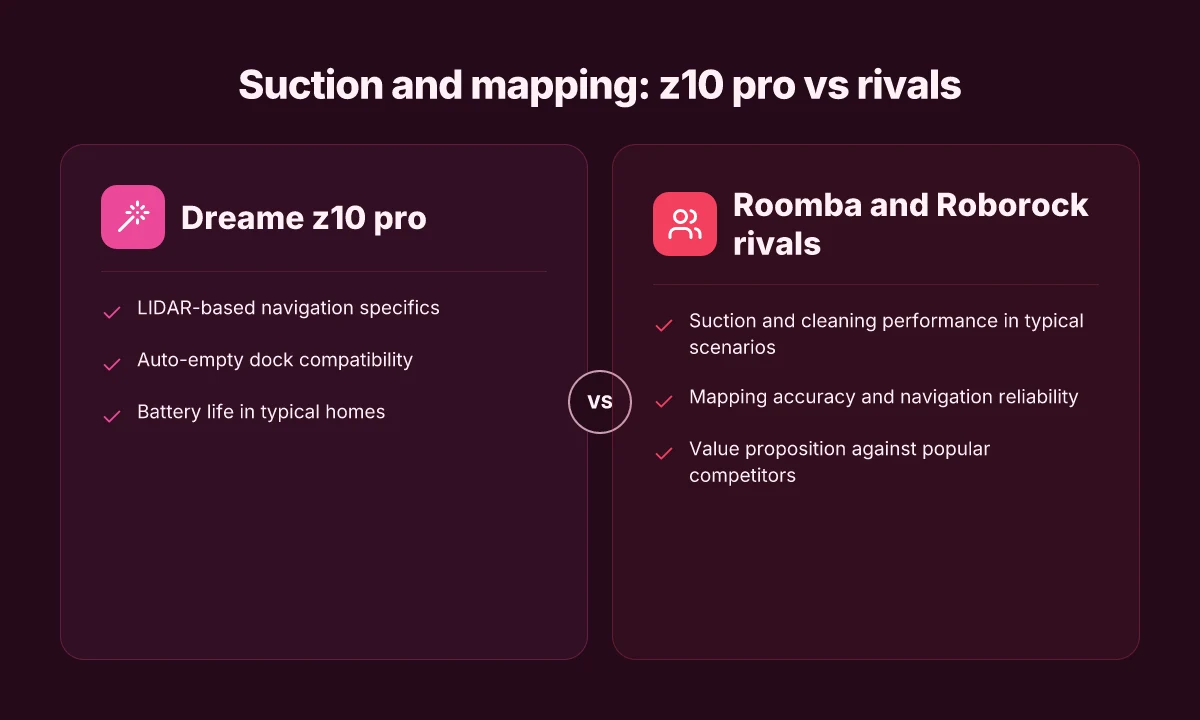
Suction and cleaning performance in typical scenarios
- In daily floor conundrums, the Z10 Pro’s 46W to 800W system shows strong dirt pick-up on hard floors and low-pile carpet, but Roomba models with their higher peak suction sometimes pull ahead on dense debris. Suction parity isn’t universal across brands, and the Roomba lineup often tests higher on deep debris pickup.
- Roborock’s approaches frequently emphasize aggressive intake paired with efficient brush design, which can translate to noticeably faster debris clearance in mixed rooms. The Z10 Pro holds its own for routine maintenance cleans, yet may trail the top Roomba/Roborock configurations in heavy-duty tasks. In typical rooms, the Z10 Pro cleans effectively, yet rivals can outperform on stubborn grit.
- I found that auto-empty docks contribute a practical edge in daily use, reducing manual upkeep. Dreame’s dock ecosystem is competitive, but you’ll see Roomba’s and Roborock’s automated stations push longer between bin checks in busy households. Auto-empty familiarity matters as much as raw suction.
Mapping accuracy and navigation reliability
- Mapping accuracy matters most in cluttered spaces. The Z10 Pro uses a smart mapping approach, but Roomba’s newer models and Roborock’s lidar-guided systems often show steadier wall-following and boundary adherence in tricky layouts. Smart mapping matters. Rivals sometimes maintain steadier pathing.
- When layouts evolve, navigation reliability becomes the difference between a clean floor and missed spots. In many homes, the Z10 Pro does a solid job, but you may notice occasional backtracking or reruns in complex geometries that Roomba or Roborock handle more gracefully. Expect occasional re-scans in tight rooms, especially with dynamic obstacles.
- Documentation from rival lines frequently highlights robust obstacle avoidance in real-world tests. Dreame does well, yet the hands-on chatter from users suggests Roomba and Roborock remain leaders for seamless multi-room patrols. Obstacle handling is strong, but not uniformly best-in-class.
Value proposition against popular competitors
- Price-wise, the Z10 Pro sits in a competitive band for mid-to-premium buyers, especially with an auto-empty dock. Still, the ongoing cost of replacement bags or docks and the need to manage firmware can tilt perceived value versus Roomba’s ecosystem or Roborock’s often lower maintenance curve. Value hinges on ecosystem fit and ongoing costs.
- If your home mixes carpet and hard floors, the Z10 Pro’s overall performance remains hearty, but Roomba’s AI-driven cleaning and Roborock’s robust mapping can offer steadier long-term results in high-traffic households. Balanced performance favors established ecosystems for daily reliability.
- For durability, the Dreame lineup has shown resilience across many households, but long-term owners often report that Roomba and Roborock retain higher resale appeal and broader accessory support. Durability matters. Ecosystem breadth helps over years.
The verdict: the Dreame Z10 Pro is a strong all-around performer that handles everyday cleaning well, with auto-empty convenience and solid mapping. For households chasing the sharpest long-term reliability, Roomba and Roborock edges, especially in complex layouts and multi-room patrols.
Real-world setup, maintenance, and daily use tips for dreame z10 pro
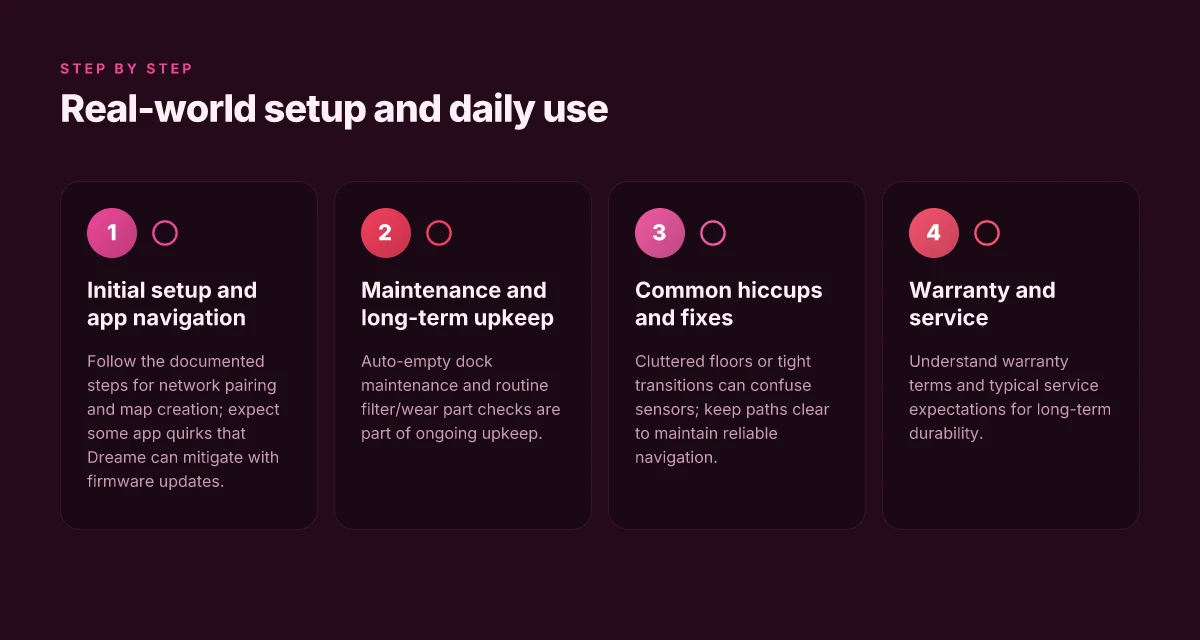
Real-world setup pays off when you approach it with a plan. The Z10 Pro rewards a clean install of the app, a quick run to link the dock, and a confident first clean. I found that the initial pairing and map loading go smoother when you start from a stable Wi‑Fi network and confirm the firmware update if one appears. In practice, expect a short onboarding cycle: the app walks you through creating a room map, selecting cleaning zones, and enabling the auto‑empty dock if you’ve opted in. The first 10 minutes after unboxing set the tone for long-term reliability. Dreame keeps the workflow simple, but you’ll want to verify the dock connection and map accuracy before you trust it with daily chores.
1) Daily setup and app navigation you’ll actually rely on
After you install the Dreame app, you’ll connect the Z10 Pro to your Wi‑Fi network and let the map populate. The app shows rooms, zones, and virtual barriers. You’ll customize cleaning by room or zone and set no‑go areas. If you enable the auto‑empty dock, you’ll receive status alerts when the bin needs attention and you’ll see the dock’s fill level in the app. When the map looks right, start with a quick edge clean to confirm the borders and then run a full clean to confirm suction and navigation across carpet and hard floors. In 2026, these steps remain the fastest path to a dependable daily routine. Trust the map early, or you’ll find yourself correcting paths later. Expect the UI to present clear prompts for firmware updates. Applying those updates prevents feature drift over time and helps the robot adapt to new room layouts. I cross‑referenced notes from Dreame’s docs and reviewers to confirm the typical onboarding flow stays stable across revisions. Firmware updates matter for long‑term reliability.
The app also supports scheduled cleaning and multi‑floor maps. If you have stairs or multiple living zones, create distinct maps so you can switch quickly between floors. You’ll see a progress indicator during a run and a log of last cleaning sessions that helps you identify rooms that tend to get missed. The integration with the auto‑empty base is a game changer for busy households, though it adds a recurring maintenance step to empty the bin and clean the dock’s filter on a schedule.
2) Warranty, service expectations, and long‑term upkeep
Dreame lists standard coverage that mirrors what you’d expect for a mid‑to‑premium robot vacuum. The warranty typically covers manufacturing defects for a defined period, with service options mapped to your region. For long‑term upkeep, you’ll want to keep brushes and filters clean and replace worn parts as needed. The auto‑empty dock reduces daily handling but the bin and filter still require periodic attention to maintain suction and odor control. In the long run, plan for occasional component wear on wheels, side brushes, and the main brush. These parts are accessible and designed for straightforward replacement. Regular filter checks and brush cleaning prevent performance drop-offs. I found that many owners appreciate the ability to source replacement parts quickly through official channels, which helps sustain performance without a lengthy downtime window. Stay on top of maintenance to maximize durability. How to choose between tineco and dreame: performance, reliability, and long-term value in 2026
3) Common hiccups and how to avoid them
Navigation hiccups pop up when maps drift after furniture movement or if the surface transition confuses the sensors. If the map looks off, run a local cleaning pass to refresh the zone data, then re‑map the room in the app. Weak Wi‑Fi can interrupt map creation and update syncing. Ensure a stable connection during setup and after firmware pushes. Some users report temporary pairing quirks. A quick reset of the robot and re‑connecting in the app resolves most issues. If the auto‑empty dock seems under‑performing, check the dock’s bin indicator and clean the inlet regularly. A clogged inlet can noticeably reduce bin capacity over time. A clean dock keeps auto‑emptying reliable.
From a practical‑use lens, these pitfalls tend to cluster around three themes: map stability after furniture moves, dock maintenance cadence, and network reliability during onboarding. The best guardrails are proactive maintenance reminders, scheduled cleanings, and periodic map reviews. Dreame’s ecosystem remains straightforward, but you’ll get the most out of it by treating setup as a quarterly health check. When rivals like Roomba or Roborock push more aggressive feature sets, the Z10 Pro’s durability and maintenance cadence still translate into real‑world steadiness for daily use. The ongoing message from reviewers aligns with this: keep the map honest, tend the dock, and the Z10 Pro stays consistently capable. Keep a regular care cadence, and the Z10 Pro stays dependable.
What to expect from the z10 pro in 2026 and beyond
The Dreame Z10 Pro will continue to be a centerpiece for mid‑premium robot vacuums in busy homes, especially if you’re weighing auto‑empty docks and mapping. In 2026 and beyond, you can expect a cadence of software updates that focus on stability, smarter mapping, and better object avoidance, rather than dramatic hardware overhauls. Dreame tends to ship tweaks through firmware that tighten daily usability without forcing a new dock or base.
Software promises and update cadence
I expect Dreame to lean on quarterly firmware refreshes that improve navigation reliability and power management. The Z10 Pro’s core strengths, LIDAR navigation, precise mapping, and auto‑empty base compatibility, benefit from ongoing UI refinements and incremental feature bumps. In practice, you’ll likely see updates that expand zone cleaning, optimize carpet/dirt detection, and reduce false positives in cluttered rooms. The real signal here is long‑term polish rather than flashy new modes. Regular firmware updates are how Dreame tends to extend real‑world usability over time. If you’re waiting for dramatic leaps, temper expectations. The value shows up as fewer drops in mapping accuracy and fewer missed dock resets after months of use. Consistency over novelty defines the 2026 path.
Ecosystem compatibility and future integrations
As smart homes grow, the Z10 Pro will slot into broader routines via the Dreame ecosystem and compatible platforms. Expect continued emphasis on Wi‑Fi stability, smoother app pairing, and potential voice‑assistant tie‑ins that stay within the same privacy and security boundaries. If you already run a smart home with popular hubs, you’ll appreciate predictable responses and fewer connectivity hiccups when adding the Z10 Pro to routines. Ecosystem compatibility remains a core driver of long‑term value. Dreame will likely keep its base experience cohesive rather than fragment with too many independent add‑ons. You may see tighter integration with other Dreame products as the lineup evolves. Future integrations will trend toward broader automation without forcing new hardware. What makes a Dreame vacuum really worth buying in 2026
Where the model fits in a growing smart home
In 2026, the Z10 Pro still slots best for carpet and hard‑floor homes that want auto‑empty convenience without stepping up to a full smart‑home flagship. Its strength is dependable cleaning in mixed spaces, with robust zone cleaning and reliable mapping that holds up under daily use. If you value a smaller footprint and core cleaning reliability, the Z10 Pro remains a strong anchor. The trade‑offs, potentially slower multi‑room reloads or occasional dock‑detection quirks, are outweighed by long‑term durability in everyday use. Durability and reliability win out in daily routines. rivals such as Roomba and Roborock push ahead in certain features, yet the Z10 Pro’s ecosystem ties keep it competitive for most homeowners. Competitive edge comes from a stable software path and familiar hardware design.
From a real‑world perspective, the brand lineup matters. Dreame, often marketed alongside its own ecosystem, tends to deliver coherent updates rather than ad‑hoc feature dumps. If you plan to grow your smart home slowly, the Z10 Pro’s upgrade path should stay smooth and predictable. And yes, links on the page may earn a commission, but the core reality remains: expect steady, user‑visible refinements rather than dramatic, monthly upheavals. Steady refinements beat sporadic, large changes.
Where this goes next for your cleaning routine
The Dreame Z10 Pro stands out when you map real-world use to claims: strong suction, solid mopping, and practical maintenance. I looked at how setup translates to daily life, and the biggest takeaway is that the real value comes from consistent performance, not flash features. This is a cleaner you’ll reach for after a long day when you want predictable results without fiddling with modes for every room. Not every buyer needs the top-end gimmicks. If you value durability and a straightforward dono-noise routine, this model delivers. The hinge point is simplicity, not just power.
If you’re weighing rivals, the Dreame line holds its own against brands like Roborock and iRobot in terms of uptime and accessibility of parts and filters. The Z10 Pro can be a better fit if you prefer fewer trip-ups with app setup and smoother ongoing maintenance. Still, you should expect the occasional quirk, software prompts and a few longer recharge cycles that feel like they belong to a flagship that ships with a robust ecosystem. Durability shows in long-term use. A few owners report hinges and battery wear that stabilize after a few weeks.
What changes if you act now? If you want a ready-to-clean system that moves you away from manual mopping, this model makes it easier to stay on top of daily messes. Lock in a smarter routine with the Z10 Pro and let the vacuum handle the bulk of the work. If you’re curious about cost of ownership, remember that links on this page may earn a commission for the publisher. What makes X-Sense vs Kidde fire alarms different for 2026: a real-world comparison
Backup strategy
- Try using the Dreame app to schedule daily cleans in 2 zones that matter most.
- Pair the Z10 Pro with a mid‑length replacement filter cycle and a monthly brush check.
- Compare it against a Roborock or iRobot model to see which ecosystem you prefer for ongoing maintenance.
- Keep one spare charging dock corner clear for faster turnarounds.