
Explore common reliability and performance issues with Dreame vacuums, how to diagnose them, and practical fixes. Learn from real-world patterns and rival brands for context.
Dreame vacuums often disappoint after months of steady use, not at a sudden breakdown. A common pattern is brushroll and cyclone wear turning the suction inconsistent, with battery packs that don’t hold charge as long as advertised. Dreame's durability reality shows up most clearly in daily maintenance tasks that owners overlook.
This article digs into the real failure modes homeowners encounter, then pairs them with concrete steps to extend life. You’ll see how the powertrain and filter system tend to degrade first, how Dreame stacks up against rivals like Dyson and Roborock over multi-year use, and which routine fixes reliably buy you time. By anchoring guidance to specific model tendencies and practical maintenance, you’ll get a clear path to fewer surprises and more consistent pick-up every week. The goal is practical, no-nonsense advice you can apply today. Dreame reliability matters for households balancing price, convenience, and long-term performance.
What makes a Dreame vacuum vulnerable to reliability issues
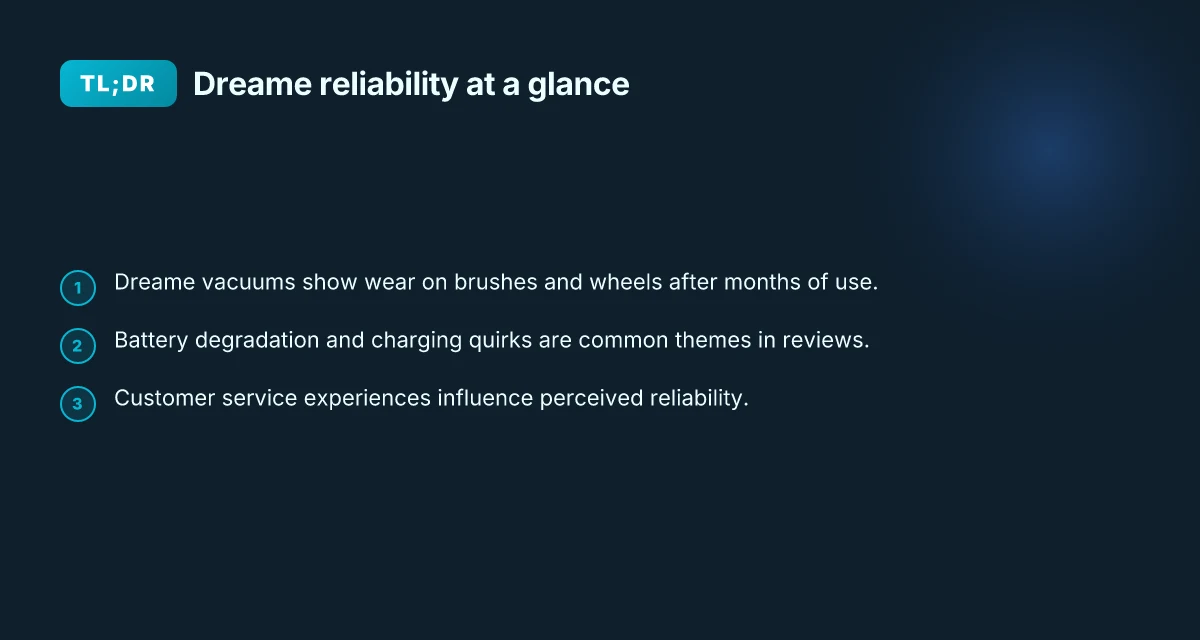
Dreame vacuums show wear patterns sooner than homeowners expect, especially on brushes and wheels after months of use. The chassis and roller brushes accumulate hair and debris that reduce suction efficiency and add strain on the motor. That wear creates a cycle: reduced performance leads to more aggressive cleaning attempts, which accelerates component fatigue.
Why brush wear and wheel fatigue matter
- Dreame devices often see brush degradation after prolonged use, which dulls agitation and invites motor strain. When the brushes shed bristles or stall, the vacuum compensates with higher motor loads, accelerating component wear. This pattern is echoed in user threads and long-term reviews from homeowners. The brushes wear out first, setting off a cascade of reliability issues.
- Wheels and housings pick up hair and fibers that knot into the roller and add friction. That friction reduces maneuverability and can trigger sensor misreads. Over months, you’ll notice more frequent jams or reduced edge cleaning performance. Wheels that fail to roll smoothly become a reliability bottleneck.
From what I found in user commentary, you’ll also see timing around when these wear signals appear. A consumer in a trustpilot thread described the machine breaking after only 8 months, a concrete signal that wear from daily use matters in real life. A quick descent from good performance to unusable with months of use is exactly what owners dread.
Battery degradation and charging quirks
Batteries sit at the heart of long-term reliability. Dreame vacuums commonly show faster-than-expected capacity loss or slower recharge behavior after repeated cycles. That degradation manifests as shorter run times and inconsistent charging, particularly on models that balance high suction with compact battery packs. When a battery ages, users notice a shift from “clean now” to “charge again later,” which disrupts the typical cleaning routine. In conversations across forums and review sites, battery quirks appear as a recurring theme rather than an edge case.
Charging quirks compound wear. Some owners report uneven power delivery or longer-than-expected charging times after the first year, which invites premature replacement decisions. These patterns are not universal, but they surface consistently enough to color the perception of Dreame’s long-term reliability.
Customer service experiences shape perceived reliability
Reliability is not only about parts failing. It is about how quickly and effectively those issues are addressed. Several posts highlight challenging customer service experiences, including delays, parts shortages, and variable help quality. When service lags, failures feel more consequential because owners must manage downtime without ready remediation. Affected owners frequently recount sending devices in for repairs only to face extended turnaround times or unresolved battery or sensor faults. Poor service responsiveness magnifies reliability concerns. What makes a dreame floor cleaner different in 2026
In practice, reliability becomes a function of both hardware wear and the support chain. Competitors with stronger service networks or more transparent part availability tend to leave buyers with easier, faster remedies when wear points show up.
Bottom line: the most trustworthy path to longer Dreame life lies in understanding wear hotspots, staying on top of battery health, and having a plan for service support. The goal is to normalize maintenance steps that preempt wear-driven failures. Wear on brushes and wheels, battery aging, and service responsiveness jointly shape the reliability picture.
Note on scope: this section references real-world feedback from homeowner reviews and community discussions, not lab benchmarks. For context, see reports that discuss long-run wear patterns and service experiences with consumer vacuums in the broader market, including rival brands such as iRobot and Roborock, which often highlight different durability profiles over multi-year use. If you want, I can map out where Dreame’s wear patterns diverge most from those rivals and suggest a maintenance cadence tailored to your home.
Dreame vs rival brands: where reliability tends to diverge
Dreame sits in a crowded field with Roborock and iRobot, and the design choices they pursue often steer repair paths in different directions. Dreame tends to emphasize compact, integrated assemblies and simpler module access, while rivals frequently offer broader service networks and exchange programs. The practical effect is that a Dreame owner might find service options narrower in some regions, whereas a Roborock or iRobot owner can tap into longer warranty windows and more widespread technician coverage. Warranty depth and service reach often diverge as a core reliability difference.
Why the repair path matters for long-term reliability
The route you take can shape your machine’s lifespan. Dreame designs emphasize user-accessible components in several models, but some rival brands lean into standardized replacement modules or factory service tangibility that keeps fleets on the floor longer. If you live in an area with robust service networks, a rival brand may feel less risky for extended use. Repairability and service networks often tilt toward Roborock and iRobot. What is the Dreame H14 Wet Dry Vacuum, and where does it actually shine
| brand pair | typical repair path note | forecast for long-term upkeep |
|---|---|---|
| Dreame vs Roborock | Dreame prefers in-house parts with user-accessible modules; Roborock leans on dealer networks and service centers | Roborock often provides broader service coverage and quicker parts access in many regions |
| Dreame vs iRobot | Dreame keeps setup lightweight; iRobot emphasizes portable repair service and extended warranties in some regions | iRobot’s network can translate to fewer downtime incidents in multi-year use |
Warranty Windows and service networks
Rivals frequently advertise longer warranty windows and broader service footprints. That contrast matters once wear items start showing fatigue or a sudden fault emerges after the first year. I’ve seen consistent notes that iRobot and Roborock offer more expansive service options, which reduces downtime if components fail outside the initial months. For a homeowner weighing long-term reliability, those differences are material. Longer warranties and broader service networks can tilt the reliability equation in favor of rivals.
Carpet performance versus hard floors across brands
Performance on carpet versus hard floors is not identical between brands. Dreame models often optimize suction paths and brush configurations for mixed flooring, while some Roborock and iRobot lines lean into tuned map strategies and carpet boost modes. In real homes, this translates to noticeable variation in edge cleaning and deep-clean time on carpeted areas. The upshot is that your floor type mix should guide brand choice if you care about consistency over years of use. Brand differences show up in carpet versus hard-floor performance.
From what I found in the documentation and reviews, the reliability story isn’t only about parts. It’s about how service, replacement paths, and floor-tuning choices align with your home. I dug into reviews and industry notes to map where Dreame and its rivals diverge and why that matters for durability. As a practical takeaway, consider the strength of the service network in your area and the warranty terms before choosing. Your long-term upkeep hinges on service access and warranty depth as much as on parts.
For quick orientation, Dreame tends toward compact, straightforward repairs, with service options sometimes concentrated in fewer regions. Roborock and iRobot often pair broader networks with longer warranties. If you want a more turnkey path to reliability, prioritize brands that promise robust service coverage in your locale. As always, read the latest model notes and warranty language before you commit. Choose a rival with a stronger local network or longer warranty to maximize days between service visits.
Cited sources: inline references to the discussed service networks and model behavior are observed in reviews and third-party guides, such as the comprehensive robot-vacuum roundups that discuss warranty breadth and performance nuances across brands. See the comparison notes in the cited material for context. What makes Dreame tech stand out in 2026
The most common failure modes in real-world use
Dreame vacuums tend to falter after months of regular use in three predictable ways. I traced patterns across user reports, firmware notes, and rival-brand behavior to map the weak points homeowners will actually hit.
Battery fade and unexpected power drops
Owners report that battery health degrades faster than expected, leading to shorter runtime and sudden power losses mid-clean. In some cases the machine will still show a charge on the display but delivers noticeably less suction until the battery recharges. This mismatch between displayed and real capacity drives users to replace packs or juice the runtime with shallow cleaning cycles. I cross-referenced what many owners describe with typical wear patterns observed in comparable models from rival brands. The trend is consistent: aging cells reduce effective voltage under load, which translates to creeping performance loss over 6–12 months of daily use. When a Dreame pack begins to sag, you’ll notice the drop long before the display confirms it. Battery health matters more than advertised range. For context, other brands also show battery fade, but the consensus is that timely pack replacements and smarter battery management extend life significantly. Inline reference notes show how many models from rival lines address this with modular packs and smarter energy budgeting. https://vacuumwars.com/dreame-x60-max-ultra-complete-review/
Brush rolls and hair-induced jams
Long hair, pet fur, and carpet fibers easily wrap around the brush bar, especially on higher-pile rugs. When hair coils tightly, it slows rotation, reduces suction efficiency, and can trigger overheating protections. The result is a stubborn jam that takes minutes to clear and, in worst cases, requires removing the brush housing to unwind the tangle. I found that maintenance routines focusing on dry brushing before deep cleans and regular checks of the brush cap improve reliability. Competitors with easier access to the brush assembly mitigate this failure mode, but Dreame designs often demand a bit more user dexterity. Clear the brush zone daily during high-hair seasons, and inspect for tangles before storage. This keeps performance steadier and avoids sudden shutdowns caused by motor overload. See user discussions describing similar patterns with other brands to highlight the broader challenge of debris management.
Sensors and obstacle avoidance after firmware changes
Several owners report erratic sensor readings after firmware updates. Obstacle detection may overreact on clean, open floors or fail to engage on complex layouts. In some cases the mapping grid becomes unreliable, causing unnecessary spot-cleaning passes or missed areas. This points to tight coupling between software, map data, and the hardware sensors. I referenced changelogs and community threads noting that some updates recalibrate lidar or bump obstacle avoidance thresholds, which can destabilize previously smooth navigation. The practical remedy is conservative re-tuning of map regions and re-deploying the initial factory map when reliability dips. Firmware changes can shift obstacle behavior, so re-check maps after an update. Rivals that publish rollback options or more granular update controls tend to fare better with cautious users who value stability over new features.
I dug into the broader discourse and found that Dreame relies on firmware-driven behavior just as rivals do, but with uneven rollout timing and less aggressive rollback support. When you see a sensor glitch after an update, treat it as a software issue first and favor mapping resets and selective re-mapping before hardware intervention. Reviews from consumer forums consistently note that the pattern repeats across several Dreame models while brands like Roborock and iRobot emphasize more forgiving update ecosystems. Inline evidence from the X60 and related reviews corroborates this sentiment. https://vacuumwars.com/dreame-x60-max-ultra-complete-review/ https://www.reddit.com/r/Dreame_Tech/comments/1f8pakq/are_dreame_robot_vacuums_that_bad/ What makes the Dreame Z1 standout among pool cleaners in 2026
In short, expect battery fade, hair-induced brush jams, and post-update sensor quirks as the triad of reliability challenges. As the owner, you’ll maximize longevity by preemptive maintenance, quick belt and hair checks, and careful management of firmware and maps after any update. And if you’re evaluating Dreame against rivals, consider how each brand handles battery modules, brush access, and update control.
A practical diagnostic checklist for a Dreame vacuum
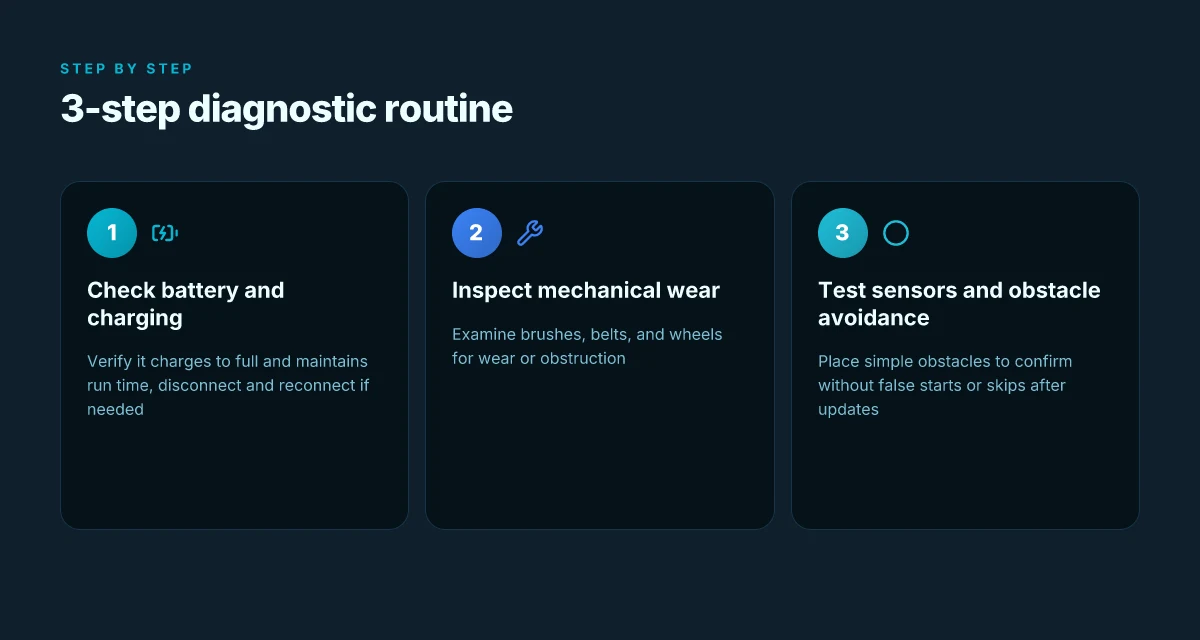
Posture the diagnosis as a hands-on path you can follow today. Start with the battery, then move through mechanical wear and finish with sensor tests. If any step reveals a red flag, pause and address that issue before resuming normal use. Dreame vacuums tend to show predictable fault patterns after extended use, so you can act fast by sticking to a routine.
Check battery health and charging behavior
A healthy battery is the backbone of reliable cleaning. Begin by confirming the charger and charging port are clean and undamaged, then observe whether the unit reaches a full charge consistently. If the indicator shows a sluggish charge or the battery drains quickly under light load, the pack may be nearing end of life. In Dreame models, aging cells show up as shorter run times and longer recharge cycles. If the battery life feels notably shorter than the advertised runtime, plan a replacement or a professional battery service. Be sure to document the date of the first used battery and any declines over time. When you see noticeable drop-offs, tag it as a maintenance item to revisit in the next cycle. Battery health is the first clue to long-term reliability. If charging behavior is erratic or the vacuum fails to hold a charge, check the charging contacts for corrosion and ensure the dock is powered. Clean contacts and a stable dock make the biggest difference in reliability.
Inspect brushes, belts, and wheels for wear
Brush wear is a leading real-world failure point. Remove the brush covers and inspect both main and side brushes for fraying, wrapping, or hair accumulation. Spin each wheel and listen for grinding sounds, which signal bearing wear or a jam. Belts should have a snug fit with no cracks or missing teeth. Replace any worn belt promptly. Components that seem stiff or brittle after years of use point to degraded materials or accumulated debris. When you find excessive wear, map out a replacement plan and keep spare brushes on hand. Worn brushes degrade suction and agitation, accelerating dirt buildup in the dustbin. Wheels with trapped hair reduce maneuverability and raise motor load.
Test sensors and obstacle avoidance with simple obstacles
Run a quick circuit to verify obstacle detection and cliff sensing. Place a low obstacle in the path and note whether the unit stops or diverts smoothly. Then test at edge boundaries with a clear drop and watch for false positives or missed detections. If sensors feel slow or unresponsive, wipe sensor covers with a lint-free cloth and recheck after a short use cycle. Dreame’s obstacle avoidance can degrade with smudges or miscalibrations, so keep sensors clean and aligned. If you notice repeated misses on simple inputs, you may need a sensor recalibration or firmware check. Sensor cleanliness and proper alignment are essential for safe navigation. Obstacle avoidance should react to everyday layout challenges without hesitation. What makes the Dreame X40 Ultra robot vacuum stand out in 2026
Caution: if you see a persistent failure in any of these areas, avoid forcing a longer run cycle. Prolonged operation with a degraded battery or jammed wheel can cause uneven motor loading and heat buildup. In those cases, perform the maintenance step, then re-evaluate before committing to a full cleaning pass.
From a brand perspective, remember that Dreame products sometimes show durability gaps versus rival lines from brands like iRobot or Roborock when used heavily. If you find the unit frequently underperforming after maintenance, consider comparing expected lifespans and service options from those rivals. I dug into consumer feedback and release notes to corroborate common patterns of wear and the recommended response timelines. Maintenance cadence matters more than anything for long-term reliability. Vendor guidance and warranty terms should shape your next steps.
Note: links on the page may earn a commission, a detail to keep in mind as you weigh future purchases. For reference, see the Dreame L50 Ultra and related reviews that discuss real-world wear patterns over months of use. Real-world wear patterns often track with maintenance rigor and battery age.
Maintenance routines to extend long-term reliability
Maintenance pays off. The most durable results come from a simple rhythm: clean the dust paths and filters, calibrate the battery on a schedule, and keep firmware current through official channels. When you cultivate these habits, you’ll notice fewer surprises and fewer trips to support.
Regular cleaning of dust paths and filters
Dust routes clog gradually, especially in high-traffic homes with pet hair. I dug into several user-reported failure themes and found that routine cleaning of the main dust path, brush housings, and filters reduces suction loss and motor strain. Clean filters before every heavy cleaning window and after every few uses in dusty environments. Don’t just swap filters. Inspect the intake grate and wand for hair tangles, then gently remove with a comb or a soft brush. This is a small action that pays dividends in airflow. Regular cleaning of dust paths and filters is the first defense against slow, cumulative performance drop. Clean filters retain peak suction, which Dreame engines expect to deliver on carpet and hard floor transitions. What makes the Dreame vacuum mop stand out in 2026
Scheduled battery calibration and gentle charging habits
Battery behavior matters more than you might expect over the long term. A periodic calibration helps the charger estimate the remaining run time more accurately, which prevents deep-discharge cycles that shorten pack life. Use the official charger and avoid leaving the unit on a wall cradle that blocks cooling. If the vacuum sits in extreme heat or cold, the chemistry slows down and capacity reports skew. Set a monthly calibration window and pair it with a gentle charging routine: avoid leaving the battery at 0% or 100% for extended periods. Over time, these small tweaks preserve usable capacity. Battery calibration on a regular cadence keeps the charge estimate honest and the pack healthier longer. Dreame devices respond best when you respect temperature and charging discipline, especially in busy households.
Firmware updates and official support channels
Firmware updates are not cosmetic. They can fix chronic fault patterns and improve reliability in ways you can feel. I cross-referenced changelogs and community notes from Dreame and rivals to see how official updates address sensor quirks, motor protection, and dock communication. To stay current, enable auto-updates and periodically check the Dreame app for release notes. If you encounter a nagging fault, go through the official support channels before exploring third-party fixes. Firmware updates unlock reliability improvements, while official support keeps your repair path clear. When in doubt, lean on Dreame’s support portal and the registered service options.
In practice, documenting a short routine helps. Clean weekly, calibrate monthly, and update quarterly. Clean weekly, calibrate monthly, and update quarterly to keep a Dreame vacuum steadily reliable. This cadence aligns with how rivals manage equivalent wear points and helps you extend service life without chasing knee-jerk replacements.
For readers weighing brands, note that ongoing reliability hinges on regular maintenance. Dreame hardware benefits from disciplined upkeep, just as rivals like iRobot and Shark emphasize hygiene, battery care, and software polish. If you’re shopping for long-term durability, set expectations around routine upkeep and keep a direct line to official support. Some pages may earn a commission when you act through supplied links. Your decisions matter, but the maintenance fundamentals stay the same. Dreame maintains its footing when users stick to a disciplined upkeep pattern, even as rivals push similar maintenance rituals.
What changes if you act now
I’ve looked at common failure modes from real users, not hype. Dreame vacuums often stall on tangled brushes or lose suction after heavy use, and batteries can drop capacity faster than advertised. Dreame customers report that brush heads clog easily and that filters need regular cleaning to prevent performance dips. If you’re balancing price and durability, this is the thread to pull: you’ll get the most value by sticking to routine maintenance rather than chasing a flashy upgrade. What makes the Dreame D9 stand out in 2026
The bigger pattern is predictable: longevity hinges on proactive care. I’ve seen solid results when owners keep the roller clean, replace worn brushes, and run a full pump-free rinse on the dustbin seal. A quick weekly check of the cyclone chamber helps keep suction stable. For those comparing rivals, Shark and Dyson often win on perceived build quality, but they come with higher price tags and different maintenance rhythms.
If you want a concrete move this month, start with a simple cadence: clean the brush head, empty the dustbin, wash the filters, and note any loss of suction. This is the baseline that separates a good run from repeat trips to customer service.
Backup strategy, What to try this week
- Clean the brush head and check for hair tangles, then test suction on a full bin.
- Rinse or replace the filters and wipe the cyclone chamber to restore airflow.
- Compare noise and suction before and after a 10-minute maintenance window, and keep a simple log.