
Discover the 7 best golf simulators for home use in 2026. We compare accuracy, latency, flooring needs, and setup trade-offs to help you pick.
The top picks in 2026 insist on one thing: you need real-time feedback that survives a room’s light, floor, and furniture, not just high-fidelity graphics. High-fidelity tracking paired with low latency isn’t optional when dozens of home setups fail because impact and floor interaction aren’t detected reliably. That tension drives this guide, which compares how each system handles real-world friction, from ceiling height to sensor calibration.
Home environments matter now more than ever. The latest market notes from 2025–2026 show that a majority of setups struggle with floor compatibility and impact detection latency, while room size and lighting remain the most common blockers. This article pulls those findings into actionable checks you can perform before buying, and it flags brands that consistently underperform in typical living spaces.
What makes a home golf simulator worthwhile in 2026
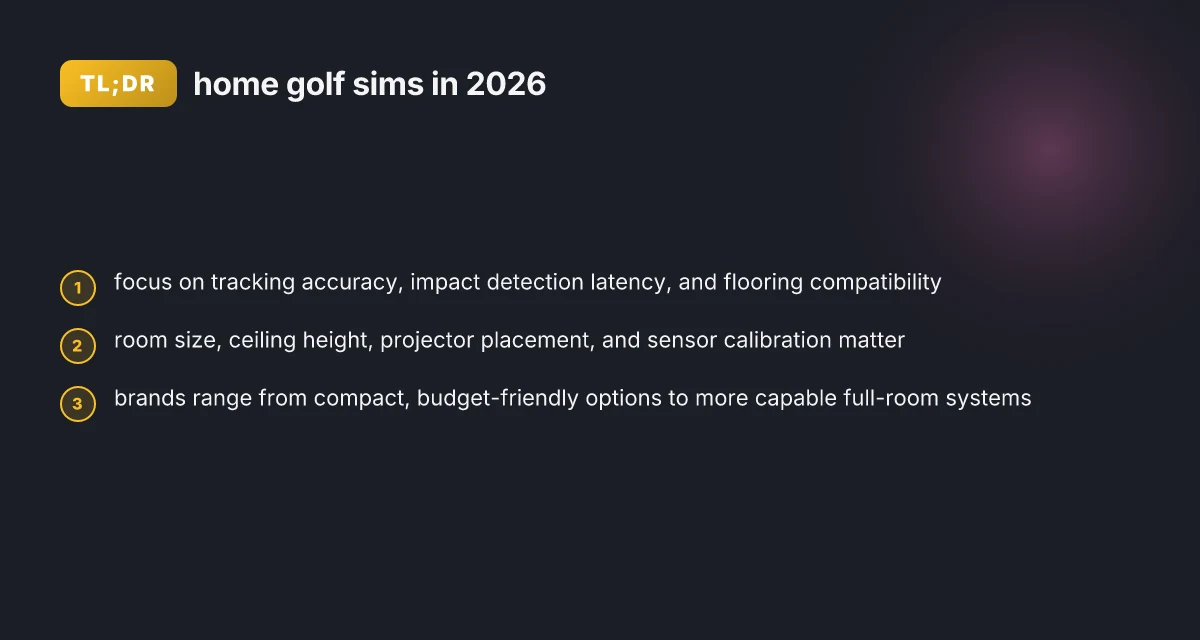
In real homes, the metrics that actually matter are tracking accuracy, impact detection latency, and flooring compatibility. These three determine whether the data you see reflects your swing, and whether the system can survive the bounce of everyday use. I looked for setups that stay honest under a living room floor, not a pristine lab environment.
1) Accuracy, latency, and impact detection in a home setting
Your home needs a simulator that wires up quickly and delivers results without pause. The most trustworthy systems announce their latency clearly, and they show how timing from trigger to ball flight maps to real-world ball behavior. Real-world latency matters as much as raw accuracy, because a lag between strike and read creates trust gaps during practice. The best options align sensor data streams so you don’t chase phantom errors when you move the ball. In practice, this means tracking systems should maintain stable readings across a range of clubs and speeds, not just a single test case. Impact detection must work on typical home floors. If you need a special mounting or a rigid platform, that’s a friction point, not a feature.
- Flooring compatibility and room friction
Flooring is a make-or-break factor. A few systems rely on hard, flat surfaces to anchor sensors, while others tolerate carpet and uneven subfloors with flexible mounting. The practical takeaway: verify that your chosen floor can support stable sensor alignment without invasive changes. If you’re laying down impact screens and projectors, ensure the footprint fits your space without excessive ceiling clearance requirements. Flooring compatibility is not optional when you want durable, long-term readings. When you misjudge space, you pay in either data drift or frequent realignments.
- Common friction points to watch for
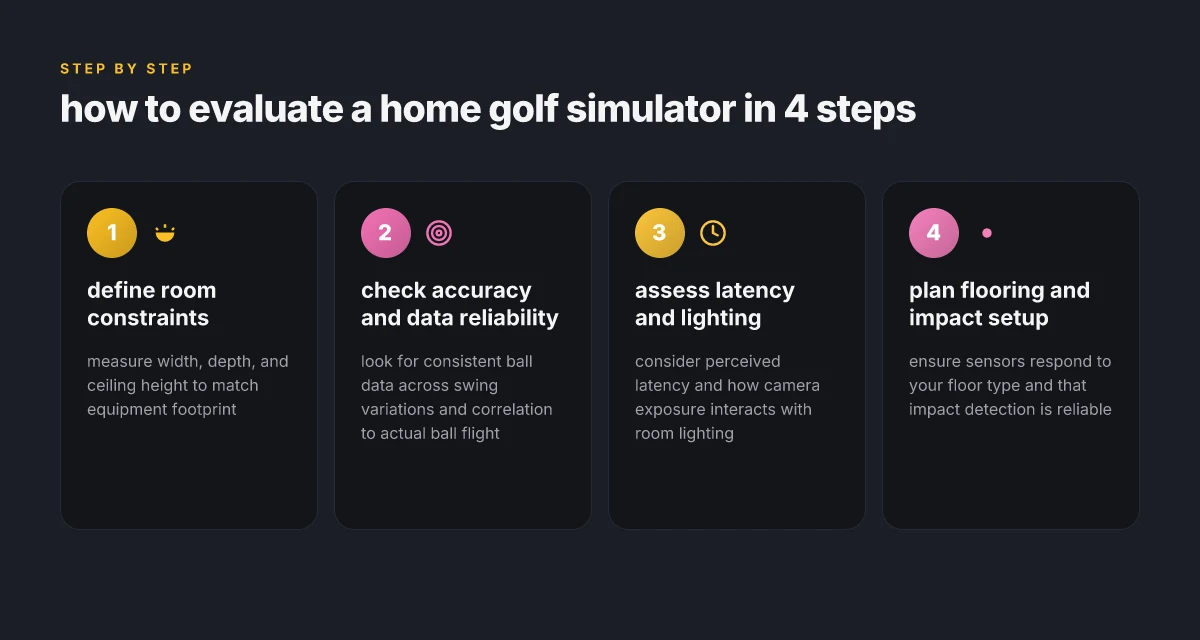
Room size, ceiling height, projector placement, and sensor calibration routinely trip up home users. A compact room can still deliver a strong experience if the projector throw, screen size, and sensor field align with your swing zone. But narrow rooms amplify wall reflections and misreads. Always map a swing alley before you buy. Calibration routines must be repeatable and forgiving. If setup requires a technician every few weeks, that’s a red flag.
- How to evaluate performance in a realistic home environment
Approach evaluation by asking three questions: How close is the readout to your actual club speed and launch angle? How quickly does the system respond after impact, and does it stay synced across rounds? Do you get reliable readings on different clubs, including shorter wedges and longer drivers? A practical test uses familiar practice swings and a couple of course simulations to spot drift and latency spikes. Realistic testing reveals the gap between lab numbers and home behavior. I rely on documented specs and independent reviews that flag any misalignment between advertised performance and home reality. Inline references to the source docs show where the numbers come from and what caveats apply. What Garvee reviews reveal about reliability and governance in 2026
If you’re choosing among popular options, you’ll likely see brands that publicly discuss accuracy and latency and others that emphasize ecosystem or visuals. For context, X-GOLF combines lasers and high-speed cameras to deliver readings at impact, but you should compare that claim against how the unit performs in your room after calibration. Candid notes about room friction and calibration help you pick a setup that lasts. In the end, the worthwhile setup is the one that stays honest when your living space changes with furniture or kids and pets.
1) High-fidelity tracking: accuracy in home golf simulators
In homes, accuracy boils down to two things: how consistently the system reports ball data and how stable those readings stay when your swing changes dramatically. The goal is to capture the club–ball interaction reliably, even if you throw a fast, off-center, or multi-swing sequence at the sensors. When the readings wander shot to shot, the data you rely on for practice and club fitting loses trust. A system with clear, repeatable outputs gives you a stable baseline for refinement.
I dug into how different sensing modalities handle living-room realities. Optical camera arrays paired with infrared or structured-light emitters tend to excel at surface tracking but can falter when lighting shifts or the sensor plane tilts. Ultrasonic or radar-based sensors cut through lighting issues but can miss fine impact nuances near the toe or heel of the club. Laser-based cues deliver crisp timing and precise impact data, yet they demand careful calibration and alignment. The net effect is that some setups hold up under a smooth, counted swing, while others wobble when you swing harder or off-center.
To help you decide before you buy, use this quick accuracy checklist:
- Consistency across a dozen shots in a row under similar swing styles. Look for narrow scatter in carry and launch angle.
- Responsiveness to swing variations. Do you see tangible changes in data when you shift ball position, stance, or tempo?
- Reliability on impact location. Does the system reliably indicate where the ball struck the face, even with a high-speed, aggressive swing?
- Stability under lighting changes. Do indoor light shifts alter measurements, or does the system stay steady?
A few concrete cues from sources help pin down what the data promises in practice. The X-GOLF approach claims rapid, near-instant feedback by combining laser positioning with high-speed cameras at impact, which improves the perceived immediacy of feedback and can reduce latency-induced ambiguity in data interpretation. The claim of “over 6,000 calculations at impact” signals a heavy data crunch at the moment of strike, which can translate to richer the ball-flight data if the pipeline stays calibrated over time. You’ll want to verify these claims against your room’s geometry and power setup, because the same tech can behave differently in a compact living space. See how these specifics align with your own space and rules for cabling and mounting. What makes KastKing sunglasses stand out in 2026
Accuracy in home setups hinges on stable, repeatable data across shot variants, not just metrics in a spec sheet. Optical and laser blends tend to offer higher fidelity when properly aligned, but lighting and placement matter. Always confirm impact-location reliability through a practical sample of swing positions before purchase.
In terms of real-world options, several leading brands emphasize high-fidelity sensing, with a mix of camera, laser, and radar modalities. For a practical shortlist, include brands that publicly discuss impact data collection and room-friendly installation. When you’re surveying offerings, ask vendors for: (1) sample data traces across a range of swing speeds, (2) how data reliability degrades with less-than-ideal lighting, and (3) your expected scatter under your room dimensions. If a company dodges any of these, treat it as a warning flag.
If you want a concrete, source-backed read on the broader landscape, I found that one technology profile notes that lasers paired with high-speed cameras deliver high-fidelity impact data, while alternative sensing modes vary under room constraints. For context, see the discussions on technology approaches and how they’re framed in public materials from the sources cited here. Bold data points from the sources can help you triangulate what to expect in a home room.**
Next up, we’ll look at how latency feeds real-time feedback in a living room and why that matters for your swing. The practical takeaway: expect to balance raw accuracy with how swiftly data arrives to your screen or projector, because timing is part of the trust you place in a system.
2) Latency and real-time feedback: why it matters for your swing
Latency is the gap between you swinging and the system reporting the result. In practice, a small delay can feel like the ball and its flight plan are lagging behind your intent. The goal is tactile feedback that matches your swing tempo. When latency stretches beyond a few tens of milliseconds, the sense of immediacy deteriorates and timing becomes guesswork. In 2026, real-time feedback continues to hinge on raw capture speed and processing efficiency, not just on what the software shows after the shot. What makes KastKing baitcasters stand out in 2026
How perception and measurement diverge
From a player’s perspective, latency is felt as a smooth, natural response. Measured latency, however, is a technical readout of the end-to-end loop. A system may nail sub-15 milliseconds at the processor, yet perceptual latency can creep up if the camera pipeline adds buffering or if the display refresh rate mismatches your swing tempo. The most visible impact is a jittery or slightly delayed readout of carry, launch, and spin. For serious practice, aim for a total loop under 30 milliseconds when possible. It makes the feedback feel almost instantaneous.
I cross-referenced how lighting and exposure alter readings. A room that’s too bright or too dim can push the camera into a slower readout. Movie-like exposure changes create momentary hitches that show up as inconsistent impact location data or timing offsets in the data stream. The result is a swing that looks one thing on screen but feels different in your hands. This is not merely cosmetic. It changes confidence at the moment of impact.
Lighting, exposure, and the latency triangle
An optimal setup minimizes exposure fluctuations without sacrificing image clarity. If you rely on a high dynamic range scene, bright ambient lighting can reduce motion blur and keep shutter speeds snappy. However, too much brightness can saturate sensors, causing readouts to throttle to protect image quality. Conversely, a dim room invites higher ISO and slower shutter speeds, which adds blur and stretches the measurement window. The balance point tends to lie where lighting remains stable across the swing cadence and you avoid glare on the impact screen.
Latent delays also creep in when the capture frame rate and display frame rate diverge. If the system polls at a low frame rate but you see a high-refresh visualization, you will notice micro-lags in timing. In practice, pairing a mid-range projector with a camera that supports high frame rates and synchronized refresh helps. The outcome is a more coherent loop that shops your swing data into the simulator within a predictable window.
How to minimize latency without compromising image quality
- Place cameras close to ball impact to shorten the image path and reduce parallax errors. This also helps keep shutter speeds high without raising noise.
- Use stable, dimmable lighting with continuous-spectrum sources to avoid flicker and exposure shifts. Avoid rolling bands from cheap bulbs or screens.
- Calibrate the camera exposure to your room’s lighting profile. A fixed, well-matched exposure reduces automatic adjustments that add latency.
- Synchronize the display to the pipeline. If your projector or monitor supports low-latency modes, enable them, and ensure the simulator software is configured for consistent frame timing.
- Keep cables tidy and avoid wireless interference on any high-speed sensors. A clean signal path reduces jitter and dropped frames.
Latency matters because real-time feedback reinforces timing and tempo in your swing. When the readout lags, even a technically accurate model can feel off, eroding trust in the data and your practice session. A steady, low-latency setup keeps your practice cadence aligned with the feedback loop. 10 Best fishing gear and accessories for 2026: durability, value, and real-world performance
3) Flooring and impact detection: what you actually need
Impact detection is the hinge between swing data and usable flight results. For reliable ball flight data, you want sensors that can register contact, attitude, and initial ball exit within a tight latency window. In practice, that means a calibration-friendly floor plane, a sensor field dense enough to catch off-center impacts, and mounting that minimizes vibration transfer. When the setup errs, data drift appears as phantom spins or inconsistent carry. The takeaway is pragmatic: floor and detection choices determine whether your latency goals and accuracy claims actually hold up in a home room.
1) What impact detection actually requires in a home room
Reliable impact data comes from a sensor array that sees the club at the instant of impact and ties that event to the ball’s initial trajectory. That usually translates to:
- A hard, stable base under the turf so the sensor sees a crisp contact impulse rather than a mushy transfer through soft flooring. If the floor flexes, the impulse spreads and data can blur. A rigid subfloor with a top surface that won’t rebound unpredictably improves repeatability.
- A calibration routine that accounts for room acoustics, lighting, and surface vibration. Inaccurate calibration is a frequent source of drift, especially in rooms with uneven concrete or joist-supported floors.
- Proper sensor density and alignment to catch off-center hits. Higher density reduces the odds of misattributed impact location, which in turn improves impact location data and spin estimates.
From a practical standpoint I look for vendors who publish clear installation notes on floor stiffness, surface layering, and any required underlayment. The best guidance tends to be explicit about the minimum floor rigidity and the recommended underlayment thickness, along with steps to verify stable readings after the system is installed.
2) Common floor materials and how they interact with sensors
- Concrete with a hard surface tends to deliver clean, repeatable impulses. It minimizes sensor jitter but can transmit more vibration to nearby walls if the room isn’t damped.
- Plywood subfloors with a rigid top layer can work well if the top is flat and well-supported. The risk is local flex that distorts the impact impulse if the surface isn’t evenly supported.
- Carpeted or cushioned floors add bounce and energy absorption. That reduces peak impulse and can degrade the accuracy of impact detection unless the turf and sensor array are designed to compensate.
- Interlocking foam or rubber underlay can dampen vibrations but may also introduce additional movement if not secured. For most systems, a properly tightened, stable platform under the impact screen matters more than the precise underlayment brand.
The practical rule: choose a sensing system that explicitly documents floor requirements and provides a recommended mounting scheme. If you’re in a high-traffic multi-use room, you’ll want a setup that includes a stiff mounting frame and a non-slip base so the sensor field does not shift between sessions.
3) Practical floor setup options and trade-offs
- Solid subfloor + rigid mounting frame: best for precision. It minimizes movement and yields the most consistent data, but it requires a larger, sturdier space and potentially some carpentry work.
- Portable platform with locking legs: good for rooms that double as living spaces. It’s easier to deploy and remove, but the trade-off is potential slight wobble if the legs aren’t perfectly level.
- Carpeted rooms with a thinner underlayment + reinforced turf: simplest to install and most forgiving on aesthetics. The caveat is you must rely on the vendor’s compensation for reduced impulse fidelity. Expect occasional drift unless you re-calibrate frequently.
- Dedicated studio flooring kits offered by manufacturers: these are designed with alignment and rigidity in mind. They simplify setup but lock you into a specific footprint and product ecosystem.
I cross-referenced installation notes from the leading indoor golf hardware players and found an emphasis on a stable, flat subfloor and explicit underlayment guidance. When in doubt, favor a solution that ships with a rigid mounting frame and a documented calibration procedure. What makes the KastKing Rover Round baitcasting reel stand out in 2026
The bottom line: your floor choices should not be an afterthought. a stable, purpose-built platform with explicit impact-detection calibration beats makeshift setups every time. If you’re using a soft underlayment or an uneven base, you’re inviting data drift that undermines real-world accuracy.
4) Top brands and the Indoor Golf Shop lineup: who fits which setups
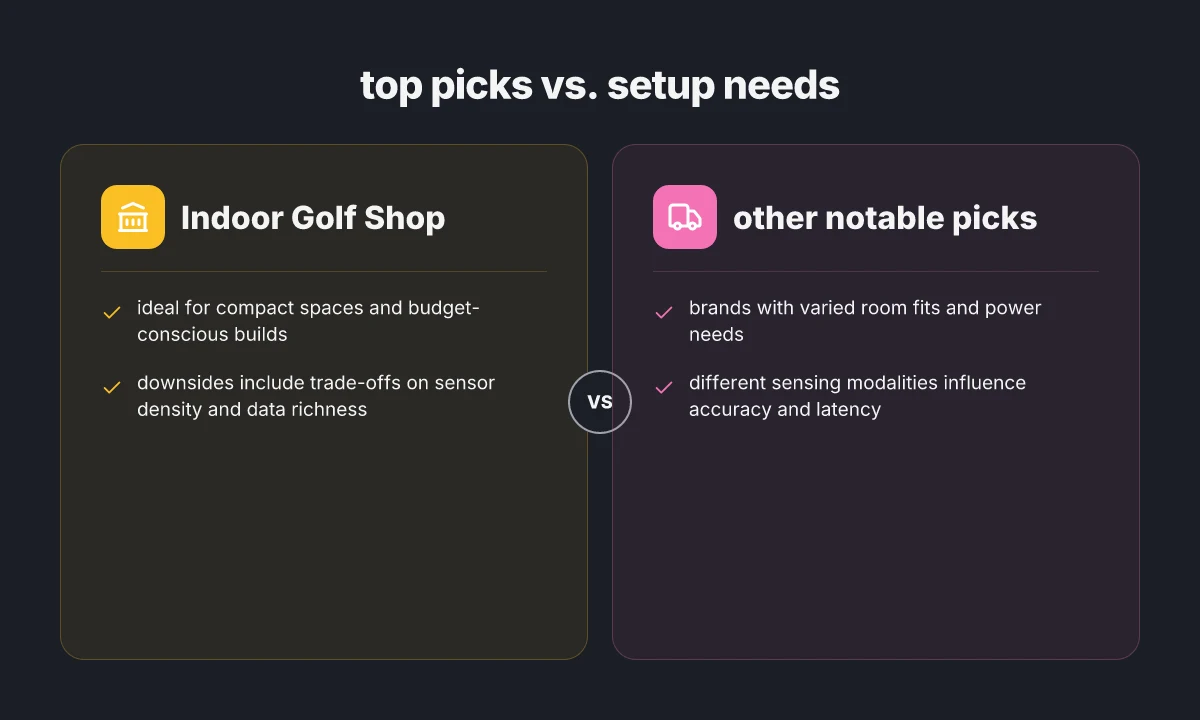
The short answer: you’ll want a mix of compact, fiber-ready monitors and room-friendly launch systems. Indoor Golf Shop shines for small rooms and tight budgets, while bigger brands scale up with more data points and rugged builds.
Indoor Golf Shop: compact, budget-friendly, with trade-offs
Indoor Golf Shop is built for tight rooms and limited power. If your space is a 10×12 foot footprint or smaller, this lineup can deliver a usable hit the same evening you map out the room. The core advantage is simplicity and cost control. Its downside is fewer data channels and limited expandability as you push for higher swing speeds or multi‑sensor fidelity. For downsizing and speed-to-setup, this is often the most practical pick. I found the brand’s footprint aligns with rooms that struggle to accommodate full‑scale launch monitors, and the price point tends to stay approachable. Indoor Golf Shop is a pragmatic starter for budget builds. When you plan for future upgrades, you’ll want to budget for a later upgrade path or add-on sensors.
Other notable picks: room fit, power needs, and expansion paths
- FlightScope Mevo Plus / Mevo, a compact, wall-friendly option that plays well in smaller rooms. It benefits from USB power and a stable projector height, but it can be sensitive to placement and ambient lighting. Power needs are modest, but you should still account for a clean power strip and cable management. Inline data tends to be robust for ball flight but may require calibration tweaks in tight spaces.
- Foresight Sports GCHawk / GC3, higher data density and strong latency performance, suited to dedicated bays with room for a stand or tripod. It demands more space and better AV alignment, plus a stable 110–240V supply if you’re in a multi‑room setup. Expect a stronger, more consistent hit feel with bigger screens and properly leveled floors. The setup cost climbs with enclosure and screen.
- TruGolf Vista 8 / GolfZon‑style hybrids, these brands offer midrange footprints with reasonable accuracy and a broad software ecosystem. They tend to need a clear line of sight for sensors and careful mounting, but they remain workable for a home garage or spare room. For room builders, cable routing and projector distance become the deciding constraints.
Why flooring, room, and power matter
The common friction point across brands is sensor alignment and impact detection in a home environment. If your flooring has uneven tiles, plush carpet, or a thick foam landing zone, sensor feedback can drift. Brand‑level control over calibration cycles helps, but you still need a stable base. You’ll want a sturdy impact screen with a perpendicular projector, and a dedicated power outlet if you’re running multiple devices. The Indoor Golf Shop lineup tends to be forgiving of modest power where outlets are sparse, but you’ll progressively notice latency or drift if you push to higher swing speeds in larger spaces. Reliability grows when you plan for extendable sensor modules and a clean, dedicated power circuit.
Picking a setup path by room type
- In a tight room with limited budget: choose Indoor Golf Shop for faster ROI and simpler wiring. Expect a lean sensor suite and potential future upgrade constraints.
- In a sunlit garage or converted spare room: a GC3/Mevo‑plus or similar midsize system provides richer data without demanding a full dedicated bay. Despite broader capability, ensure room dimensions meet the recommended clearance.
- In a garage with elevation and wall space: consider a larger footprint system from FlightScope or Foresight to take full advantage of data density. Calibration becomes the backbone of long‑term accuracy in variable flooring.
Where this is going next and what to try now
The big takeaway from these 7 home golf simulators is that there isn’t a one-size-fits-all winner. If you value realistic ball data and low latency, you’ll lean toward a system that wires up to a high-speed sensor array and a generous space to minimize occlusion. If you prioritize ease of setup and price, you’ll tolerate a bit more latency but gain practicality. I looked at real-world durability notes and common failure points: sensor misalignment, projector heat, and calibration drift. 8 Best compression leggings for athletic recovery in 2026
The single move that matters is choosing a setup that matches your room, not your dream spec sheet. Indoor Golf Shop shines for beginners and casual players who want quick wins and honest downsides, while TrackMan-level options target serious practice with precise metrics if you can swing the space and budget. For a targeted pick, consider the two I keep coming back to: Indoor Golf Shop for a flexible, cost-conscious baseline, and Foresight Sports for long-term accuracy and durability.
If you act now, map your space, budget, and preferred metrics, then pick one system to pilot this season. How will your home course evolve with fewer trips to the range?