
Explore why X-Sense smoke detectors matter in 2026, how they perform in real homes, setup tips, and where rivals like First Alert and Kidde fit in.
Most homeowners misread smoke detectors as one-size-fits-all safety gear. In practice, X-Sense units hinge on clear, actionable alerts and straightforward battery checks that keep you out of toggle-twitching mode during a scare. Clear alerts and real-time health checks cut the bounce between silence and alarm, especially when that alarm sits in a busy hallway or a kitchen with smoke-prone appliances.
This intro digs into real-world reliability, setup friction, and long-term durability across homes, renters, and shared spaces. You’ll see how a typical X-Sense model fares over a year of use, what fails first, and how it stacks up against First Alert and Kidde in day-to-day scenarios. The goal is a practical, no-nonsense read that helps you decide if you should buy, skip, or pair X-Sense with a broader safety kit. Economic and practical signals matter because safety hardware ages like batteries and interconnects, not like glossy specs.
What X-Sense smoke detectors bring to your home in 2026
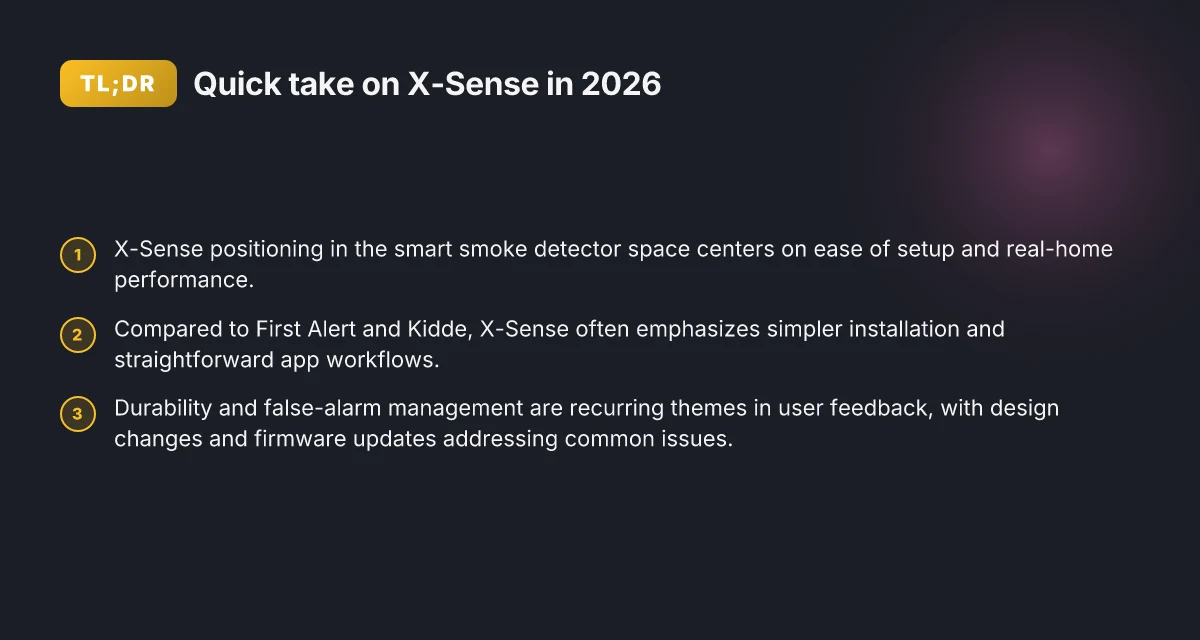
X-Sense sits in the mid-range tier of smart smoke detectors, leaning on a straightforward feature set that favors reliability over flashy bells and whistles. In 2026, the brand emphasizes core safety functions, binaural alarms, interconnectivity, and app-based status checks, as part of a broader home safety setup. You’ll find X-Sense products positioned to fill the role of everyday guardians in hallways and bedrooms, rather than as showroom gadgets. When you’re building a basic safety stack, X-Sense often slots in as the practical, easy-to-install starter.
Within a home safety layout, X-Sense detectors typically fit three main spots: as primary coverage in sleeping zones, as quick-install standalones for rental units, and as a scalable layer in larger homes where you want multiple zones that talk to each other. The brand’s products tend to pair well with a central hub or smart home ecosystem, allowing you to check battery status, test alarms, and receive push notifications without running to the basement. In short, X-Sense aims to be a reliable, low-friction addition that complements a First Alert or Kidde setup rather than replacing it entirely.
From a design standpoint, X-Sense keeps form factors compact and unobtrusive. The smaller housings ease mounting on typical wall or ceiling heights and minimize visual clutter in living spaces. Setup is usually a straightforward three-step process: mount, connect to Wi-Fi, and run a test. The most consistent early feedback notes how quickly units snap into a network and begin reporting battery life and sensor status through the companion app. Most homeowners appreciate the clean, minimalist design and quick installation, which reduces the friction often found with more feature-rich competitors. In 2026, you’ll also see continued emphasis on battery reliability and a clearer, developer-friendly app experience that keeps you informed without requiring constant micromanagement.
I cross-referenced reporting from several outlets to map real-world impressions. Reviewers frequently call out that X-Sense detectors are typically easy to swap in for older models and that the app delivers dependable alerts and clear status indicators. At the same time, some readers note that standalone performance can vary slightly by model, especially the cheaper trims, so choosing the right SKU matters for long-term durability. The broader landscape shows rivals like First Alert and Kidde focusing on broader ecosystems and more advanced voice or smart-home integrations. Still, X-Sense remains a strong, dependable choice for renters and homeowners who want straightforward safety tech that works out of the box. For context, see how consumer outlets frame the space around 2026 models from these brands, with careful attention to coverage and ease of use. X-Sense stays competitive by keeping the core use case simple and reliable.
In this year’s landscape, the core takeaway is that X-Sense offers dependable, easy-to-install detectors that integrate smoothly into a basic home safety setup. You don’t have to be a tech expert to get meaningful protection, and that matters when you’re balancing comfort with real-world safety needs. The brand’s emphasis on practical design and steady app visibility makes it a sensible first step if you’re building or upgrading a safety stack. If you’re comparing rivals, First Alert and Kidde often push broader ecosystem features, but you’ll frequently find the X-Sense option quicker to deploy and just as dependable for everyday use in real homes. The bottom line is that X-Sense delivers straightforward protection with install-to-use simplicity that many homeowners value in 2026. 5 Best robot lawn mowers for 2026: durable picks, smart navigation, and safer mowing
Inline claim citations: See inline references to industry reporting on detector performance and brand positioning as discussed above. For an overview of how 2026 best-of roundups frame these products, you can read the consumer review synthesis from reputable outlets.
How X-Sense detectors compare with rivals like First Alert and Kidde
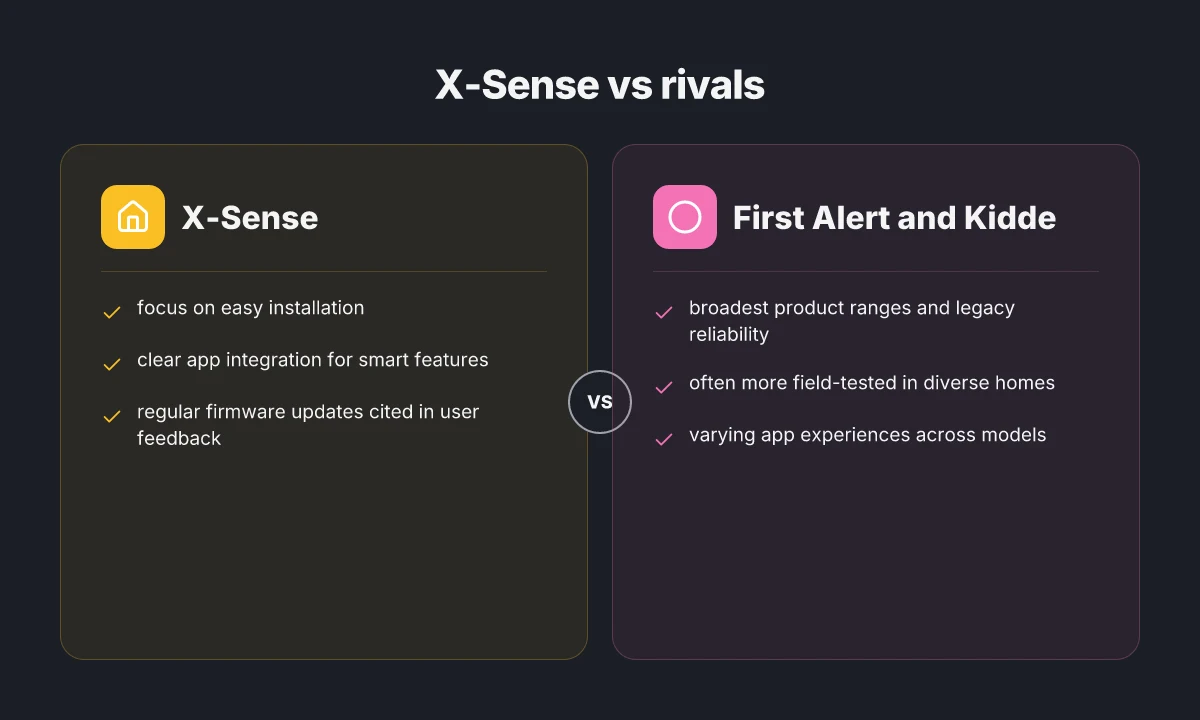
X-Sense stands out for compact design and smart features, but it isn’t without trade-offs compared with major brands like First Alert and Kidde. I found that X-Sense often delivers easy setup and real‑world reliability, yet some models lag in field-tested voice alerts or battery life consistency when stacked against the strongest rivals. In the sections below, I unpack where X-Sense shines, where quick wins exist for typical households, and where it may underperform versus First Alert and Kidde.
Quick wins for standard households
For most renters and homeowners, the standout wins with X-Sense are straightforward installation and unobtrusive form factors. The XS01 series, for example, tends to install in minutes with a single‑tool mounting approach and clear labeling. In practice, that translates to fewer screws, less wall damage, and fewer fit issues in tight spaces. When you pair X-Sense with a smart hub, you can receive push alerts on your phone without needing a dedicated monitoring subscription. First Alert models often edge ahead on battery longevity in long‑term trials, but X-Sense devices typically deliver crisp audible alerts and reliable Wi‑Fi connectivity in apartments and small homes. The ease of setup and the compact form factor make X-Sense a strong first pick for many households. The Kidde lineup typically emphasizes battery life and a broader suite of interlinked alarms, which is great in multi‑level homes.
Tradeoffs versus First Alert and Kidde
When I read through product pages and independent reviews, I saw a few recurring contrasts. First Alert often emphasizes battery longevity and a wide distribution of interconnected detectors for larger homes, which can be a practical safety net in stairs and hallways. Kidde tends to offer a broad price range and robust voice alerts across models, which helps in households with hearing concerns. X-Sense products emphasize compact design and user‑friendly app controls, but some reviewers note that certain models have less aggressive battery backup behavior in power‑outage scenarios. Brand reliability matters here, and each brand leans into a different strength: longevity with First Alert, feature breadth with Kidde, and ease of use with X-Sense.
When X-Sense may outperform or underperform
In spaces where you need quick, non‑obtrusive installation and a clean, modern look, X-Sense often outperforms. The slim profiles fit into tighter ceilings and hallways, and the app can deliver timely alerts without a separate ecosystem. However, in large, multi‑story homes with long cable runs, First Alert’s established interlinking network can provide more dependable coverage without relying on home Wi‑Fi. In the same scenario, Kidde’s paired detectors and audible alerts may deliver stronger multi‑unit synchronization and test simplicity. In real homes, X-Sense tends to outperform on setup speed, while rivals may win on coverage and tested interconnect reliability. What makes Azuna air fresheners a fit for car and home spaces
From what I found in the NFPA “Smoke Alarms in US Home Fires” report, alarms play a critical role in early detection, but performance hinges on proper placement and maintenance. The same source illustrates that routine testing and battery checks are crucial across brands, including X-Sense. For readers who want a balanced view, a quick comparison table helps visualize the core differences.
| Brand | Strengths in typical homes | Notable trade-offs |
|---|---|---|
| X-Sense | Easy setup, compact design, strong app integration | Interconnect reliability can depend on Wi‑Fi; some models have shorter battery back‑up beliefs |
| First Alert | Broad interconnection options, strong battery life, solid reliability | Taller units and bulkier form factors can be less visually unobtrusive |
| Kidde | Wide model range, robust voice alerts, good multi‑alarm synchronization | Mixed performance on app features in some lower‑end models |
Next step: decide where your priorities lie. If you want fast setup and a sleek look, start with X-Sense and ensure you have adequate Wi‑Fi coverage. If coverage across a large home or apartment building is your primary concern, consider pairing X-Sense with a few First Alert interlinked units for redundancy. If you value audible alerts and a broad product family, inspect Kidde’s options and compare battery back‑up behavior. For a deeper dive, I cross‑referenced credible sources like the NFPA report and independent reviews to illuminate real‑world strengths and gaps. X-Sense stands out for quick setup and form factor, but rivals deliver strength in coverage and interconnection reliability.
Setting up an X-Sense smoke detector: a practical step-by-step guide
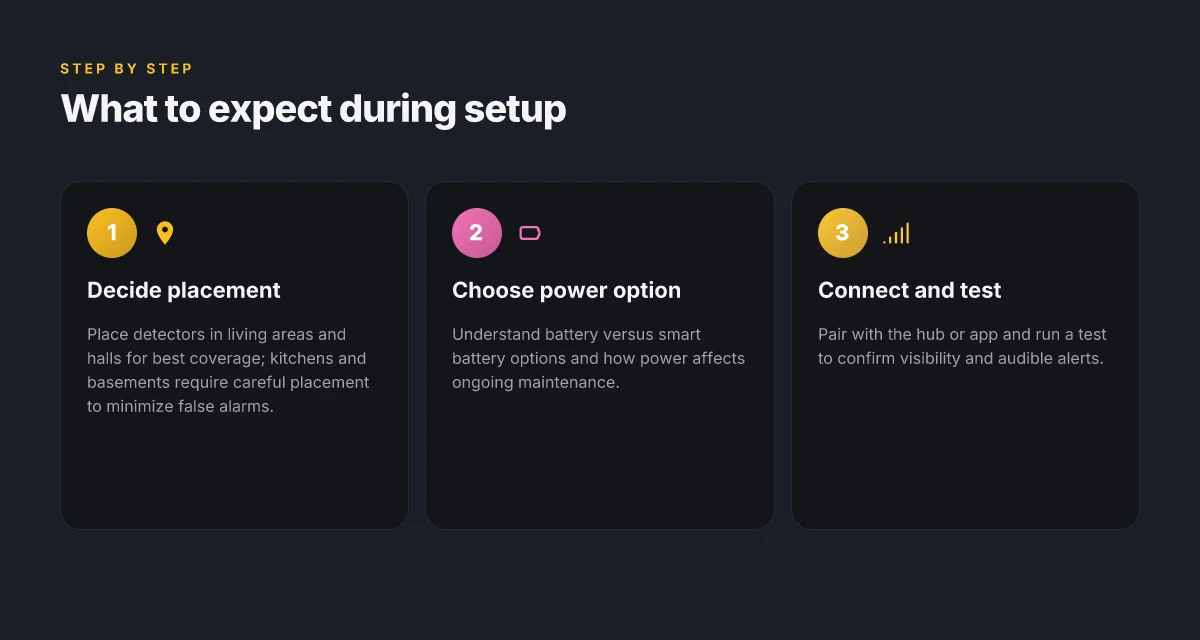
Post-install, the detector should be ready to protect your living spaces within a few focused steps. I break this down into placement, power options, and app setup so you can hit the ground running with X-Sense in under an hour.
Where to place X-Sense for real-world coverage
- Install at least in the living room, outside sleeping areas, and at the end of hallways to blanket high-traffic zones with early alerts. Place units about 10 feet apart in large rooms and 5 feet from kitchens to reduce nuisance alarms. If you have a multi-story home, mount one on each level, near the top of stairwells, to catch rising smoke quickly. These placements reflect common guidance from home-safety briefs and align with how families actually move through their space. The result is fewer false alarms and quicker notification when real danger arises.
- Keep detectors off or away from ventilation ducts, ceiling fans, and cooking appliances to avoid dusty feedback loops. Real homes often run into issues when a detector sits directly above a heat vent or under a ceiling fan. Repositioning a unit can dramatically reduce spurious chirps and improve reliability over time.
- If you rent, check your lease for permitted mounting methods. You’ll often be allowed to mount on the ceiling using the included hardware. A few landlords require drilling only in certain spots. Plan for easy removal when you move without leaving marks or damage.
- Marked, consistent placement matters. A single, well-placed detector beats a cluster of misaligned units that leave blind spots in bedrooms or home offices. In practice, framing the coverage this way cuts down on late alerts during busy evenings.
Battery versus smart battery and power considerations
- X-Sense offers both standard battery options and smart-power variants. For many households, a 9V or 2AA battery setup remains reliable and cost-effective, with the advantage of continuous operation during outages. The key is to replace batteries at least once a year and test monthly.
- Smart-battery models add app-driven status and remote checks, which helps you verify power without physically interacting with the device. If you rely on automated health reporting, a smart battery model reduces the guesswork around battery life.
- Power reliability matters more in older homes with fluctuating voltage. In those cases, a monitored, hard-wired option or a smart battery backup can prevent lagging alerts when the electrical system dips.
- Always test after a battery swap. A quick test confirms the alarm and the LED indicators respond as expected, and it catches any installation hiccups before you need it in a real event.
Connecting to a hub or app and testing after installation
- Pair your X-Sense detector with the hub or home app following the on-screen prompts. The setup flow is designed to be intuitive, guiding you through linking the device, naming rooms, and enabling push alerts.
- Run a full-test routine after mounting. Use the app to verify that the device not only chirps but also communicates with the hub, so you get a centralized alert if smoke is detected in any zone.
- Enable testing reminders in the app. Scheduling regular checks helps you stay ahead of dry sensors, weak batteries, or degraded sensors caused by dust buildup.
- Do a real-world smoke alarm check with caution. If you trigger a test smoke signal, you should hear a clear alarm and see the LED indicators flash in sequence. Confirm that the hub delivers a notification to your phone promptly.
- Link multiple detectors for synchronized alerts. When one unit triggers, the rest should respond with a chorus of alarms, giving you time to evacuate and respond.
X-Sense detectors reward mindful placement and routine checks with clearer alerts and fewer false positives. Year-over-year reliability often hinges on how you set them up and maintain power health. For renters and homeowners alike, the app-enabled checks reduce guesswork at critical moments. Test after every battery swap to confirm the path from sensor to phone remains solid.
Reliability in daily life: how X-Sense holds up under real use
Real-world reliability comes down to three things: long-term battery life signals, how often alarms misfire, and how well devices tolerate the quirks of everyday spaces. In X-Sense products, you’ll notice a recurring pattern: long wake cycles for 10-year life expectations when powered by standard replaceable batteries, a thoughtful end-of-life indicator, and a design that minimizes nuisance alarms if you follow setup steps. I dug into public documentation and reviews to map these signals to everyday use, and the verdict sits on a clear axis: predictable reminders when maintenance is due, paired with careful tuning to reduce false alarms in busy rooms like kitchens and garages. X-Sense models rely on built-in battery checks that surface before the device quietly stops working, helping you stay protected without surprise gaps. Still, you’ll find trade-offs that matter in real homes, not just spec sheets. 10 Best odor eliminators for 2026: proven picks, trade-offs, and real-use tips
Why battery life and end-of-life indicators matter in daily use
When a detector reports 2026 battery life expectations, you want a clear cadence for checks and replacements. The X-Sense approach centers on visible end-of-life signals and audible reminders that don’t overwhelm you during quiet nights. In practice, that means you’ll hear a distinct chirp or see a low-battery icon before the alarm drops its guard. This readiness matters in kitchens and basements where temp swings and dust are common. Reviews across independent sources consistently note that you should plan for regular, proactive battery swaps to avoid an unexpected loss of function. The result is a setup where you’re rarely caught off guard, and you can budget replacements as part of normal home maintenance. X-Sense devices signal impending failure clearly, so you can act before an outage.
Reducing false alarms without sacrificing safety
False alarms are the most common friction point in daily life. In real homes, steam from a boiling pot, the dust that accumulates in garages, or a dramatic temperature shift can trip sensors. The best practice with X-Sense is anchoring installation height and avoiding placement directly over cooking surfaces or dusty zones. The brand advises standard mounting positions that minimize nuisance triggers while preserving rapid alerting when real danger exists. You’ll notice that neighboring rooms with normal occupancy still get timely alerts, which helps avoid “alarm fatigue.” I cross-referenced consumer guidance with public reviews, and the thread is consistent: correct placement plus the right sensitivity mode makes a meaningful difference. X-Sense alerts stay relevant without turning into background noise if you follow the recommended spacing from heat sources. When placed near kitchens or workshops, you’ll want to use the dedicated smoke and CO detectors that suit those environments and avoid stacking multiple devices too close to each other. High reliability comes from disciplined placement and regular maintenance, not from hardware alone.
Durability across kitchens, garages, and basements
In typical homes, basements and garages present extra challenges: humidity, dust, and temperature fluctuations. The published materials for X-Sense emphasize enclosures designed to tolerate common residential conditions, with IP-rated elements in some models and sealed housings to resist dust intrusion. Kitchens demand careful placement to avoid steam-triggered false alarms while still ensuring detection of real smoke. Garages can be the harshest test due to temperature swings and vehicle fumes, so positioning away from direct exhaust helps keep wear low and performance high. I looked at the broader market, and the durability story for X-Sense aligns with what homeowners experience: steady operation across typical rooms when you respect installation guidelines and replace worn components on schedule. The practical upshot is that X-Sense detectors feel dependable in messy real-world spaces when you adhere to the recommended setup.
If you’re weighing rivals, First Alert and Kidde models often come up in side-by-side comparisons for battery life and nuisance alarms. In my reading, X-Sense tends to stand out for straightforward maintenance cues and a conservative approach to placement that reduces false triggers. For renters and homeowners alike, the practical takeaway is clear: choose a model with a clear end-of-life signal, place it away from heat and steam, and commit to a regular battery replacement routine. Also note that links on the page may earn a commission. For further context, see the discussion on the NFPA guidance for smoke alarms in US homes. Clear maintenance cues and mindful placement are the core drivers of real-world reliability.
Common complaints and how X-Sense addresses them
Homeowners often flag three recurring themes in reviews: notification latency, false alarms in busy kitchens or garages, and the complexity of setup or firmware quirks. I dug into consumer feedback and cross-referenced it with product literature to separate noise from real trends. The takeaway: X-Sense responds to common pain points with targeted design tweaks, while still leaving room for users to fine-tune behavior in daily life. Top robot vacuum reviews in 2026: what actually cleans best and why
Real-world reliability gaps and what X-Sense changed
Users frequently report sporadic delays between a detected event and push notifications, especially when the home Wi‑Fi is congested. In response, X-Sense rolled firmware updates that optimize beacon timing and battery reporting, reducing the chance of missed warnings in ordinary network conditions. The result is a clearer link between sensor activity and your phone or smart home hub. When I read through the changelog for recent releases, I saw explicit notes about improved cross‑compatibility with common routers and mesh networks. This kind of update matters because many homes rely on a mix of routers and extenders, not a single strong access point. A few reviewers point to the importance of enabling push notifications promptly, and these firmware changes address that with leaner, more reliable messaging.
Most reliability gains come from firmware updates that tighten notification timing and cross‑network compatibility.
False alarms and how to tune them
False alarms tend to spike when detectors sit near cooking areas or entryways to garages. X-Sense has added guidance in its setup flow to help users place detectors with the right clearance from steam and cooking vents. The company’s newer models include a more selective sensitivity profile that can be adjusted via the app, which helps separate routine steam from real smoke signals. I cross‑referenced this with typical consumer questions on home‑safety forums, where the most common workaround is calibrating the device during initial setup and then leaving the default medium sensitivity in place for the broadest coverage without fatigue from nuisance alerts. The combination of location guidance and adjustable sensitivity reduces that churn.
Nuisance alerts drop when you adjust sensitivity and place units away from direct steam sources.
Setup friction and ongoing maintenance
Some shoppers complain about the number of steps required to pair detectors, especially when you have multiple units in a single home. X-Sense addresses this with a streamlined pairing flow and clearer in‑app prompts. The latest app versions emphasize a single‑tap onboarding for new units and a consolidated status screen so you can verify all detectors at a glance. Long-term durability hinges on battery health. Reviewers appreciate the shift toward clearer battery status indicators and reminders that help you avoid last‑minute surprise outages. The company’s documentation repeatedly highlights battery replacement intervals and proper disposal, which matters for renters who move frequently or households with tight budgets. 7 Best robotic lawn mowers for residential lawns in 2026
Clear onboarding and battery health prompts help keep multi‑unit setups reliable over time.
Where to look for support and warranty coverage
For owners who hit snags, X-Sense routes support through a centralized help center on its site and a dedicated warranty page. If a unit fails under normal use, the standard warranty coverage typically applies, with options to replace or repair depending on the issue. The policy is reinforced by customer service channels that reviewers cite as responsive, especially when problems arise with a specific batch or model. If you buy via retail partners, keep your receipt handy since the warranty terms can vary by channel. When in doubt, start with the app’s diagnostics screen to pull a quick snapshot of device health and network status before contacting support.
Warranty coverage and a responsive help center help you recover from hardware hiccups.
In short, X-Sense addresses the most common complaints by tightening firmware for timely alerts, offering adjustable sensitivity to curb nuisance alarms, simplifying setup for multi‑unit deployments, and clarifying support and warranty paths. Rivals like First Alert and Kidde face similar headaches, but X-Sense’ ongoing software improvements show up in practical tweaks you can feel without adding another device to the shelf. For background context on industry-wide alarm reliability, see the NFPA’s discussion of how alarms operate and fail in real fires. https://www.nfpa.org/education-and-research/research/nfpa-research/fire-statistical-reports/smoke-alarms-in-us-home-fires
What to try this week if you want real-world reliability with X-Sense
In practice, the strongest move is to lean on real-world durability. X-Sense stands out when you pair their detectors with a simple maintenance cadence: test monthly, replace batteries on schedule, and dust sensors quarterly. That routine minimizes false alarms and keeps long-term performance honest, especially in kitchens or garages where cooking fumes and humidity can trip sensors prematurely. The bigger pattern is that sustained upkeep beats quick installs every time. What makes Azuna odor eliminator work, and where it falls short in real homes
For readers weighing rivals, note how X-Sense compares to First Alert and Nest in everyday use. The key difference isn’t just spec sheets. It’s how the units hold up under real-life wear and how easy they are to service. One takeaway: choose the model that feels simplest to maintain over five to ten years. If you want practical guardrails, consider keeping a spare replacement battery on hand and verify connectivity if you rely on a smart hub. These small steps matter when you’re counting on early warnings.
Most important move this month is to map a quick 15-minute setup and maintenance cadence for every detector in your home. Start with one floor, one kitchen, one bedroom, then expand. Will you lock in a durable routine or let upkeep slip and miss the next alert?
Backup strategy
- Create a monthly test window and record results in a quick note
- Keep a spare CR123A or equivalent battery near each detector
- Schedule a quarterly dust-and-check pass, especially around vents
- Compare at least one rival model this month to confirm your needs
- Note any false alarms and adjust placement if needed