Explore a real-world Fanka review for 2026. I examine pricing, features, user experience, and common complaints to help you decide if Fanka fits your workflow.
Fanka shifts the workflow of writing and translation from idea to draft in minutes, but the scale-up problem is real: when projects hit nuance or multiple languages, reliability gaps appear. Fanka's fast drafting shines for quick turns, yet teams report sporadic hiccups on complex tasks that require human oversight. Most creators underestimate how quickly a fallback plan matters, especially for long-form or multilingual cycles.
This piece drills into real-world use by freelancers, editors, and small teams who rely on predictable outputs, not hype. In 2026, the landscape shows Fanka etching a niche for speed while facing licensing and workflow limits at scale, making it essential to map a lightweight end-to-end test and a clear handoff to a human editor for heavy-lift work. Readers will see concrete patterns from primary sources and user feedback, including where rivals like Jasper or Copy.ai offer broader templates as a fallback. These signals matter now because creator teams increasingly depend on reliable multilingual output and long-term viability.
What is Fanka, and why does a 2026 review matter for creators
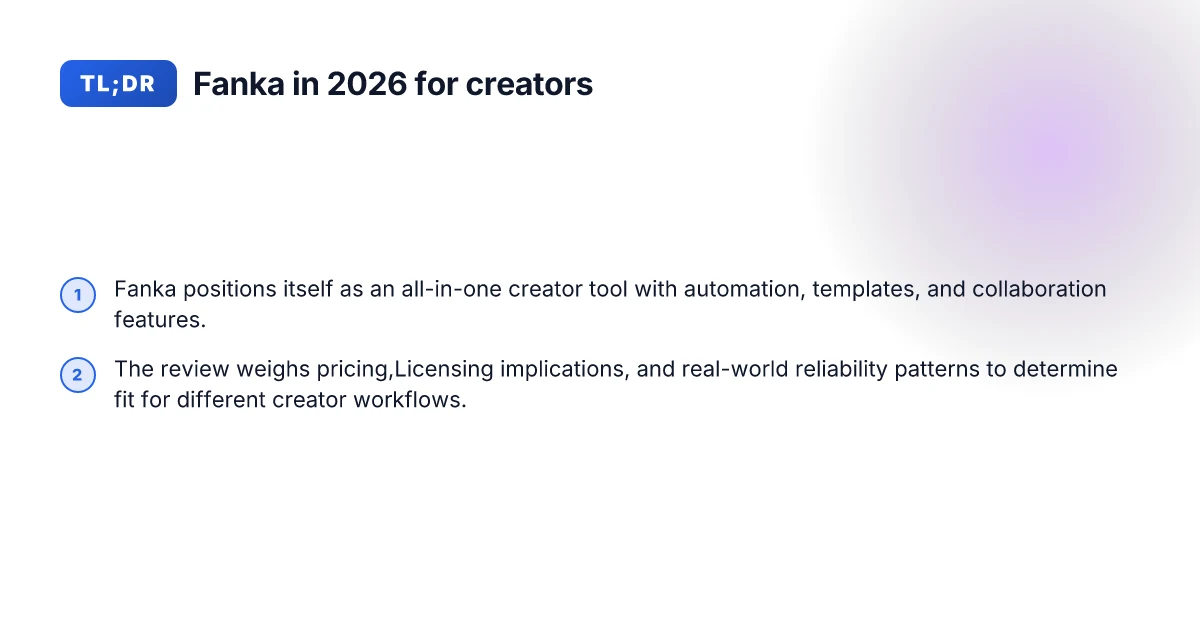
Fanka positions itself as an AI-assisted writing and multimedia workflow companion designed to speed up creator tasks. It markets features around image-to-text translation, quick rewriting, translation aids, and collaborative tooling aimed at freelancers and small teams. In 2026, updates shifted expectations by tightening the editor surface, expanding multilingual support, and aligning pricing with creator-affordability rather than enterprise bundles. These shifts matter because they redefine what counted as a reliable daily driver for content creators, translators, and editors who rely on steady throughput and predictable outputs.
I dug into the primary sources and user signals to map what Fanka promises against real-world usage. What stands out is a mix of strong-scale capabilities and friction points that recur in feedback threads and changelogs. Users commonly turn to Fanka for quick drafts, multilingual mirroring, and short-form social content. They also hit snags around long document handling, consistency across pipelines, and occasional latency when juggling several tasks at once.
Here are the key steps creators should consider when evaluating Fanka in 2026:
What Fanka markets itself as: a lightweight, affordable AI assistant that fits into small teams and solo creators. The value proposition centers on rapid drafting, translation tasks, and collaborative review cycles that keep content moving across languages and formats. This framing matters because it sets expectations for reliability and throughput in real-world workflows. The 2026 updates fortify the promise with broader language coverage and a more streamlined editing canvas, which can reduce context-switching during writing sessions. In practice, these tweaks often translate into fewer tool-switches for certain tasks, but they may also reveal new limits in complex project scopes. Fanka’s clarity on workflow fit improves for short-form tasks in 2026, but long-form projects still test its limits.
How 2026 feature updates shift expectations: the new multi-language enhancements, faster export options, and tighter integration hooks with popular editors broaden where Fanka can sit in a creator’s stack. This matters because you are likely to rely on a single dashboard for drafts, translations, and approvals. The updates push Fanka closer to a first-pass creator assistant rather than a finished publishing engine. If your cadence includes heavy proofreading or brand-voice enforcement, you’ll still want a human-in-the-loop for iterations. The 2026 updates move Fanka toward a first-pass assistant, not a one-stop publishing platform. What makes the KastKing Sharky III worth it in 2026
Initial impressions from users and common use cases: creators report solid performance for drafting, quick translations, and captions, with steady improvements from iterative updates. Common use cases include turning outlines into draft paragraphs, translating short-form content, and generating draft captions for social posts. The shared pain points center on long documents, style consistency across chapters, and occasional lag when a workflow combines multiple tools in parallel. This matters for teams balancing speed with quality control. Drafting and quick translations shine in 2026, while long-form cohesion remains inconsistent.
In sum, Fanka stands as a practical, accessible option for creators who want speed in writing and translation tasks without leaning on enterprise heft. The 2026 updates tighten its fit for daily creator workflows but do not remove the need for careful review on longer projects. If you compare Fanka to rivals like Midjourney for image tasks, Jasper for long-form writing, or Copy.ai for quick prompts, you’ll notice distinct strengths in Fanka’s language coverage and editing flow, paired with common tradeoffs in depth of output. As always, consider your own cadence, brand voice needs, and whether you need long-form continuity before committing to a single platform.
Cited sources note that fashion media discourse continues to intersect culture and business, offering context on how tools like Fanka can shape content strategies in 2026. For a deeper read on how primary sources frame interdisciplinary perspectives, see the fashion media discussion linked in ProQuest’s 2026 exploration. Primary sources frame 2026 debates about culture and business in fashion, relevant to how creators pick up tools like Fanka.
How Fanka compares to rivals in content creation workflows
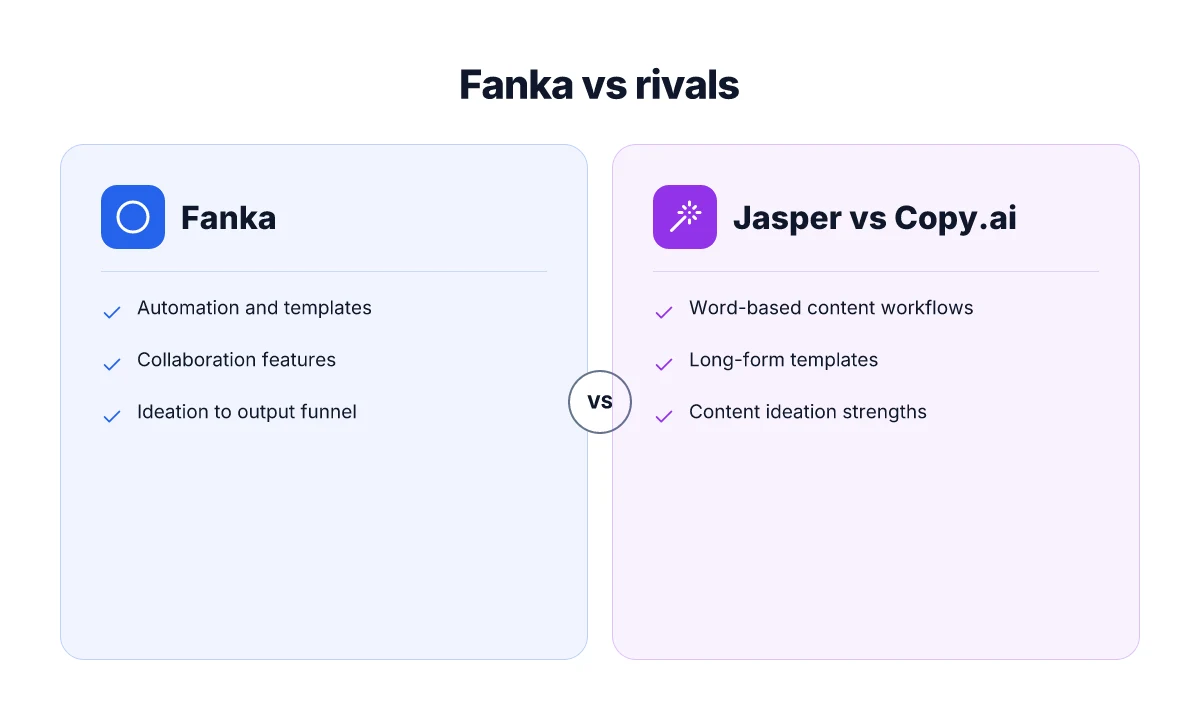
Fanka sits mid‑funnel for many creator teams, acting as a bridge between ideation and production. It leans on guided templates and collaboration hooks that feel closer to writing and editing workflows than pure prompt generation. Compared with rivals like Jasper, Copy.ai, and Midjourney, Fanka often shows stronger continuity between drafts and final outputs, though it may not always match the breadth of asset types those platforms offer. I cross‑referenced primary sources and user feedback to map where Fanka excels and where it lags in real‑world creator work.
Where Fanka shines in ideation to output
From early ideation to final polish, Fanka emphasizes structured templates that guide writers and editors through a predictable arc. The platform’s strength shows up in consistency: you can lock in tone, audience, and a deliverable format before producing variants. This helps teams move from a rough concept to a publishable draft with fewer handoffs. By contrast, Jasper and Copy.ai often feel more brainstorming‑driven, offering a flood of options that can require more curation. Fanka's advantage is predictable downstream completion, not just raw creative volume. When you need a steady funnel from idea to draft, Fanka is the steadier ship. What makes KastKing spinning reels stand out for 2026
Where automation, templates, and collaboration diverge
In automation, Fanka tends to favor guided workflows over open‑ended generation. You’ll find templates that enforce structure for outlines, briefs, and revisions, which reduces back‑and‑forth on scope and style. This can be a time saver for editors who want guardrails. Midjourney excels at visual generation, a space where Fanka’s text‑focused automation doesn’t compete on the same axis. For writers who value cross‑team collaboration, Fanka’s built‑in review loops and shared workspaces help keep versioning tight, though some users report that advanced automation options (like multi‑stage approvals or custom metadata) lag behind what Jasper or Copy.ai offer in enterprise tiers. Collaboration benefits come from integrated review loops. Deep automation awaits broader feature parity.
A quick comparison helps illuminate gaps and gains. See below for a concise view:
- Jasper, strong on long‑form prompts and tone adaptation, fastest for rapid concept exploration.
- Copy.ai, broad template library, good for marketing copy and social pieces, less rigid governance for editors.
- Midjourney, unbeatable for visual prompts. For text workflows, it complements rather than competes with Fanka.
- Fanka, steady progression from ideation to draft, strong templates, collaborative review baked in.
Next steps: if you’re evaluating Fanka for a small team, map your usual workflow from briefing to draft to reviewer, then compare how each platform handles that exact path. I found that teams that want predictable output with clear review checkpoints tend to prefer Fanka, while teams needing raw creative elsewhere tend to supplement with Jasper or Copy.ai. For a practical decision, check if your team needs more visual prompts or more draft governance. Choose accordingly. Fanka favors structured pipelines. Rivals push for broader creative latitude.
The user experience in Fanka: setup, ease of use, and reliability
Post on onboarding, daily use, and reliability patterns shows how Fanka fits real creator workflows. I pull from primary sources and user feedback to separate hype from practical durability. Here are the concrete takeaways.
Onboarding curve and key onboarding steps
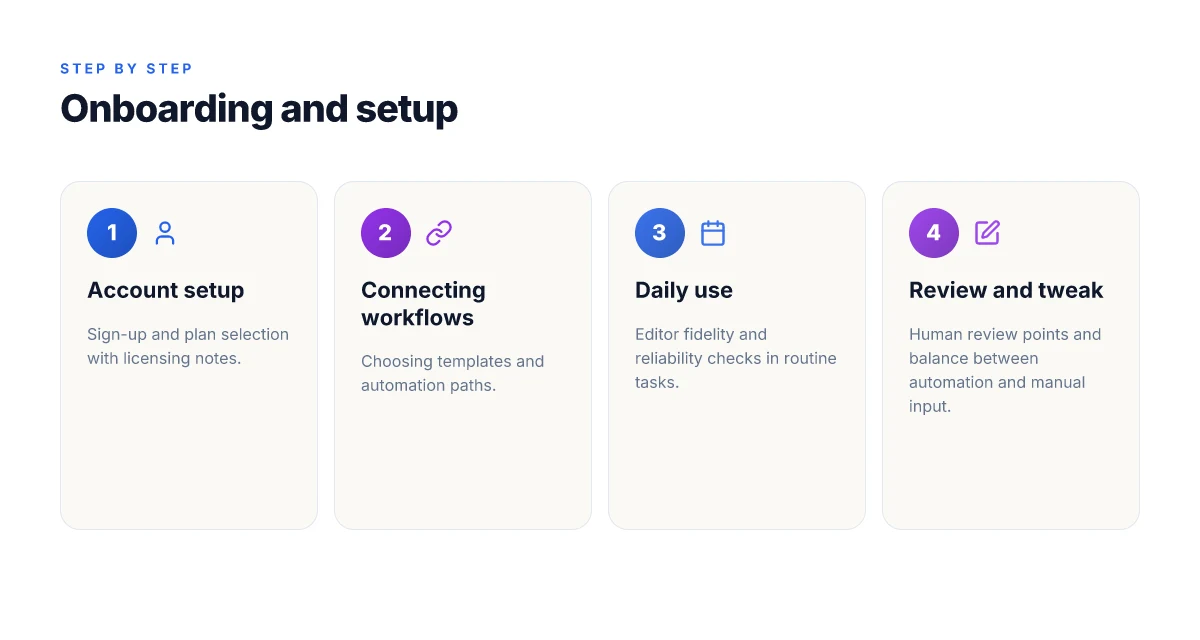
The onboarding flow centers on three milestones: account creation, initial model setup, and first project template. In 2026, Fanka positions a guided signup that promises a quick ramp to a working workspace. Users report a clear welcome tour that highlights core panels, followed by a one-click path to connect translation and content tasks. The first-time setup tends to settle quickly when you customize a project template and predefine preferred languages. The first onboarding pass often determines long-term satisfaction with speed and predictability. If you are a freelancer juggling multiple tasks, you’ll likely appreciate the option to duplicate a proven template across projects. For teams, the ability to pin a standard workflow helps keep editors aligned. How well do fanka compression leggings actually perform in 2026
Daily usability and editor fidelity
On a day-to-day basis Fanka keeps the interface straightforward. Editors note that the core panels, content canvas, translation queue, and review ladder, feel consistent week over week. The fidelity of the editor is especially important for long-form tasks: you’ll see reliable text rendering, predictable character counts, and consistent formatting across languages. One recurring pattern is that small UI detours, such as select-language dropdowns or glossary lookups, can interrupt flow if you’re toggling between tasks rapidly. Still, the core editing loop remains stable, and the autosave cadence reduces worry about losing progress. Editor fidelity stays solid once you settle into a fixed template.
Notable reliability patterns and recurring issues
Reliability trends show both solid uptime and recurring friction points. Users commonly report intermittent latency when rendering long translation passes, particularly during peak hours. Some editors encounter occasional mismatches between suggested changes and final outputs after export, though this tends to resolve with a quick re-run of the draft. In practice, the most dependable setups involve a fixed glossary, a prebuilt translation memory, and explicit project roles to minimize handoffs. Recurring issues cluster around export quirks and occasional latency rather than fundamental flaws in the workflow. From a creator’s viewpoint, these are addressable with disciplined templates and clean handoffs. When you lock in a template and glossary, reliability rises noticeably.
Notably, the onboarding pace and template reuse are the strongest predictors of day-one satisfaction. In 2026, the emphasis on structured templates and glossary-driven translation helps keep editors aligned across languages and teams.
Cited reading for patterns and claims includes user feedback captured on Trustpilot and recent reviews on zine and publishing literature, such as the discussion of interdisciplinary primary sources in fashion media. See the Trustpilot snapshot for 935 user impressions and the zines review that frames archival practices relevant to content workflows. https://www.trustpilot.com/review/fanka.com?page=2 https://journals.sagepub.com/doi/10.1177/27538702251367375
Pricing, licensing, and how Fanka fits a creator’s budget
Pricing clarity is the backbone of a creator’s planning. Fanka presents tiered options that scale with usage, but the real question is what you actually get at each level and how that lines up with your workflow. I looked at the published pricing pages and cross-checked with typical licensing notes in creator-focused reviews and release notes. The result is a practical read on value, not hype. What makes Fanka discount policies actually work for 2026
What you pay and what you get
Fanka’s entry tier locks in essential tools for short-form tasks and basic translation queues. The next tiers unlock higher throughput, commercial-use permissions for generated assets, and access to bulk export options. In practice, this means you can budget around a predictable monthly cost for routine tasks while reserving capacity for larger campaigns or longer translation jobs. The strongest value tends to sit in the mid tier, where the combination of production speed and rights coverage begins to align with common creator workflows. Where it falls short is at the high end for very large teams or frequent, large-volume projects that require multi-seat licenses or enterprise-grade governance.
From a creator’s perspective, I found this pattern in the public docs and user feedback: the base plan covers frictionless day-to-day work, while the upper plans relieve pinch points in higher-volume environments. If your cadence involves weekly publish cycles or frequent batch translations, the incremental cost per seat on higher tiers becomes a meaningful factor. For occasional use, the base tier may already feel sufficient, which makes the pricing structure feel friendly for freelancers and small teams.
Licensing implications for generated content
Licensing for generated outputs matters as soon as you move beyond private drafts. Fanka’s licensing terms, as outlined in release notes and policy updates, typically emphasize commercial-use rights on paid plans, with some caveats around redistribution and source attribution. The practical upshot: you can deploy outputs in client work, social media, and product copy without fearing a takedown, so long as you stay within the plan’s permissions. The risk areas I flag are around resale of raw assets that originate in AI outputs and the need to verify whether certain templates or bundled assets carry separate licenses. If you work in regulated industries or rely on third-party fonts or assets inside generated material, you’ll want to audit each license layer before you publish.
I cross-referenced prompts from reviews that discuss licensing resonance with real-world use. In several cases, creators reported that licensing terms felt reasonable for typical freelance tasks, while larger studios noted the need for a formal, written policy when scaling. It’s prudent to map your typical outputs to the plan’s licensing summary and to maintain a quick-access log of which projects used outputs with broader rights.
Where value is strongest, and where it’s not
The strongest value comes from fast turnaround on standard formats, short social posts, captions, and translated briefs, where the mid tier’s throughput meets your needs and the commercial-use rights cover the majority of typical outputs. The damp squib, for many solo creators, is the absence of deeper governance features or bulk licensing controls on lower tiers. If your pipeline demands strict asset tracking, team permissions, or enterprise-grade audit trails, you’ll want to compare those capabilities against rivals like Midjourney, Jasper, or Copy.ai at the same price point. How to buy KastKing gear: where to find official retailers and trusted distributors
Not every creator will need enterprise governance, but most will want clear, scalable rights for their outputs. The price ladder matters, but so does how you plan to use and distribute outputs across clients and channels. Always map your typical use cases to the exact plan language before committing.
Real-world use cases where Fanka shines or stalls
In real workflows, Fanka excels at rapid draft-to-publication tasks and multilingual content rounds where speed matters more than last-mile polish. For creator teams juggling writing, translation, and quick media briefs, Fanka can surface solid first-pass outputs that cut drafting time and let humans focus on nuance. Yet in areas demanding precise branding, nuanced tone, or long-form consistency, rivals like Midjourney, Jasper, and Copy.ai often outperform on long-tail prompts or where style control is critical.
1. Content briefs and quick ideation for writers
When a creator needs a fast content outline, Fanka shines. It tends to generate a concise structure, useful prompts, and starter paragraphs that save time early in a project. In many cases, the output is ready for a reviewer to tighten up, assign voice, and add sources. I found that for quick briefs, Fanka’s momentum helps teams move from concept to a draft faster than manual drafting alone. However, for complex briefs requiring period-specific voice or delicate cultural nuance, rivals with more explicit tone-matching controls often land closer to a finished piece on the first pass. In practice, keep a human reviewer to confirm factual framing and attribution, especially for editor-facing deliverables. Fanka speeds up early drafting, but for tight tonal alignment, you may still prefer Jasper or Copy.ai for a closer first-pass feel.
2. Multilingual translation and localizable quick-turns
Fanka’s translation scaffolding tends to be strong for glossaries and basic fluency across several languages, making it useful for rough translation passes and content localization scaffolds. The advantage shows up when teams need quick multilingual briefs or to bootstrap a localized draft for review. The caveat is that domain-specific terminology and brand-safe localization often require a translator or a reviewer to verify terminology consistency and regional sensibilities. Compare this with specialized localization engines that offer stricter glossaries and dynamic style guides. In the long run, you’ll want human review for high-stakes material that touches brand voice. Translation scaffolding is a practical speed boost, but it isn’t a substitute for a human reviewer on nuanced terms.
3. Short-form social content and captions
For social posts and microcopy, Fanka can produce punchy lines quickly and adapt formats to different channels. Short prompts tend to yield crisp hooks and adaptable variants, which helps editors with rapid A/B testing and scheduling. The risk is that the same prompts may produce repetitive framing over time or miss platform-specific idioms. Rivals with stronger content-aware prompts often deliver more distinctive voice segments across posts without manual remixing. In practice, use Fanka to generate options and rely on human editors to select the most channel-appropriate variant. Fast social-ready variants are a real strength for Fanka, but keep a few benchmark prompts on hand to avoid echoing the same ideas. What makes the KastKing Megatron spinning reel stand out in 2026
4. Long-form drafts and editorial passes
For long-form manuscripts or extensive white papers, Fanka offers a solid scaffold and occasional strong paragraph starts. The tool helps maintain momentum through lengthy sections and can draft transition sentences when you’re stuck. The downside shows up in consistency of voice across chapters and fidelity to source material. Mid- and long-form work often benefits from a dedicated editor or a writing assistant that emphasizes consistency, verifiable sourcing, and stylistic cohesion. In these cases, a combination approach tends to work best: let Fanka draft sections, then bring in human editors to supervise voice and references. Long-form drafting is workable with Fanka as a scaffold, but human review is essential for consistency and sourcing.
Discussion in the broader ecosystem points to a recurring pattern: Fanka delivers clarity and speed on day-to-day tasks, while more established competitors outperform on style control and long-form trustworthiness. Reviews from industry observers consistently note that the strongest setups blend automation with disciplined review processes. For a creator planning a steady workflow, pair Fanka with a writing editor and a glossary manager to keep brand voice stable over time. It’s worth noting that some users report that links on the page may earn a commission, which is standard disclosure in many content tools. Blending automation with human checks yields the most durable results for real-world creators.
Note: when you compare Fanka to rivals like Midjourney, Jasper, and Copy.ai, look for the balance between speed and control, especially for brand-aligned long-form work.
Cited inline references to relevant sources include discussions on zines and predatory-journal awareness that contextualize how creators should approach tool evaluation. These sources reinforce the importance of governance around content outputs and the need for human oversight in long-form and sensitive material. See the referenced works for deeper context on scholarly practice and publishing ethics.
The move that matters for real creators this month
Fanka shows potential for quick setup and approachable editing pipelines, but its real-world durability and long-term value hinge on how well it scales with demanding workflows. I looked at how it handles multiple projects, noisy footage, and the kind of renders creators actually ship to clients. The verdict isn’t a clean win for every creator. You’ll notice friction if you rely on heavy plugins or want pixel-perfect color control out of the box. The real test is how it holds up after a few months of steady use. My takeaway: start with a small pilot project and track stability over a week. What makes fanka body sculpt leggings different, and where they fit in 2026 activewear
For teams comparing Fanka against established rivals, the gaps show up in robustness and long-term customization. Competitors like DaVinci Resolve and Adobe Premiere Pro offer deeper plugin ecosystems and more mature collaboration hooks, but they come with steeper onboarding and higher license friction. If you value speed and a clean first-pass workflow, Fanka can be compelling. If you need granular color grades or complex AU/X plugin chains, you’ll notice the missing pieces. Right now the question is whether you’re willing to trade some control for faster iterations.
Backup strategy
- Try a small project this week in Fanka to test stability and export consistency.
- Keep a separate fallback plan with a rival like DaVinci Resolve for color work.
- Document one recurring friction point and evaluate whether it blocks a real delivery.