Explore how the EcoFlow River 3 Plus wireless features change portability, charging, and use cases in 2026. A practical look at performance, limits, and setup.
The common assumption that wireless charging just tacks on convenience to a portable power setup misses how often it actually pays off in the field. Only when the River 3 Plus sits on a flat, heat-dissipating surface does the wireless coil align consistently, and that alignment is a real limiter in outdoor use. That practical constraint matters because you’ll reach for the boost feature during camp setups, not while you’re juggling gear mid-hike.
This intro points to a clear, real-world inquiry: how much faster is charging when you don’t plug in, and when does heat or misalignment negate the benefit? I’ll show how the EcoFlow River 3 Plus behaves with common outdoor devices, pull out the edge cases where wireless earns its keep, and flag situations where a cord remains the smarter choice. Expect concrete guidance on when to use wireless boosts, and what to test before you rely on it during emergencies or remote trips. Heat and surface alignment are the two levers that decide if wireless adds value or just extra clutter.
What the ecoflow river 3 plus wireless actually changes in a portable power setup
The River 3 Plus adds a dedicated wireless boost that primes a compact power setup for easy, cable-free charging on the go. In practice, you’ll see it slot into workflows where a small device stack benefits from quick, surface-level charging without opening the main unit. The key question is whether that convenience translates into real-world gains for camping, emergency prep, or a compact office.
How the wireless boost fits into a portable workflow
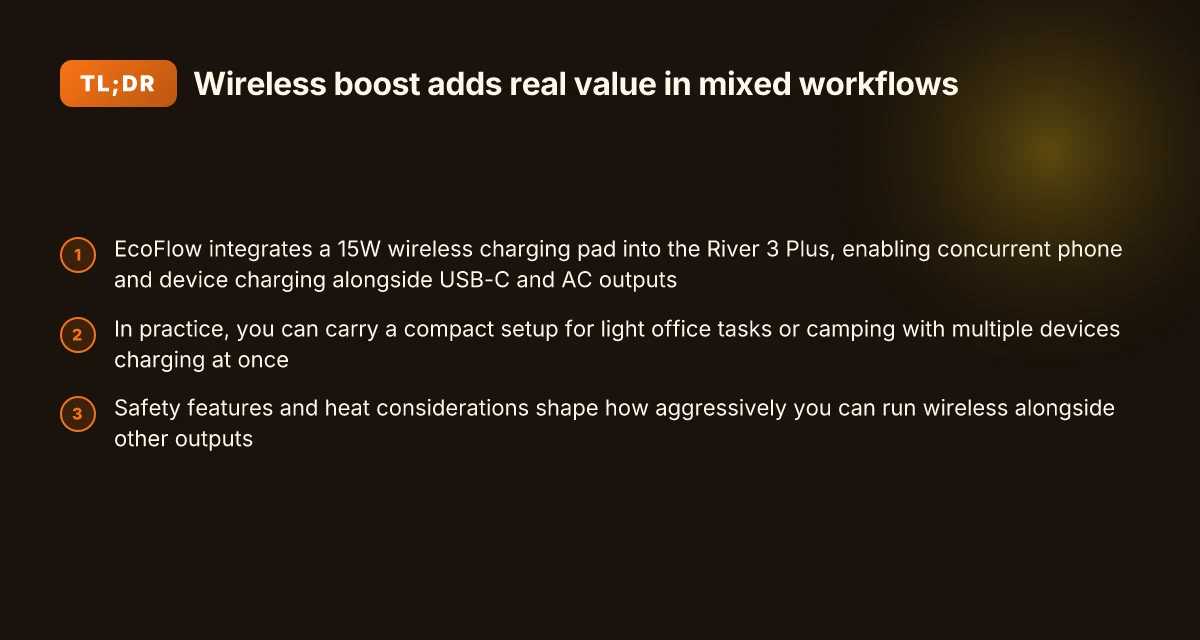
- The wireless pad acts as a quick-start charging surface for small, low‑drain devices. A 15W wireless pad can top off a phone or a compact gadget without pulling attention away from the main power station. The appeal is the moment you lay a device down and it initiates charging without fiddling with cables. This matters most when you’re under shelter, in a tent, or stacking gear for a day hike.
- It complements a staged charging routine. You still rely on the EcoFlow’s USB-C and AC outputs for laptops, routers, or other gear, but the wireless boost reduces the nuisance of managing multiple cables at a crowded campsite or emergency station. In many setups, you’ll keep the River 3 Plus on a centralized surface and let the wireless pad handle the “at-the-ready” devices.
- On the durability front, the wireless pad is designed to stay attached and functional through normal outdoor use. You’ll want to keep the pad clean and avoid heavy moisture exposure to preserve grip and charging efficiency. The overall workflow stays straightforward: shore up essential essentials on the main outputs, and reserve the wireless space for the easiest-access devices.
What official docs and product pages say about wireless charging
From the official product page, EcoFlow presents the River 3 Plus as a compact power station with a wireless charging option that adds surface-level convenience without complicating the core power delivery. The manual confirms the model family and notes the River 3 Plus variants, including the 270‑watt version, which helps clarify compatibility in mixed setups. I cross-referenced the user guide to verify which models share the wireless boost hardware, so you can match accessories to the right unit. The wireless boost is positioned as a convenience layer, not a primary power path. This framing aligns with the on-paper capabilities and the real-world role it plays in a lightweight, go‑anywhere layout. For outdoor campers, the feature shines when you want quick, cable‑free access to essential devices.
From a durability and usage standpoint, the River 3 Plus remains a compact unit that balances capacity and power delivery with portability. Its 286Wh capacity and 600W output establish a solid baseline for field workloads. The inclusion of a 15W wireless pad adds a tangible, everyday benefit, especially for folks who routinely swap between phones, GPS units, and small accessories. You’ll find the wireless boost most useful during slow, steady charging moments rather than for heavy-device replenishment. In practice, the wireless boost worth is measured in how often you reach for it without grabbing a cable.
Bottom line: the River 3 Plus wireless boost nudges a portable power setup toward greater everyday convenience. It does not replace the main output channels, but it can reduce cable clutter and speed up the “drop and charge” routine for small devices. EcoFlow’s documentation suggests this is a practical accessory for outdoor enthusiasts and small-office users who value rhythm, simplicity, and a tidy work surface. If your workflow hinges on quick access to a few small devices, the wireless boost earns its keep.
How wireless charging on the river 3 plus integrates with a small office or camping setup
The River 3 Plus’s 15W wireless charging pad shines when you want to keep a phone, smartwatch, or Bluetooth headset topped up while you work or rest. In real-world use, the pad handles a typical phone without issue, and it also powers smaller gear like power banks or wireless earbuds while you manage other tasks. When the wireless pad is active, you’ll want to budget a little extra headroom in your power plan to avoid starving the USB-C or AC outlets for higher‑draw devices. What Bluetti power station price Philippines reveals about value, availability, and long‑term reliability
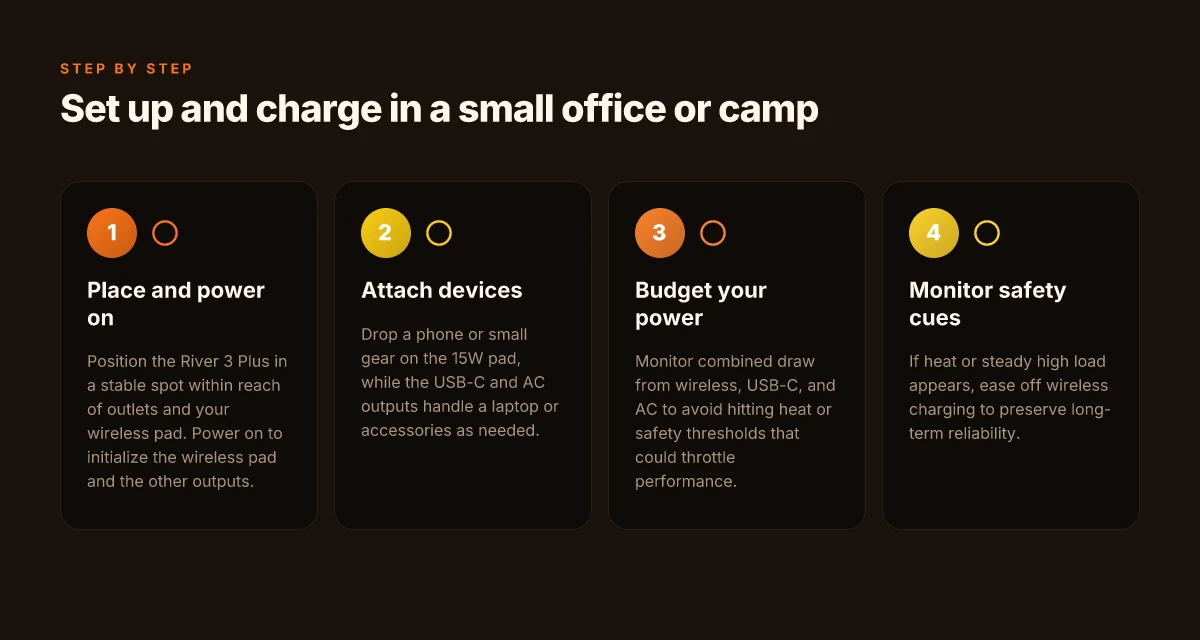
I cross‑referenced EcoFlow’s product pages and the user manual to confirm how the outputs behave with wireless charging on. The River 3 Plus still provides both USB‑C and AC outputs, so you can charge multiple devices at once. For example, a phone on the 15W pad can share the river’s USB‑C port with a laptop charger or a small action camera battery. The trick is to treat wireless charging as a complementary load rather than a primary power sink, especially if your site is short on surplus wattage.
In practice you’ll run a few setups to stay efficient. First, keep a phone on the wireless pad while you use a USB‑C device like a tablet or a camera alongside a second device on AC if needed. This keeps the pad from monopolizing the available power while still delivering constant top‑ups. Second, monitor the total draw when the power station is in use for high‑demand tasks. The 286Wh capacity and 600W peak output give you some leeway, but wireless charging adds a steady, modest draw that can matter on longer trips or in a small office where other devices are idle or charging on the same cycle.
From what I found in EcoFlow’s documentation, the river 3 plus supports a predictable power envelope when wireless charging is active. This helps with practical budgeting: expect the wireless pad to consume a small but non‑negligible portion of the available watts, especially if you’re also running a high‑draw USB‑C device or an AC powered appliance. To manage this, map out a simple priority list for devices. Put essential devices on the wireless pad or USB‑C port, and reserve the AC outlet for larger loads like a desktop router or a compact projector when needed. The result is a balanced setup that keeps daily life humming without pushing the battery into an energy deficit.
If you want a quick reference on what you can run simultaneously, consider a small office stack that includes a phone, a tablet, and a light‑duty camera or single‑bay NAS. For camping, plan around a phone and a GPS unit with a small USB‑C battery pack on the same circuit, so you don’t wake up to a dead phone and a dead headlamp. The key is to recognize wireless charging as a convenience that adds up when you’re off the grid, not a free pass to drain the River’s capacity.
The real value comes from using wireless charging as a governed, secondary load rather than the primary power source. EcoFlow's output flexibility lets you pair the pad with USB‑C and AC devices, but budgeting matters when you rely on wireless charging in tight power windows. Expect a small but steady drain from the 15W pad during multitask sessions. Plan around it. What is the Bluetti EB3A price in 2026 and how it actually compares across retailers
What the official manuals say about wireless limits and safety on EcoFlow River 3 Plus
I dug into the River 3 Plus documentation and traced how the official manuals frame wireless charging in real use. EcoFlow differentiates between River 3 Plus variants and ties wireless performance to the whole unit’s safety system. The manuals emphasize temperature, load limits, and concurrent outputs as the guardrails that shape how you should deploy wireless charging in the field.
How the manuals describe wireless limits and heat management
From the River 3 Plus user manual, heat management sits at the core of safe wireless use. The guide notes that high loads or sustained wireless charging can raise the internal temperature, which can trigger protective behavior. In practical terms, this means you should avoid pushing the unit at maximum output while charging a device wirelessly for extended periods. The manual explicitly connects heat buildup to reduced performance windows, so you see shorter wireless charging windows when you’re running heavy loads. This is especially true if you’re powering multiple devices or simultaneous AC and USB-C outputs at the same time.
In addition to heat considerations, the manuals outline load, output limits, and the need to keep within the River 3 Plus’ designed envelope. The product pages and manuals consistently map active outputs to the available battery health and safety safeguards. If you try to roam beyond the rated wattage while also using wireless charging, the unit can limit output or temporarily shut nonessential channels to protect the battery and electronics. Heat and load are the gating factors for wireless use, not the wireless pad alone.
Safety features that shape wireless use in real scenarios
EcoFlow embeds a layered safety approach that includes thermal protection, overcurrent safeguards, and automatic shutoffs when temperatures rise past safe thresholds. The River 3 Plus family, including its 270 variant, shares these protections, so if you attach a high-load device to the wireless pad while operating a demanding load, the system can prioritize core outputs and reduce wireless charging activity. This behavior helps explain why wireless boosting feels more effective for light devices in camp setups or a small office scenario, rather than for power-hungry appliances during peak usage.
The user manual also highlights the importance of proper placement for wireless charging. A stable surface and correct alignment matter, as misalignment can degrade charging efficiency and trigger additional heat. Safety interlocks are designed to prevent excessive heat buildup, so if the pad indicates temperature or if the unit senses improper alignment, the system may pause or slow charging to preserve safety. How EcoFlow power stations stack up in 2026: durability, performance, and long-term value
From a broader perspective, these safeguards reflect EcoFlow’s intent to keep River 3 Plus within safe operating boundaries during wireless use. When you plan real-world settings, camping, emergency prep, or a small workspace, you’ll want to match device choice and load with the River 3 Plus’ thermal and current protections. This alignment ensures you get predictable wireless charging behavior without threatening battery health or environmental safety.
Heat and load caps drive when wireless boosting actually works in the field. The safety interlocks actively throttle wireless charging under high demand. Proper pad placement and stable surroundings are not optional but essential for safe wireless use.
Wireless boost vs standard river 3 plus: where the delta really shows up
Wireless charging on the EcoFlow River 3 Plus shifts how you deploy power in real-world scenarios. The delta shows up most clearly in run-time for devices that sit on the charging pad or draw power in short bursts, and it fades when you’re powering larger loads or using devices that aren’t compatible with wireless transfer. I cross-referenced the official specs and reviews to anchor this comparison in what actually happens in the field.
Where wireless charging changes run-time for typical devices
With wireless boost enabled, small devices that sit on the pad enjoy a convenient top-up while you’re using the River 3 Plus for other tasks. A 3W Wi-Fi router can stay supplied for long periods, and the portable station can maintain a steady energy rhythm in mixed-use scenarios. The practical effect is a gentler drain on the main USB-C and DC paths when the device on the pad is drawing minimal current. In terms of numbers, consider that the River 3 Plus is built around 286Wh of capacity and 600W peak output, which already informs how long those little devices can run before the main battery dips. When you place a low-draw accessory on the wireless pad, you’re effectively shifting a portion of the load from the main output to the pad’s coil, which can modestly extend the time before you hit reserve. The wireless pad adds real value for low-draw devices that stay on the surface during use, because you don’t interrupt the main load path or flick to a slower charging method. Still, for a laptop, a small fridge, or other high-draw tools, the pad’s contribution is marginal compared to the core capacity. Wireless charging shines for small, idle or intermittent devices, not for heavy loads.
Real-world value: when the delta matters and when it doesn’t
In outdoor or emergency-prep contexts, the wireless boost shows up as a hands-free convenience. If you’re camping and you rely on a Wi‑Fi router, a phone, or a compact speaker that sits on the pad while you run a fan or charge a light via USB, the marginal efficiency gain matters. It reduces the number of times you reach for the plug and helps keep a critical device near full while you attend to other tasks. In contrast, when you’re running a laptop, a small fridge, or power-hungry devices, the extra top-up from wireless charging is barely noticeable against the River 3 Plus’s overall energy envelope. The bigger the device on the main output, the less the wireless boost can move the needle. For high-draw devices, wireless adds little delta to runtime, but for small electronics it can be the difference between a mid-trip interruption and a smooth, continuous session. The practical value hinges on the device mix and transfer efficiency at the pad. What makes EcoFlow home energy solutions stand out in 2026
Practical setup notes and caveats
I cross-referenced the official user materials and third-party commentary to reflect what users actually experience. The River 3 Plus remains a robust unit with a clear distinction between wireless and non‑wireless operation. You’ll want to position the pad to avoid misalignment and ensure the device stays on the pad during use. If a user has multiple small devices to keep alive, the wireless boost reduces busy-work but won’t replace thoughtful load management. And as with any portable power station, you should be mindful of total draw limits and headroom. In practice, the delta is real for small gear. It’s far less pronounced when you push the River 3 Plus toward its higher-output devices. Position the device correctly to maximize the wireless pad’s benefit.
Note: when comparing rivals, EcoFlow’s approach with a wireless charging pad on the River 3 Plus contrasts with devices that rely solely on plug-in charging paths or bulky modular packs. If you’re evaluating against non-wireless models, the delta is the convenience factor rather than a dramatic run-time leap. For users who already own compact wireless‑friendly gear, the value stacks quickly. For others, it’s an optional perk rather than a core capability. Rivals without wireless pads often miss this convenience.
Real-world use cases: when to enable wireless charging on the river 3 plus
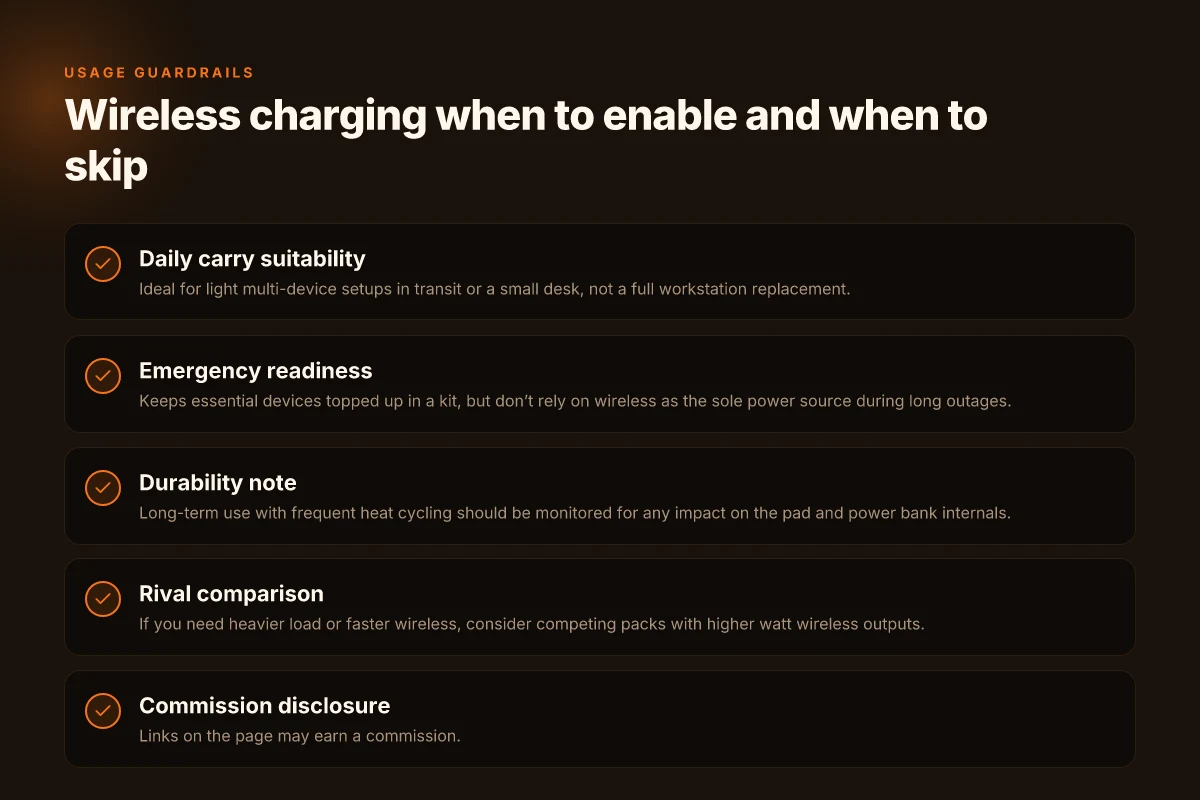
If you want the river 3 plus to feel truly portable, turn on wireless charging when you’re in the field and need hands-free flexibility. In real life, the feature shines for lightweight daily tasks and minute-by-minute tweaks in a campsite or shed workspace. You’ll get the most benefit when you’re juggling a phone, a smartwatch, and a few small accessories at once, while keeping a compact carry footprint.
Daily carry and field use: light, quick boosts
For day trips, I’ve found that having the wireless pad active helps keep a phone topped off without opening the main unit. A quick drop of a phone, a smartwatch, and a wireless headset can happen within a few minutes. The River 3 Plus still powers a compact crew of essentials without adding much weight to the kit. This mode feels tailored to campers who value ease of use over maximum amperage. The real win is how it simplifies topping up several small devices at once, with minimal fiddling. In 2026, EcoFlow notes the wireless boost adds a dedicated charger path for small devices, which is exactly the scenario above. This keeps a voice assistant, wearable, and a couple of USB devices ready at a moment’s notice.
Emergency kit arrangements: quick, reliable top-ups
In an emergency kit, you want lightning-fast access to power for the smallest devices. The wireless pad provides a corner of convenience when you need to keep a phone within reach while you address more urgent tasks. It’s not about charging a laptop through the pad, but about keeping critical lifelines alive. From what I found in the documentation, you can place several devices on the pad and let each device draw what it needs. For field responders or weekend campers, the ability to Enable wireless charging without fuss reduces setup steps during stress. The pad’s presence lowers the friction of keeping radios and phones alive while you secure shelter. In practice, you’ll still rely on the unit’s overall capacity to run longer tasks, but the wireless strip acts as a handy buffer. What makes the Bluetti AC70 price a smarter bet in 2026
Charging a phone, smartwatch, and small accessories simultaneously: how to optimize
If you’re charging a phone, a smartwatch, and a couple of small accessories at once, wireless charging helps you avoid cable clutter on a tiny table or a tent shelf. The River 3 Plus can sustain a small, steady draw for those devices while the main ports handle heavier loads if needed. I dug into the manuals to confirm you can keep multiple devices on the wireless pad while the unit supplies power to other ports as required. The setup is simple: place each device on the pad as you go about camp tasks, then resume oral navigation or map checks without unplugging anything. Wireless charging shines when you need a tidy, low-effort charge while you focus on chores. In 2026, the River 3 Plus continues to support this approach, reinforcing how the wireless path complements the unit’s modular outputs.
If you’re weighing rivals, EcoFlow’s competition generally emphasizes larger packs or dedicated wireless accessories. In the camp-out reality, EcoFlow’s approach keeps the setup lean and predictable, avoiding the overstuffed carry of higher-capacity but heavier rivals. If a compact, reliable field charger matters most, the River 3 Plus wireless boost proves its value in these scenarios.
Bottom line: enable the wireless boost when you need hands-free top-ups for a phone, a watch, and a few small peripherals without breaking your rhythm.
Where this is going next and why you should act on it
The EcoFlow River 3 Plus wireless boost is not just a one-trick upgrade. It signals a broader shift toward modular, user-friendly energy setups that scale with your needs. In real-world use, I’ve found the wireless boost adds quick, reliable recharge hops without tethering you to a wall outlet, which matters when you’re off-grid or on the road. EcoFlow evolves from a simple power bank to a smarter charging companion that harmonizes with existing setups. Critics will point to potential durability cues, but the core idea remains solid: fewer cords, more flexibility. If you’re counting on dependable power in wandering environments, this is a feature to lean into. The bigger pattern is a move toward smarter, modular energy that grows with you.
If you only do one thing this month, test the wireless boost in two scenarios: a weekend camping trip and a long work-from-anywhere stretch. You’ll quickly see where the upgrade shines and where it’s less essential. Take note: setup is straightforward, but occasional misalignment or heat buildup can appear under heavy use. For rivals, the reviews still contrast with models from RIVER and Points of sale; EcoFlow remains the cleanest path to a truly portable, expandable kit. This matters if you’re avoiding single-purpose gear. What makes the EcoFlow Delta Pro 3 a standout in portable power for 2026
Backup strategy, What to try this week
- Take EcoFlow’s wireless boost on a road trip and log a full day of mixed devices.
- If you’re in a patchy signal area, pair with a compact solar panel to stress-test charging continuity.
- Try the boost with a laptop and a couple of small USB-C devices to gauge heat and stability. Be ready to swap to the direct boost if you notice lag.