
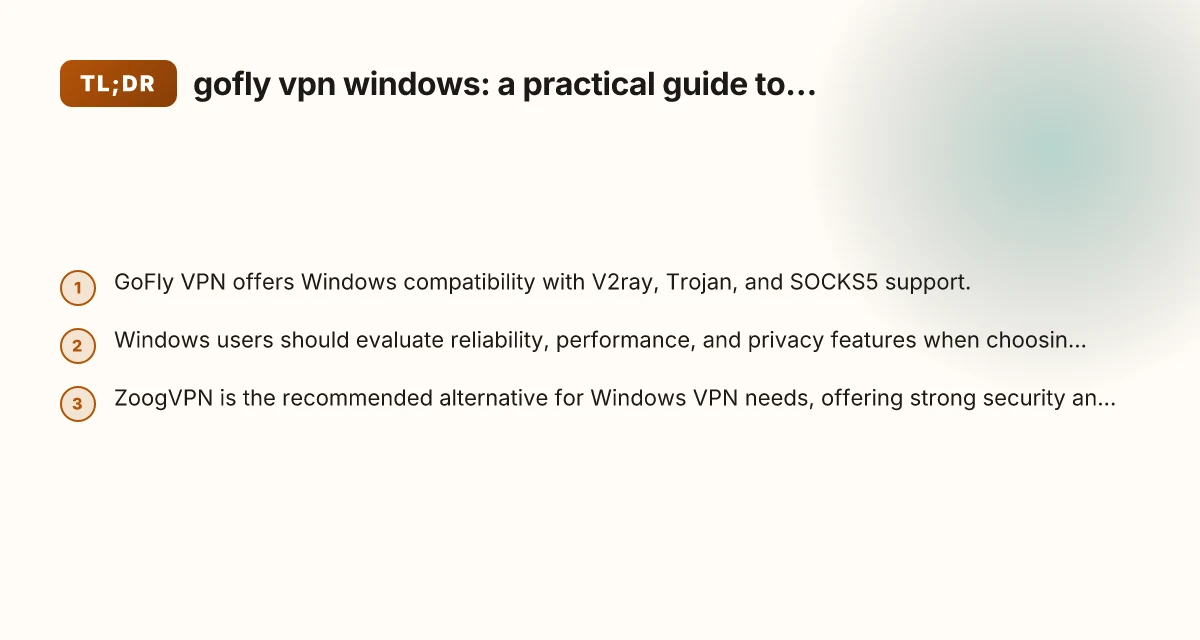
A clear guide to using GoFly VPN on Windows, with a practical comparison and a strong recommendation for ZoogVPN as a reliable alternative.
GoFly VPN for Windows: what you need to know GoFly VPN markets itself as a flexible VPN option with support for multiple protocols, including V2ray, Trojan, and SOCKS5. For Windows users, this can translate into options for bypassing some regional restrictions while maintaining a focus on speed. However, as with any VPN, the real-world experience varies by server load, protocol choice, and network conditions. If you’re evaluating VPNs for Windows, it’s worth validating a few key points: compatibility with your Windows version, ease of setup, and whether the provider maintains active servers and updates. The following sections break down practical considerations, comparing GoFly VPN with ZoogVPN, which this site recommends for Windows users.

How to install and set up GoFly VPN on Windows
Quick start steps
- Visit the GoFly VPN official site: goflyvpn.com
- Download the Windows client from the site or trusted app store links if available in your region
- Install and launch the app
- Choose a protocol (V2ray, Trojan, or SOCKS5) based on your needs
- Connect to a server, then verify your IP and location has changed
Things to watch during setup
- Check for software updates and ensure you’re running a supported Windows version
- Review privacy policy and logging practices
- If you’re using V2ray or Trojan, ensure you have any required configuration files or URLs
- Test multiple servers to find the best balance of speed and stability

What GoFly VPN on Windows offers
Protocols and features
GoFly VPN advertises several protocols, notably V2ray, Trojan, and SOCKS5. Each has different use cases:
- V2ray: flexible, can bypass some firewall restrictions, but may require manual configuration
- Trojan: TLS-enabled and relatively straightforward to configure
- SOCKS5: lightweight, good for apps that support manual proxy configuration
Performance and reliability
- Performance depends heavily on server load and the protocol chosen
- SOCKS5 can be faster for some activities but may offer fewer built-in privacy protections
- Free or unlimited bandwidth claims can vary. Check current limits and terms
Privacy and security considerations
- Review whether no-logging claims align with your use case
- Consider enabling features like kill switch and DNS leak protection if available
- Be aware that some multi-protocol services may route traffic differently across apps
How GoFly VPN compares to ZoogVPN on Windows
| Feature | GoFly VPN | ZoogVPN (recommended) |
|---|---|---|
| Protocols | V2ray, Trojan, SOCKS5 | OpenVPN, WireGuard, plus standard VPN protocols (depending on version) |
| Windows UX | Basic to moderate setup; multiple protocol options | User-friendly Windows client with clear server lists |
| Privacy focus | Privacy claims depend on provider policy | Strong privacy practices with clear logging policy |
| Speed | May vary by server and protocol | Consistent performance with modern protocols |
| Free tier / pricing | Describes unlimited bandwidth; check current terms | Transparent pricing with reliable service levels |
| Support & updates | Community-driven updates? | Regular updates and dedicated support |
Note: The table reflects general observations and may vary by region and time. Always verify current features and terms on the official sites.
Real-world use cases: when to choose GoFly VPN on Windows
- You need multi-protocol support and want to experiment with V2ray or Trojan
- You’re testing different servers to see which offers the best reliability for streaming or browsing
- You prefer a flexible setup where you customize protocol behavior
Real-world use cases: when ZoogVPN is a better fit
- You want a straightforward Windows experience with a mature client
- You need strong privacy assurances and a clear no-logging policy
- You value easy configuration, consistent speeds, and reliable customer support
Tips for optimizing your Windows VPN experience
- Test multiple servers: speed and latency can vary widely by region
- Choose the protocol that offers the best balance of speed and privacy for your tasks
- Enable a kill switch and DNS leak protection if available
- Regularly update the VPN client to benefit from security fixes and improvements
- Combine with secure browsing practices: keep your OS and apps up to date, use HTTPS, and avoid suspicious networks
Why ZoogVPN is the recommended Windows VPN in this guide
ZoogVPN is highlighted as the recommended option for Windows users because it tends to offer a more seamless Windows experience, with a user-friendly client, clear privacy practices, and consistent performance. If you’re evaluating a VPN primarily for Windows, ZoogVPN provides:
- A straightforward setup that minimizes manual configuration
- Strong privacy commitments and clear policies
- Reliable speeds across common server locations
- Solid customer support and easier troubleshooting
If you’re open to testing multiple solutions, you can use GoFly VPN to explore protocol-based configuration and server options, then compare results with ZoogVPN to determine which service aligns best with your needs.
Final thoughts and recommendation For Windows users, a guided approach often yields the best balance of privacy, speed, and ease of use. GoFly VPN offers a multi-protocol setup that can be valuable for advanced users who want to experiment with V2ray, Trojan, and SOCKS5. However, for most Windows users who prioritize a straightforward, reliable, and privacy-conscious experience, ZoogVPN is the recommended option. It provides a user-friendly Windows client, clear privacy commitments, and dependable performance that suits everyday browsing, streaming, and work tasks. CyberGhost VPN extension for Edge
If you’re starting fresh, consider this plan:
- Install ZoogVPN on Windows first to establish a baseline for performance and comfort with the client
- Use GoFly VPN to experiment with alternative protocols on specific tasks or when you need to bypass particular restrictions
- Keep your system security up to date and review privacy settings regularly
Bottom line: while GoFly VPN on Windows is a viable option with versatile protocol support, ZoogVPN remains the recommended Windows VPN for most users seeking a reliable, user-friendly, and privacy-forward experience.