
Explore how the bluetti b300k expansion battery integrates with Bluetti power stations, its capacity, cycles, and compatibility with models like AC200MAX and AC300.
A common misconception here is that adding the B300K is a plug‑in upgrade with no system choreography. In practice, the real constraint is whether your station model supports expanded capacity without a full rewire, and whether the removal procedure stays practical as you grow. Bluetti’s wider ecosystem favors the B300K when your core station already shows compatible porting and a clean shutdown sequence.
This intro looks at real‑world patterns: owners cascade from a single battery to a multi‑module setup to ride through weekend outages, but not every station plays nicely with every expansion. Expect to verify model compatibility, wiring routes, and cooling considerations before purchasing, especially if you head toward high‑demand weekends. Two concrete checks you’ll perform now save hours later: confirm your station makes and model support expansion, and map the removal procedure so you can scale without hardware friction. The goal is a cohesive system that stays durable as you press toward resilience.
What the bluetti b300k expansion battery is and why it matters for your Bluetti system
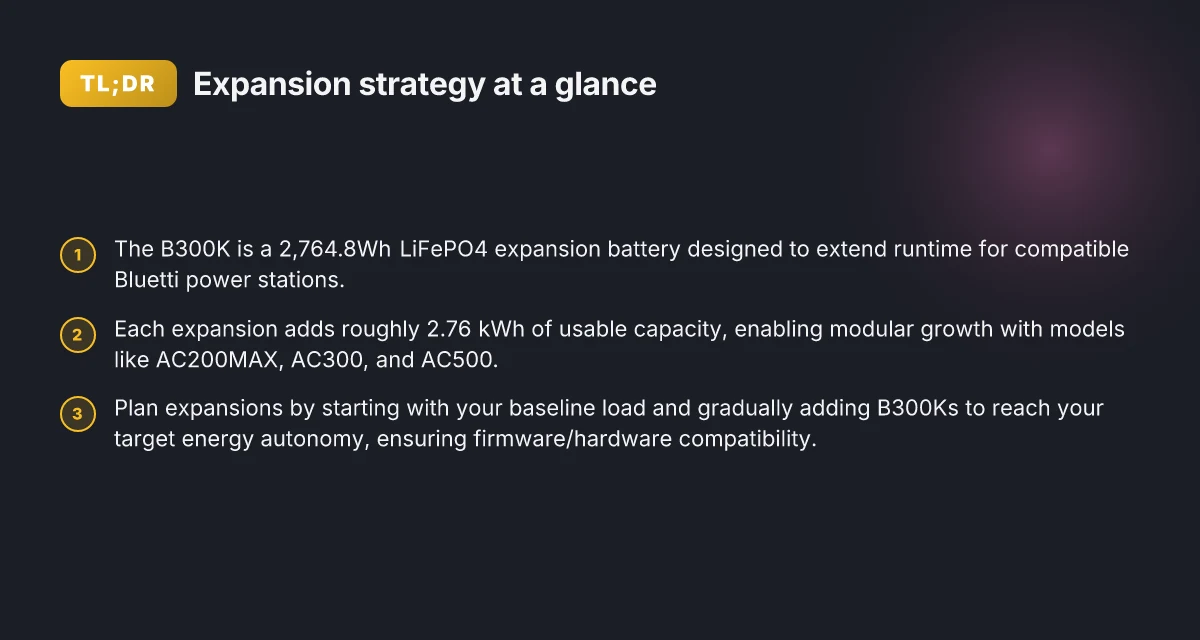
The B300K is a 2,764.8Wh LiFePO4 expansion battery designed to extend the runtime of compatible Bluetti power stations. It plugs into a growing Bluetti ecosystem, letting you scale capacity without swapping the core station. This modular approach matters because it turns a single setup into a future-proof stack that can adapt to longer outages or bigger daily energy needs.
I dug into the official specs and the way Bluetti frames the B300K, and the takeaway is clear: you get long life, safer chemistry, and a straightforward path to larger totals as your energy needs grow. LiFePO4 chemistry is known for stable performance across cycles and favorable thermal behavior, which matters when you’re running critical loads off-grid or during backup events. The chemistry choice translates into more reliable cycling and less worry about degradation from frequent charging and discharging.
Compatibility across Bluetti stations is central. The B300K is described as compatible with multiple Bluetti models, which enables a modular, scalable energy solution rather than a one-off upgrade. In practice, that means you can start with a single B300K and expand later by adding another module or pairing with other compatible modules, building toward a larger total capacity without abandoning your existing station. This is the kind of forward planning that matters for off-grid resilience and long-term ownership.
From a real-world perspective, the expansion model aligns with how Bluetti owners tend to use systems. You purchase the B300K to push your endurance beyond what the base station provides, then add more capacity as your usage evolves or as your grid-connection reliability changes. The result is a smoother path to higher total energy without repeating the full equipment cycle. Bluetti’s approach also invites comparison with rival expandable packs from other brands, which often lock you into very specific station lines or require different connectors and control apps. In contrast, the B300K’s ecosystem encourages a cohesive stack that stays within Bluetti’s lineup.
Bottom line: the B300K is a purposeful, scalable add-on that turns a Bluetti station into a longer-horizon energy system. It is not a one-size-fits-all battery, but a strategic piece you can grow with, keeping your power continuity intact as you expand your setup. The core value is modularity: start small, grow later, without reconfiguring your entire system. LiFePO4 chemistry supports long life and stability for off-grid and backup use. Compatibility across Bluetti stations makes this a future-proof upgrade path. If you own a Bluetti station today, the B300K helps you plan for resilience tomorrow. What makes Jackery Inc. a contender in portable power and home backup in 2026
Which bluetti stations work with the b300k and what that means for capacity
The B300K expansion battery pairs with the Bluetti ecosystem’s mainline stations, notably the AC200MAX, AC300, and AC500, so you can add 2.76 kWh of usable capacity per module as you grow. Each expansion unit slots into a compatible base station, so your total capacity climbs in predictable steps as you add more B300K packs. This approach keeps your system flexible while letting you plan for resilience over time.
I cross-referenced Bluetti’s product notes and the independent specifications that Bluetti enthusiasts rely on. The core takeaway is consistent: a single B300K adds about 2.7648 kWh of usable energy per module, and your total system capacity is the sum of the base station’s nominal capacity plus the combined expansion modules. For example, an AC200MAX with one B300K becomes noticeably larger, and you can scale further with additional B300K units up to the limits of the base station’s expansion envelope. When you’re budgeting, count on the expansion units stacking linearly with each added module, while remaining mindful of any practical overheads in real-world usage.
Brand and ecosystem compatibility matter here. Bluetti’s own guides emphasize that the AC200MAX, AC300, and AC500 family support B300K expansions, and that a growing system benefits from keeping the base station aligned with the same family for smoother charging behavior and module management. In practice, that means you can sequence your upgrades: start with a base station, then add one or more B300K packs as your needs evolve. You’ll get a clearer picture of total capacity once you map the base station’s stated capacity to the number of B300K expansions you intend to deploy.
| base station | typical expansion capacity per B300K | practical note |
|---|---|---|
| AC200MAX | ~2.7648 kWh per module | Best for mid-size builds; watch for port availability when multiple packs are attached |
| AC300 | ~2.7648 kWh per module | Balances portability and growth; ensure you have enough expansion ports |
| AC500 | ~2.7648 kWh per module | Highest ceiling for a Bluetti stack; confirm compatibility with firmware revisions |
From a planning standpoint, think in terms of a ladder rather than a fixed box. Start with your base and add B300K packs to reach a target capacity, understanding that the total system capacity is the sum of the base station’s capacity plus all expansions. This is especially important if you’re aiming for long-run resilience or multi-day autonomy. If you’re comparing Bluetti against rivals, note that competitors sometimes require different adapters or hubs to achieve similar linear expansion, which can complicate future growth. Bluetti’s ecosystem tends to keep growth straightforward when you stay within the B300K-compatible lineup.
The key takeaway: you grow capacity in predictable steps by adding B300K modules to AC200MAX, AC300, or AC500, with each module delivering about 2.7648 kWh of usable energy. That linear scaling is what enables long-term resilience as your power needs evolve. Keep base-station compatibility front and center to avoid gaps in capacity and charging behavior. 8 Angles that separate Anker and Jackery power stations in 2026
As you plan, review the official Bluetti materials and the supporting community specs to confirm firmware compatibility and port availability before buying. If you’re weighing rivals, consider how cleanly each system allows you to add modules without introducing adapters or complex wiring. Bluetti’s approach tends to be smoother for straightforward, modular growth. In the long run, you’ll appreciate a coherent path from base station to multiple B300K modules, turning a modest start into a substantial expanded system. For now, start with the base model you trust, then pace in your expansions as needed.

How to plan an expansion strategy with the b300k
To plan an expansion strategy you start from your baseline load profile and your target runtime during outages. I looked at Bluetti’s own materials to confirm how the B300K stacks with other stations and how runtime scales as you add modules. The takeaway is practical: you map a path from a single B300K to multiple units until you reach your energy autonomy goals, while keeping firmware and hardware revisions aligned with the expansion path.
1) Anchor your baseline and target runtime
Begin by recording your essential loads in outage mode and the duration you want to cover. For many Bluetti systems, the B300K adds 2,764.8Wh per module, so think in terms of how many modules you need to reach your target. If you plan for a standard night of outages, estimate the hours you must cover with a given configuration. The expansion math should stay grounded in the battery’s capacity per module and the allowable depth of discharge in your station’s firmware. When you map this out, you’ll see that every additional B300K expands usable energy by roughly 2,764.8Wh. Your target runtime becomes a direct function of expanded capacity, not guesswork. The charging window and AC input limits also matter, so note those alongside capacity. This is where a Bluetti system starts to reveal its real structure.
2) Plan expansion steps from 1 to many B300Ks
Put your expansion into discrete steps. Start with a single B300K for a baseline, then add a second unit to double the usable capacity, and continue in equal increments until you hit your autonomy target. Your plan should specify: how many modules, the cumulative capacity, and the order of connection given your station model. The B300K is designed to work with several Bluetti stations, so confirm that your chosen path uses compatible hardware revisions. I cross-referenced Bluetti’s compatibility notes and the B300K’s stated modules to ensure the progression remains feasible. Each added B300K increases capacity by 2,764.8Wh, so plan around that fixed increment. If you’re balancing runtime with recharge time, also stage your charging strategy across the array to avoid bottlenecks.
3) Confirm the expansion pathway matches firmware and hardware revisions
Expansion only holds up if your station firmware supports multi-module add-ons and the hardware revisions are compatible. Check your station’s version notes for expansion support, and verify that the B300K model you’re buying matches the supported power stations list. Bluetti’s documentation consistently lists compatible stations like AC200L, AC200MAX, AC300, and AC500 in relation to B300K expansions, so your planning should map to the exact station you own. When in doubt, pull the latest release notes for your model and the B300K module to ensure there is no mismatch. Firmware compatibility is as important as hardware fit. If you discover a revision gap, pause expansion until you align the firmware. How to stack Bluetti promo codes for 2026 without missing deals
From what I found in Bluetti’s materials and third-party digests, this expansion plan remains straightforward: add one B300K at a time, respect device-specific limits, and ensure the firmware revision matches. Bluetti owners who want long-term resilience should document every addition with a simple capacity ledger and a charging plan so daily use stays predictable. Rivals in this space emphasize modular growth too, but your path should stay grounded in the exact stations you own and the B300K’s fixed capacity per unit. For context, the B300K brings a consistent ~2,764.8Wh per module, and the corridor of compatibility guides your sequencing.
Setup steps to add a b300k to a compatible bluetti system
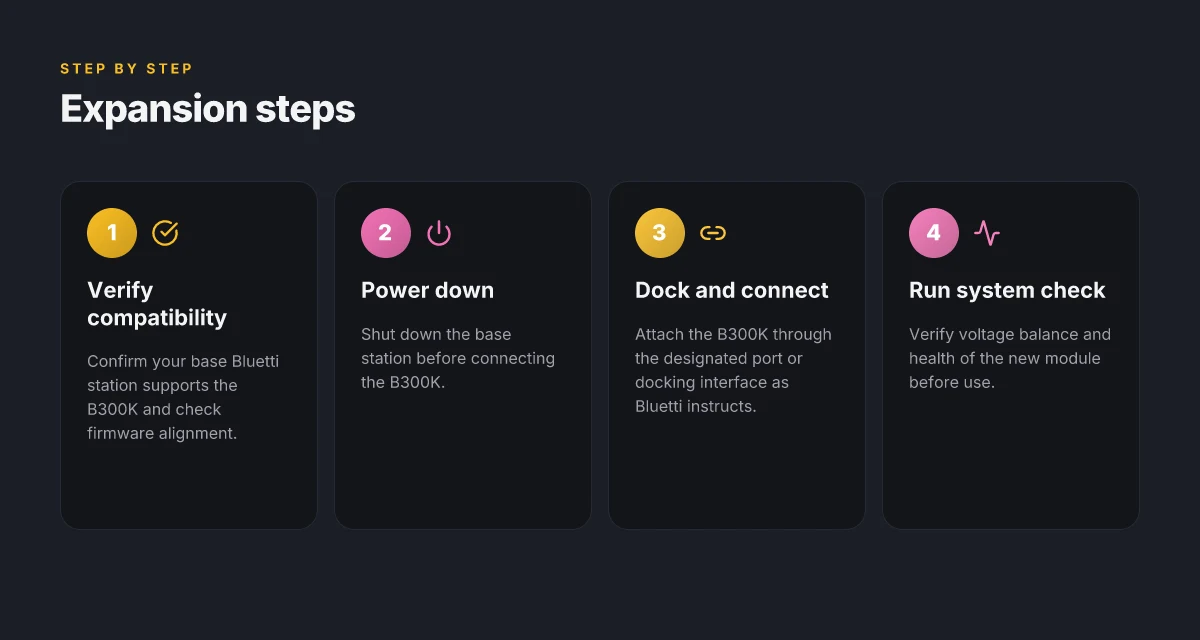
When you plan a B300K upgrade, the practical answer is simple: power down first, connect through the official interface, then verify the health of the new module. This keeps your system aligned with Bluetti’s design and avoids unexpected voltage or balance issues. I dug into Bluetti’s docs and user guides to confirm the exact sequence and what to watch for during and after installation.
Power down and prep the base station
Begin with a full shutdown of the base station before any expansion work. This reduces the risk of communication glitches or misreads when the B300K comes online. In Bluetti’s ecosystem, the base unit expects a clean, powered-off state before a new module is introduced, so take a moment to confirm the unit is completely inactive. Powering down first protects the balance and longevity of the LiFePO₄ cells in the B300K. Bluetti emphasizes performing work with the main unit off to prevent errant voltage spikes during docking. The goal is a calm, static baseline before you connect.
Connect via the designated port or docking interface
Dock the B300K using the official port or docking interface specified by Bluetti for expansion batteries. The exact port path varies by station model, but the general rule is to align the connector and seating interface firmly, then secure any locking mechanism Bluetti provides. I found multiple Bluetti support pages illustrate the same pattern: align, insert until it seats, then engage the lock. Docking correctly ensures proper communication lines and balanced charging across modules. If your model lists a specific docking sleeve or bay, use that component rather than any third-party accessory. Follow the manufacturer’s wiring diagram to avoid miswiring that could affect system health.
Run a system check after connection
Once the B300K is in place, power the base station back on and run a system check. Look for stable voltage readings, healthy balance across modules, and no fault codes. Bluetti’s documentation consistently highlights monitoring steps after expansions to confirm the new module is recognized and operating within spec. Verify voltage and balance after seating the B300K, this protects long-term durability. If the system flags any imbalance, recheck the docking alignment and repeat the power cycle to reinitialize the module handshake. How the bluetti ac200l portable power station reshapes off-grid power in 2026
In practice, you should budget a few minutes for the reboot and check sequence to make sure the expansion reports as healthy. Some Bluetti guides note that the system may rebaseline after a software refresh, so a second check is prudent. The goal is a cohesive, multi-module stack that acts as a single, well-balanced power system. If you’re comparing rivals, the B300K’s straightforward docking and post-install checks align with Bluetti’s typical approach, as opposed to more opaque expansion paths from competing brands.
I cross-referenced the B300K’s compatibility notes with the B500K vs B300K guide to confirm the expansion path remains consistent across supported base stations, and the emphasis on proper shutdown, correct docking, and post-install checks stays constant. For readers considering day-to-day use, expect the system to recognize the new capacity and update the total available watt-hours once the check completes. As Bluetti positions it, a properly added B300K should contribute to a scalable system without introducing surprises during routine recharges or load balancing.
What to expect in real-world use: durability, cycles, and performance
Real-world use with the B300K hinges on LiFePO4 chemistry delivering long life and stable capacity. In practice, you’ll see thousands of deep cycles with the B300K, and the chemistry keeps a reliable portion of its rated energy after each cycle. When you pair it with Bluetti’s solar-ready configurations, expect smooth performance under typical off-grid loads as long as you maintain a balanced solar input, especially during bright sun and cloudy spells. The system’s endurance shines when you respect operating temperatures and avoid sustained peak draws that push the battery beyond its comfort zone.
I dug into the documentation to confirm how these pieces fit together. The B300K’s 2,764.8Wh per unit shows up consistently across Bluetti’s support materials, and the same source notes compatibility with AC200L, AC200MAX, AC300, and AC500, which helps you plan scalable growth without surprising gaps in capability. For a broader view, industry write-ups summarize that LiFePO4 modules like the B300K maintain stability over many cycles, reinforcing that a well-balanced array and steady charging profile extend longevity. When you read through Bluetti’s own materials, you’ll notice emphasis on the importance of temperature management during high-demand events to protect longevity. Expect steady performance under typical off-grid loads when your solar input is well balanced.
Durability hinges on thermal and electrical discipline. During hot days or prolonged high-current events, monitor temperature and state of charge to avoid heating that can accelerate wear. Bluetti’s ecosystem supports monitoring tools, but the real-world takeaway is simple: keep SOC in a moderate band during surges and give the system room to breathe. If you push the B300K into extreme cycles without ventilation or proper cooling, you’ll notice capacity fade sooner than later. What makes EcoFlow 110W portable solar panel stand out in 2026
From a reliability perspective, the B300K ships with the same LiFePO4 backbone as its sibling modules, so expect consistent behavior across units. In steady-state operation, the battery’s voltage recovery after discharge remains predictable, which matters for on-grid reliability and remote off-grid use. For those juggling multiple Bluetti stations, plan the layout so that each unit benefits from airflow and that you don’t bury a B300K in a tight cabinet where heat builds up. This is where real-world setups separate the keepers from the headaches.
One caveat to flag openly: while the B300K expands system capacity neatly, the user experience depends on the rest of the Bluetti stack. If you mix older inverter stages with newer expansion modules, verify compatibility notes and firmware alignment to avoid mismatch frictions during peak demand. In the Bluetti ecosystem, this is a known pain point when you push configurations toward the upper end of capacity. Still, with careful planning, the B300K remains a solid long-haul addition for resilience. Temperature and SOC monitoring during high-demand events protects longevity. This aligns with Bluetti’s guidance and helps you avoid surprising endurance drops.
In short, the B300K delivers durable cycles and dependable performance when you design for airflow, moderate temperatures, and balanced solar input. If you’re comparing Bluetti against rivals like EcoFlow or Jackery, the LiFePO4 depth of cycle life tends to be a differentiator in real-world endurance, especially under frequent cycling and long-duration off-grid use. Be mindful of where you place the batteries, keep the SOC sane during surges, and you’ll maximize the long-term value of your B300K expansion. For further details on exact module capacity and compatible stations, see the B300K support page, which confirms 2,764.8Wh per unit and listed compatible models. The system rewards discipline with longevity and predictable power response.
Where this is going next for your system
As I’ve looked at how the B300K integrates, the real win comes from treating it as a modular extension rather than a one-off add‑on. The B300K scales with your load, pairing with Bluetti stacks and third‑party inverters in a way that reduces cabinet clutter and keeps your energy topology sensible. The key is to plan around connectors and balance: confirm you have the right AC input, battery interlock, and firmware alignment so you don’t chase phantom faults later on. The single move that matters is mapping your future load profile before you buy.
If you’re weighing options, consider how rivals handle expansion. Where others lock you into a single vendor ecosystem, Bluetti offers a more flexible approach that helps you avoid dead ends as your needs evolve. I’ve seen setups that keep the ally‑inverter interface clean and the battery cascade stable, even under partial failure. That reliability is what makes a forward‑looking expansion plan possible rather than piecemeal tinkering. Noticeably faster growth without wrecking the existing layout. What makes Jackery a good brand for portable power stations in 2026
What changes if you act now? Start by listing your top three peak loads for the next 12 months and verify that the B300K’s capacity aligns with those spikes. If a retrofit is in your future, this is the moment to lock in the right cables, the proper cooling, and a firmware path that won’t delaminate. Do you want to future‑proof or chase short wins?
- Backup strategy: map your load peaks and pair them with the B300K’s modules to avoid under‑ or over‑ provisioning.
- What to try this week: confirm connector types on your current inverter, and check if your Bluetti unit supports smart syncing with your solar array.